How to Buy Our Meme Token?
1. We need a TronLink Wallet.
Link - https://tronlink.org/ (Android, iPhone, Browser)
2. Install the app/extension on your device and create a wallet (save the seed phrase in a safe place and do not share it with anyone).
3. We need to deposit $TRX (Tron) into our wallet (you can do this from an exchange or another wallet).
4. Go to the link for our token
https://sunpump.meme/token/TJUHBYfCSBLKC1fSGNprnKjppdsXm9dj6x
5. Connect your wallet and purchase the coins by specifying the amount of $TRX you want to use.
IMPORTANT: You must leave at least 80-100 TRX in your wallet balance to pay for network and exchange fees.
6. Congratulations, you're on the rocket!
Wallet (Step-by-Step Instructions with Screenshots):
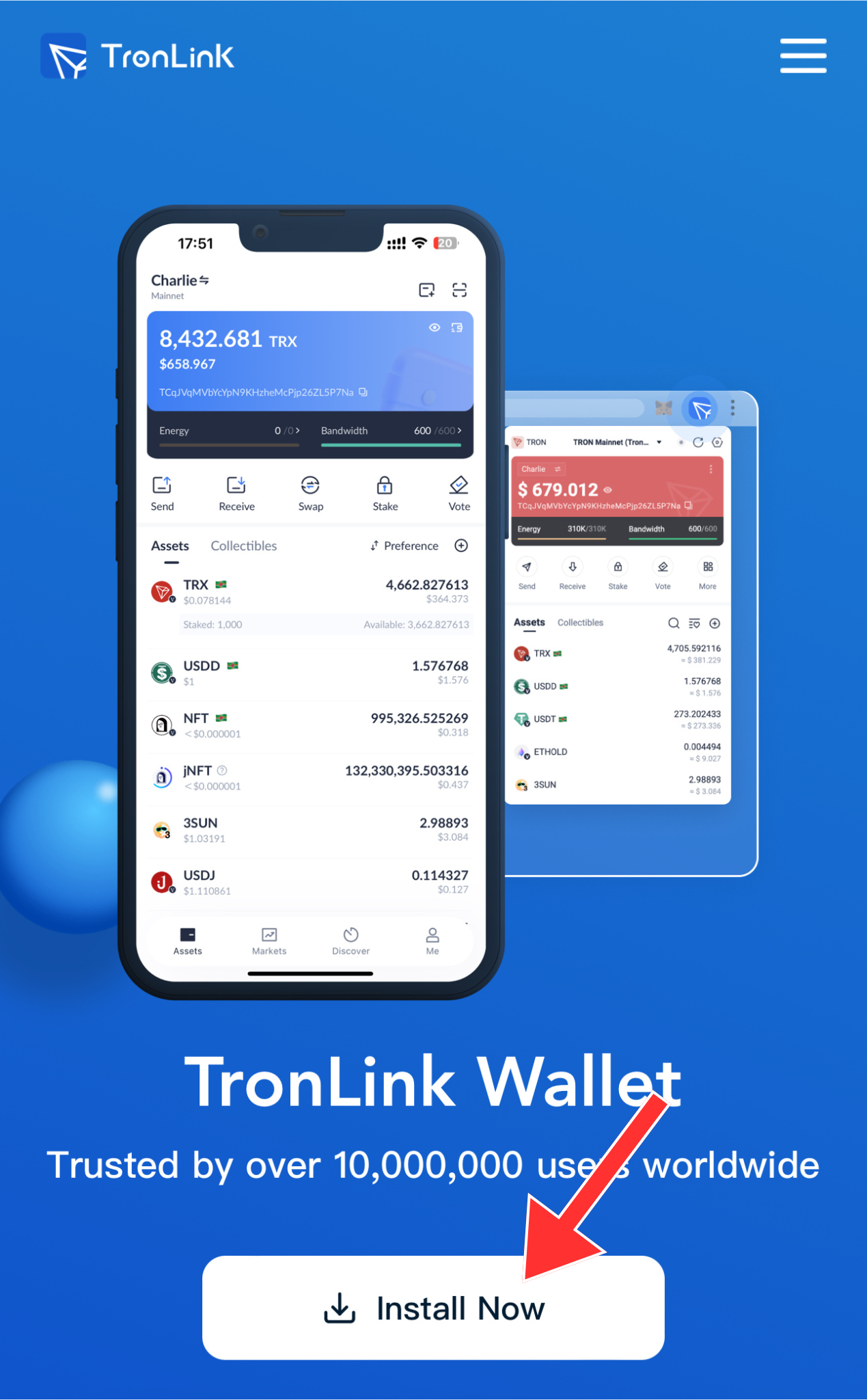
1. Go to the link - https://tronlink.org/ (Android, iPhone, Browser)
2. Click the "Install Now" button, install it on your device, and launch the app/extension.
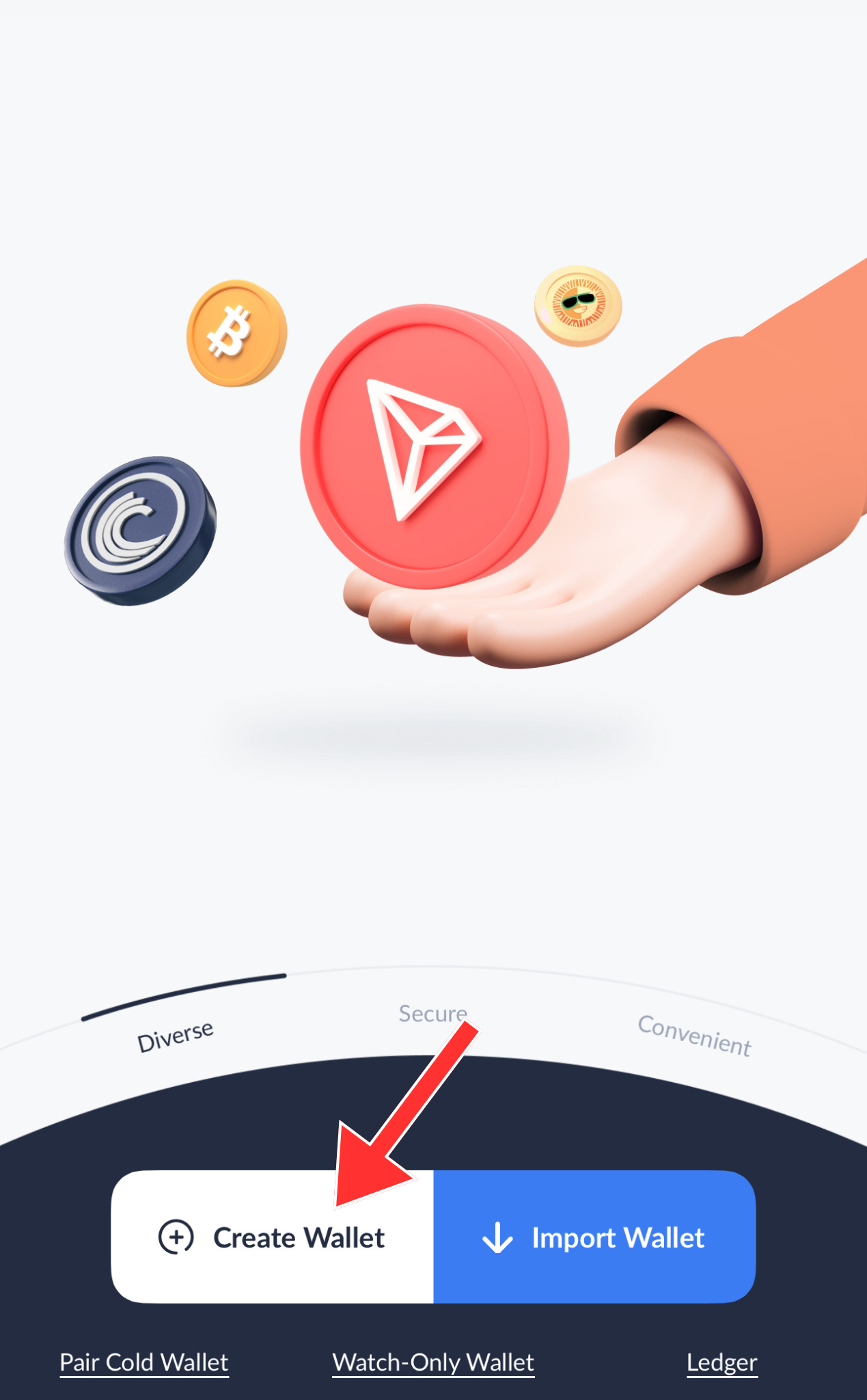
3. Click "Create Wallet."
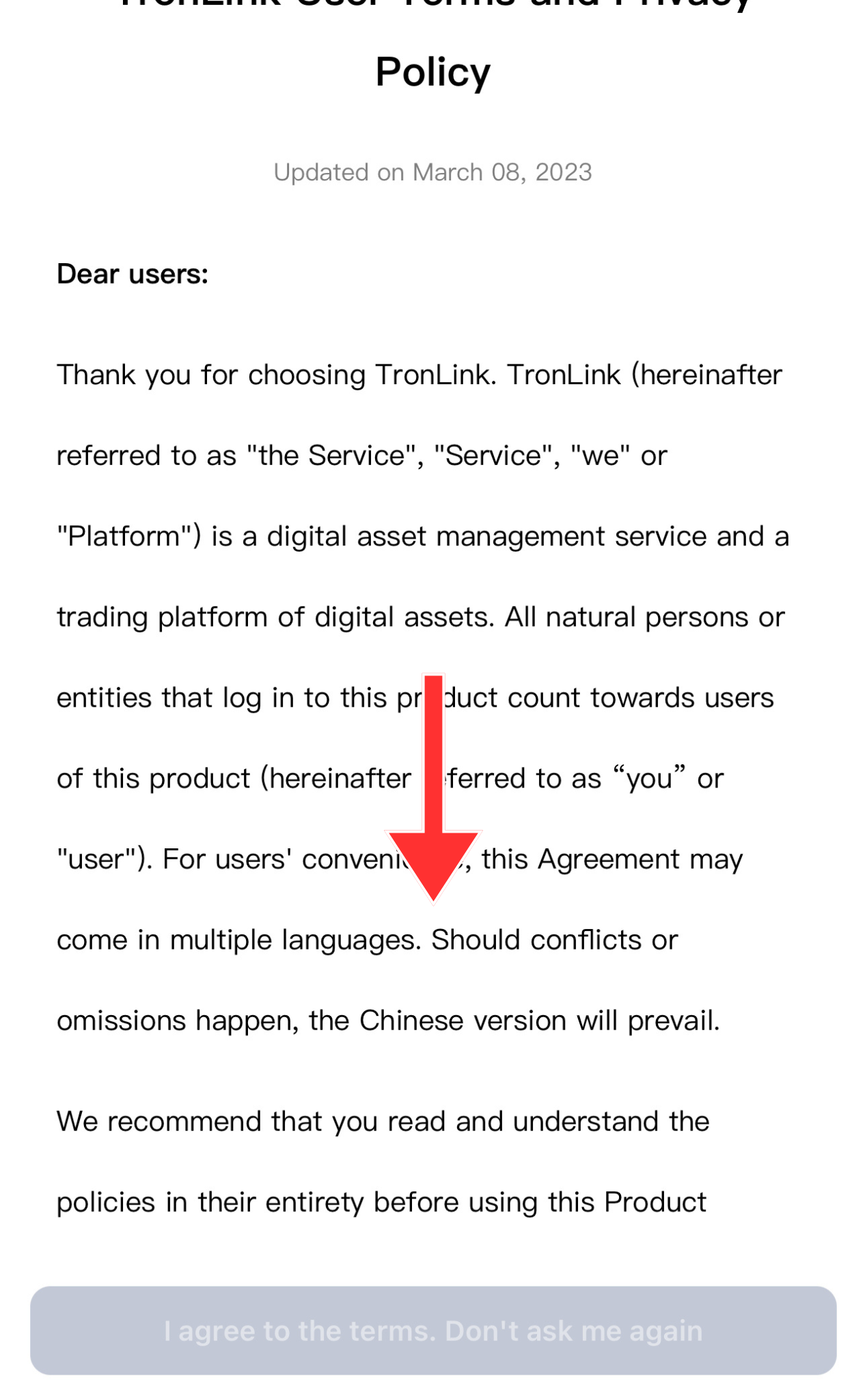
4. Scroll down until the button appears.
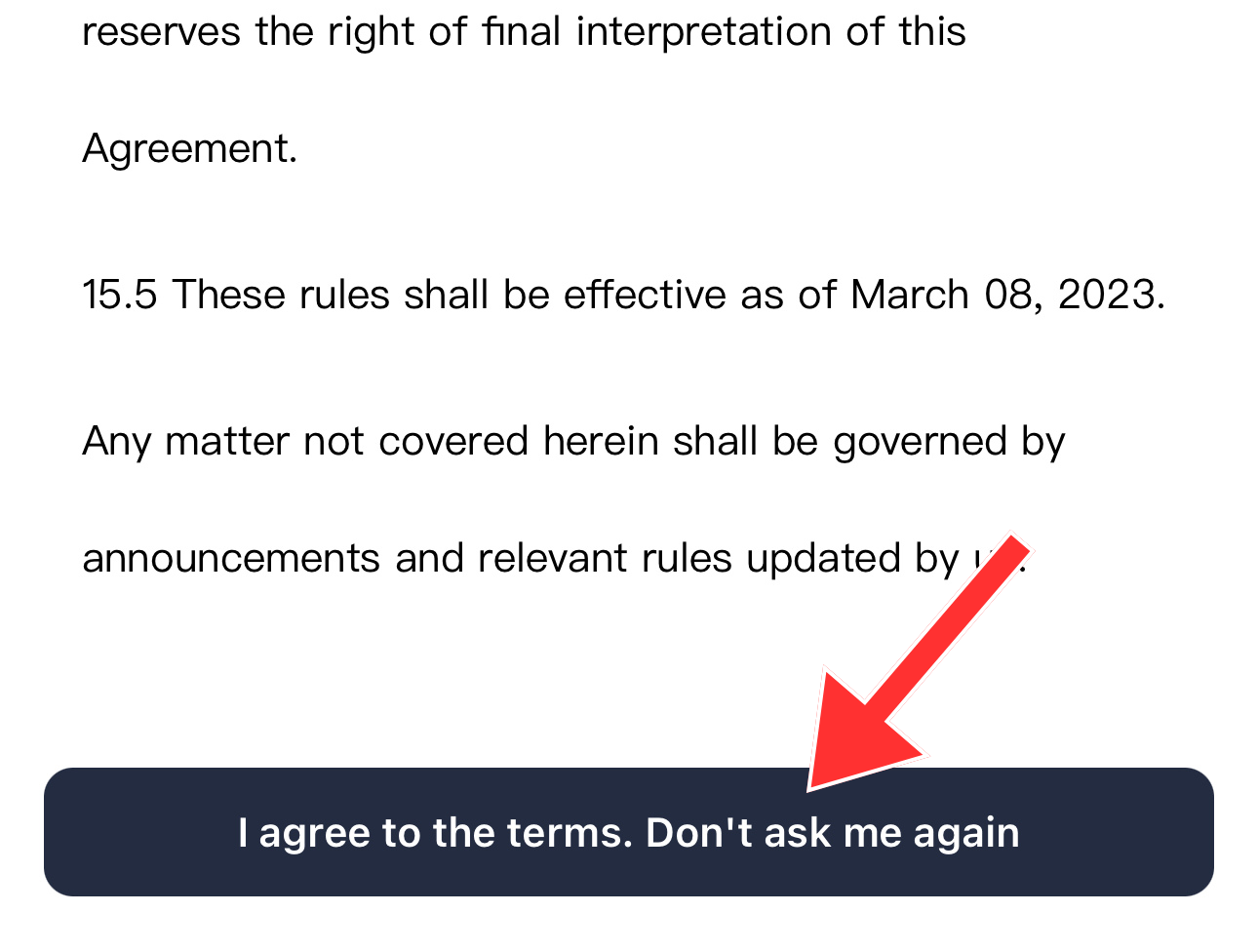
5. Click "I agree to the terms"
6. Name your wallet (optional) and create a password for access (don’t forget your password, save it in a safe place).
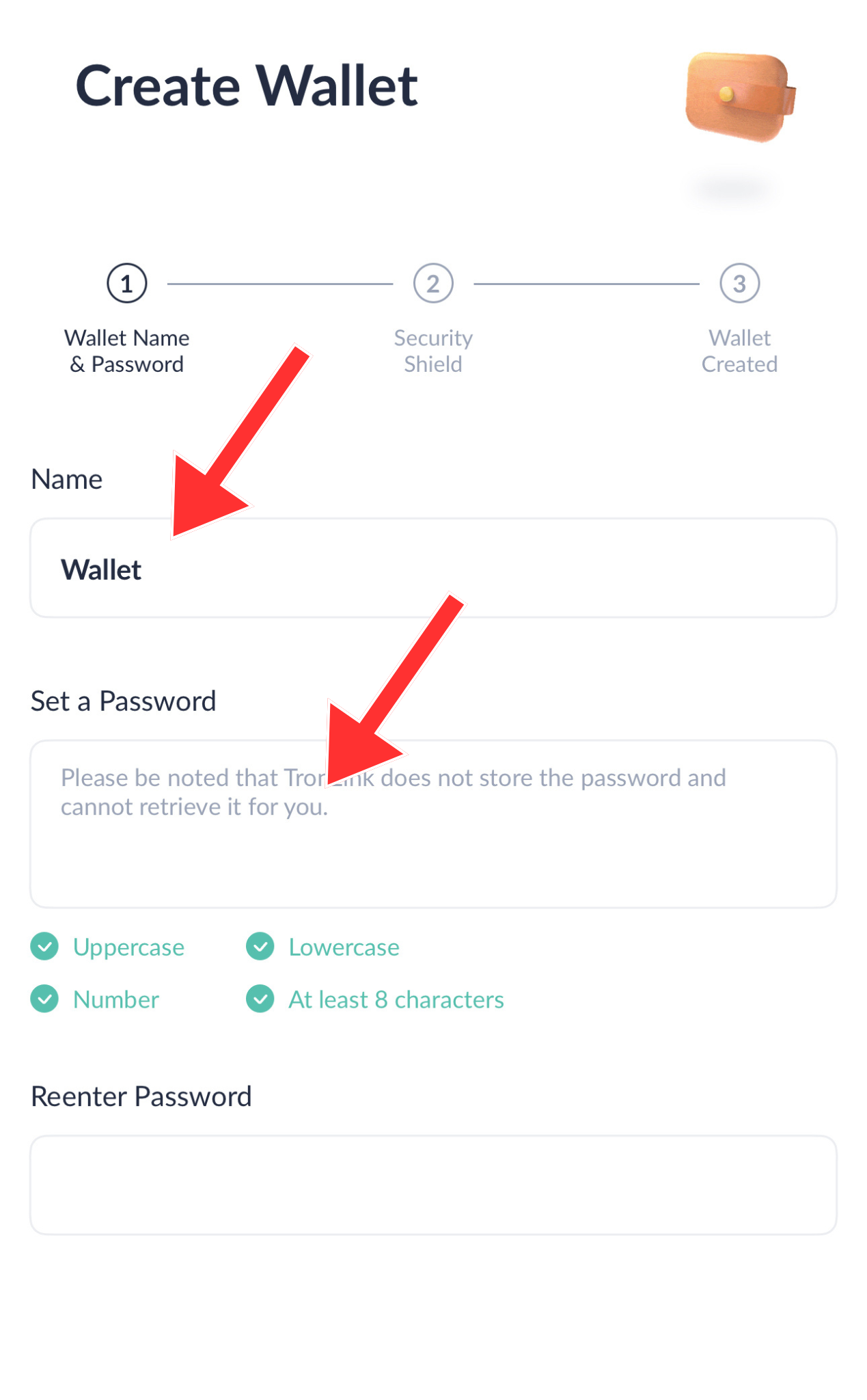
7. The wallet is created. Now we need to create a backup password (seed phrase).
8. Enter the password you set when creating the wallet.
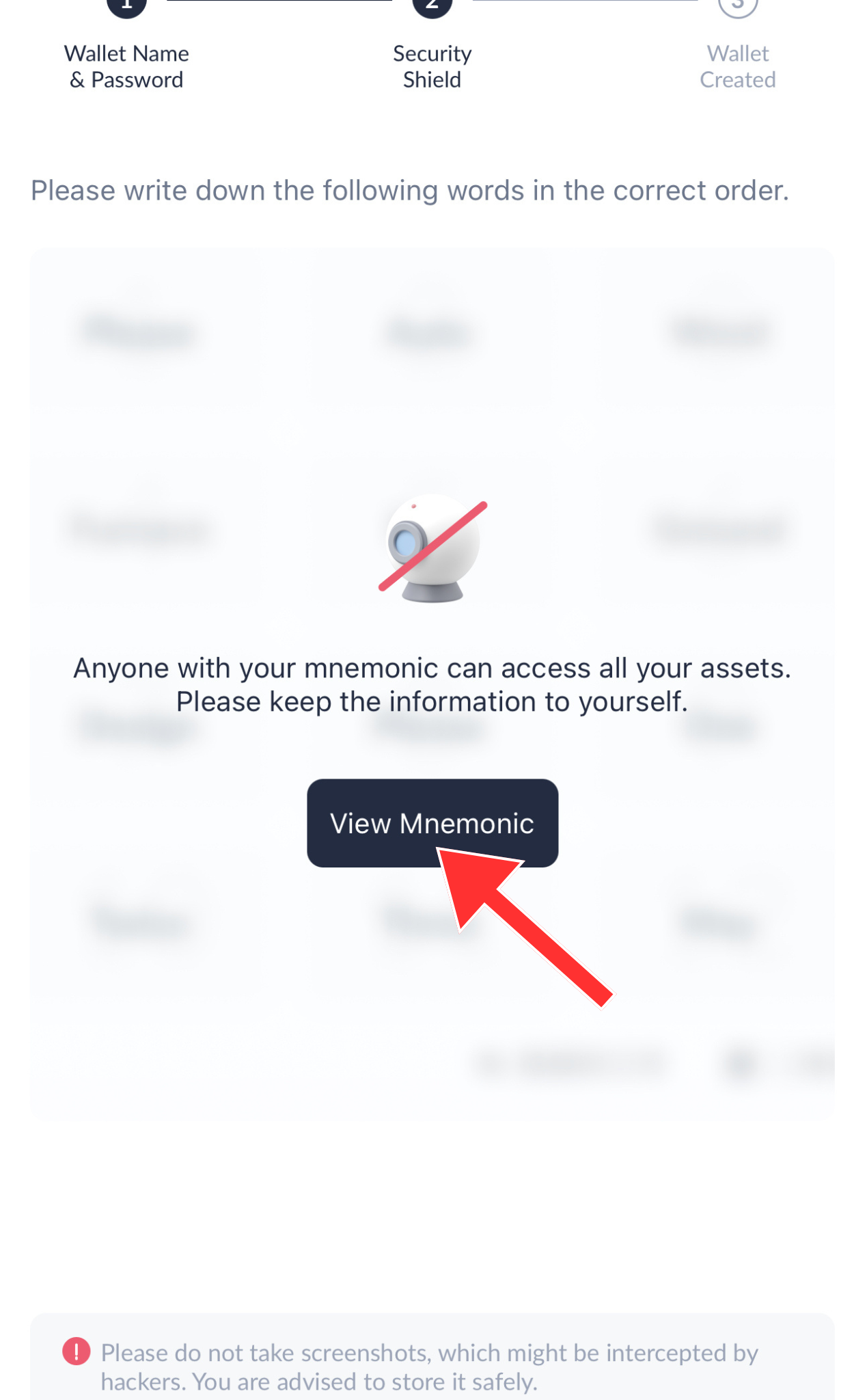
9. Click the "Back Up" button.
10. Click "View Mnemonic" and copy your seed phrase to a safe place.
11. Complete the verification of your seed phrase and click "Confirm."
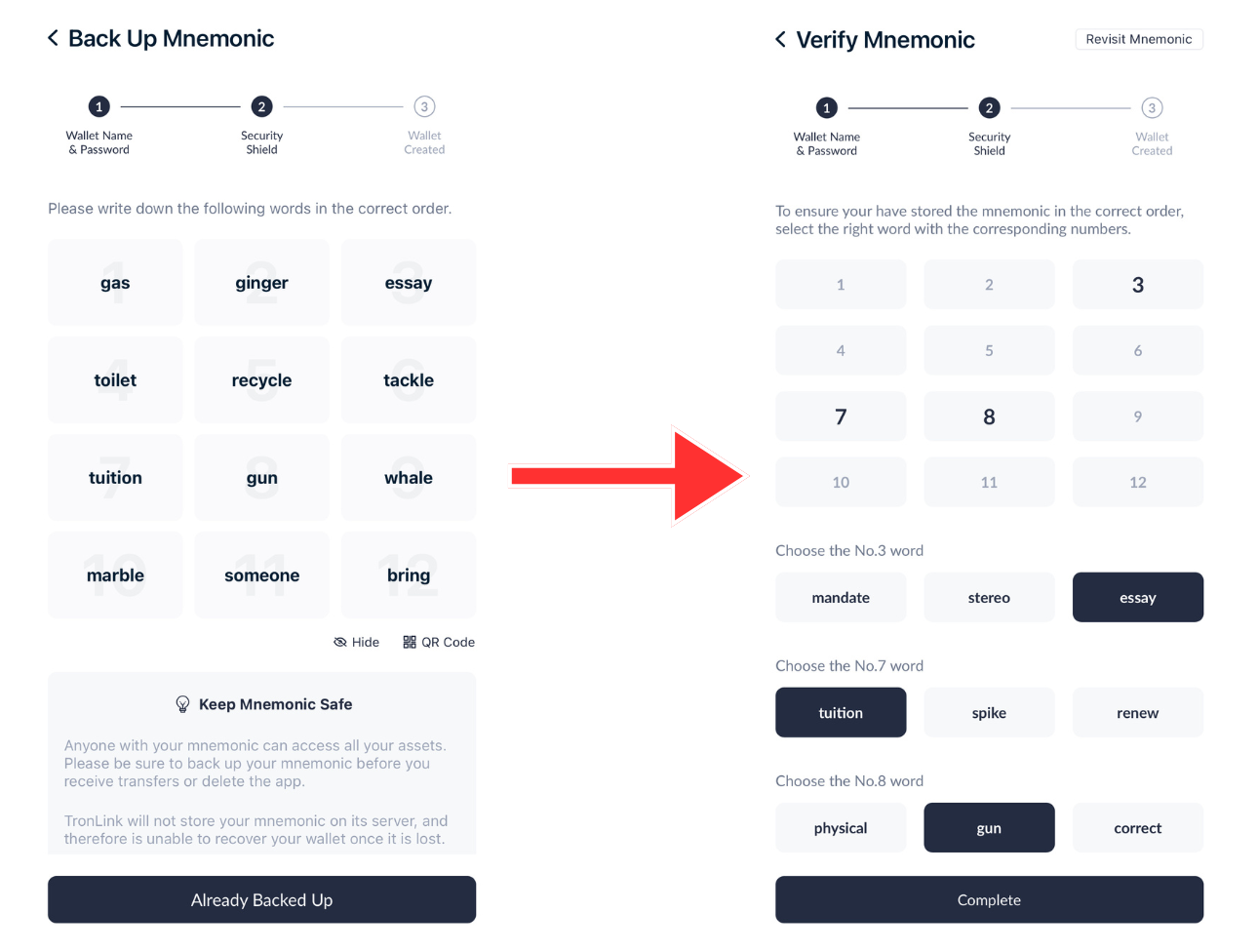
12. Congratulations! You have created and set up your wallet!
13. Copy your wallet address and send TRX to it from the exchange on the Tron network (TRC20).
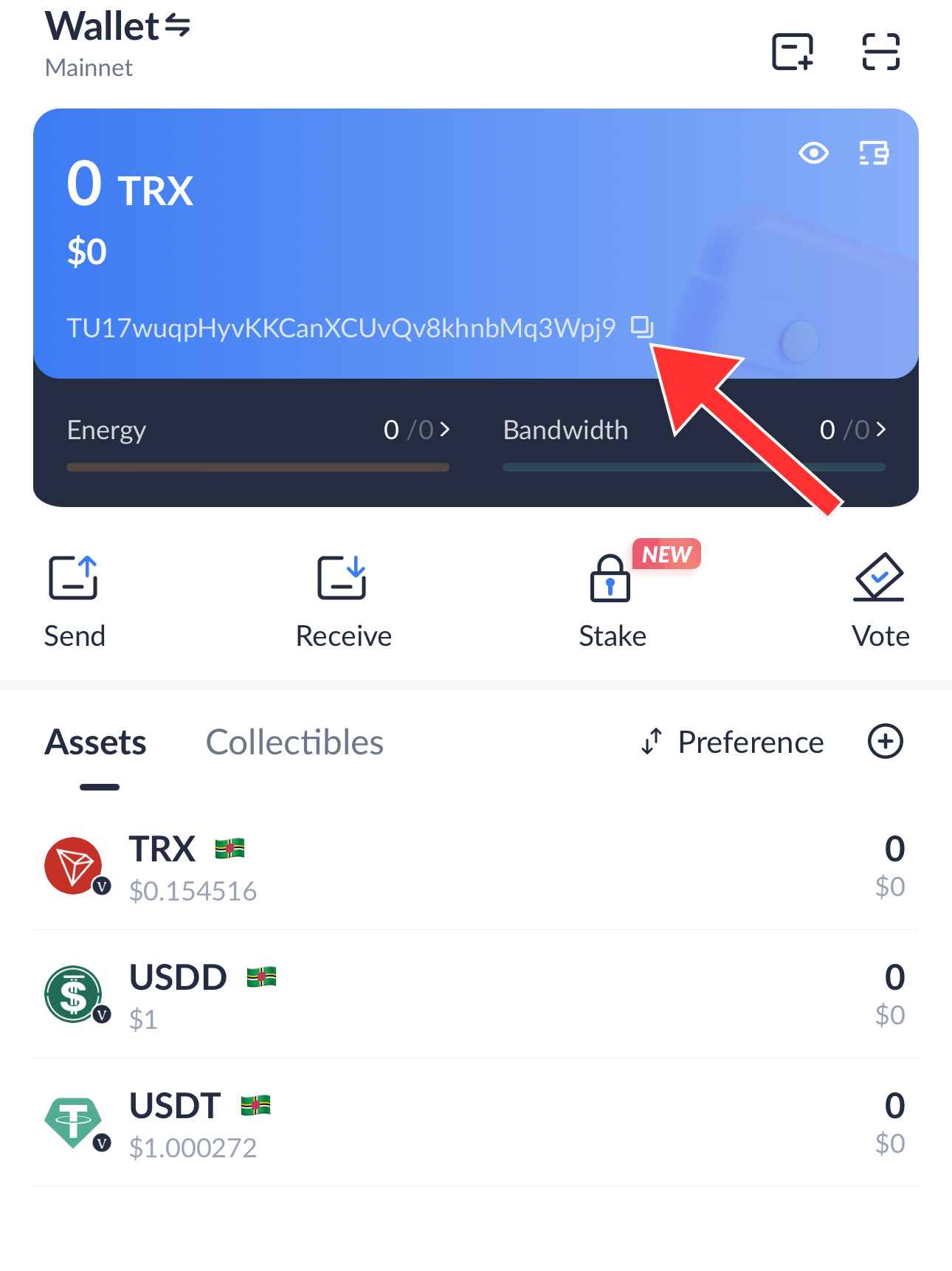
14. Wait for the TRX to arrive. Congratulations, you have funded your wallet!
Token (Step-by-Step Instructions with Screenshots):
1. Go to the link for our token
https://sunpump.meme/token/TJUHBYfCSBLKC1fSGNprnKjppdsXm9dj6x
2. Click the "Connect Wallet" button.
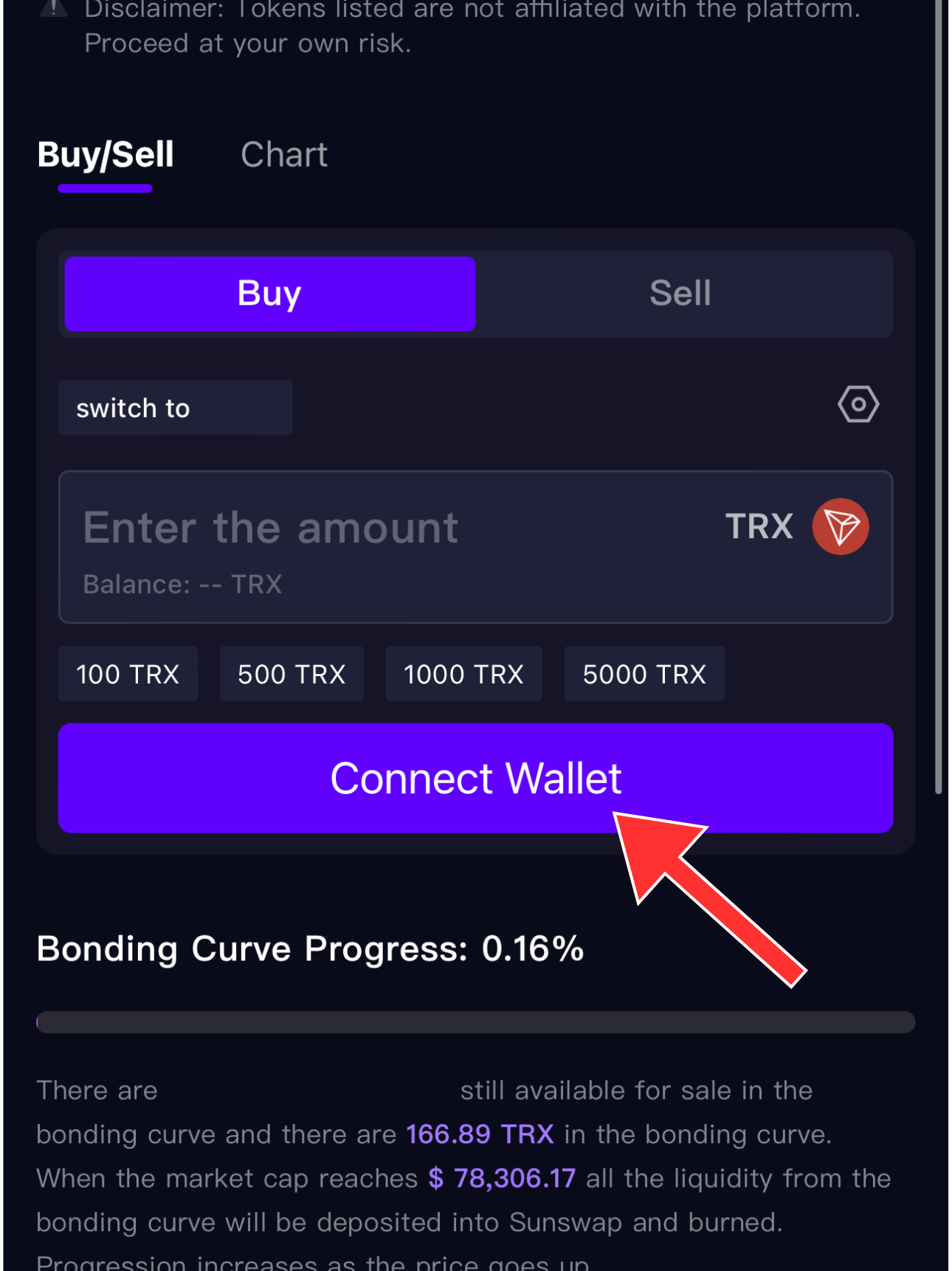
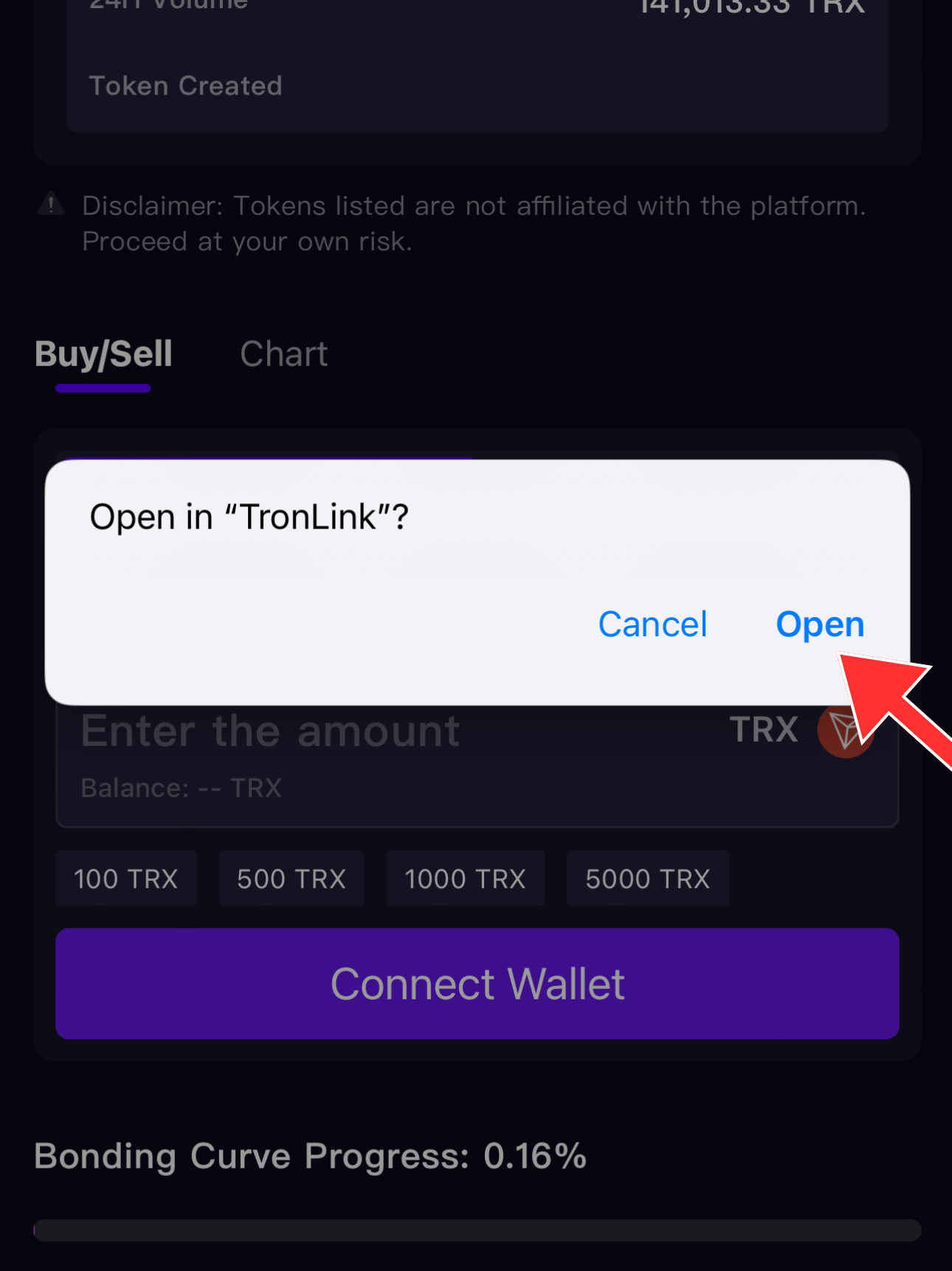
3. Confirm the connection to TronLink.
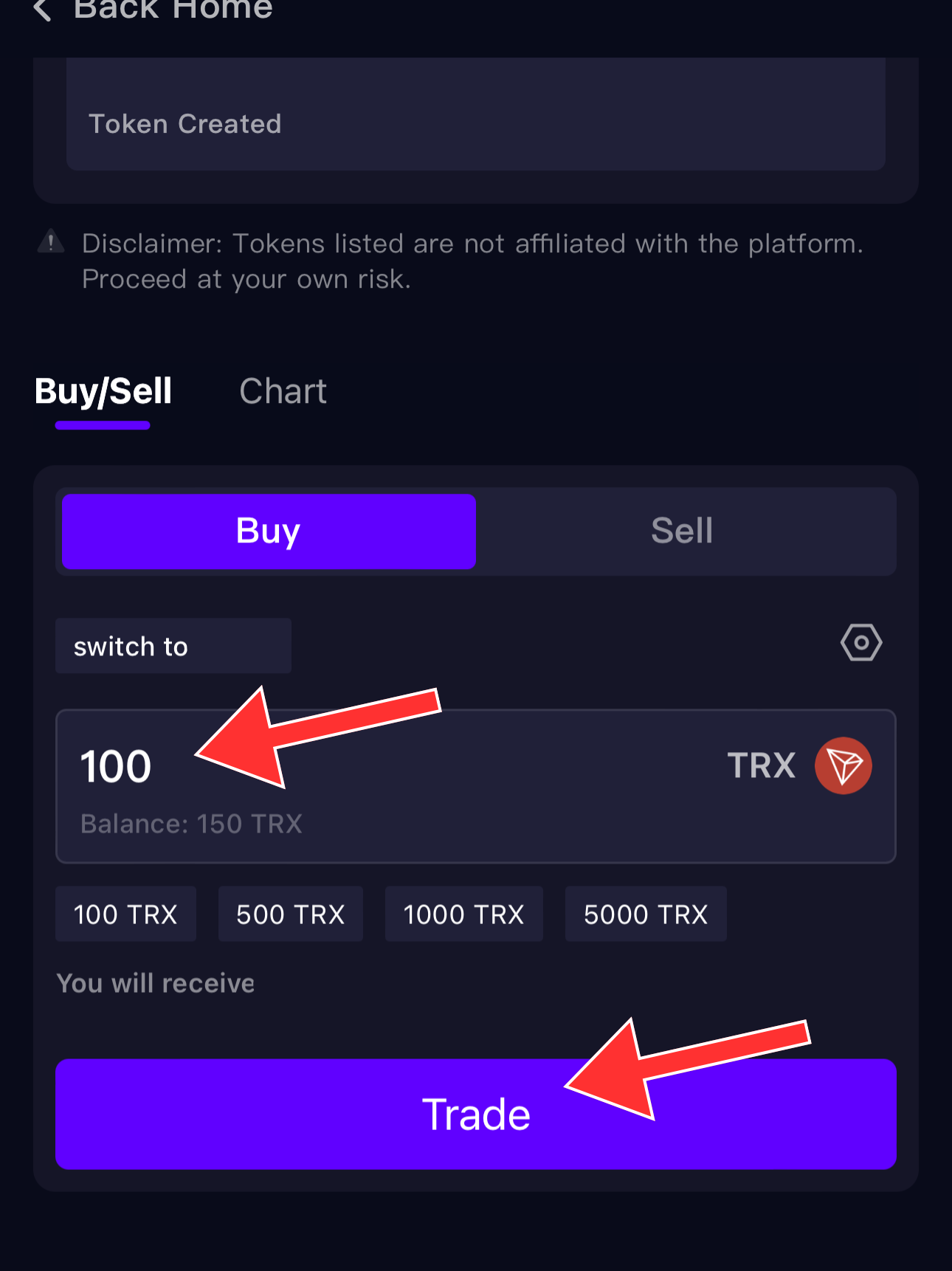
4. In your wallet, enter the amount in TRX you want to use to buy the token on the token page and click the "Trade" button (don’t forget to leave some TRX for fees).
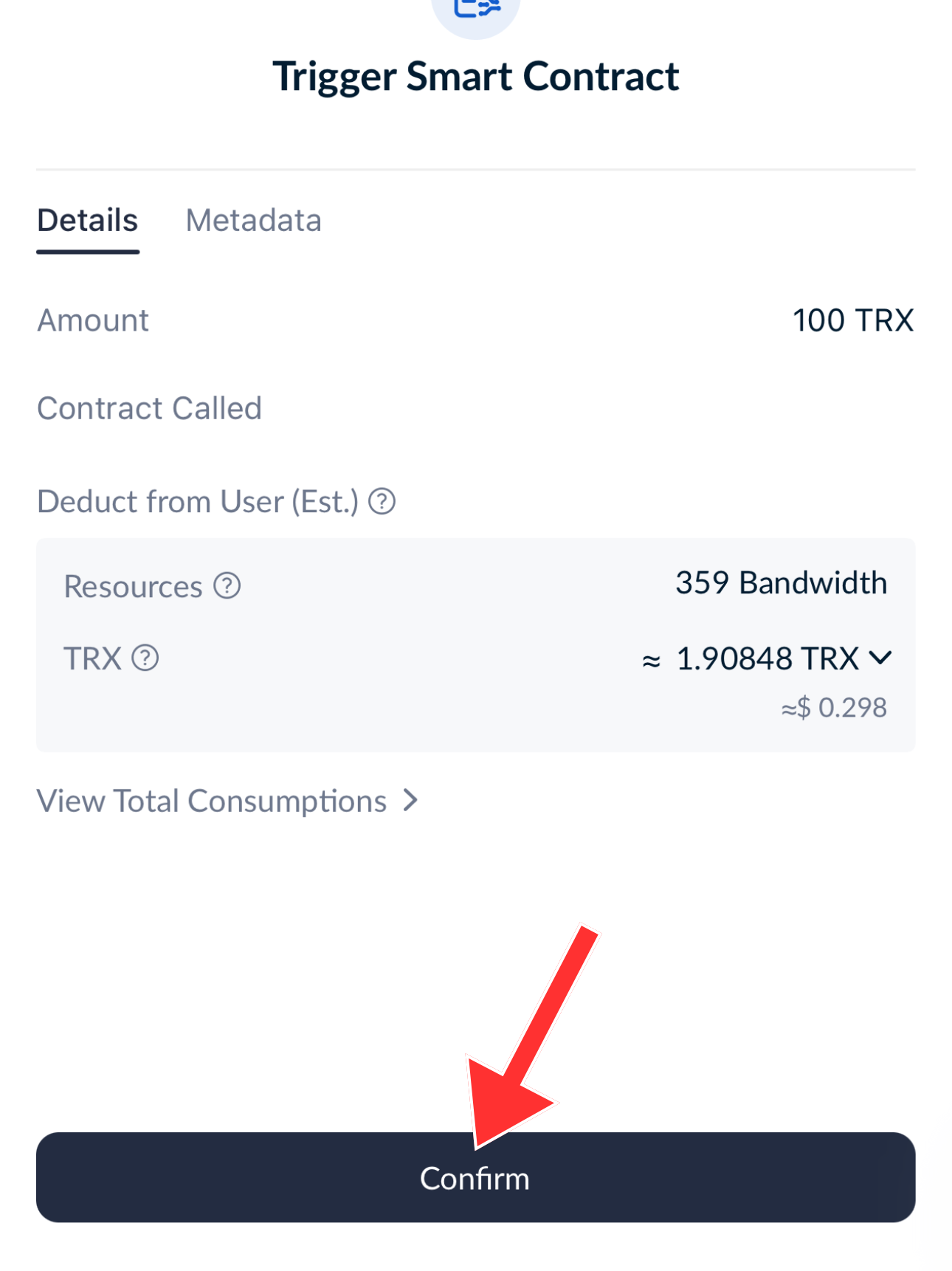
5. Then confirm the transaction.
6. Enter your wallet password.
7. Done! You’ve bought the token!
How to Add Our Token to Your Wallet's Token List
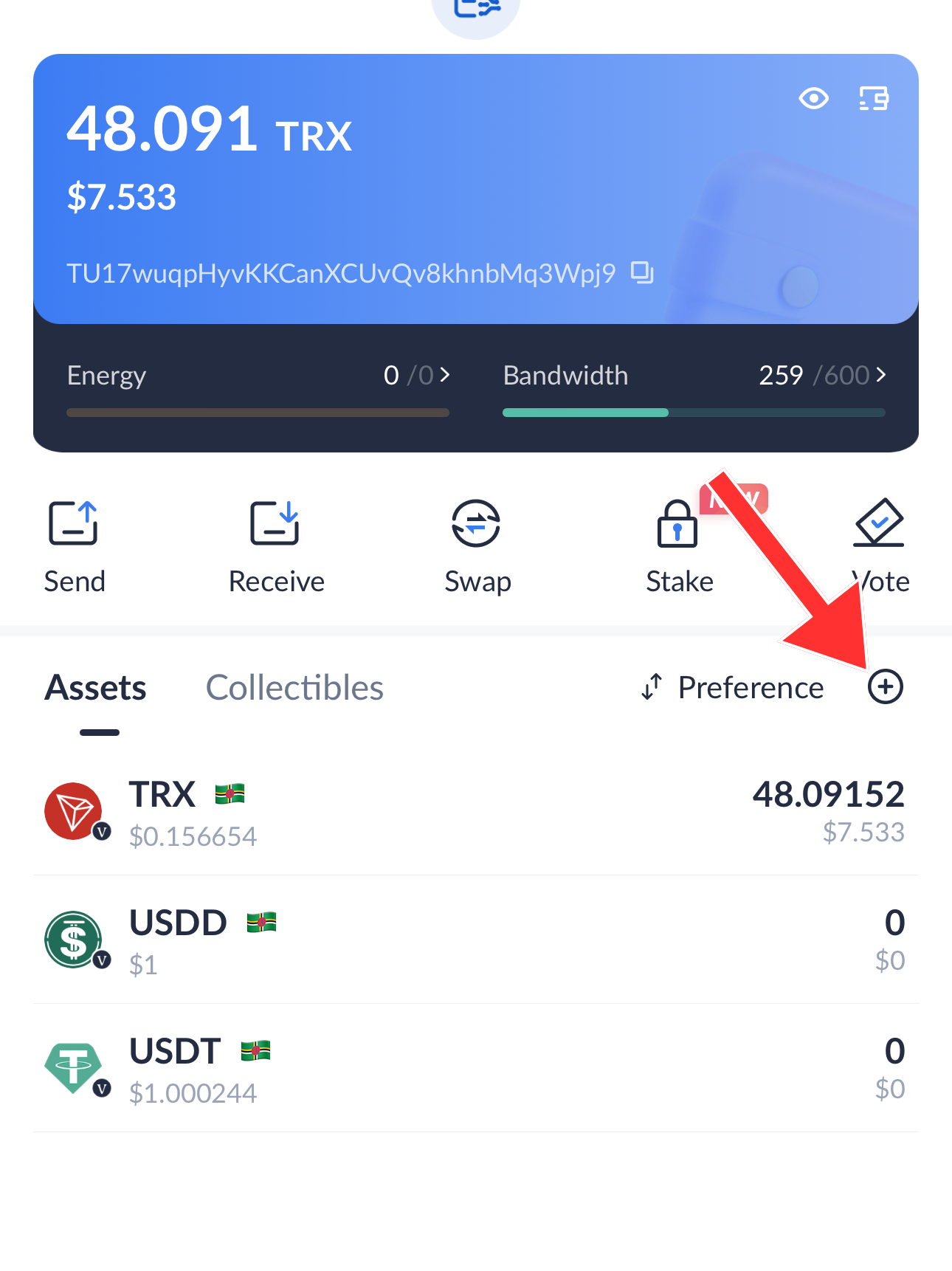
1. Click on the "+" in the circle with the red dot.
2. Select our token by clicking on the "+" in the circle.
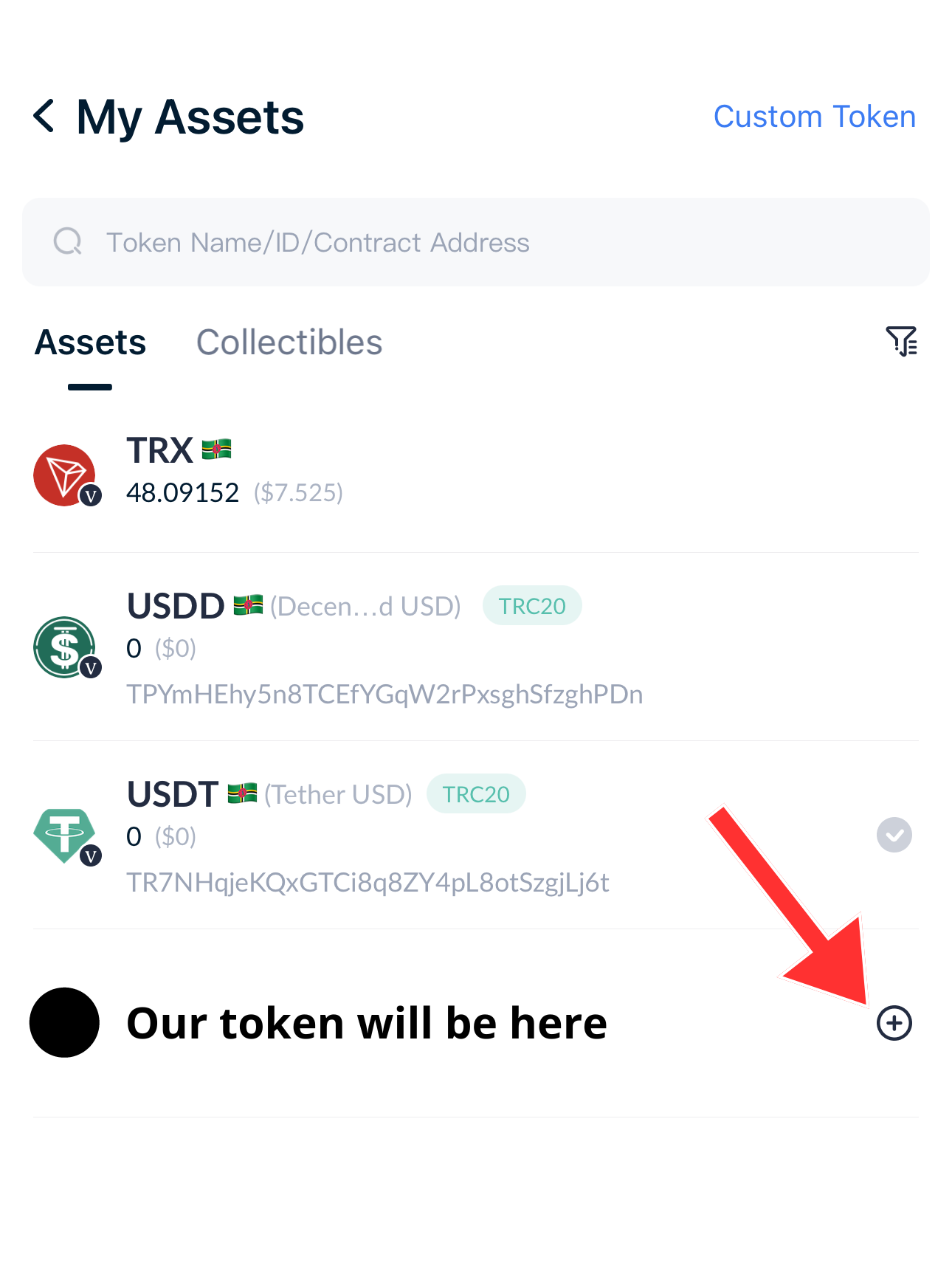
3. Congratulations! Our token has been added to your wallet!