How to Buy NFTs on Fanton: Beginner's Guide
Fanton teamHello everyone! In this article, we explain how to properly purchase NFT cards in the Fanton Fantasy game. We'll cover what you need to get started playing in NFT tournaments, how to choose your first NFT, and which wallet to connect to. Read our latest material for more details.
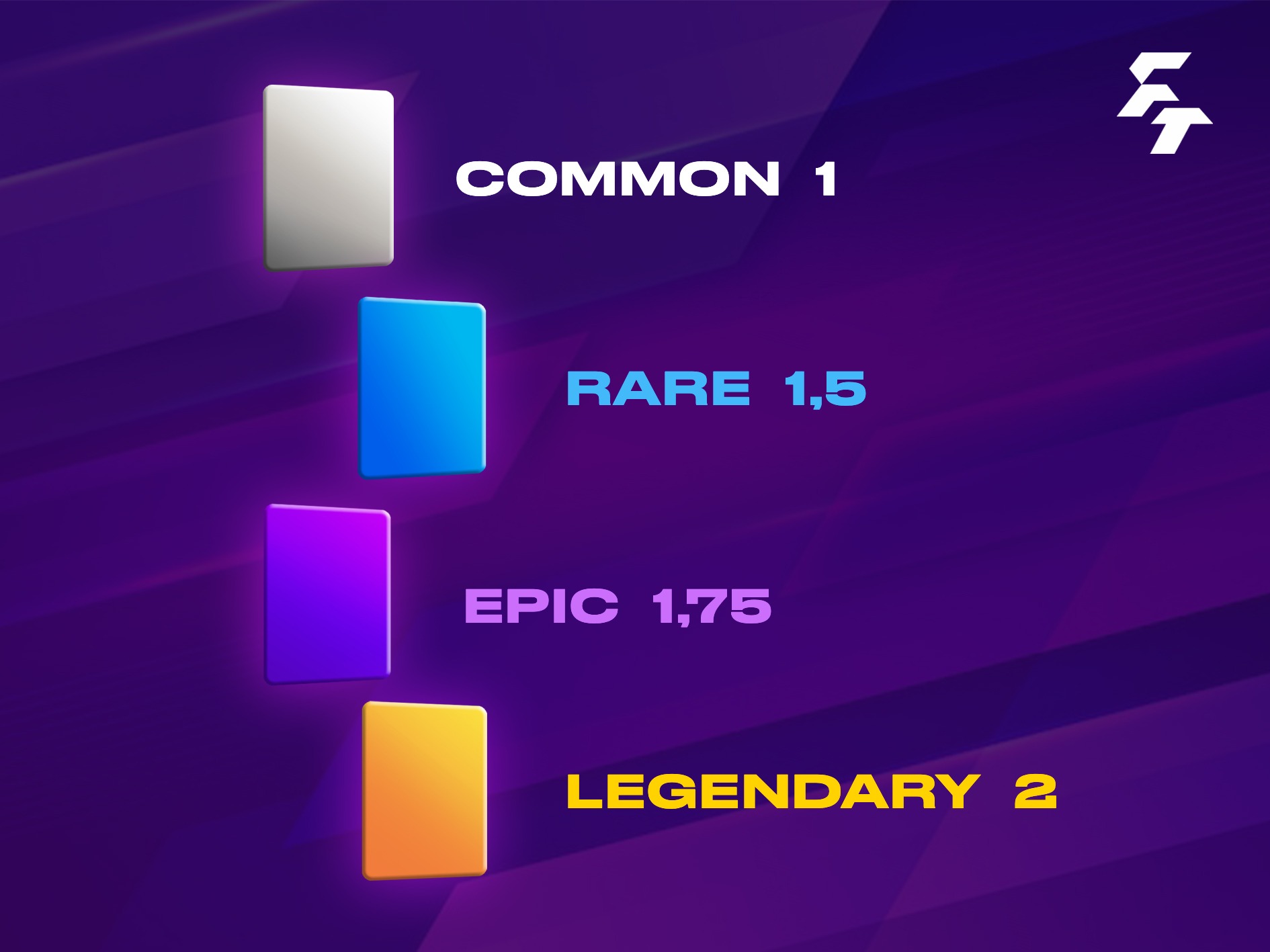
I want to buy NFT — where to start?
The main thing to remember at the beginning is to ask yourself: "In which tournament will I be able to use it?". It's important to answer this question. Remember that there are cards on the secondary market that cannot be used in the game.
This is because Fanton has 5 leagues: English Premier League (EPL), Bundesliga (Germany), La Liga (Spain), Serie A (Italy) and Ligue 1 (France). Additionally, from April to November, there is the Brazilian championship.
Real-life players may leave the leagues covered in Fanton. For example, they may move to Turkey, USA, Saudi Arabia or Belgium. If this happens, the card loses its value significantly and is listed on the Secondary market for around ~3-5 TON. It's not advisable to buy such cards because they are temporarily not used in the game.
Use Wallet from TON ecosystem
To buy a NFT-player, you need a Tonkeeper wallet or a TON Space wallet. Use the same wallet that you connected to the Fanton game in the game's main menu.
Tonkeeper — Download
TON Space — available within @Wallet

Getgems Marketplace
The home of our NFT cards is the Getgems marketplace. To log in to Gems website, you need a Tonkeeper or TON Space wallet. Connect your wallet to the website to make purchases there in the future.
The search tools on Getgems are not very convenient for players, so a section called NFT was created inside the Fanton game bot. In this section, the same player data that is available on Getgems is displayed. When an NFT is listed for sale on Getgems, it immediately appears on the in-game market:
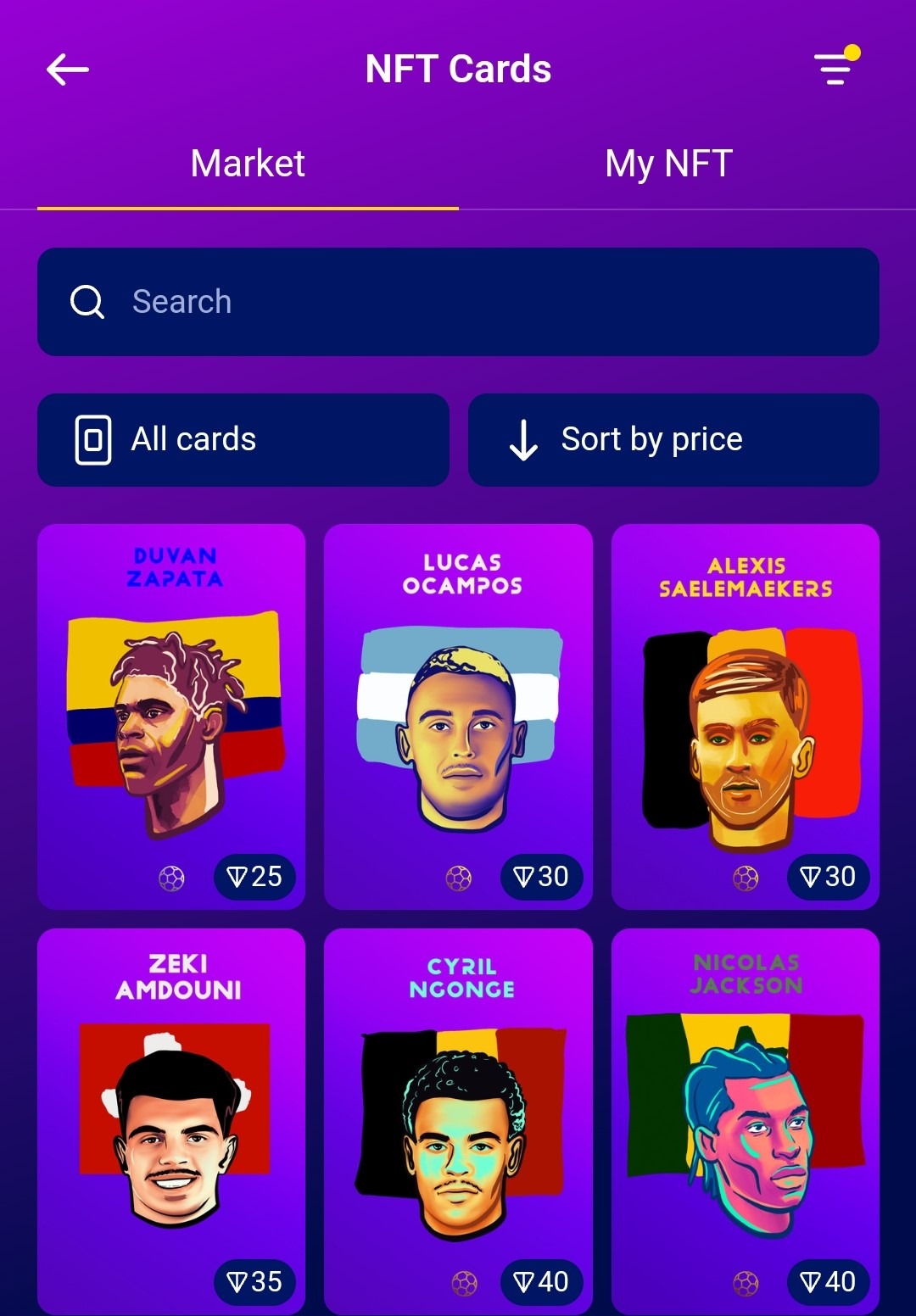
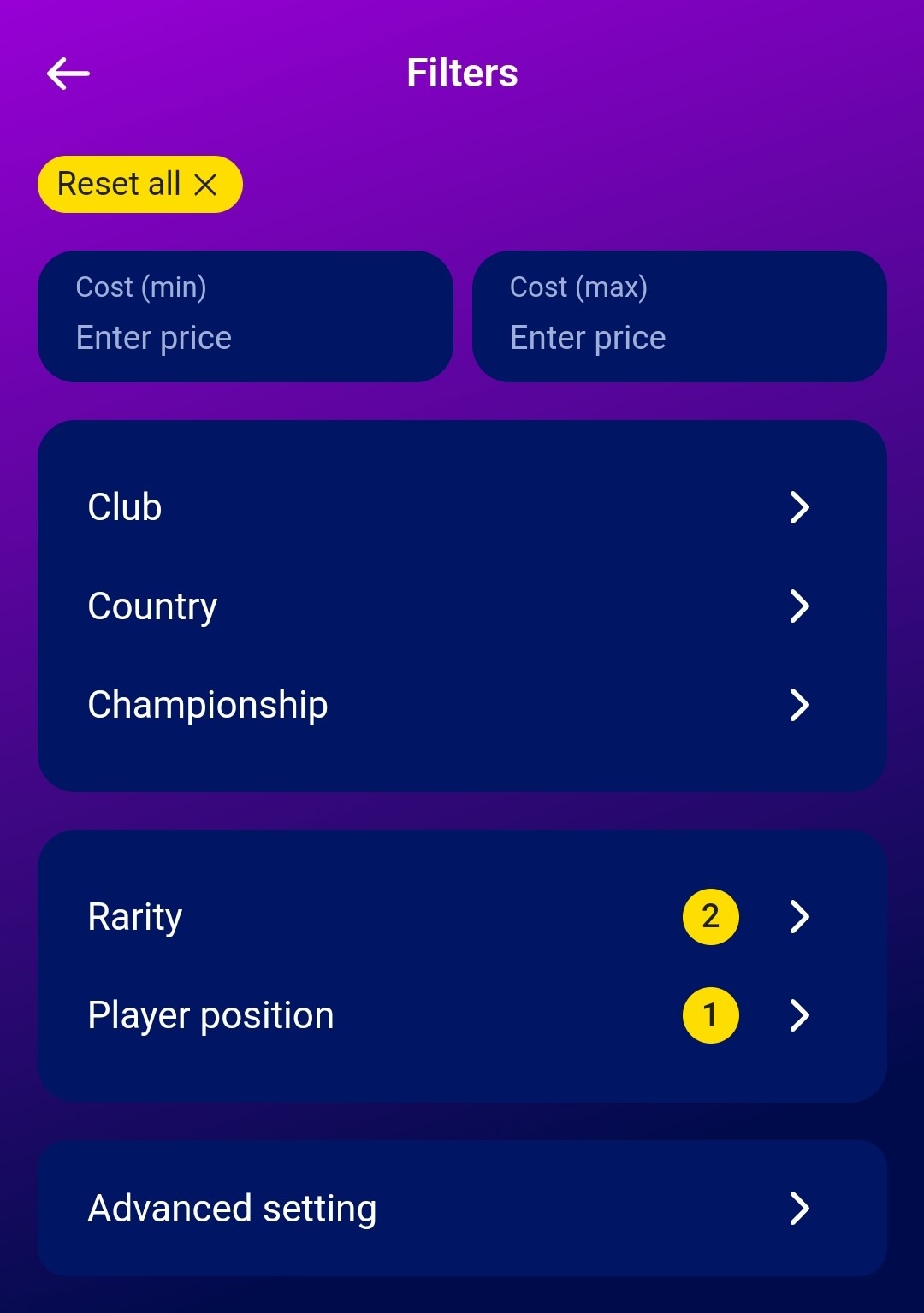
Use filters (button in the top right corner of the NFT section in the screenshot above) to search for the player you need. The marketplace is convenient enough to quickly find a card of the required rarity, Tier, team or position. In spring, we plan to add a filter by the number of points.
How to choose a football player?
Step 1: Familiarize yourself with the current Fanton NFT tournament system
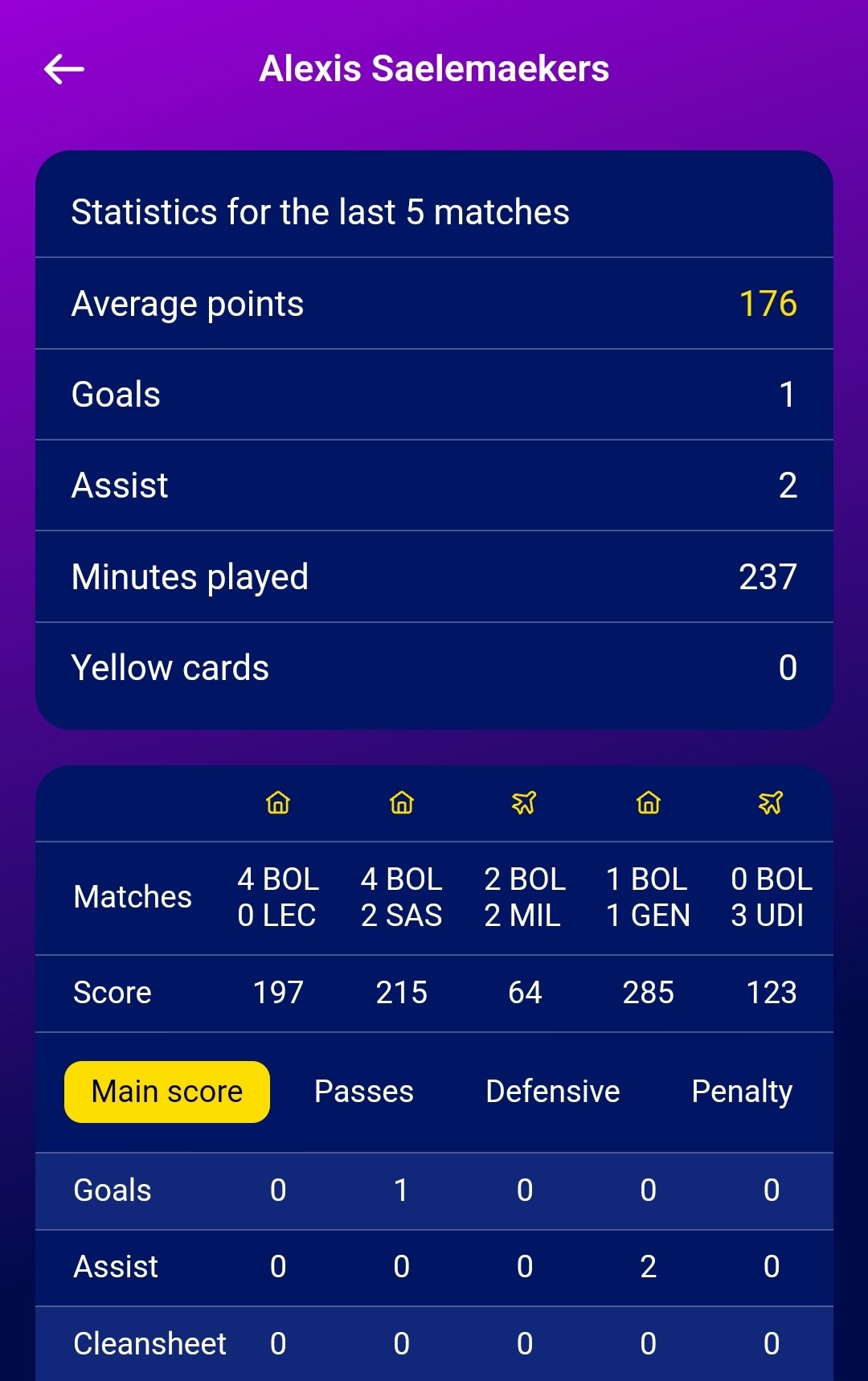
Step 2: Check the player statistics in the advanced statistics section on the internal market:
Step 3: Make sure the selected player competes in the TOP-5 leagues or Brazil.
Step 4: Click on the "Buy on Getgems.io" button.
Step 4: If you are not yet logged in, connect Tonkeeper or TON Space.
Step 5: If the player is available for sale, make the purchase by topping up your wallet balance with the required amount of TON.
How to buy TON
To make a purchase, use the P2P marketplace from the @Wallet service.
If you have any questions at any stage of searching for NFTs, purchasing a card, or topping up your balance, ask them in the official Fanton technical support: @fantonsupportbot. You can also ask questions in the Community chat: