How to Buy LITY Token: Step-by-Step Buying Guide
How to Buy LITY Token: Step-by-Step Buying GuideThis guide explains how to purchase $LITY (Lity Protocol) using decentralised exchanges (DEXs), Web3 wallets and centralised exchanges (CEXs).
Before purchasing, there is one important detail:
- Blockchain: BNB Smart Chain (BEP-20).
- Token: LITY.
- Official website: https://lityprotocol.io
- Contract address:
0xD7057e7C56B9C2d5f0a3E639D07610db31C949c8
Always verify the contract address before swapping. Other tokens can use the same ticker.
1. How to buy LITY using Binance Web3 Wallet
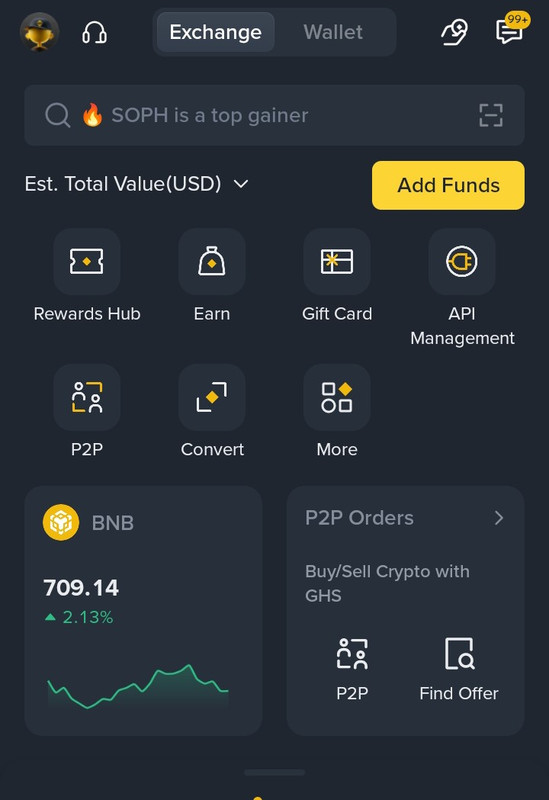
- Step 1: Open your Binance application.
- Step 2: Navigate to Wallets.
- Step 3: Select Web3 Wallet.
- Step 4: Tap Trade at the bottom of the screen.
- Step 5: Select Swap.
- Step 6: Choose BNB Smart Chain as your network.
- Step 7: Select BNB as the token you want to swap.
- Step 8: In the receiving token section, search for LITY. If unavailable, paste the official contract address.
- Step 9: Enter the amount of BNB you want to exchange.
- Step 10: Review the exchange rate, estimated amount of LITY, slippage and transaction fees.
- Step 11: Tap Swap and confirm the transaction.
- Step 12: Wait for blockchain confirmation. Your LITY tokens should appear in your Web3 Wallet.
2. How to buy LITY on PancakeSwap (DEX)

Make sure you select the BNB Smart Chain network, not BNB Beacon Chain.
Step 3: Visit PancakeSwap
- Open the official website:
https://pancakeswap.finance/
- Connect your wallet.
Step 4: Select the tokens
- In the From section, select BNB.
- In the To section, search for LITY.
- If LITY does not appear, select Import Token and paste the official contract address.
The interface will display the estimated quantity of LITY you will receive.
Step 6: Review your transaction
Check:
- Token contract address.
- Estimated LITY received.
- Price impact.
- Slippage.
- Network fee.
- Do not increase slippage unnecessarily.
Step 7: Confirm your purchase
- Click Swap, review the transaction in your wallet and approve it.
- Once the transaction is confirmed on the blockchain, your LITY tokens should appear in your wallet. If they do not, import the token using its contract address.
3. How to buy LITY using Trust Wallet
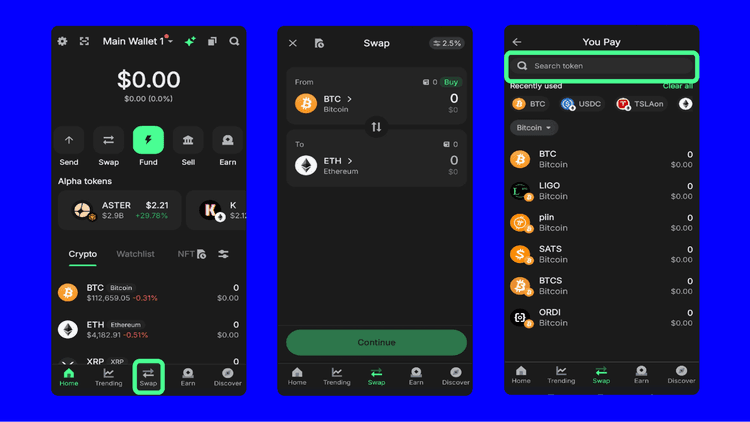
You can also purchase LITY directly through Trust Wallet.
- Step 1: Open your Trust Wallet.
- Step 2: Ensure you have BNB on the BNB Smart Chain network.
- Step 3: Open the DApps or Swap section, depending on your app version.
- Step 4: Open PancakeSwap through the official website.
https://pancakeswap.finance/
- Step 5: Connect your Trust Wallet.
- Step 6: Select BNB as the token you want to swap and LITY as the token you want to receive.
- Step 7: Paste the official LITY contract address if necessary.
- Step 8: Enter the amount you want to purchase.
- Step 9: Review the transaction and approve the swap.
- Step 10: Once confirmed, your LITY tokens will be available in your wallet.
4. How to buy LITY using OKX Web3 Wallet
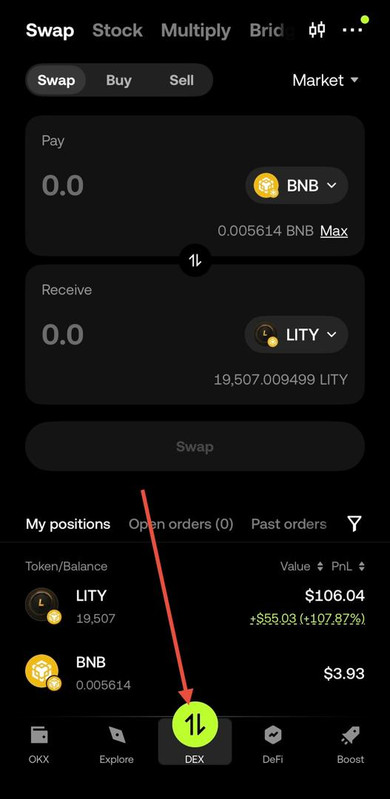
- Step 1: Open your OKX app.
- Step 2: Navigate to Web3 Wallet.
- Step 3: Select the BNB Smart Chain network.
- Step 4: Fund your wallet with BNB on BNB Smart Chain.
- Step 5: Navigate to the Swap section.
- Step 6: Select BNB as your payment token.
- Step 7: Search for LITY or import it using the official contract address.
- Step 8: Enter the amount of BNB you want to swap.
- Step 9: Review the transaction details.
- Step 10: Confirm the swap and wait for blockchain confirmation.
Your LITY tokens should appear in your OKX Web3 Wallet.
5. How to buy LITY using the FOMO app
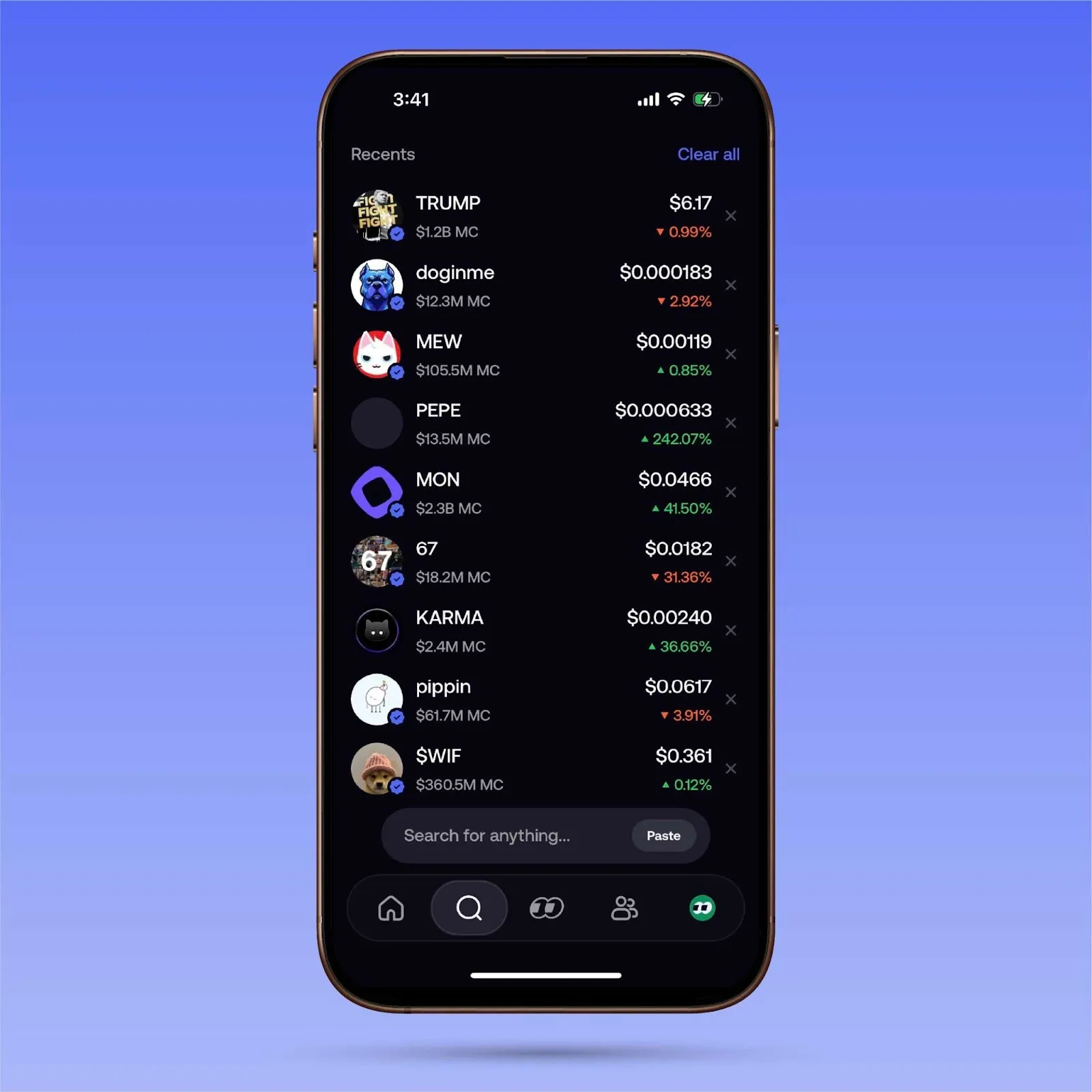
FOMO supports on-chain trading across several networks, including BNB Chain. However, buyers should first confirm that the exact LITY contract is available in its token search.
- Step 1: Download the official FOMO app.
- Step 2: Create an account and set up your wallet.
- Step 3: Fund your account using an available deposit method.
- Step 4: Navigate to the token search section.
- Step 5: Search for LITY.
- Step 6: If it does not appear, check whether the app allows you to import or search using the contract address.
- Step 7: Verify that the token is on BNB Chain and that the contract matches the official LITY contract.
- Step 8: Select Buy.
- Step 9: Enter the amount you wish to purchase.
- Step 10: Review and confirm your transaction.
If the correct contract cannot be found, do not purchase a similarly named token.
6. How to buy LITY using Gate.io Web3 Wallet

- Step 1: Open your Gate.io application.
- Step 2: Navigate to Web3 Wallet.
- Step 3: Open your wallet dashboard.
- Step 4: Tap Trade at the bottom of the screen.
- Step 5: Select Swap.
- Step 6: Choose BNB Smart Chain as your network.
- Step 7: Select BNB as the token you want to pay with.
- Step 8: Select LITY as the receiving token. If it does not appear, use the contract address to search for it, if supported.
- Step 9: Enter the amount you want to purchase.
- Step 10: Review the transaction details, including the exchange rate and network fees.
- Step 11: Tap Swap and approve the transaction.
- Step 12: Once the transaction is successful, check your wallet for your LITY tokens.
9. How to buy LITY using Bitget Web3 Wallet
- Step 1: Download and open Bitget Wallet.
- Step 2: Create a wallet or import your existing wallet.
- Step 3: Fund your wallet with BNB on BNB Smart Chain.
- Step 4: Open the Trade section.
- Step 5: Select Swap.
- Step 6: Select BNB Chain as your network.
- Step 7: Choose BNB as the payment token.
- Step 8: Search for LITY using its token symbol or paste the official contract address.
- Step 9: Enter the amount of BNB you want to exchange.
- Step 10: Review the estimated LITY received, price impact and transaction fees.
- Step 11: Tap Swap.
- Step 12: Confirm the transaction in your wallet.
- Step 13: Wait for confirmation and check your wallet balance.