How to Buy Everburn on TraderJoe
*************************************************
HOW TO BUY EVERBURN - GUIDE
*************************************************
STEP 1: Download and Setup Metamask Wallet (Other wallets work too, but Metamask is the best one. https://support.avax.network/en/articles/4626956-how-do-i-set-up-metamask-on-avalanche
STEP 2 : BUY AVAX on your Prefered Exchange - Coinbase - Kucoin - Binance - ect
STEP 3: Withdraw AVAX from your Exchange account to your Metamask wallet using the AVAX C Chain Network.
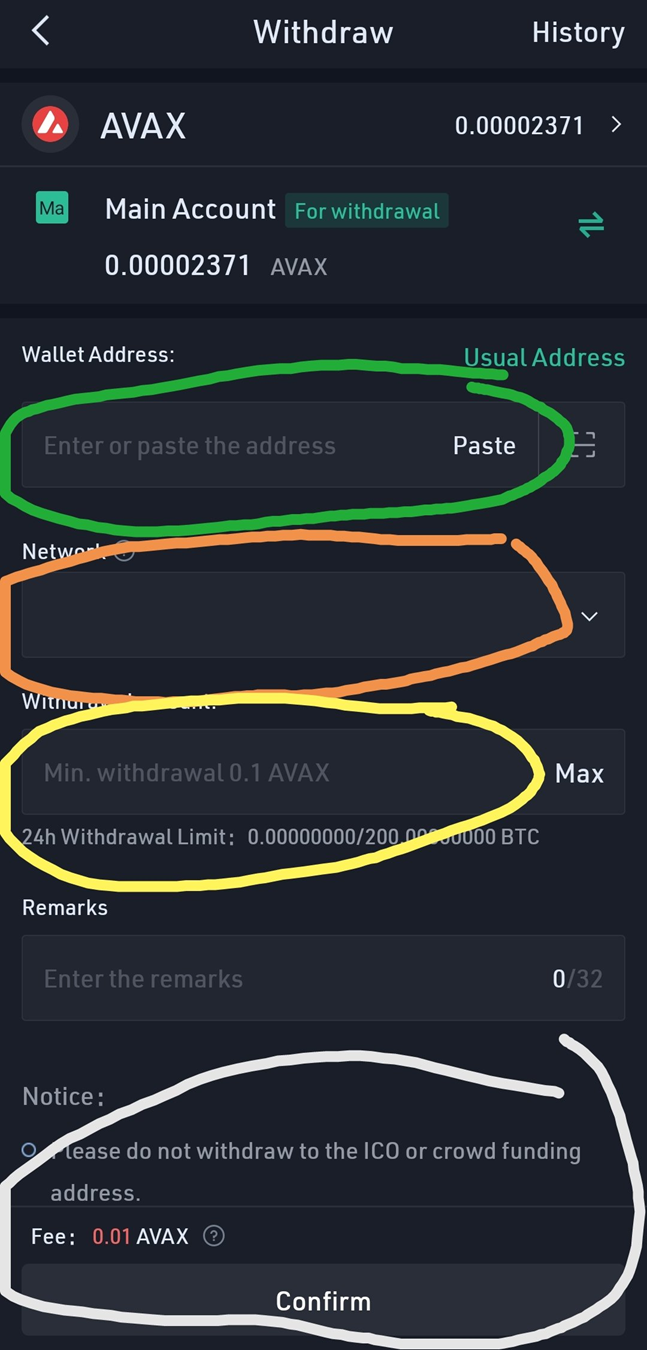
STEP 4: Confirm AVAX has transferred to your MetaMask Wallet.
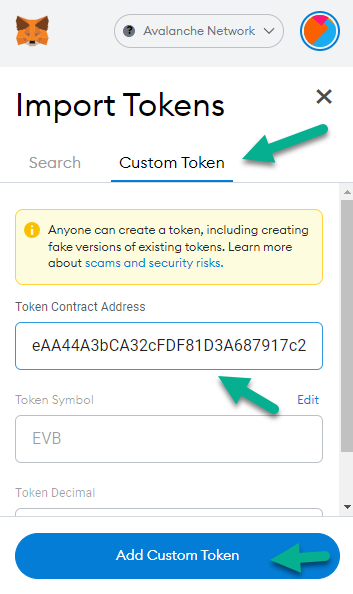
STEP 5: Add EVB & USDT.e to your AVAX Wallet on MetaMask
Click Import on Metamask and add the following two contract Token Addresses:
EVB: 0xebe2eae72D6eAA44A3bCA32cFDF81D3A687917c2
USDT.e: 0xc7198437980c041c805A1EDcbA50c1Ce5db95118 (where reflections go)
STEP 5: Trade AVAX for EVERBURN on TraderJoe
STEP 6: Connect your MetaMask Wallet to the TraderJoe site. If you are on mobile, make sure to use the browser found in the MetaMask App.
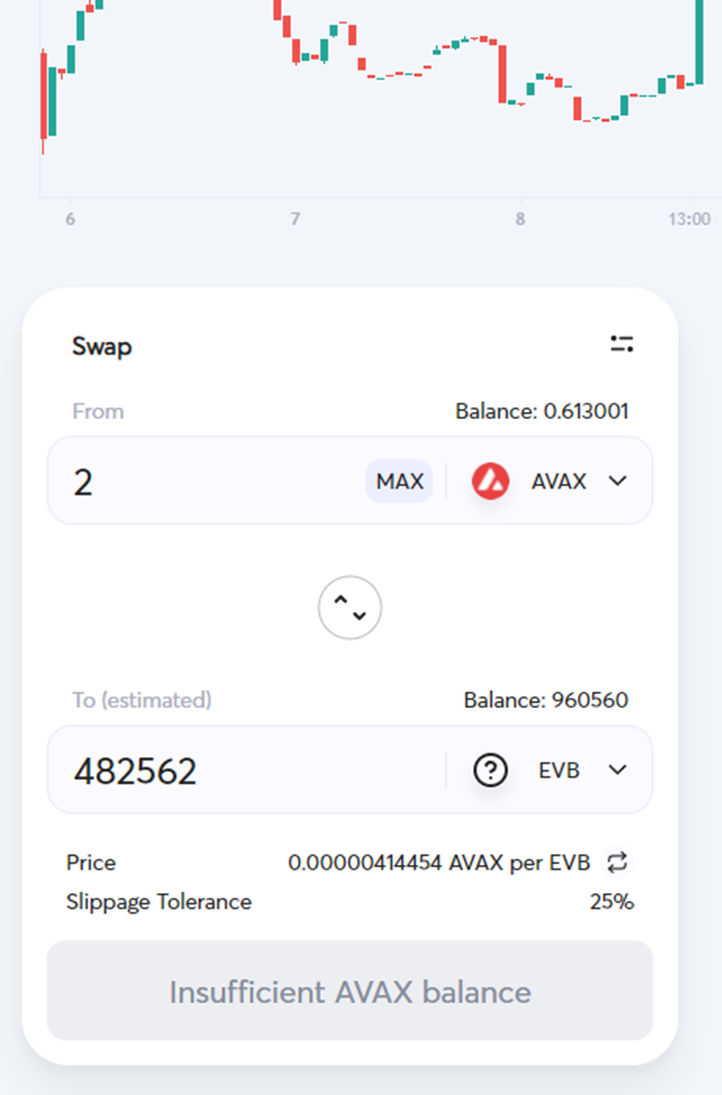
STEP 7: With AVAX on TOP Pair - EVB on Bottom Pair, select how much EVB you want to trade for with your AVAX. Make sure the amount of EVB you purchase has a decimal at the end such as .111.
IMPORTANT!: Do not use all of your AVAX, Do Not Press MAX. MAKE SURE TO LEAVE 0.1 or 0.2 AVAX Available behind, as your need AVAX for Gas fees in both directions when you buy and sell. You will not be able to sell your EVB without any AVAX available for Gas. (you will be forced to buy more AVAX and send it to meta mask if you mess up and select max)
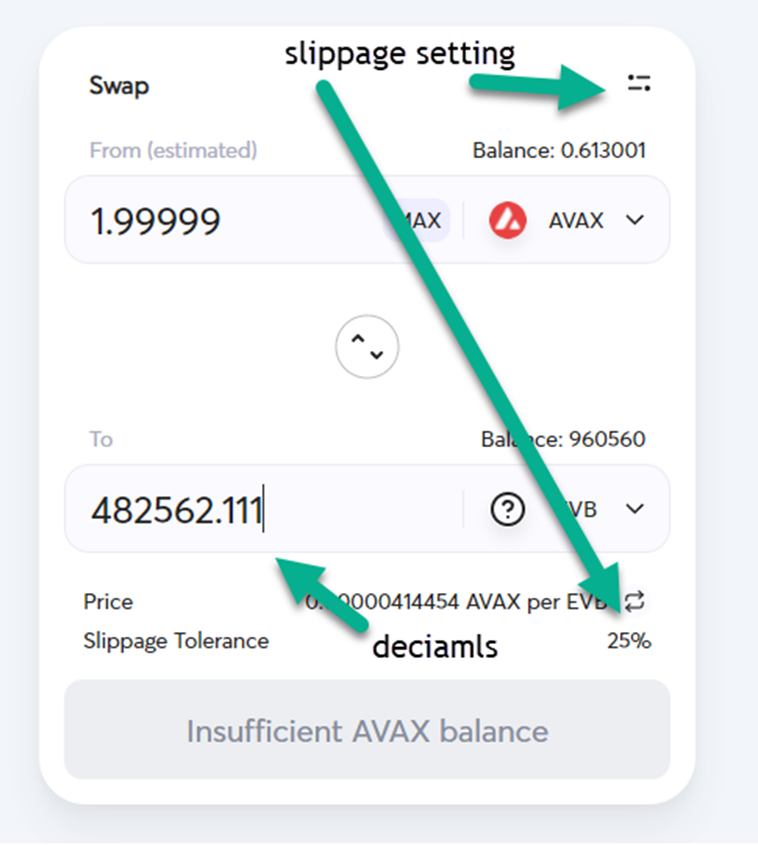
STEP 8: SWAP and Get Ready to Print some USDT!