How to Buy $EGL Tokens Using TrustWallet
Here, I will demonstrate how to quickly purchase tokens using TrustWallet.
1. Download TrustWallet
- For iOS (MacOS): AppStore
- For Android: Google Play
2. Create and Set Up TrustWallet
2.1 Open the app and click "Create a New Wallet".
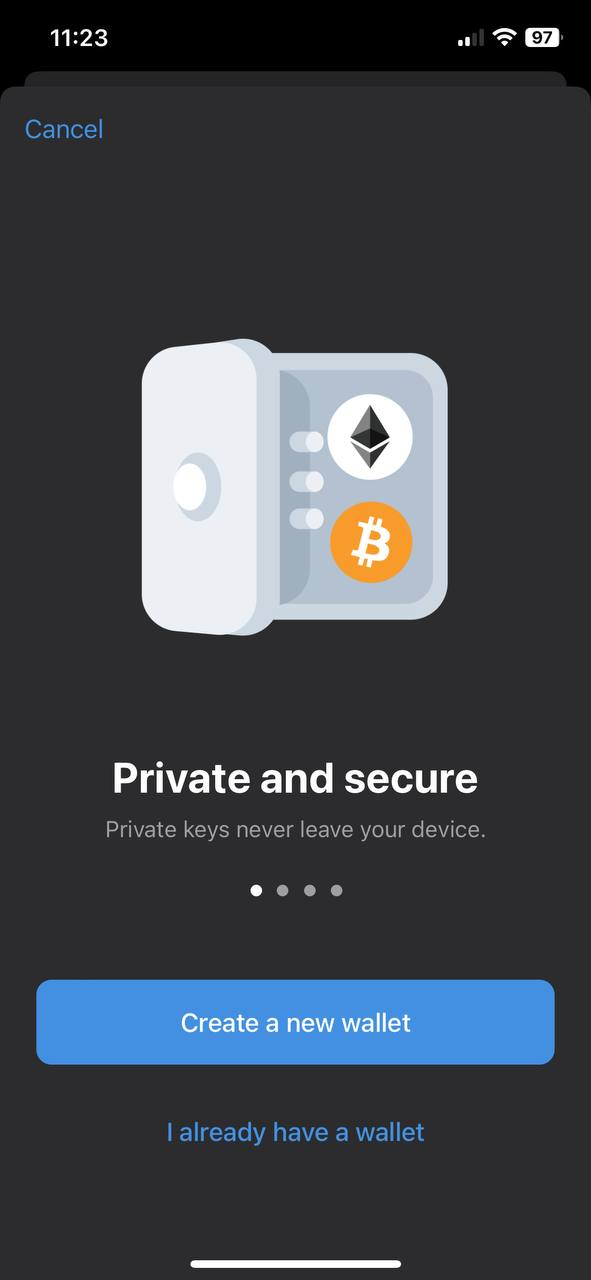
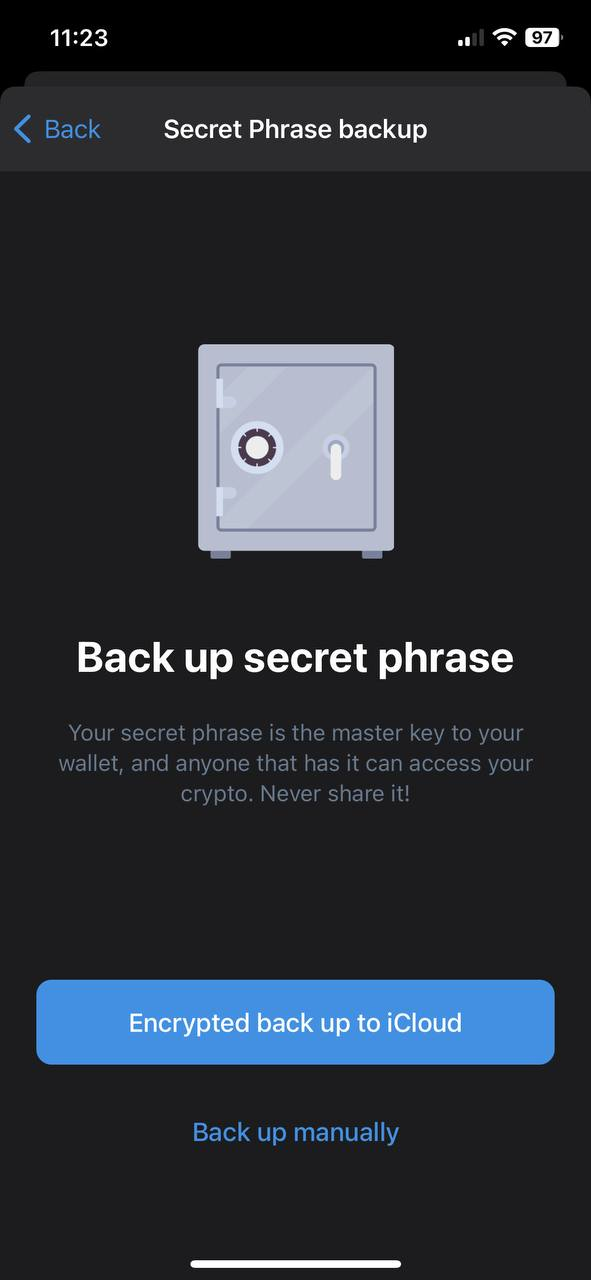
2.2 Choose your wallet security method - either with iCloud or using a secret phrase. This is up to you.
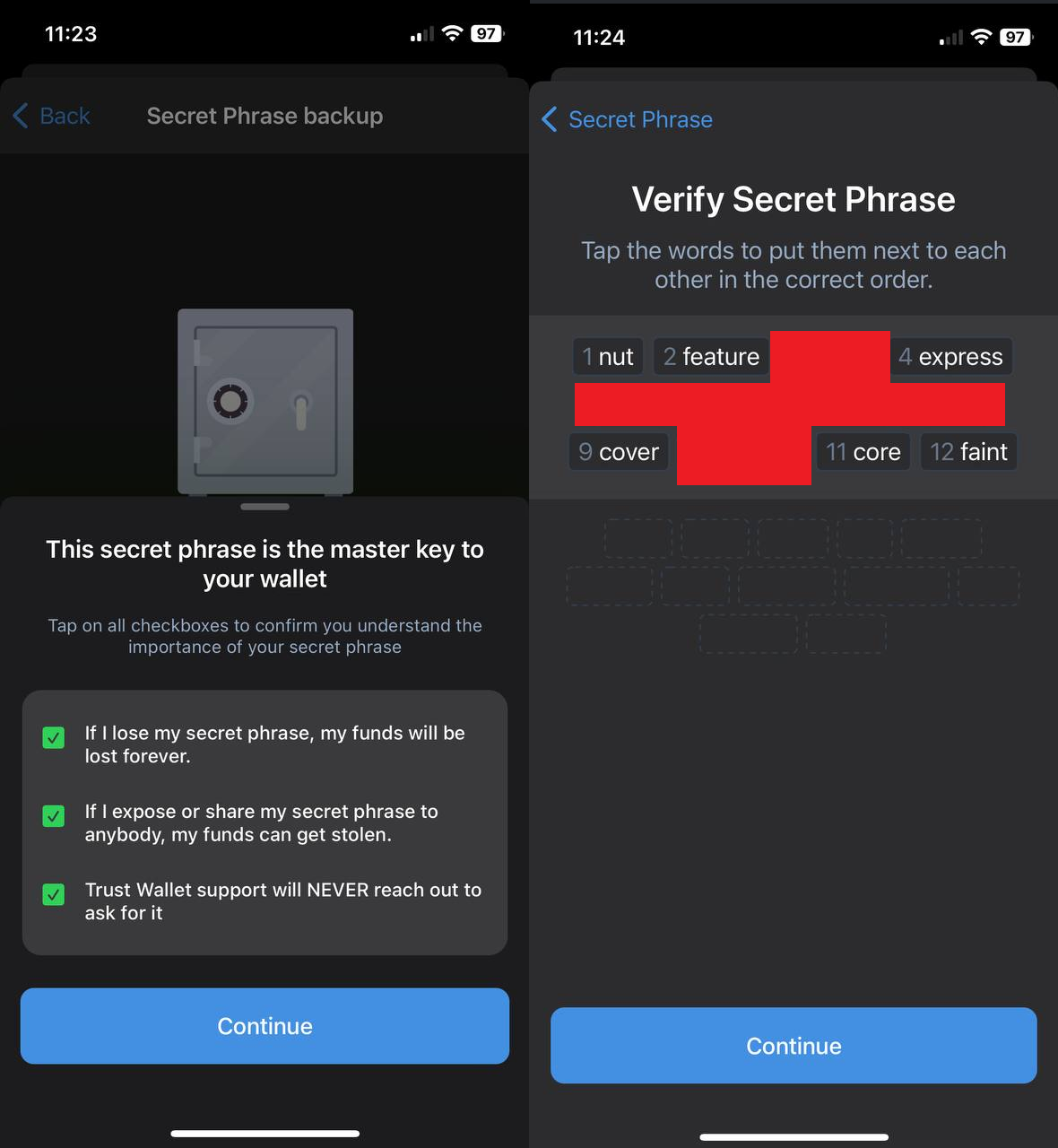
2.3 If you chose the second option, save the 12-word secret phrase. IMPORTANT! Save the phrase in a secure place, as this is the only way to recover access to your wallet.
2.4 Fund your TrustWallet balance. Click on "Ethereum Chain", then click "Receive" and copy your wallet address.
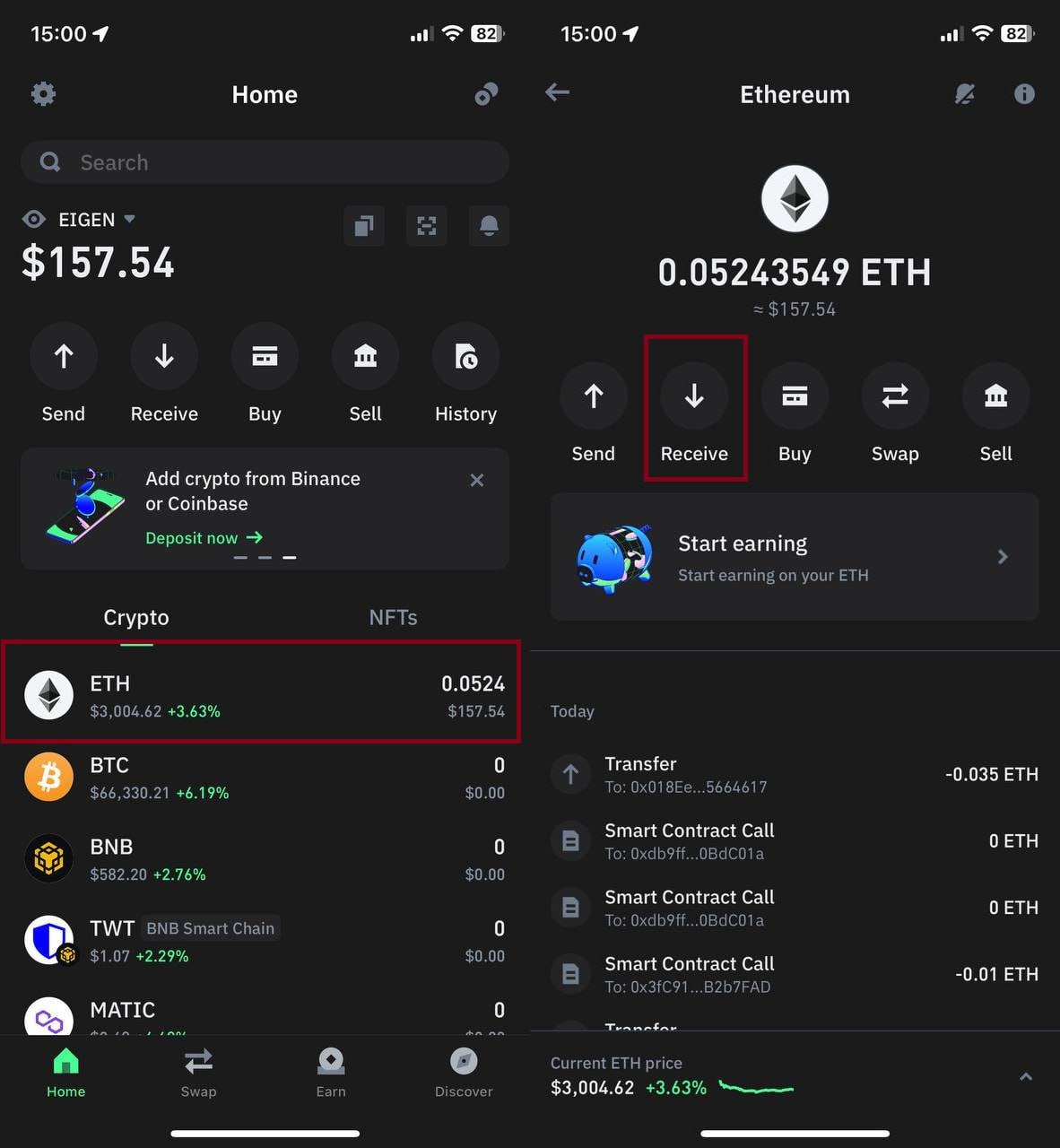
2.5 Go to an exchange and buy ETH in any convenient way.
2.6 Withdraw ETH coins from the exchange to TrustWallet, using Binance as an example:
1) Go to the exchange wallet, click "WITHDRAW", and select "ETH".
2) Paste the ETH wallet address from TrustWallet that you copied in step 2.4.
3) Select the "Ethereum Chain (ERC20)" network.
4) Specify the number of coins and withdraw them.
Everything is ready to purchase EGL tokens.
3. Buy $EGL Tokens
3.1 Return to the wallet, and on the main page, go to "Browser". Navigate to the Uniswap exchange.
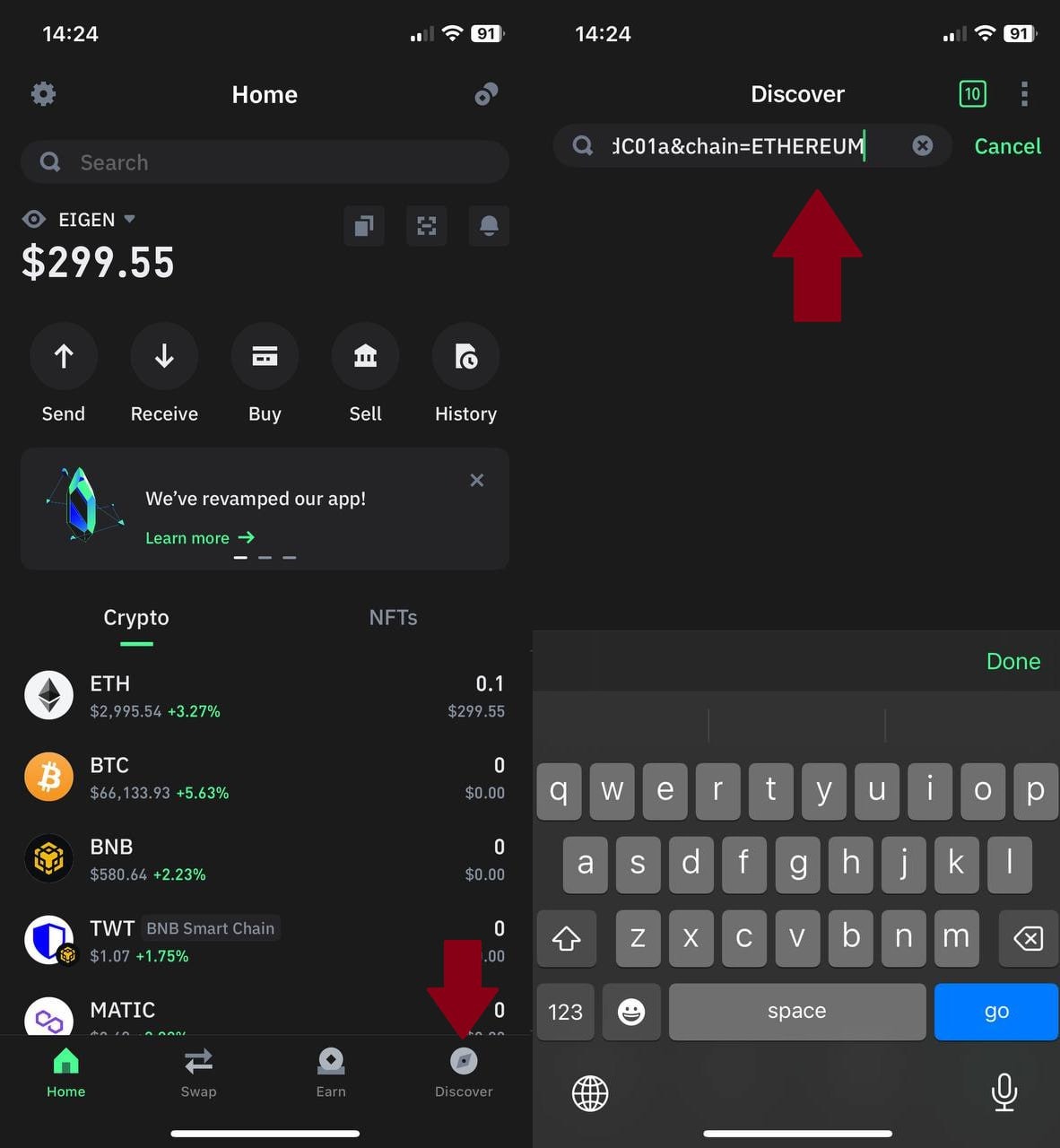
3.2 Connect your wallet to the exchange.
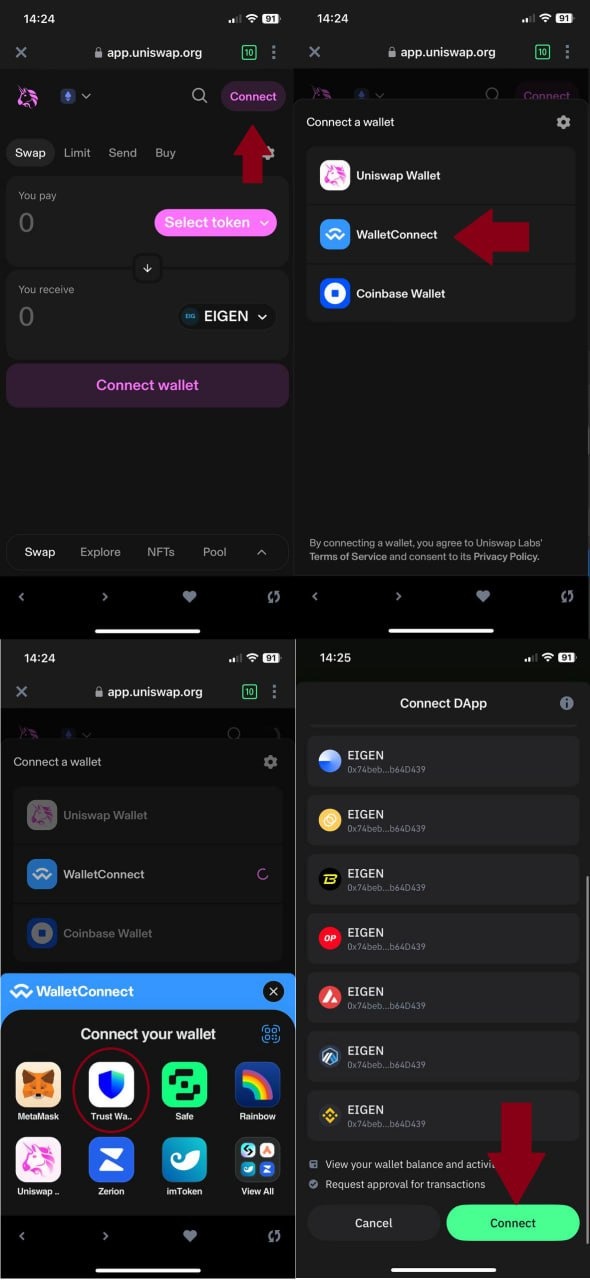
3.3 You should be sent to the exchange page with the token.
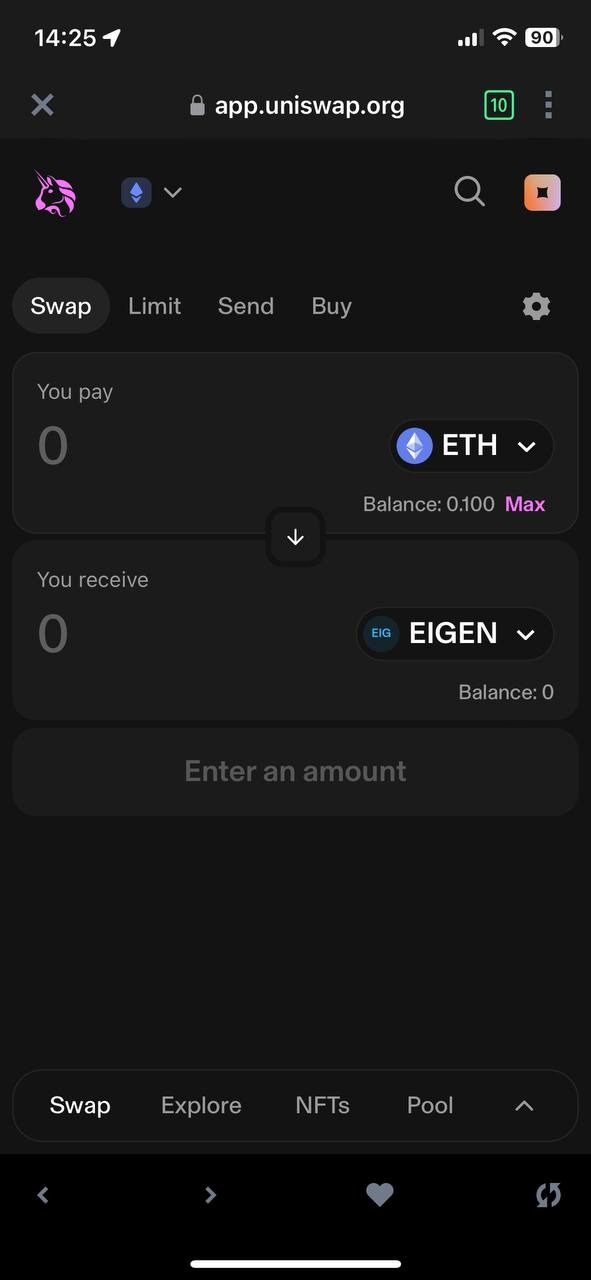
If you don't see the token, click on the "Select Token" button and paste the token address into the search bar.
- Token contract address: 0xdb9ffd784275Fc7CbcD39f2507F8c13890BdC01a
3.5 To avoid slippage, click on the ⚙️ icon on the exchange and enable "UniswapX".

3.6 Return to the exchange. In the "ETH" section, enter the amount you want to use to buy the token. Then click "Confirm" and confirm the purchase transaction.
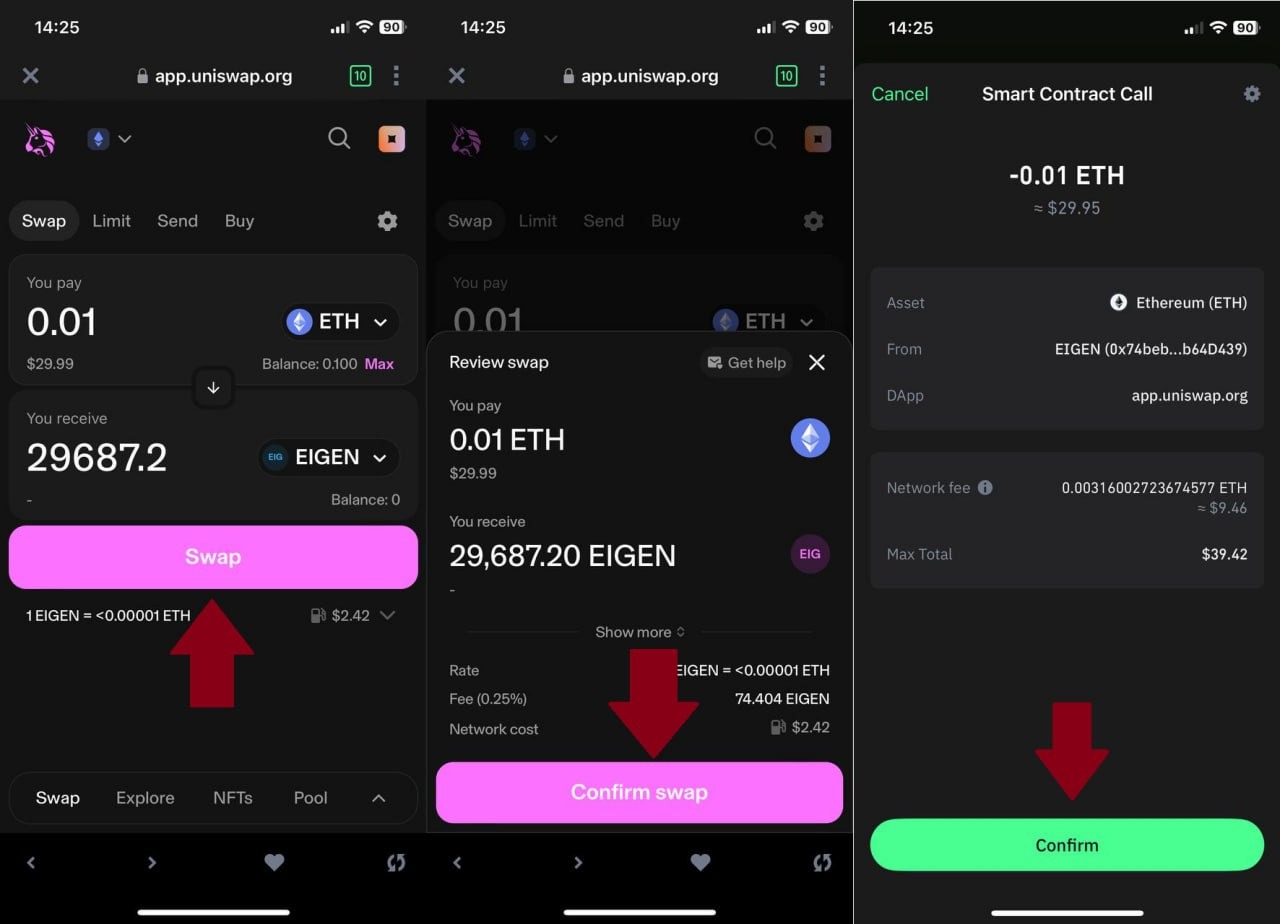
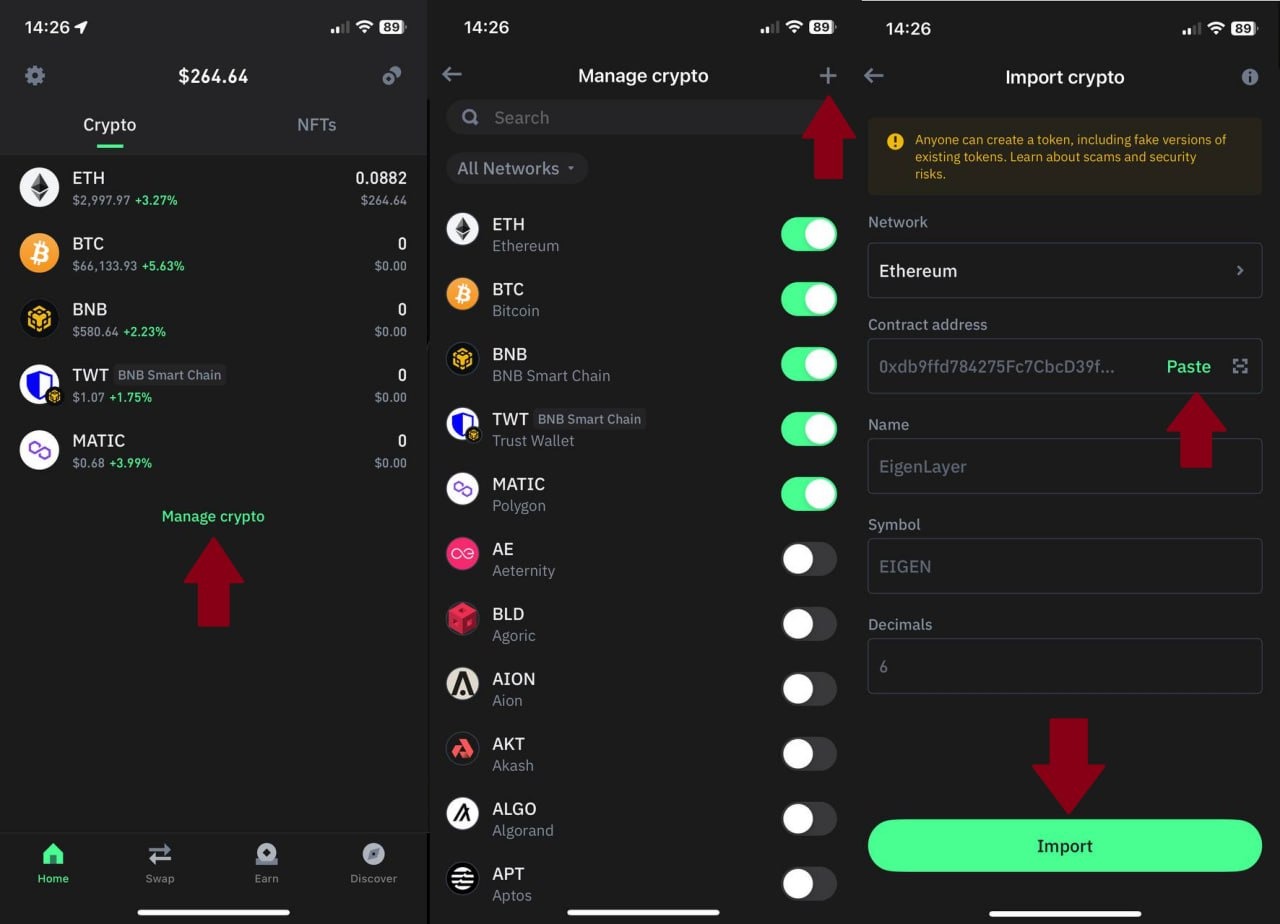
Congratulations, you have purchased $EGL tokens! If the tokens do not appear in the wallet, you need to add them manually:
- Return to the main screen and scroll down to the bottom.
- Select the Ethereum network and paste the EGL address.
- Token contract address: 0xdb9ffd784275Fc7CbcD39f2507F8c13890BdC01a
The remaining fields will fill automatically. Click "Import".