How to Buy Cyber Dog ($CDOG) on AplhaDEX & SUN.IO
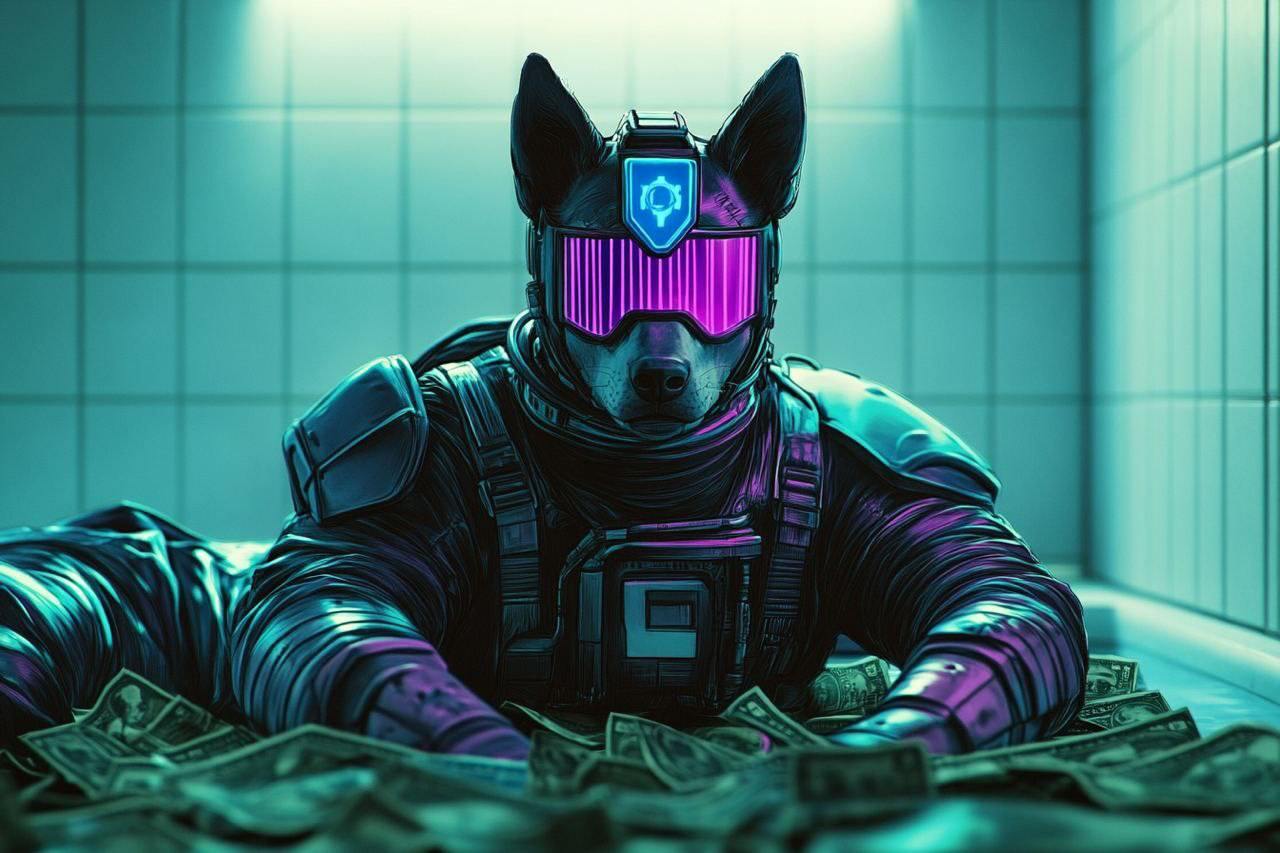
Cyber Dog ($CDOG)🛡️ Our Cyber Dog, the loyal guardian who has kept order in the chats all this time, deserves more.
This meme, born from our Community, has become a symbol of protection and order. Now, it’s time to take it to the next level!
You have the opportunity to purchase the token in two ways:
👛 To buy a token on SUN.IO you need to download the TronLink wallet.
Send TRX tokens to the wallet, do it with the help of an exchange, like Bybit or BitGet
🚀 Now you can proceed with the purchase!
1. AlphaDEX
1️⃣ Open the app AlphaDEX - official guide
2️⃣ Create a wallet and write your seed phrase. Copy your adress here 👇🏻
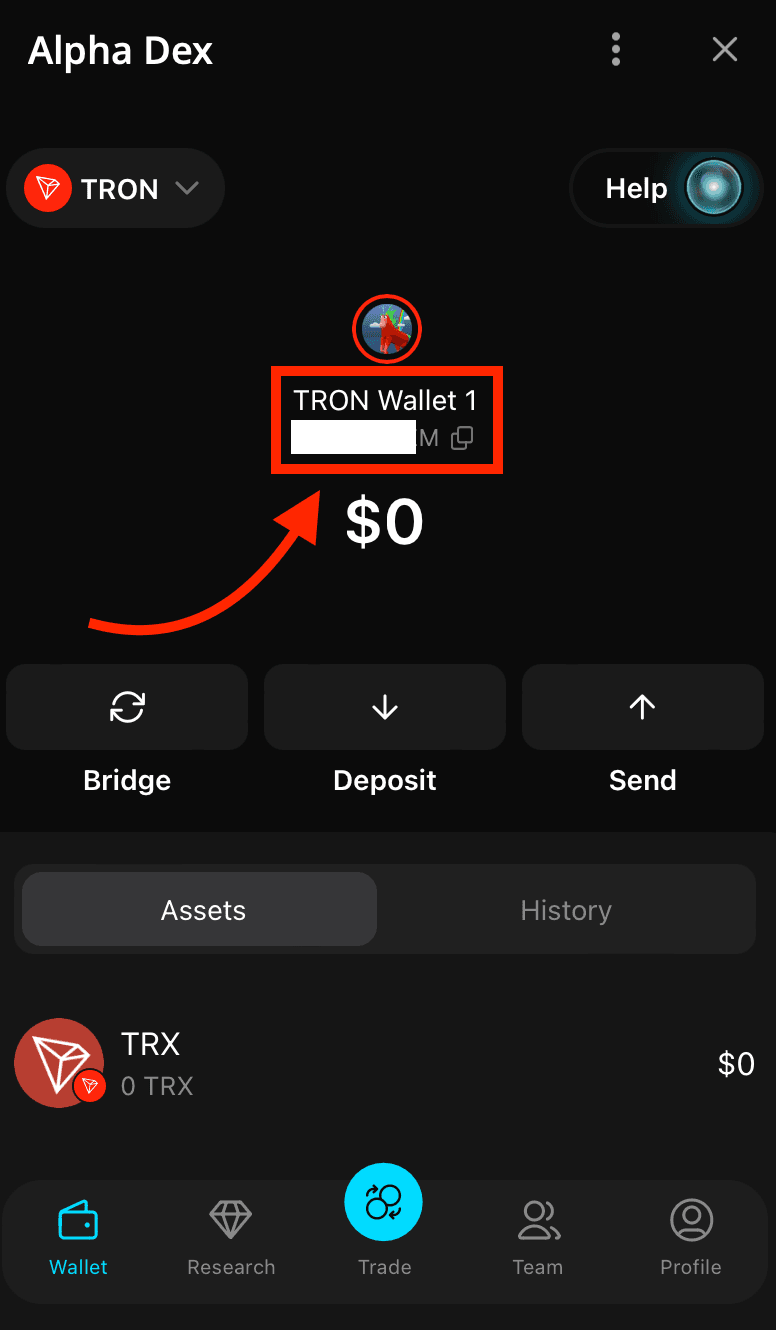
3️⃣ Deposit TRX from the exchange Bybit or BitGet
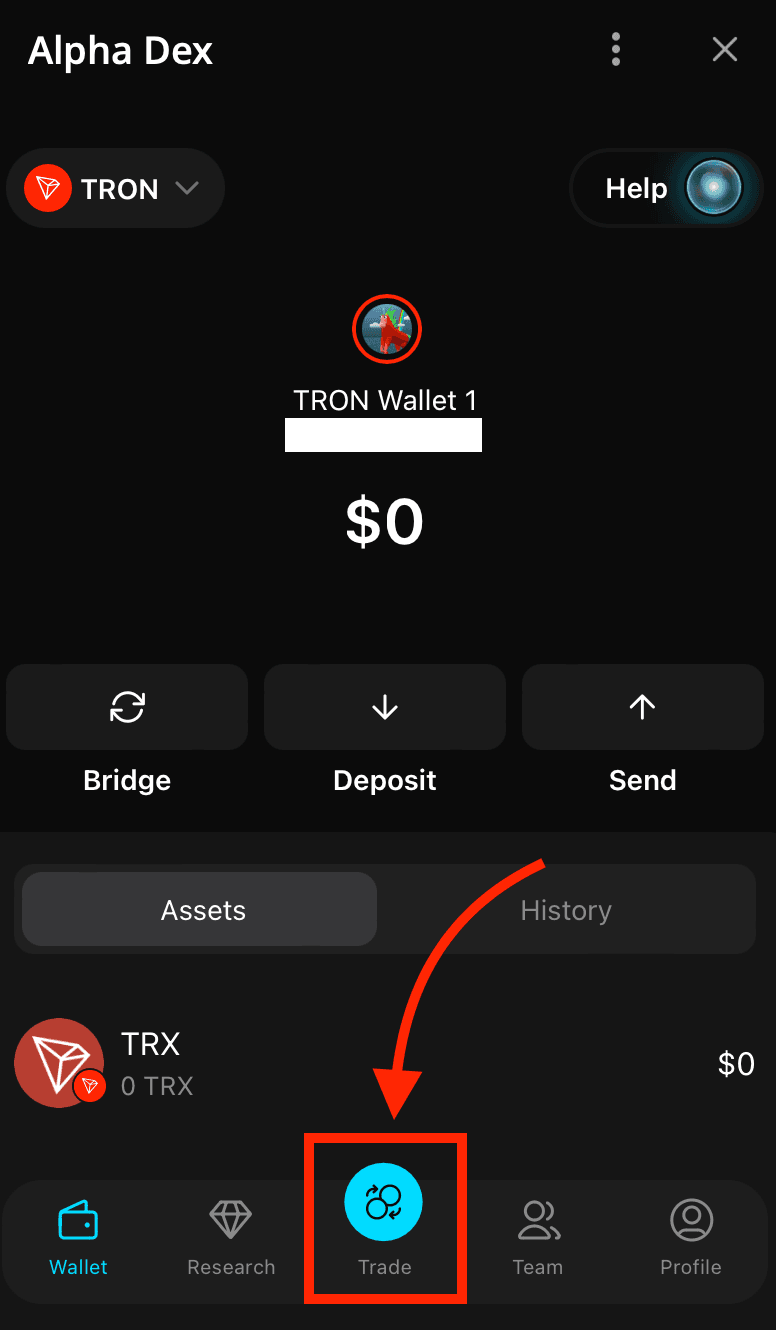
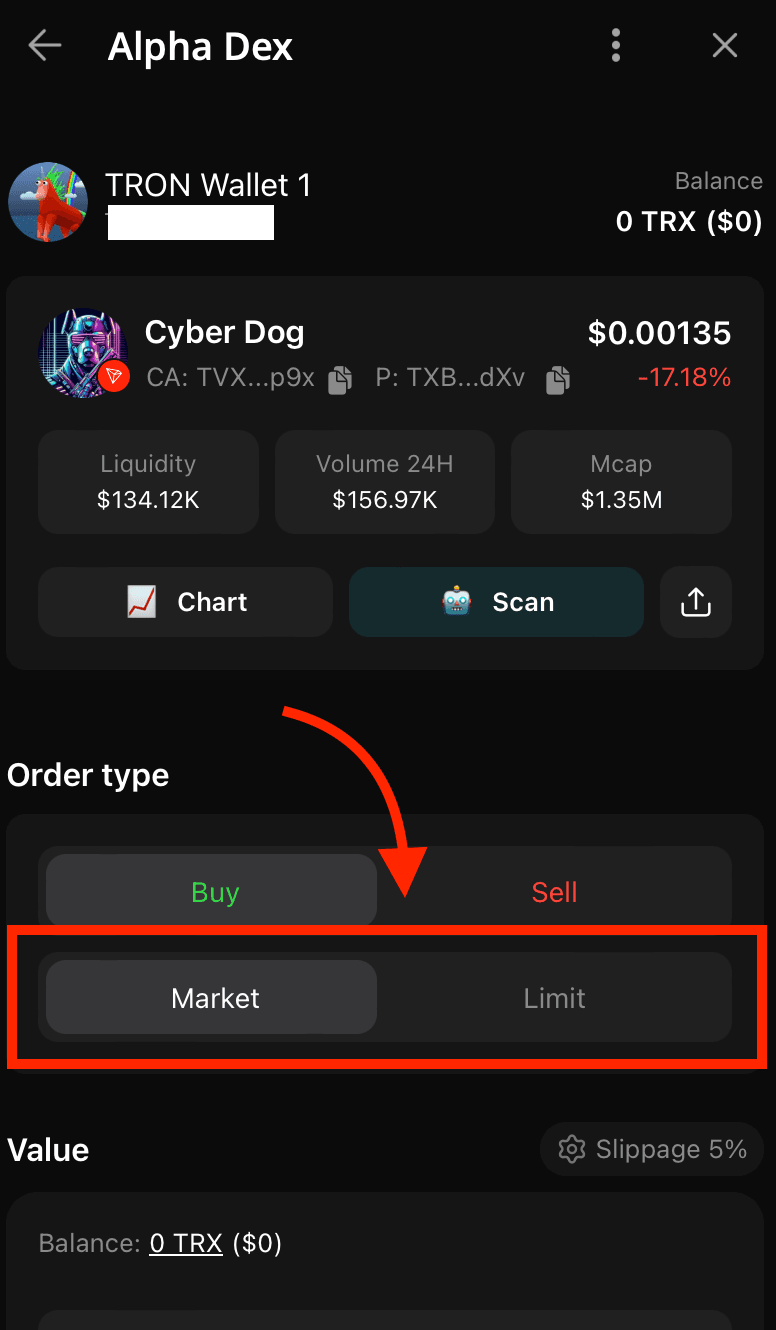
4️⃣ Open Trade tab and enter the contract adress
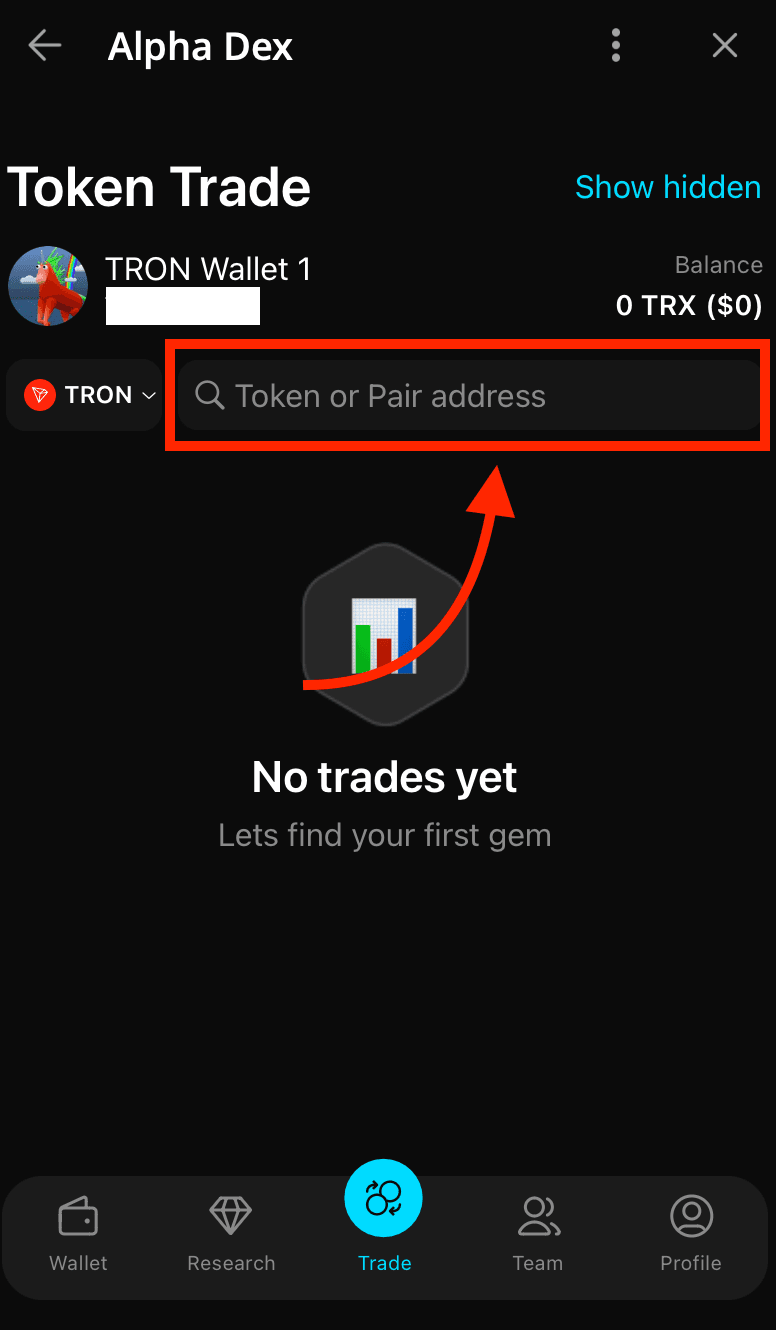
5️⃣ You found our hero! Now you can buy $CDOG
Choose how you want to buy the token, at the current market price or limit price - the price you specify (you will have to wait until the price is up to the price you specify)
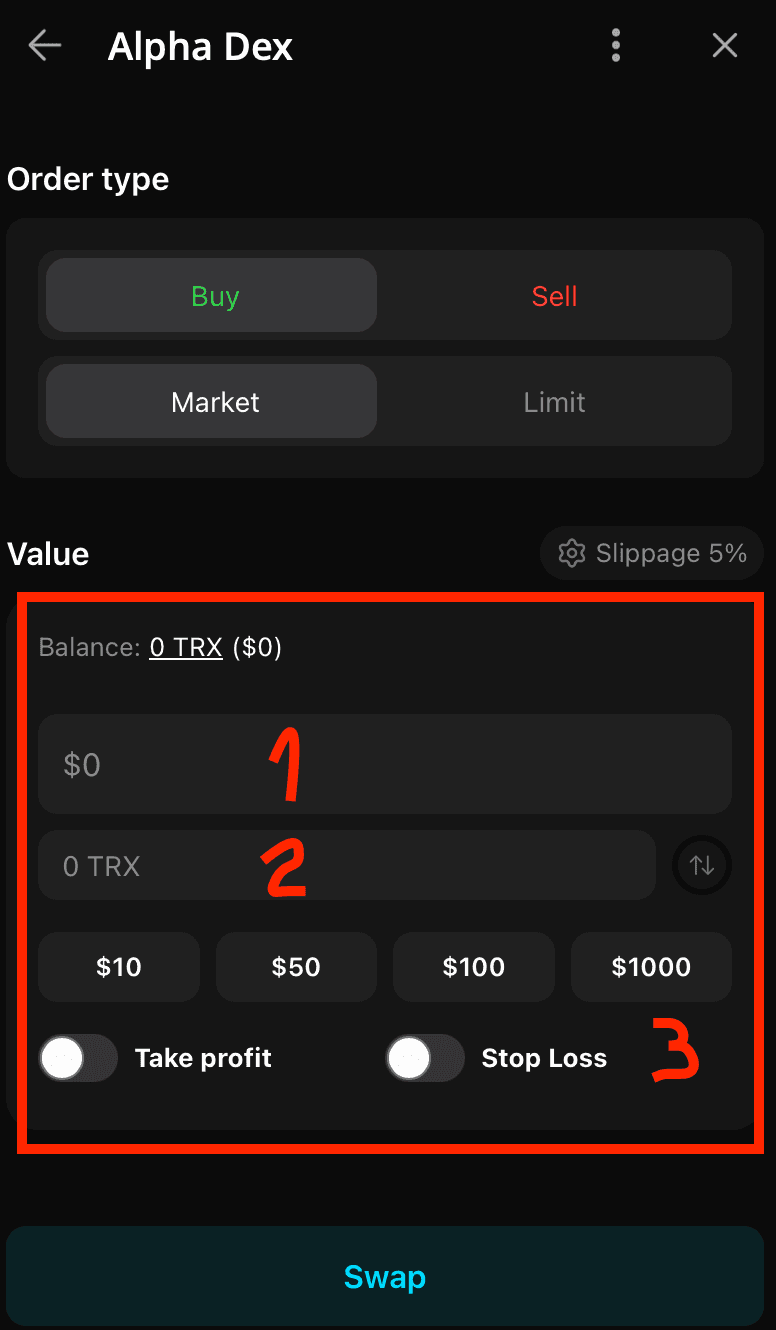
6️⃣ Confirm the transaction
- In field 1, specify how much you want to buy in dollars. If you want to specify the purchase amount in $TRX, click on 🔃
- Specify take profit and stop loss if you need it
- Confirm swap pressing "Swap"
7️⃣ After purchase check you $CDOG in Wallet tab
🚀 Congratulations now you're in the rocket!
2. SUN.IO
1️⃣ Deposit TRX from the exchange Bybit or BitGet
2️⃣ Open the site SUN.IO and connect TronLink wallet
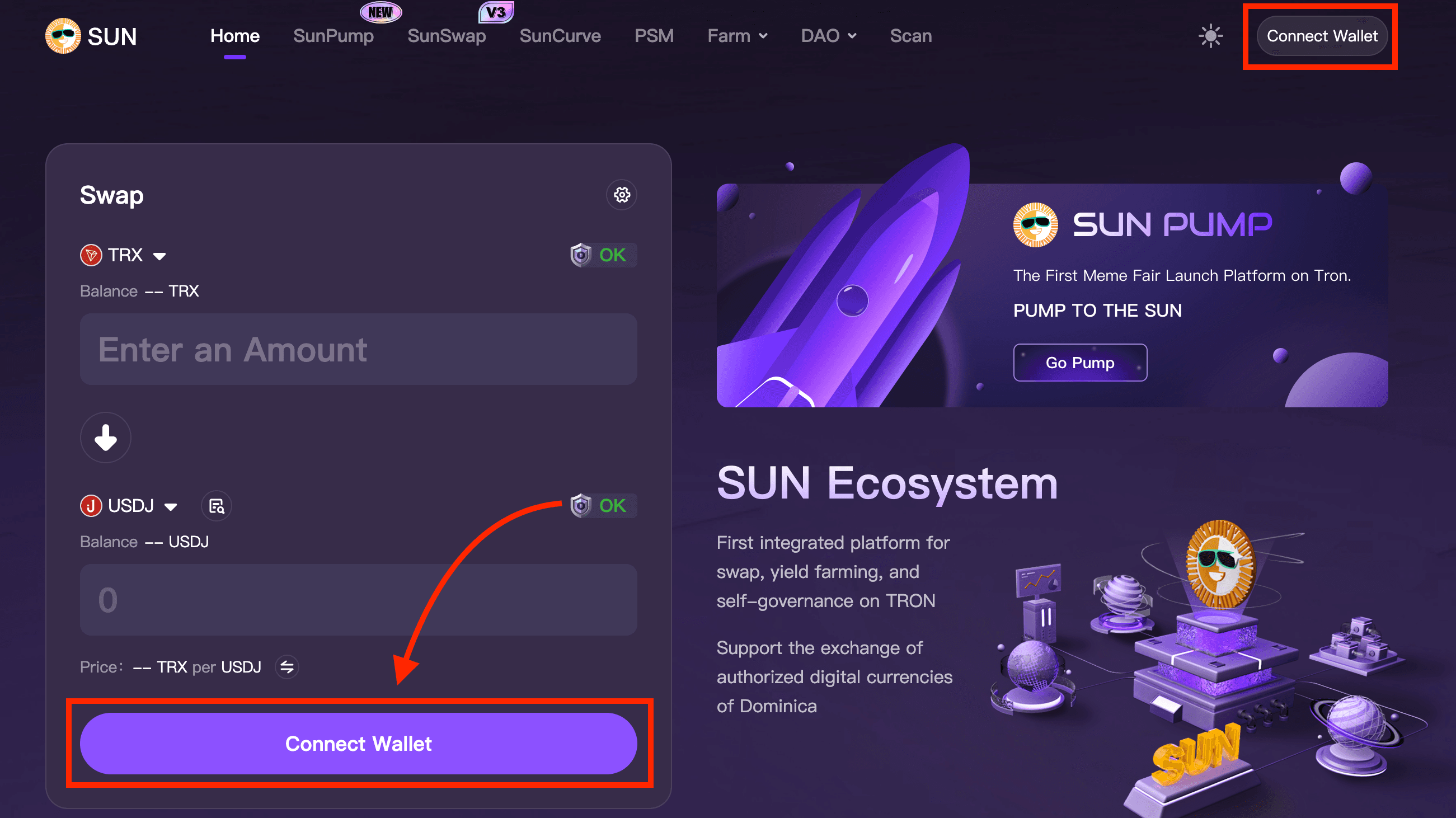
3️⃣ Choose $CDOG token
TVXmroHbJsJ6rVm3wGn2G9723yz3Kbqp9x
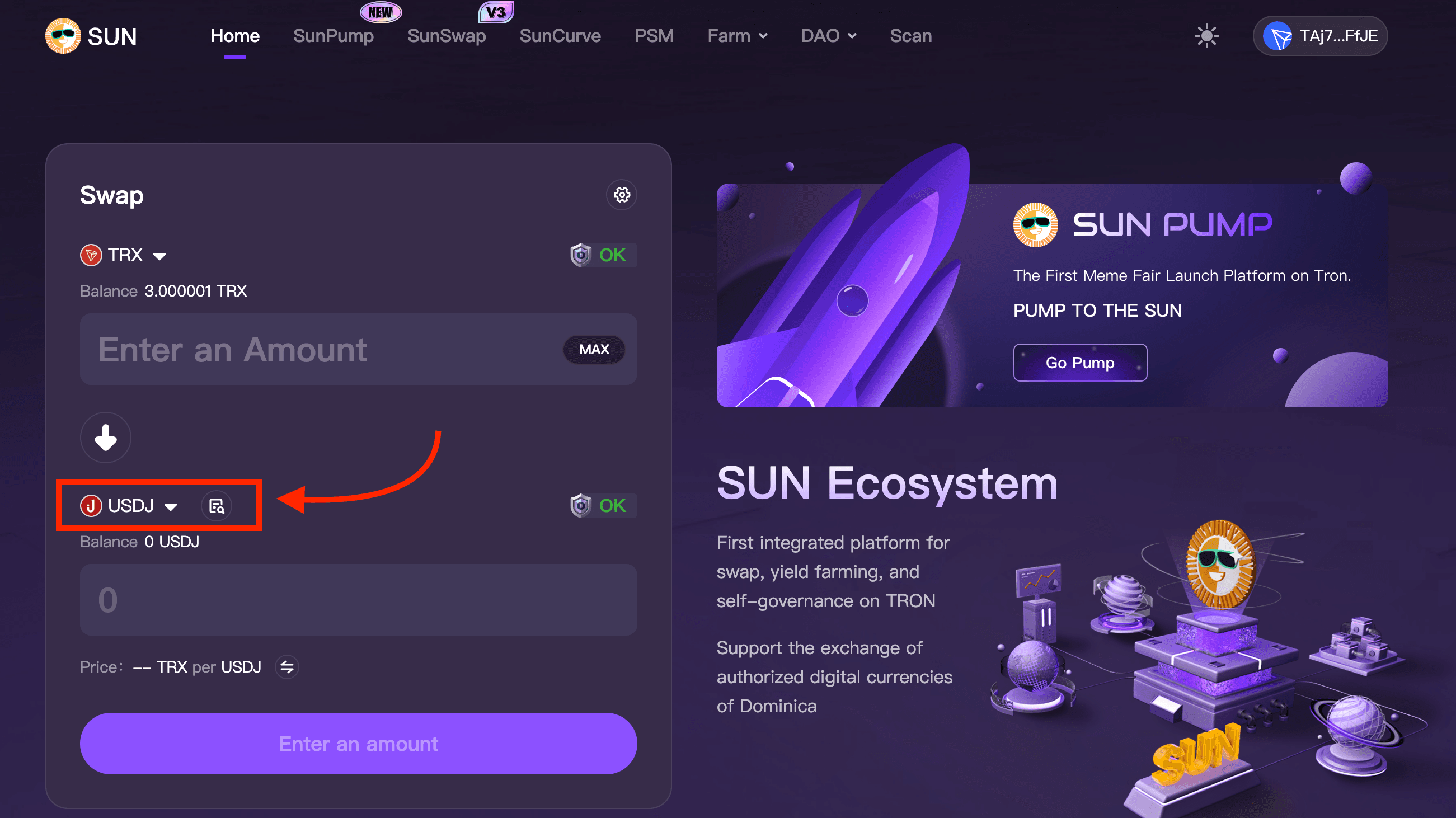
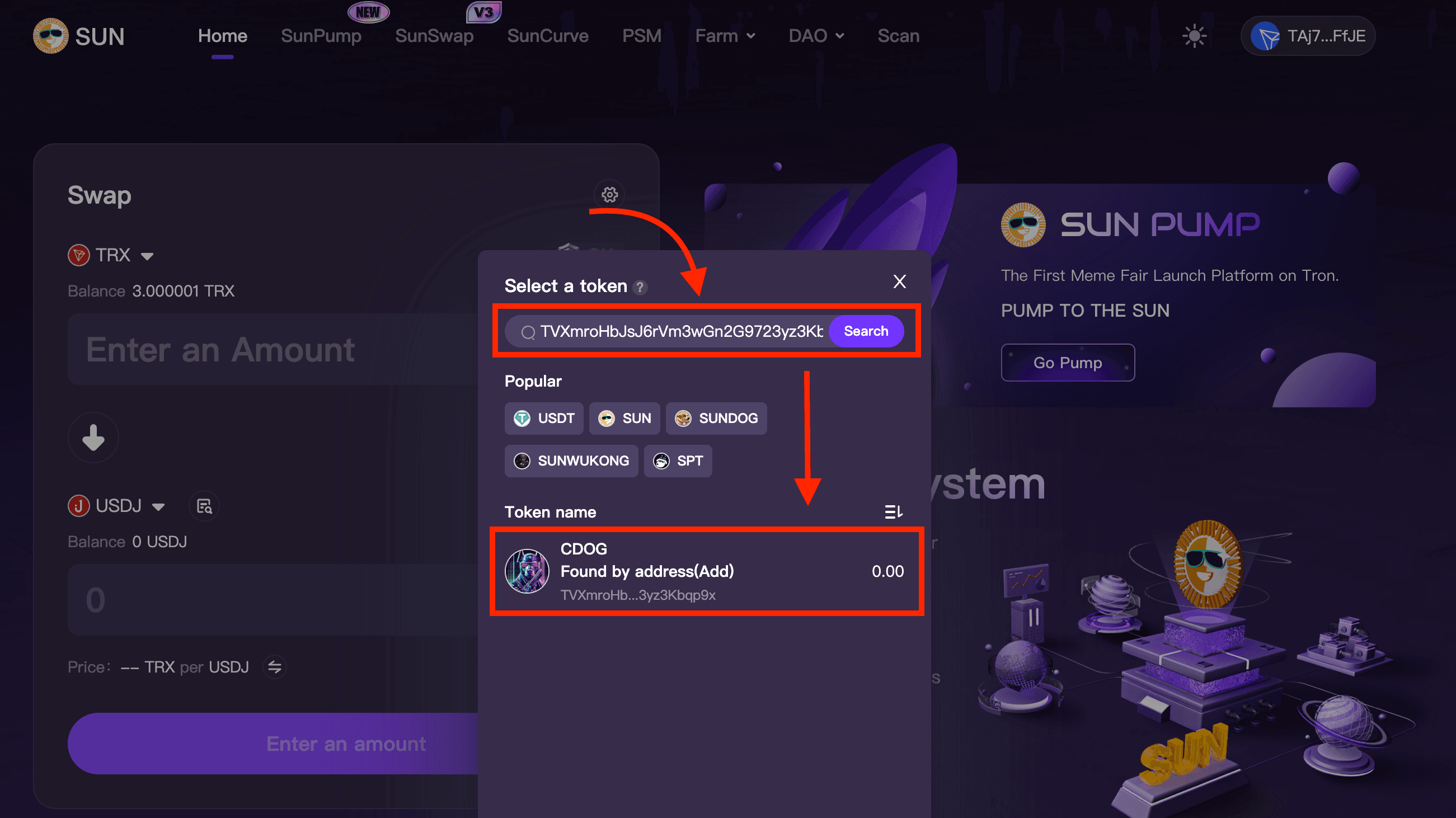
4️⃣ You found our hero! Swapping
- Enter the amount of TRX for which you want to buy tokens. Do not specify 100% of tokens, as you will need them to pay for the gas
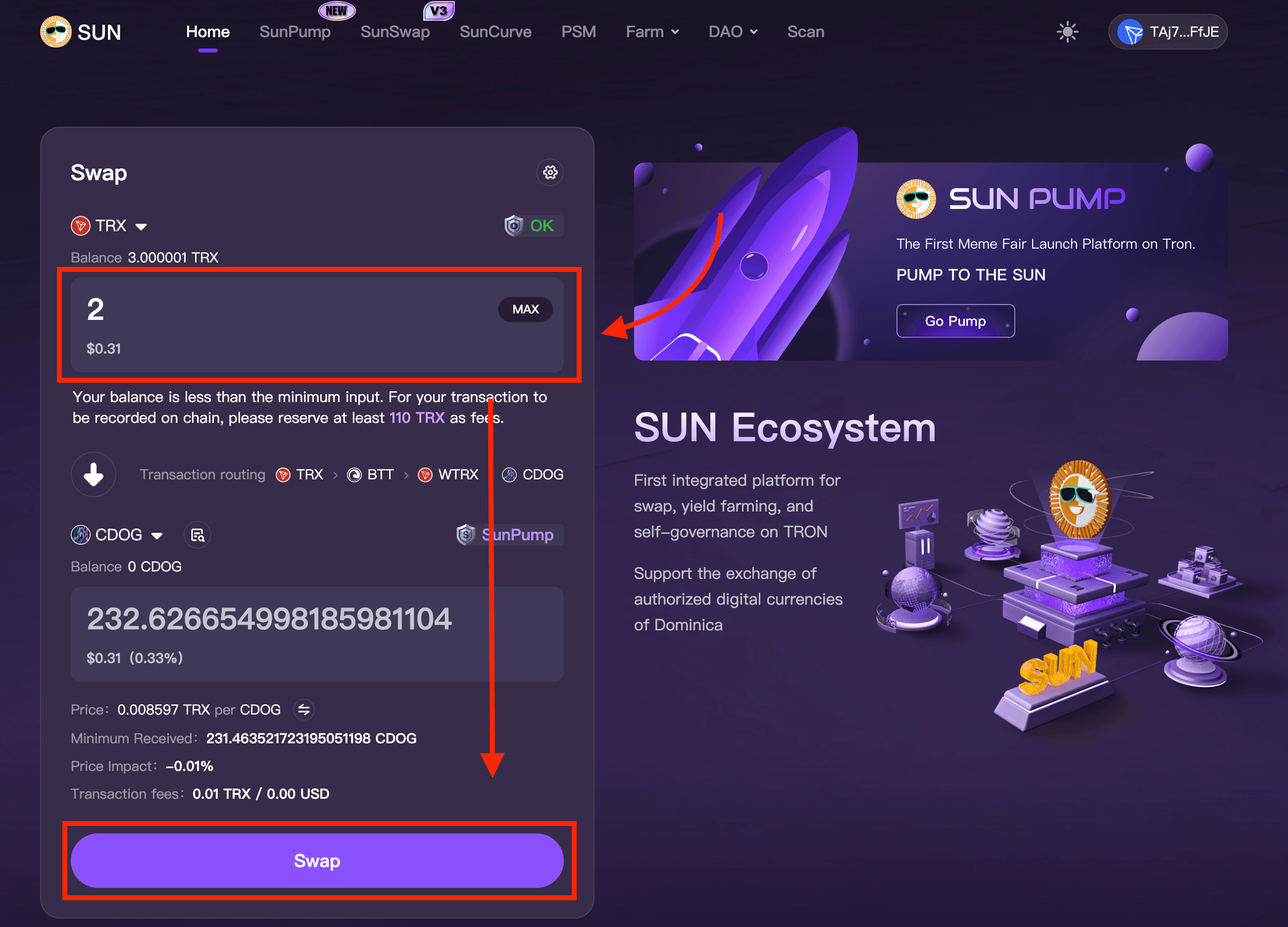
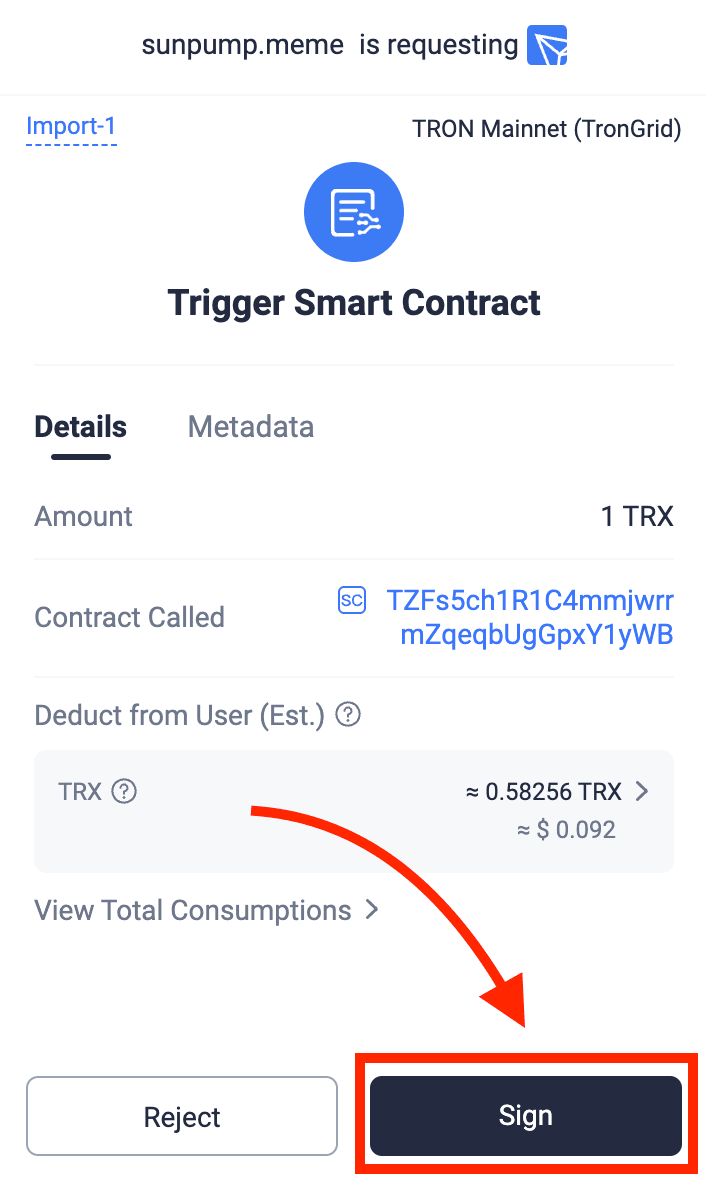
5️⃣ Confirm the transaction
6️⃣ After purchase click on + to add $CDOG to your wallet
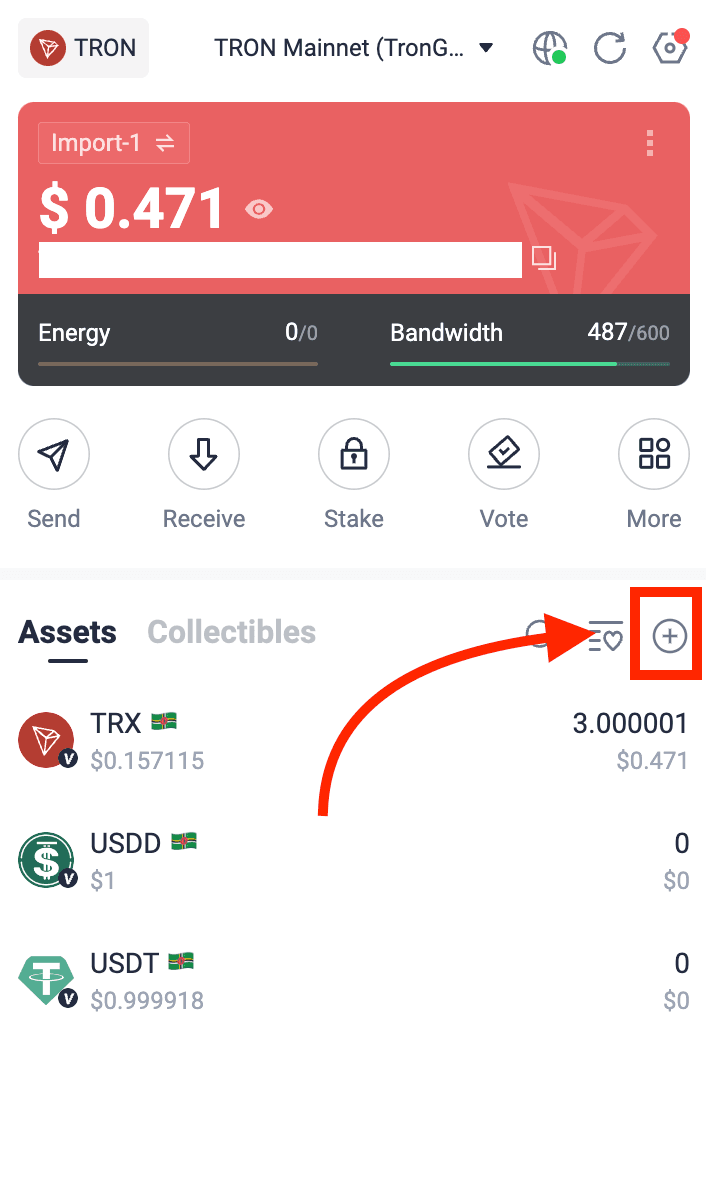
🚀 Congratulations now you're in the rocket!
Telegram Channel | Twitter | Linktree
Find us on: DexScreener, DexTools, Cryptorank, CoinGecko, DropsTab