How to Buy Crypto on PancakeSwap
Compatible with iPhone and Android1. Download the "Trust Wallet" App
On either iPhone or Android

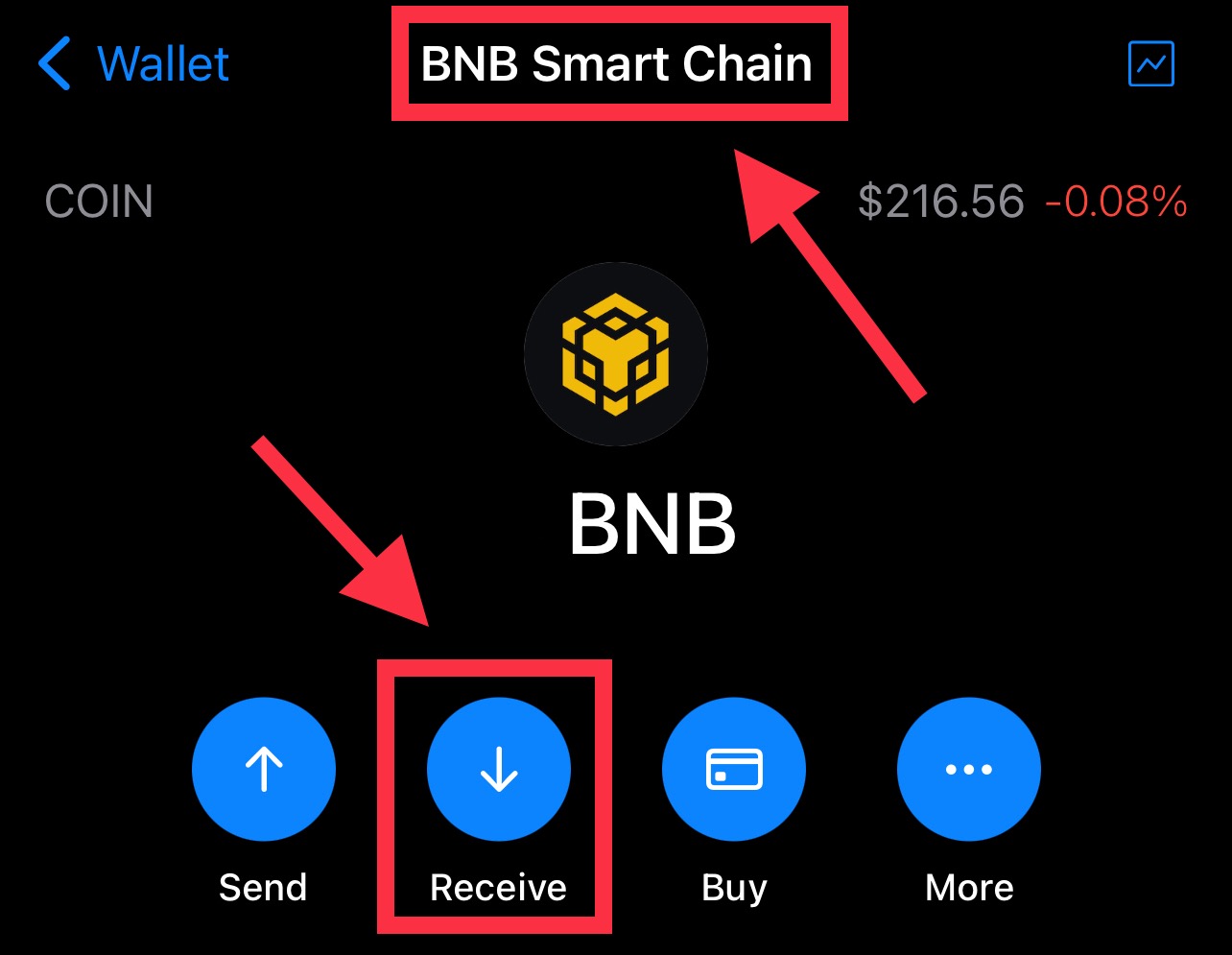
2. Deposit BNB (Smart Chain) to your Trust Wallet
3. Go to the PancakeSwap Exchange page
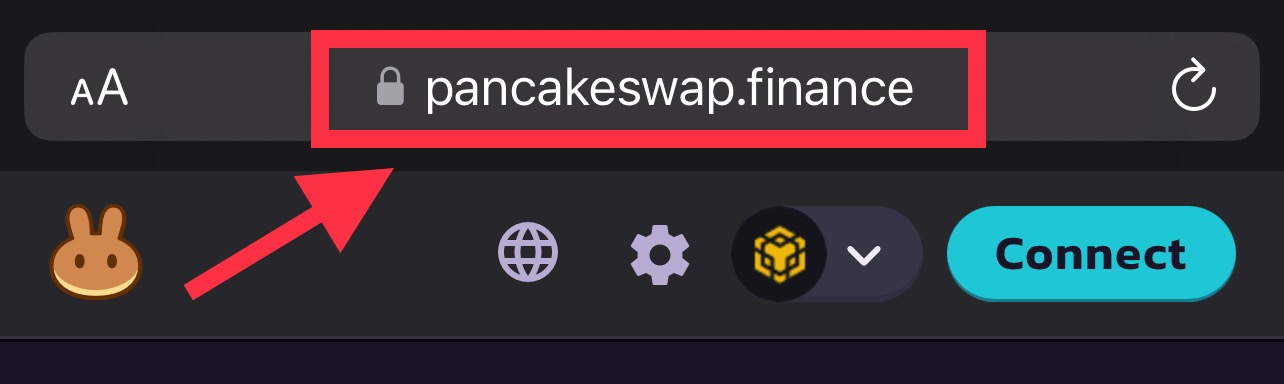
Navigate to the PancakeSwap website. In the top-left corner you should see ‘Trade.’ Click on that to be directed to the ‘Swap’ page. This is where you’ll be carrying out your exchange.
For Android Users: type "pancake swap.finance" into the DApp browser (Trust Wallet), or into your preferred web browser
For iPhone Users: type "pancake swap.finance" into your preferred web browser
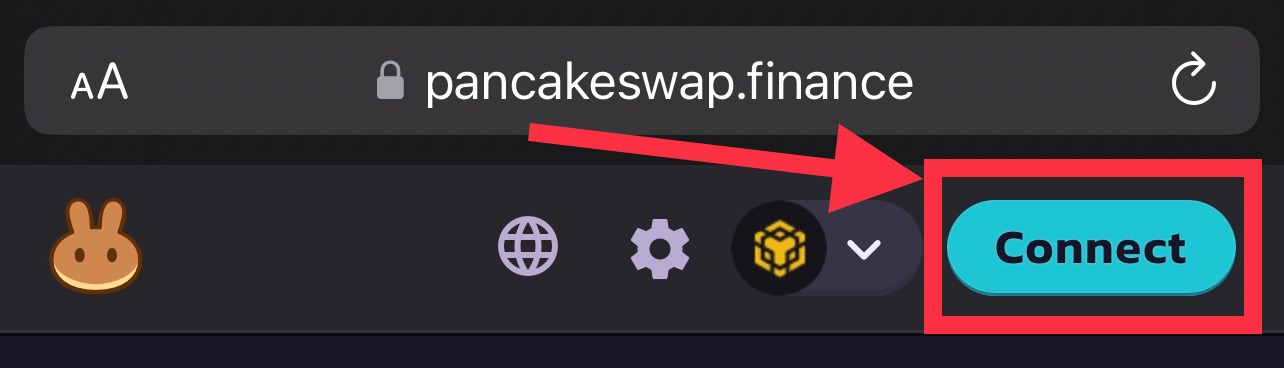
4. Connect Wallet
Click the "Connect" Button on the top-right corner and select "BNB Smart Chain"
5. Add the token to Buy
Step 1: Click here
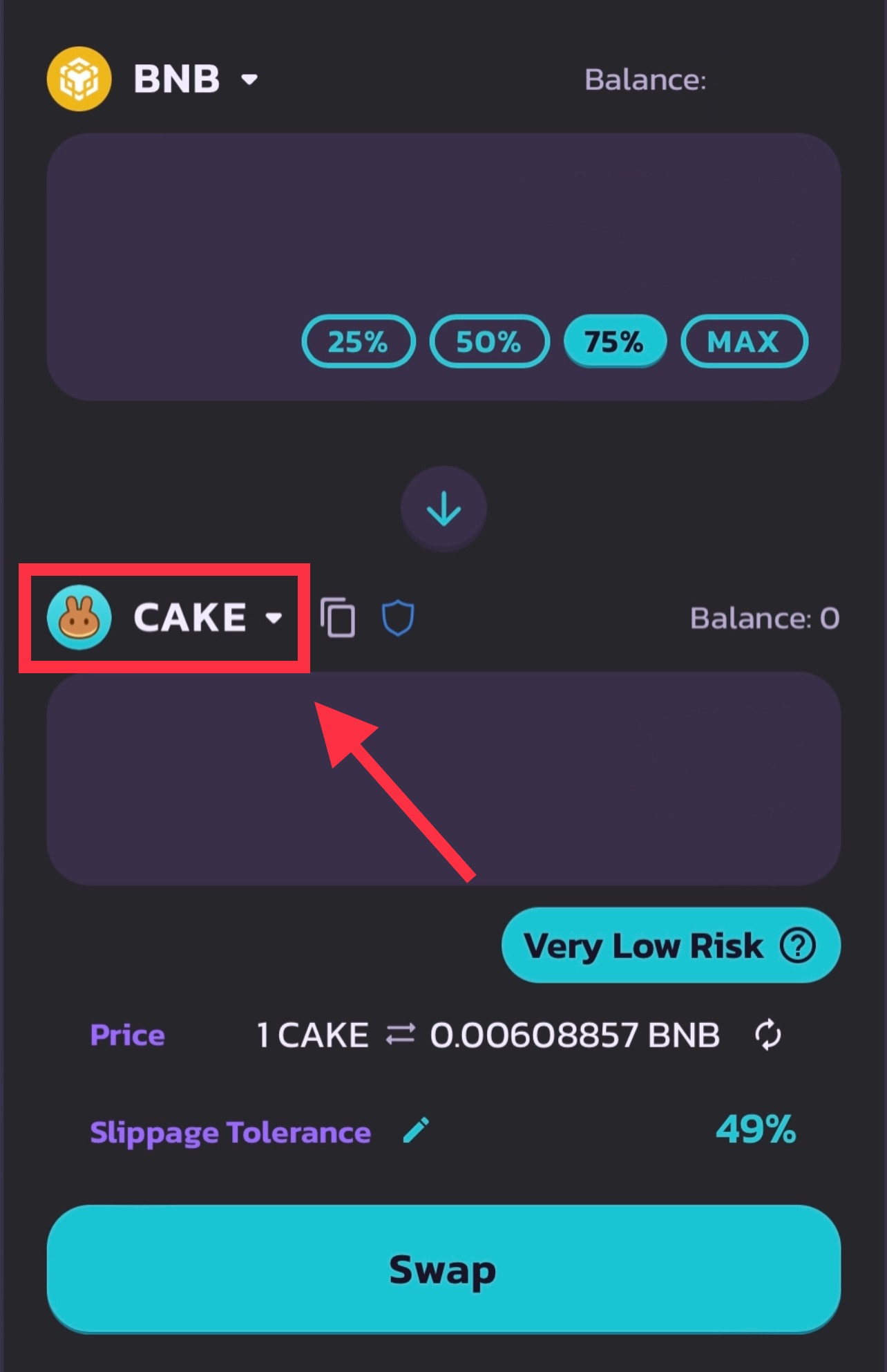
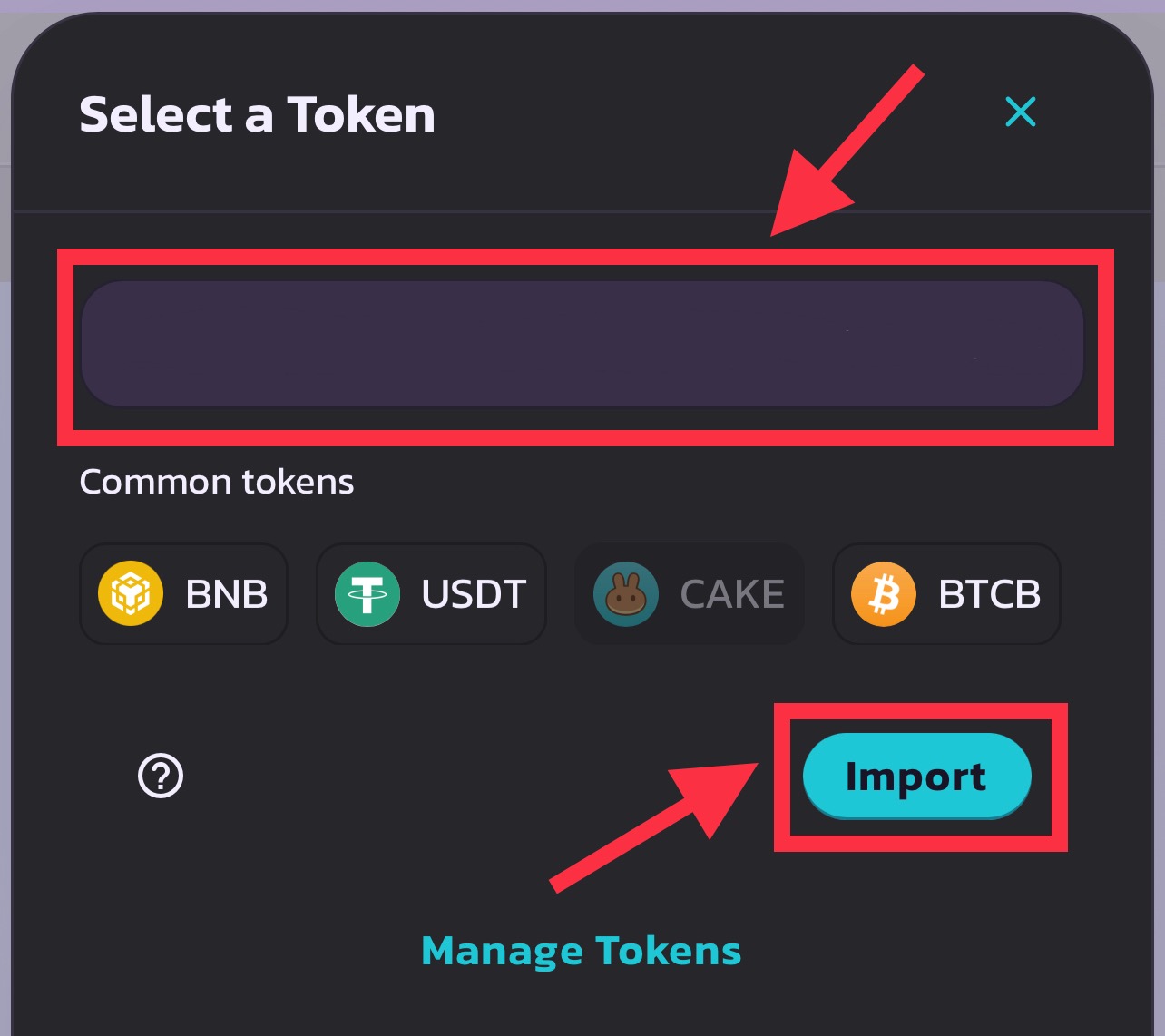
Step 2: Copy the contract address of the coin we'll be buying and paste it on the search bar. Click "Import"
6. Set slippage tolerance
We recommend setting it to 45-49% to prevent an error while buying the token, which you really don't want to miss.

7. Enter the amount to buy
You can enter either the amount of BNB or set a predetermined percentage of BNB you wish to exchange (we generally go for 25-50%). Once you enter an amount into one of the fields, the other field will be calculated for you automatically. A small breakdown will also appear below the calculator.
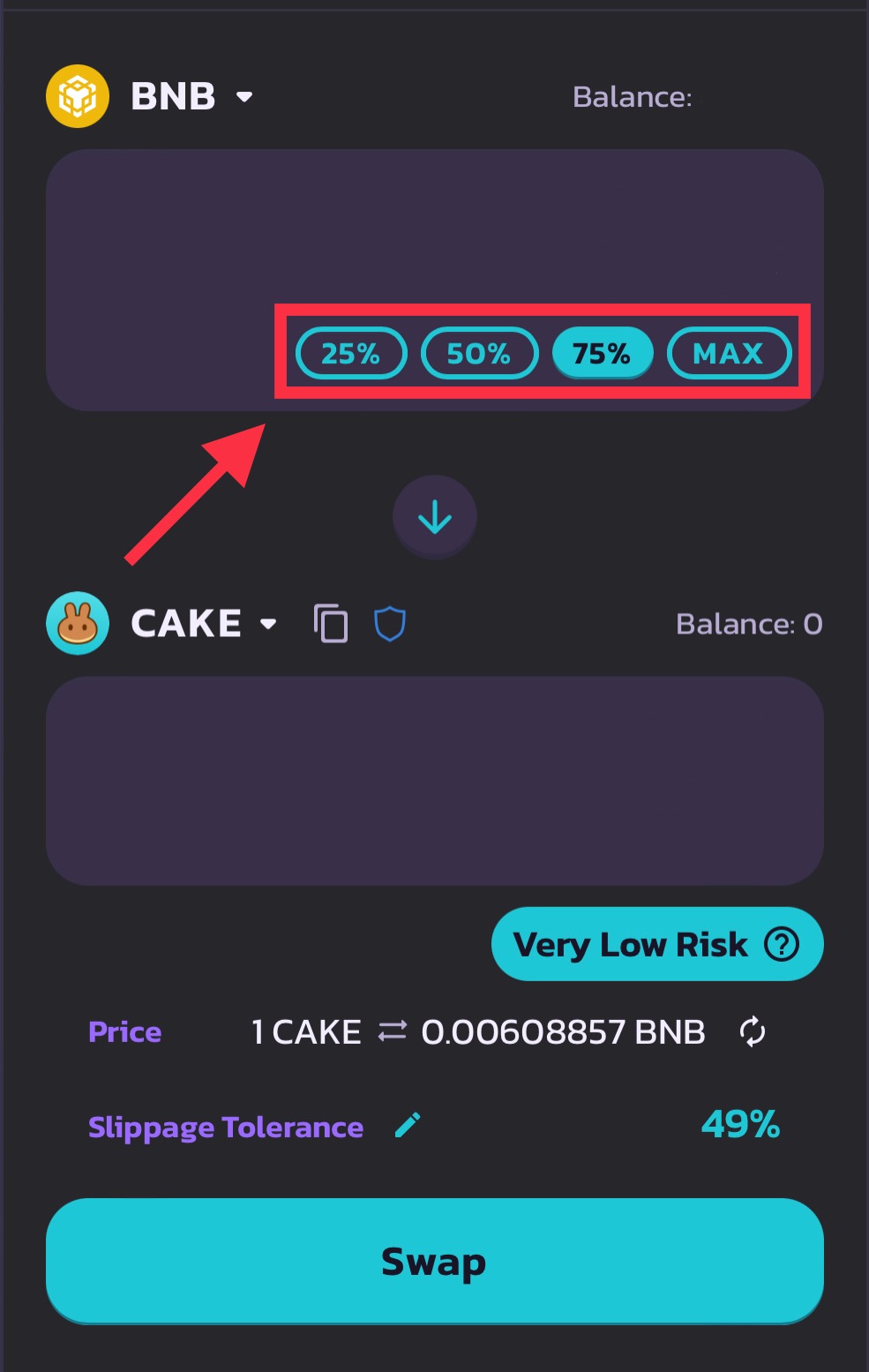
8. Review the details and click ‘Swap’
You're now in! You may build your position on the way up to maximize profits, be ready to sell once we give the notice.

9. Selling
After seeing an increase of 20-200x, which is our target for each pump, we'll give our members the sell signal, which will guarantee the highest profits.
10. Enjoy
You've just made huge profits on PancakeSwap, you deserve it!