How to Add a Shortcut Link with Chrome Android?
AdminHere are the steps to create a shortcut link on Chrome Android and then add to home screen:
- Launch the Chrome for Android App.
- Open the Website that you need to create the shortcut link.
- Tap on ⫶ for menu options.
- Select the Add to Home Screen option from the list.
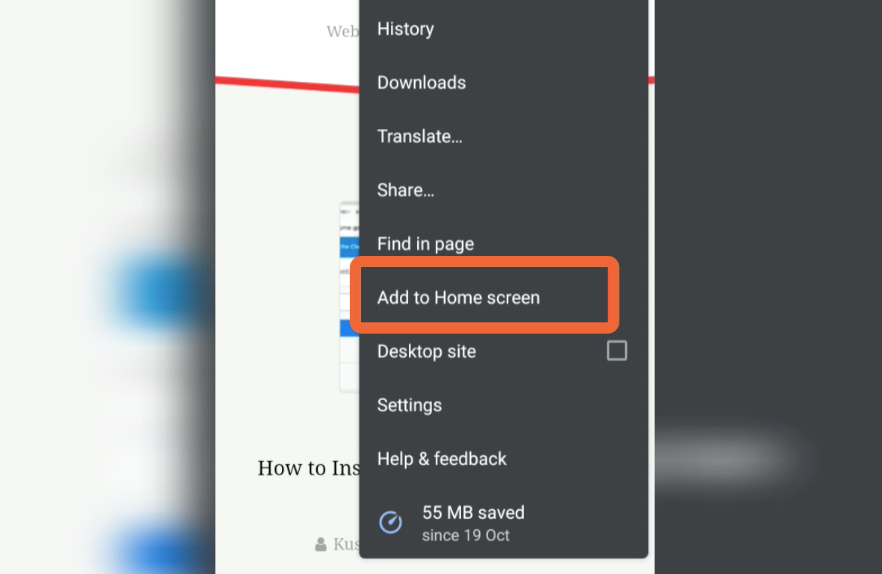
- Tap on the Add command.
- Here you can touch and hold to place manually OR
- Select Add Automatically command.