How To Search And Download Files On Telegram
MyPrinceYou are welcome!
Prior to joining the CHRISTIAN e-LIBRARY telegram page, thousands of files have been uploaded. How can you access them? Also, you may be finding it difficult to locate downloaded books in your card or phone memory or that downloaded files appear in numbers instead of the actual title. This guide is meant to assist you solve these problems. Relax and read on!
There are two ways to search for files on telegram
🔎 In the shared files
🔎 In the group chat
How to search the shared files
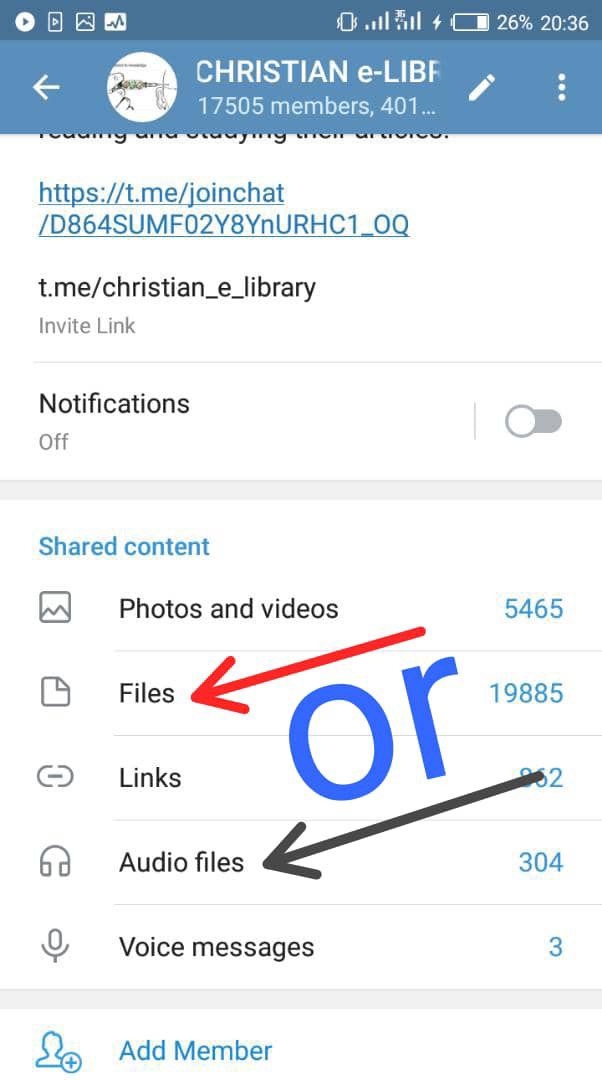
◻️ While in the group click on the group name at the top of the page as shown by the arrow below.

◻️ The group info page opens showing shared contents. Select depending on what you are searching for - files(books), audios, videos or links. Click on files for books.
◻️ Slightly different for telegram X as shown below. It's known as DOCS ( for documents). Click on DOCS.

◻️ Click on 'files' or 'DOC' (for telegram X), a search icon 🔍 will appear at the top right corner of the page. For telegram X, you have to scroll down a little for the search icon 🔍 to appear.
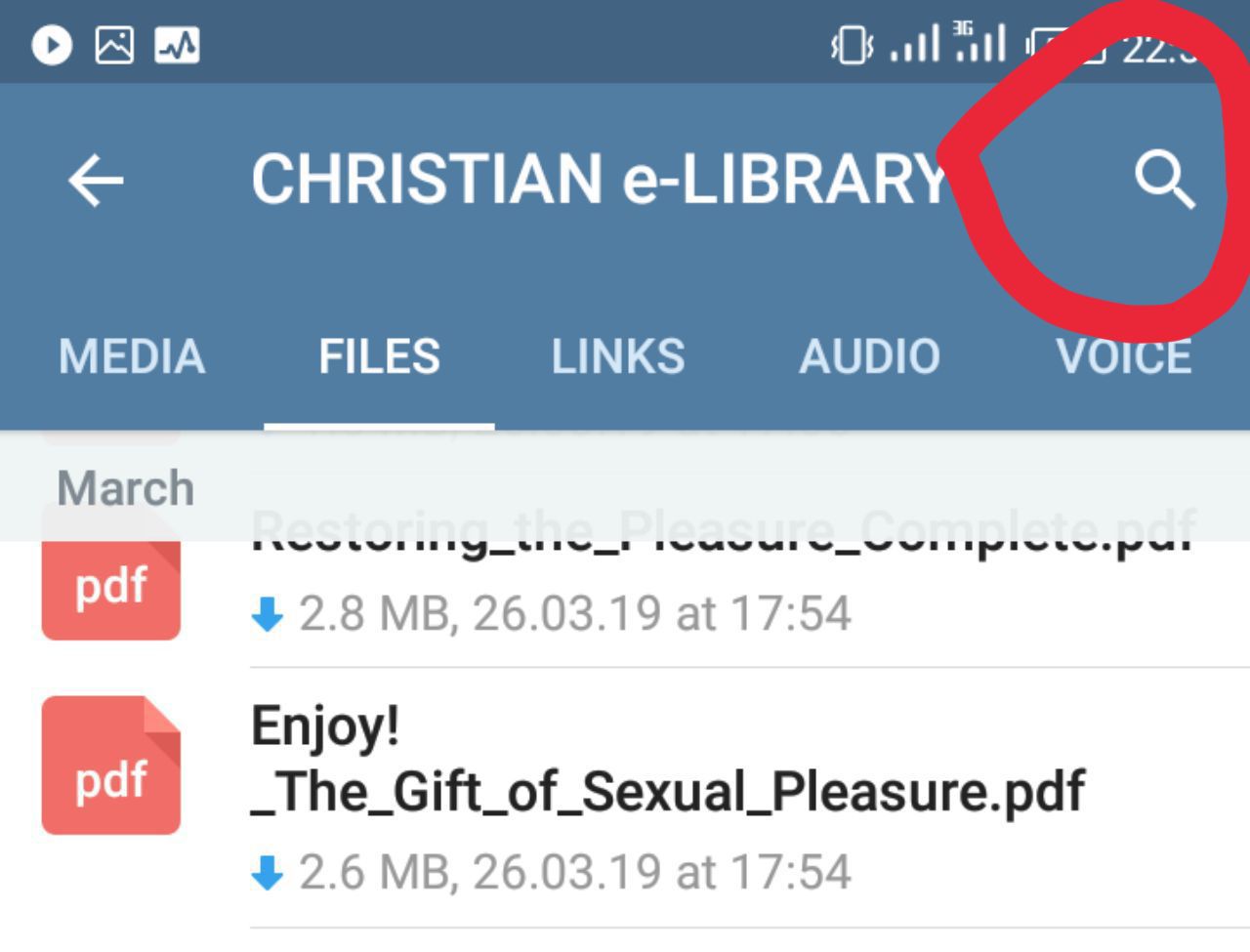
◻️ On clicking the search icon 🔍, you can type in what you are searching for. For instance, you are searching for
"CONFRONTING POWERLESS CHRISTIANITY - CHARLES H. KRAFT"
You don't have to type the entire title and author's name. Keyword(s) is enough. Just type in 'CONFRONTING' or 'POWERLESS' or 'KRAFT'. Just one or two keywords and all books containing such keywords will be listed for your Selection. Once found, click on it to download.
Ensure correct spelling when searching (Google is your friend).

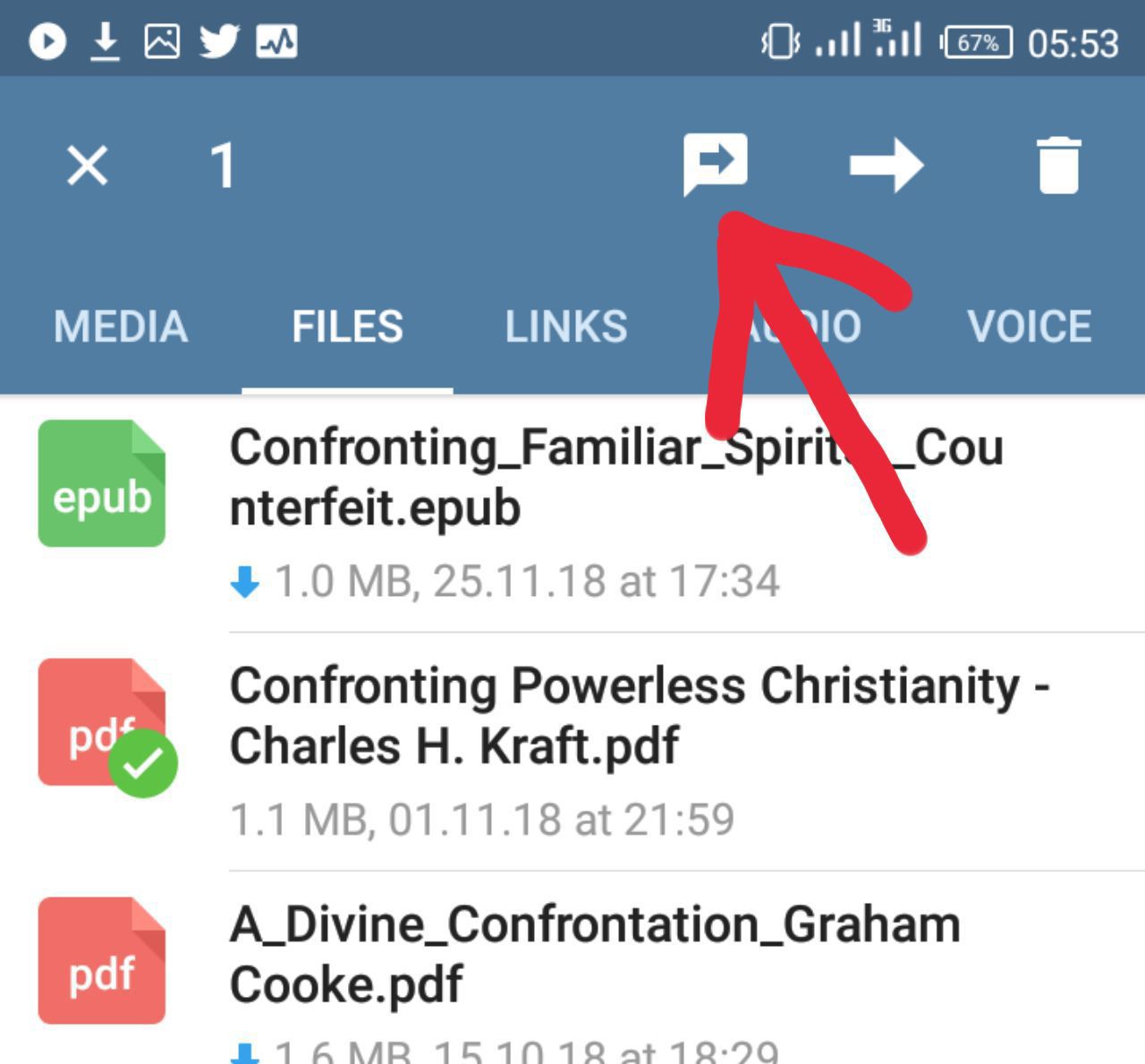
◻️ After downloading, click and hold(long press) on the said file. This action will display shaded arrow at the top of the page among other things. Click on the shaded arrow to take you to the file on the group chat.
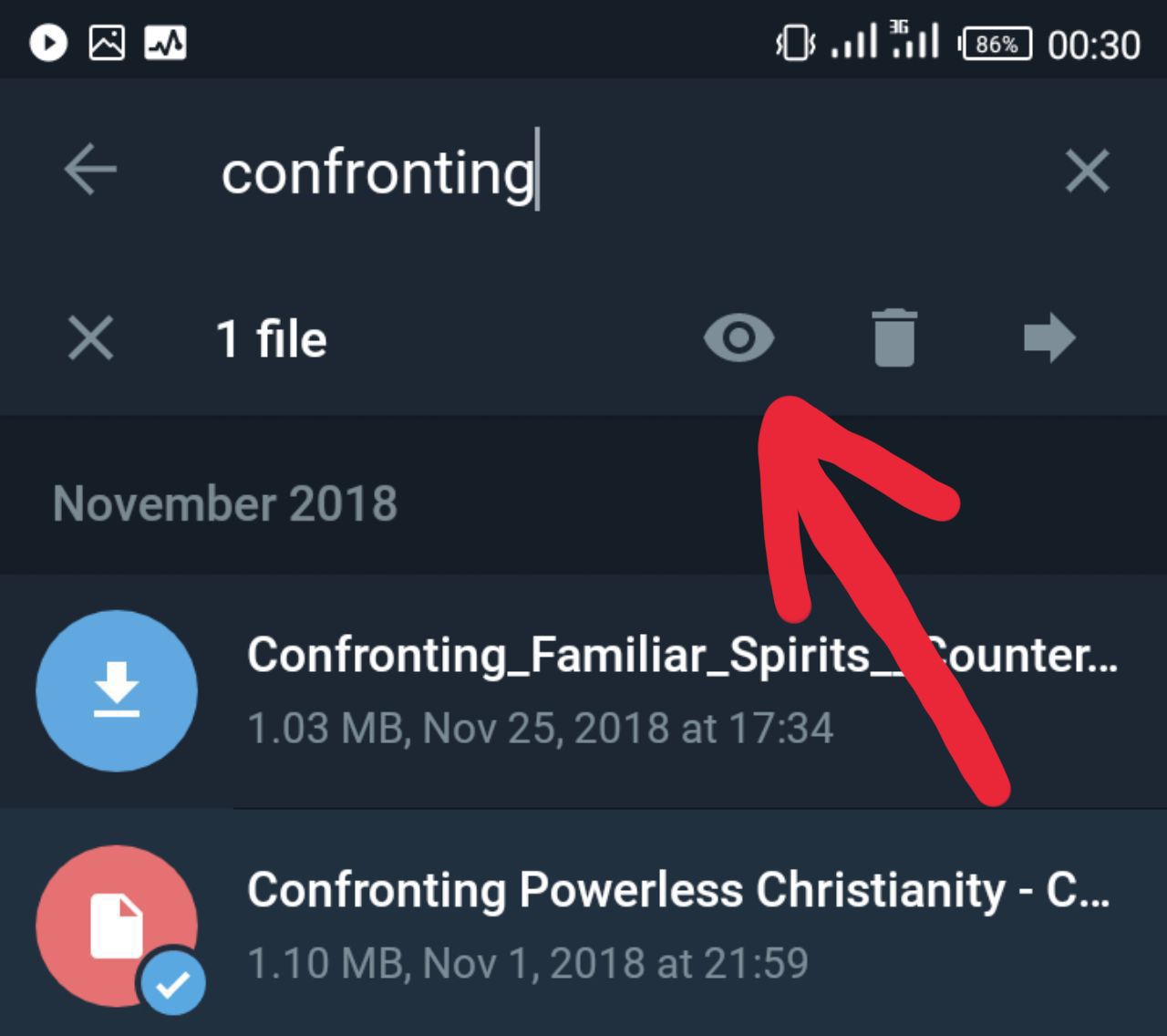
◻️ In telegram X version, an eye icon 👁️should be clicked to lead you to the location of the file in the group chat as shown below
◻️ Now in the group chat, click on the 3dots at the top side of the file. See arrow below.
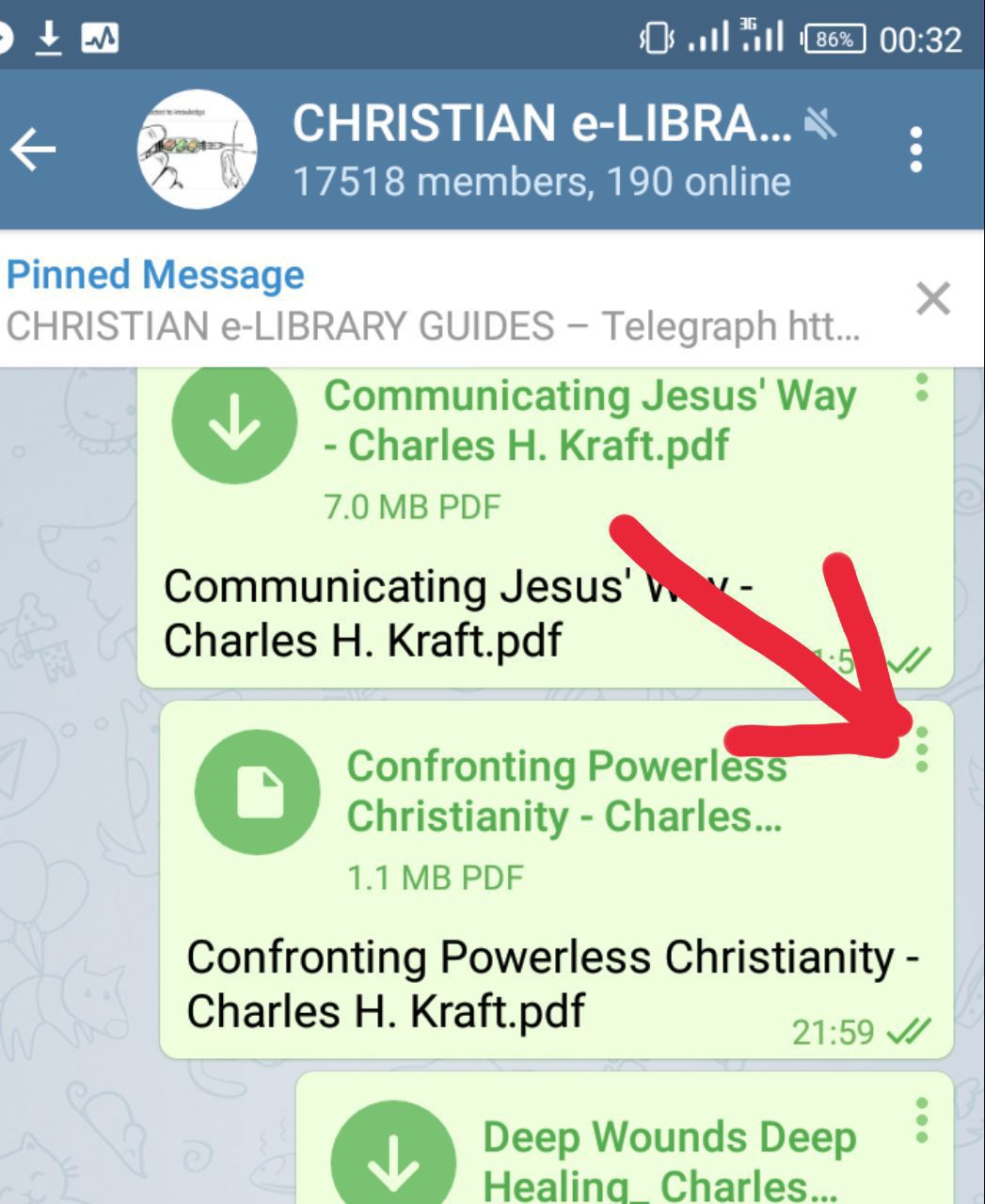
◻️ After tapping the 3dots or the file, it will bring up options. Click on 'save to downloads'

◻️ Clicking 'save to downloads' will save the file as below in your default download folder either in your card or phone memory!

◻️ With PC, it's quite easier, once file is downloaded it's automatically saved with the appropriate(uploaded) title in the telegram desktop folder.
How to search the group chat
Alternatively, you can search through the group chat.
Follow these image guides

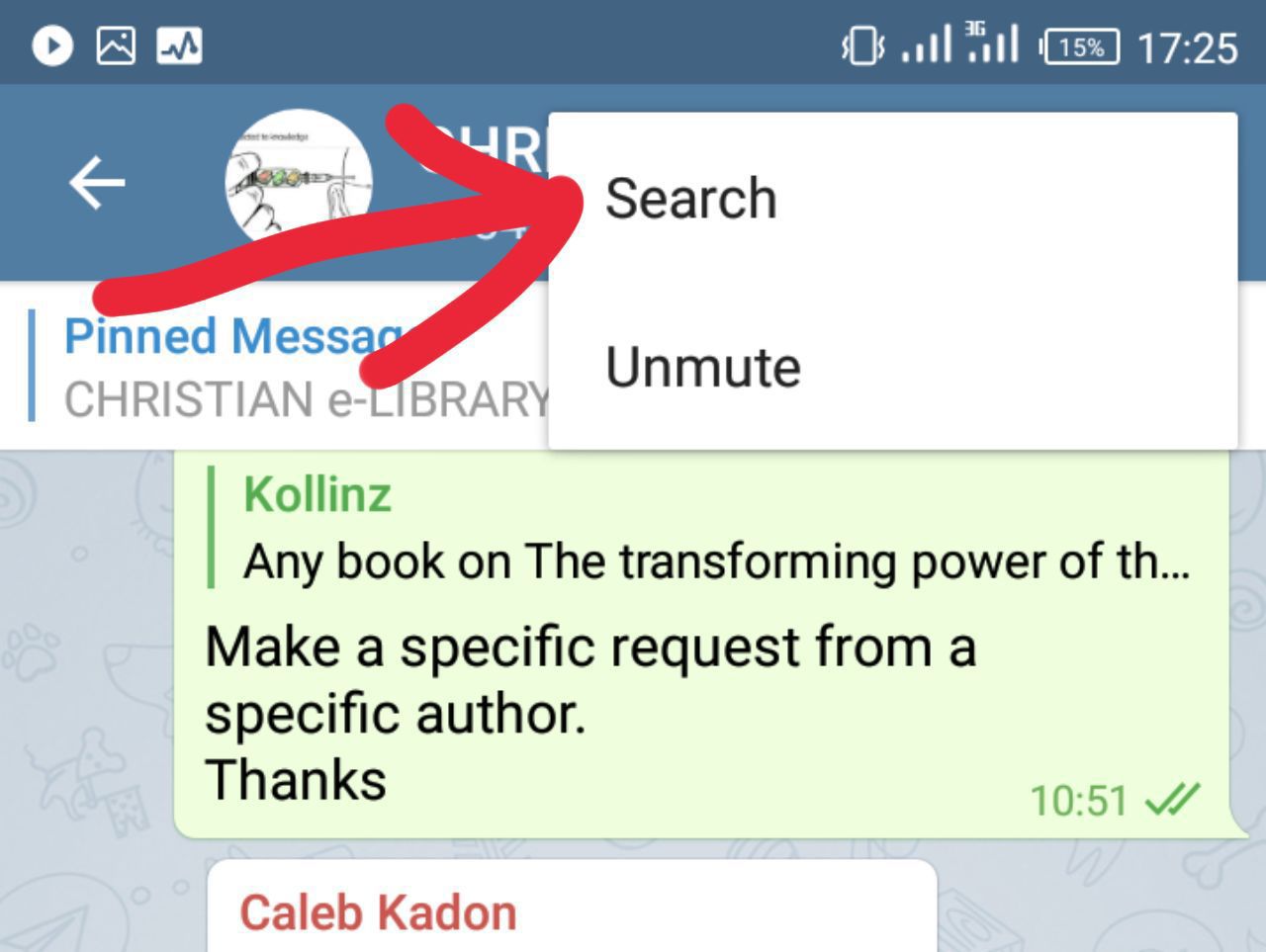
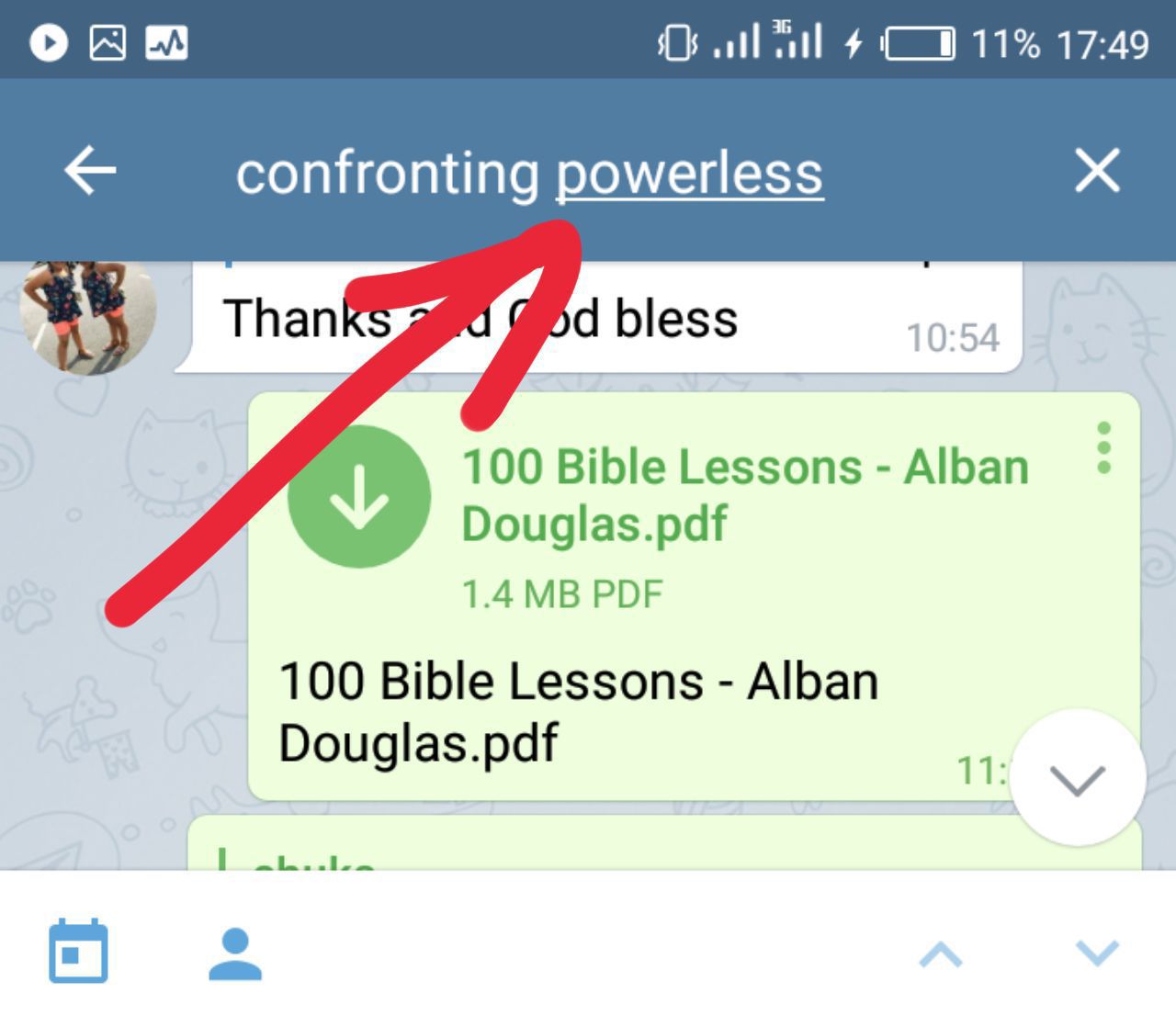
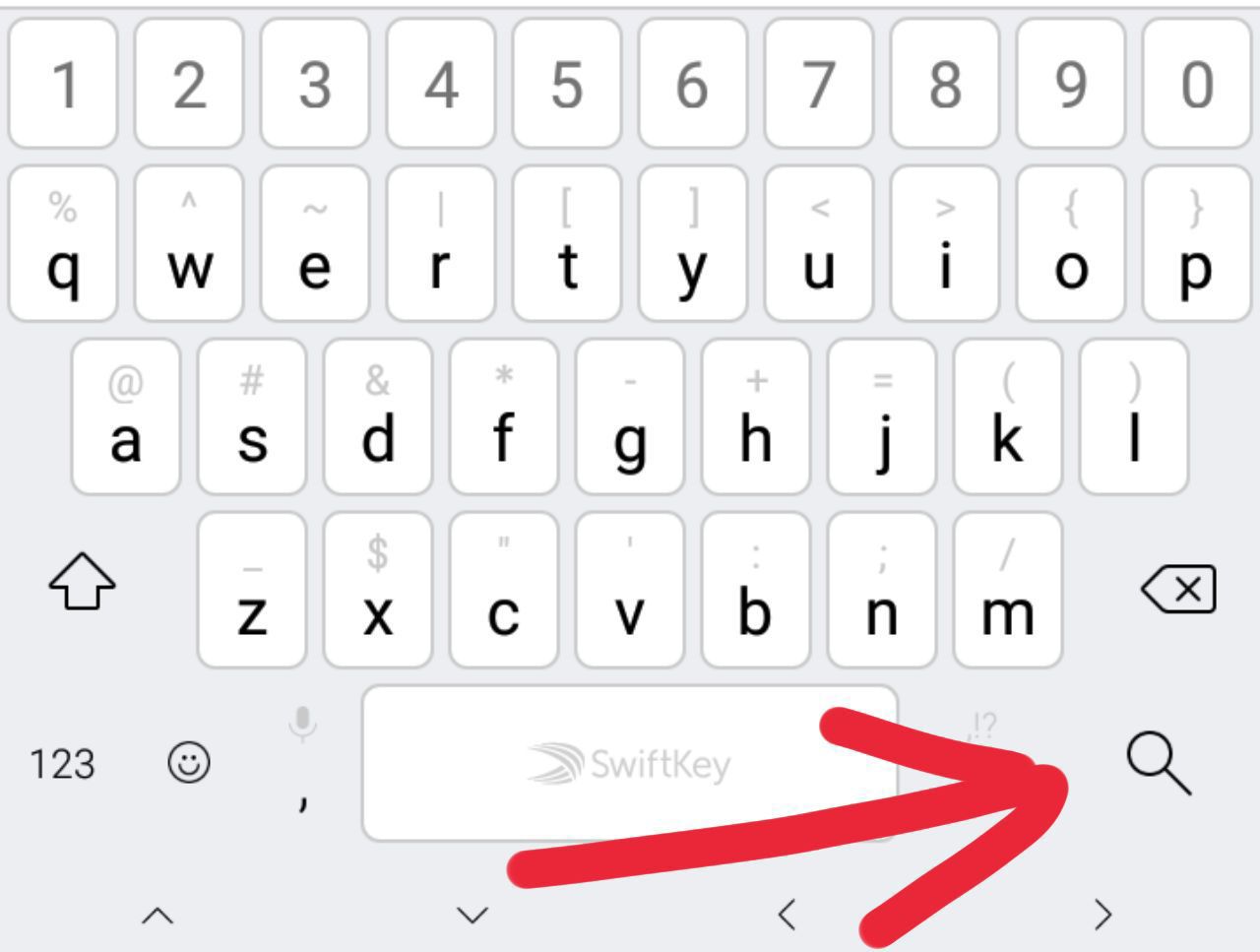
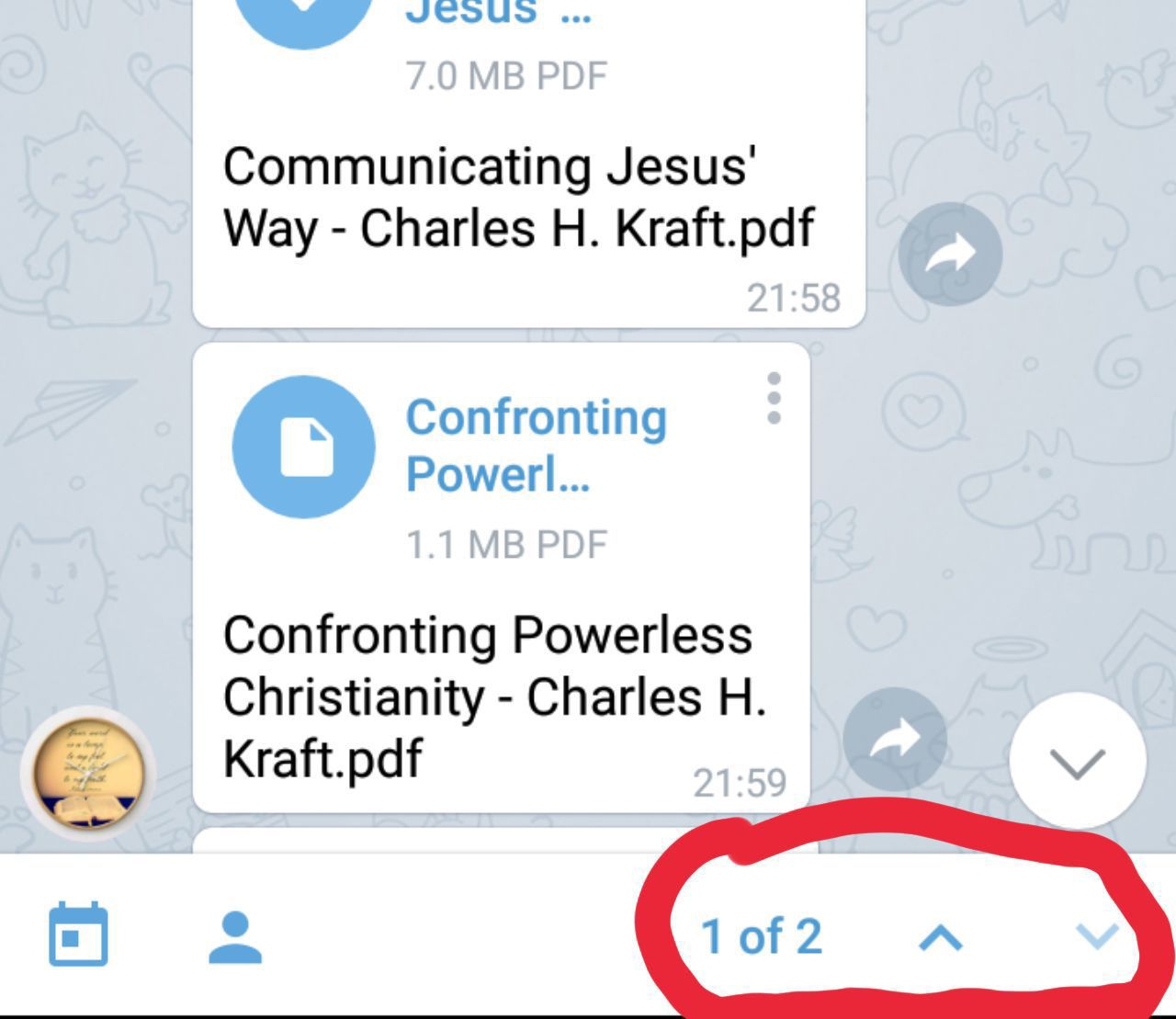
Once you have located your file, click to download and continue with the steps shown while searching through the shared files earlier to download with appropriate title instead of numbers.
The above guide is prepared for use in the CHRISTIAN e-LIBRARY telegram group page. Thanks for your time. God bless you.
Compiled by chief admin of the Christian e-Library telegram page.
MyPrince.