How To Display Dual Clocks For Different Time Zones On Your Android
learnandroideasilyThis we can achieve via two ways. First with rooted device and the other without rooting device.
For rooted device the method is quite simple and you just need a rooted android device that will allow an Xposed installer to run on a device. And after having the Xposed installer, you will be using an Xposed module to have two different time zone clock on your android status bar. For this follow the guide below.
Step 1. First of all, you need a rooted android as Xposed installer can only be installed in a rooted android.

Step 2. After rooting your Android device you have to install the Xposed installer on your android and that’s quite the lengthy process and for that, you can proceed with our Guide to Install Xposed Installer On Android.
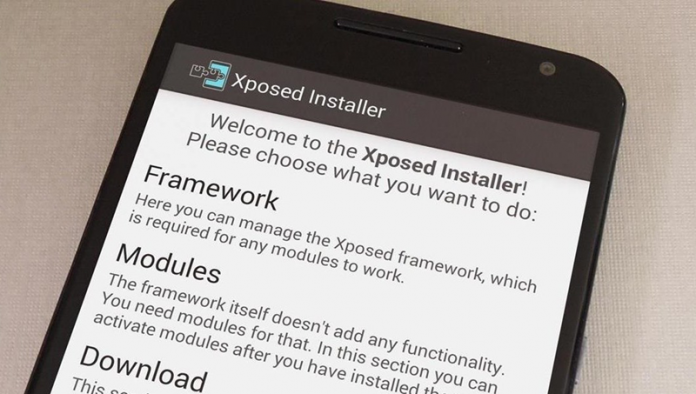
Step 3. Now you need to have an Xposed module that is MultiZone Clock the module that will allow you to have a multizone clock on your android status bar.
Step 4. Download and install this cool app in your android and then run it and enable it in an Xposed installer.
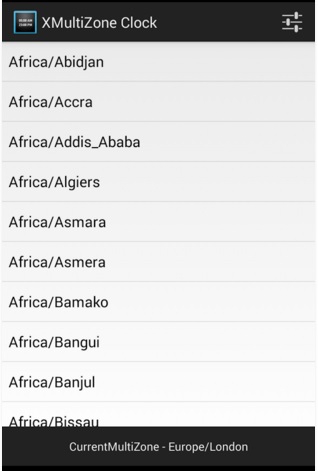
Step 5. Now launch the app and you will now see the list of different time zones on the app and you need to select your timezone that you want to have in your status bar.
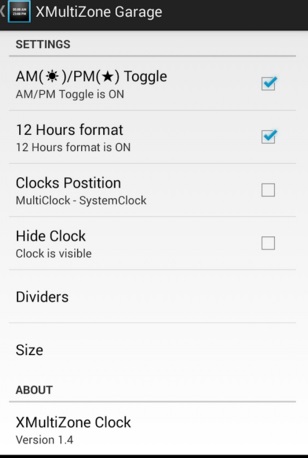
Step 6. Now when you select any timezone then set up its settings like 12 hours format and much more things that you will get to know after having this app.
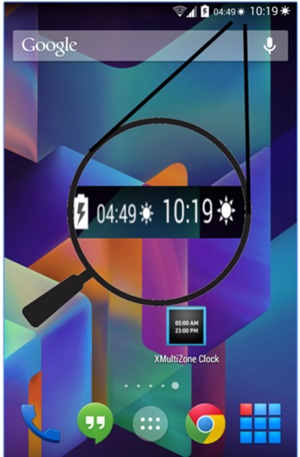
That’s it! you are done, now You will have multiple time zone watches on your android status bar.
Method 2: Without Rooting
There are few apps available in the Google Play store which lets you display 2 clocks with different time zone on Android Home screen as well as the status bar. Here we will be listing 4 Apps that will do the work for you. So, let’s have a look.
#1 World Clock & Widget
This app is very user-friendly, it is one of the simple and easy to use world clock application you can have on your android device. It also has some good looking widget which will improve your Android’s overall look.
#2 World Weather Clock Widget

This is the app which lets you set Alarm Clock with Photo background as well as it also gives you notifications about Weather. However, due to various security features, this apps doesn’t perform well. Users need to grant all the required access to make this app perform well.
#3 World Clock Widget 2016

If you want to know the time in a different country or city? This app is perfect world clock and meeting planner. You can use it as the standalone app or as a widget. It also provides the good-looking widget which includes Digital & Analog Clock.
#4 Advanced Clock Widget
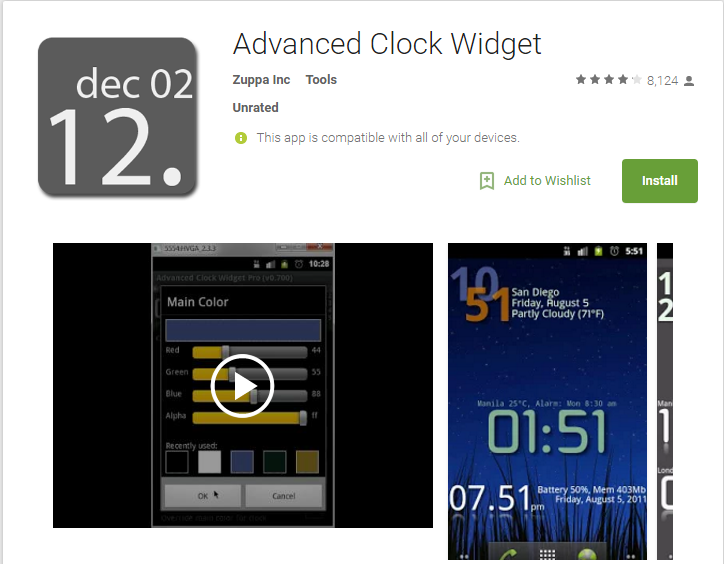
It is Smaller in size and offers fully configurable and extremely battery efficient WIDGET with clock, weather, battery status, world clock, uptime, network status and much more. It comes up with World clock with timezone support you just need to add multiple widgets and set manually weather/location in the options.
#5 Dual Clock Widget

Dual Clock Widget is by far the best time widget app that you could have on your Android smartphone. The widget provides a convenient set of two highly-configurable digital clocks on your Android’s home screen. The best thing about Dual Clock Widget is that you can set any timezone for each clock. You can also customize the clock name, color, and fonts.
#6 GLOBE

GLOBE is another best Android app which helps users to keep track of local time in millions of cities around the world. The app also brings a widget which shows you the local time and other time zones everywhere in the world. You can even set the manual label for the place and can know the current weather conditions.