HTML Learning Guide
pavelAre you interested in web development and eager to create your own websites?
Look no further! HTML (Hypertext Markup Language) is the fundamental building block of web pages. Learning HTML is an excellent starting point for anyone aspiring to become a web developer. In this post, we'll guide you through the first steps of learning HTML and set you on the path to creating your own web content.
Step 1:Understanding the Basics
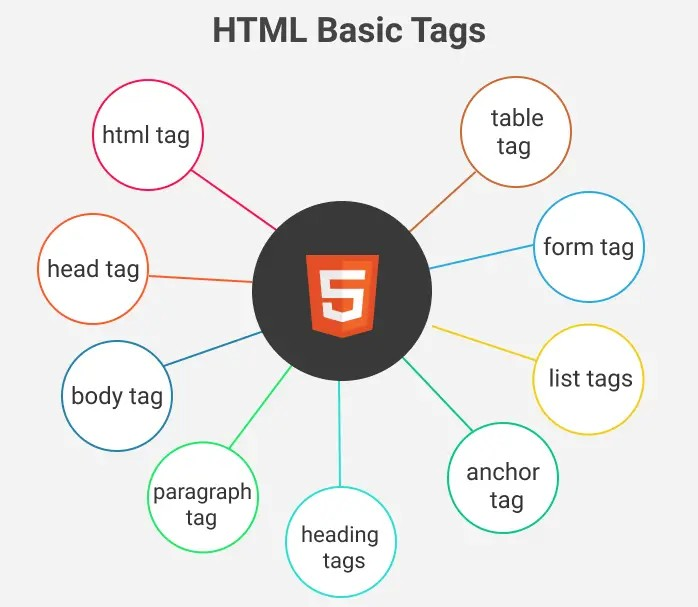
HTML is a markup language that uses tags to structure the content of a web page. It provides the foundation for organizing text, images, links, and other elements within a browser. Before diving into coding, familiarize yourself with the basic HTML tags and their purposes. Common tags include
<html>, <head>, <body>, <h1> to <h6>, <p>, <a>, <img>
and more.
Step 2: Online Resources and Tutorials
There are numerous online resources available that can help you learn HTML effectively. Some popular websites, such as W3Schools and MDN Web Docs, offer comprehensive tutorials and interactive examples. These resources provide a structured learning path, covering HTML syntax, tags, attributes, and their usage. Interactive coding platforms, like Codecademy or FreeCodeCamp, also offer hands-on exercises to solidify your understanding.
Step 3: Practice with Simple Projects
As you learn HTML, it's crucial to apply your knowledge through practice. Start by creating simple projects, such as building a basic webpage structure, adding headings, paragraphs, and links. Experiment with different tags and attributes to understand their impact on the visual appearance and functionality of the web page. Gradually, you can enhance your projects by incorporating images, lists, tables, and more advanced features.
Step 4: Dive into CSS
While HTML focuses on the structure and organization of web content, CSS (Cascading Style Sheets) is responsible for its presentation and visual styling. Learning HTML alongside CSS is highly recommended. CSS allows you to control the layout, colors, fonts, and overall design of your web pages. Understanding the basics of CSS will enable you to create more appealing and visually engaging websites.
Step 5: Seek Community Support
Joining online communities or forums dedicated to web development can greatly benefit your learning journey. Engage with fellow learners and experienced developers who can provide guidance, answer your questions, and offer feedback on your projects. Participating in coding forums, like Stack Overflow or Reddit's r/webdev community, can connect you with a vibrant community of web developers.
Step 6: Build Real-World Projects
Once you feel comfortable with HTML and CSS, challenge yourself by building real-world projects. It could be a personal portfolio website, a blog, or a simple e-commerce page. Working on such projects will allow you to apply your skills, face practical challenges, and gain hands-on experience. Remember, practice is key to becoming proficient in web development.
Conclusion:
Learning HTML is an exciting first step towards becoming a web developer. By understanding the basics, utilizing online resources, practicing with simple projects, diving into CSS, seeking community support, and building real-world projects, you'll be well on your way to mastering HTML. Embrace the learning process, stay curious, and never hesitate to explore new techniques and technologies.
Happy coding!