HOW TO ENTER THE RAYDIUM PUMPS
https://t.me/Crypto_Insiders_Club
Your task is to buy and sell the coin we post as quickly as possible. We don't recommend holding as our pumps are very quick and sometimes everything is over in less than 30 seconds. Try to buy and sell the coin in less than 10 seconds.
All Raydium pumps are in pair with Solana (SOL) which means that you must have SOL in your Phantom wallet to enter the Pumps.
You can enter the pumps on your Mobile or Desktop device, both are just as quick so it's which ever you prefer. See guide for each device below.
ENTER ON MOBILE
0. If you're not from any of the below countries, you can skip to Step 1. If you're from any of the RAYDIUM prohibited countries below you must download a VPN to sign up to use RAYDIUM:
If you're from: Afghanistan, Burma, the Chinese Mainland, Crimea, Cuba, Democratic Republic of Congo, Iran, Iraq, Ivory Coast, Libya, Mali, North Korea, Palestine, Somalia, Sudan, Syrian Arab Republic, Yemen, Zimbabwe, the United States and all US Territories (such as American Samoa, Guam, Northern Mariana Islands, Puerto Rico, and US Virgin Islands).
You must download a VPN, and set your location to any non-prohibited country with low regulations. (for example the Romania) before accessing RAYDIUM exchange.
1. Download the Phantom wallet app
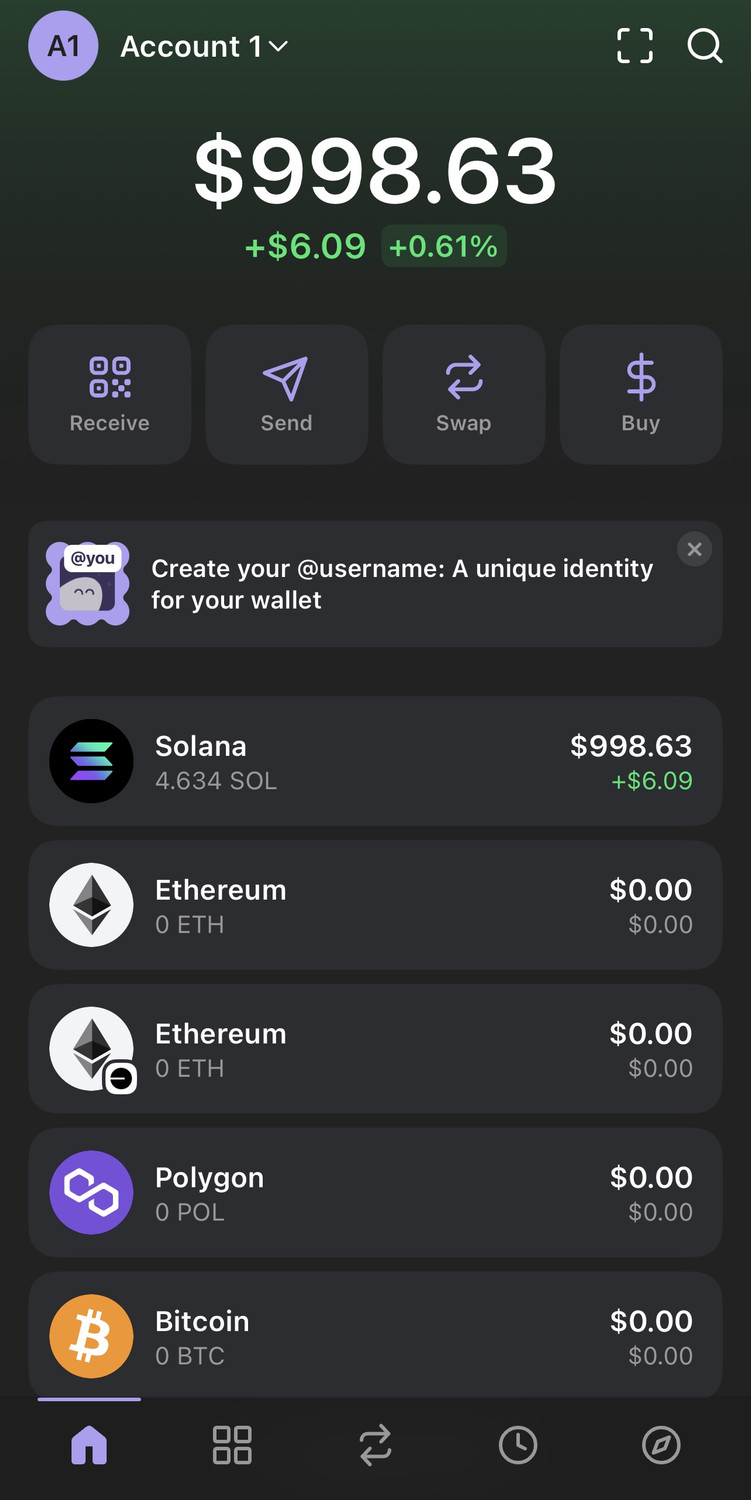
2. Deposit SOL (Solana) in your Phantom wallet.
All pumps are paired with SOL, so you must have SOL to buy our coin. You can buy SOL on any exchange and deposit it directly to your Phantom wallet.
Your wallet should now look like this:
3. Open Raydium within the Phantom wallet browser
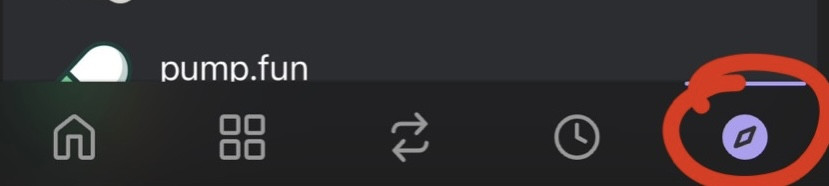
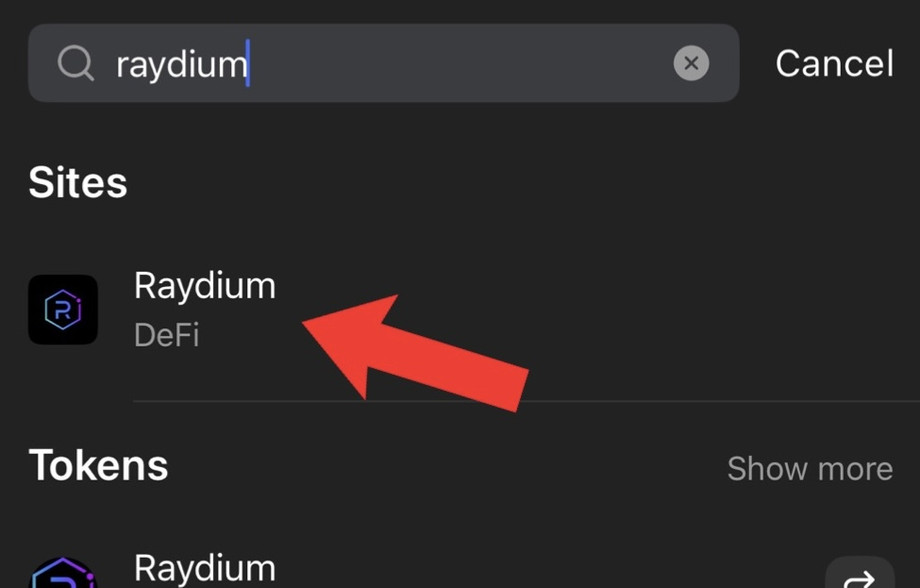
- In Phantom wallet, Click the bottom right browser icon, then search for "Raydium"
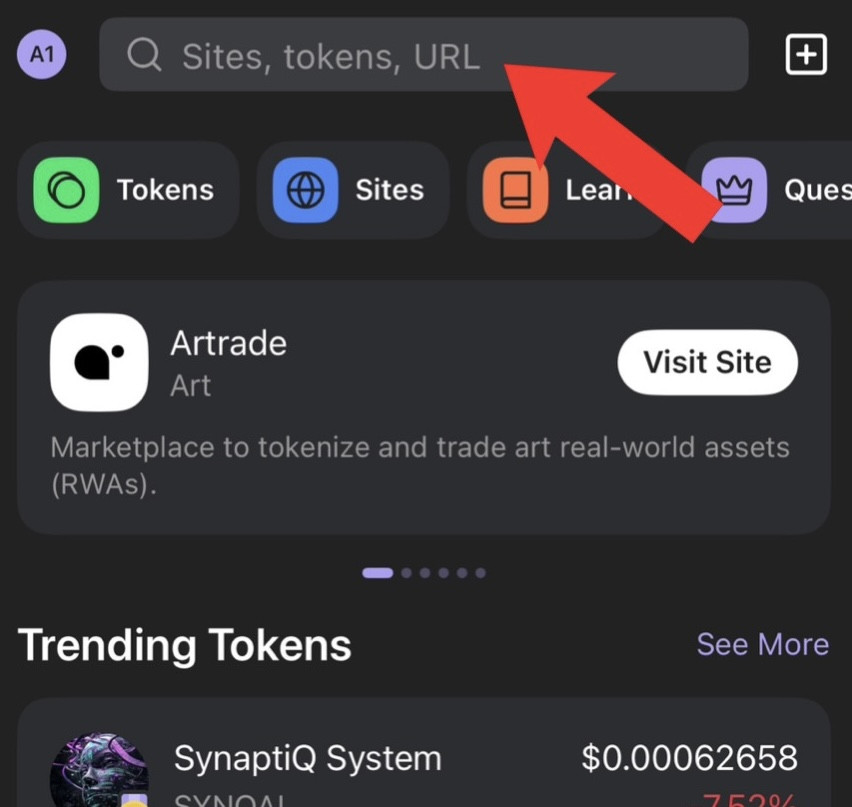
- Open the Raydium site
4. Connect your wallet to Raydium
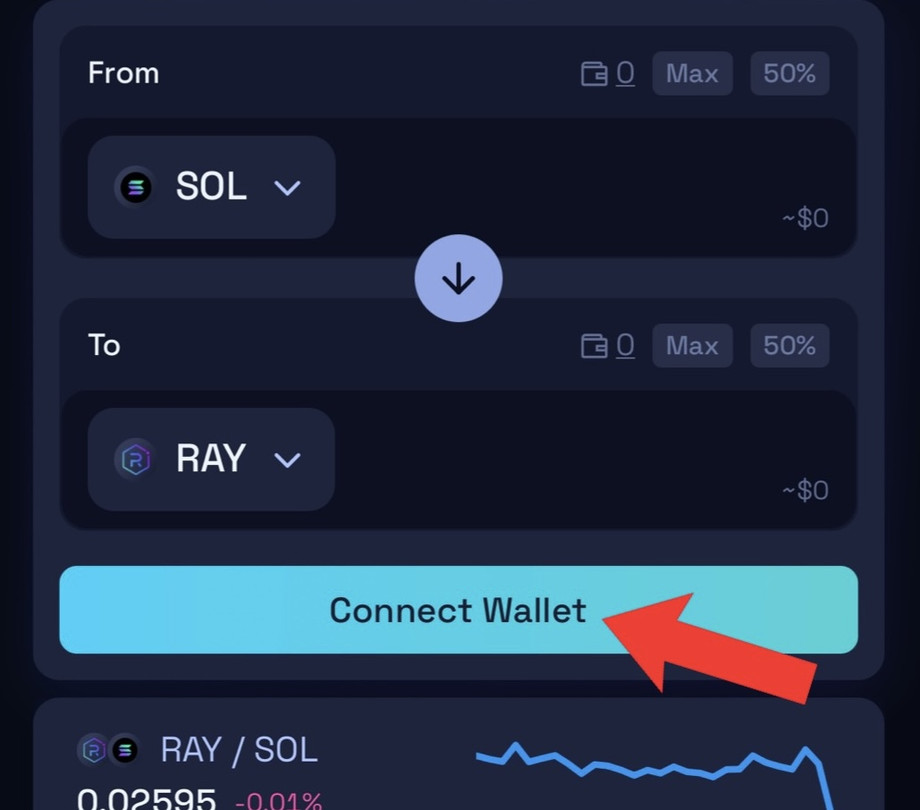
- Click "Connect Wallet" and select "Phantom":
5. Change Slippage to 50%
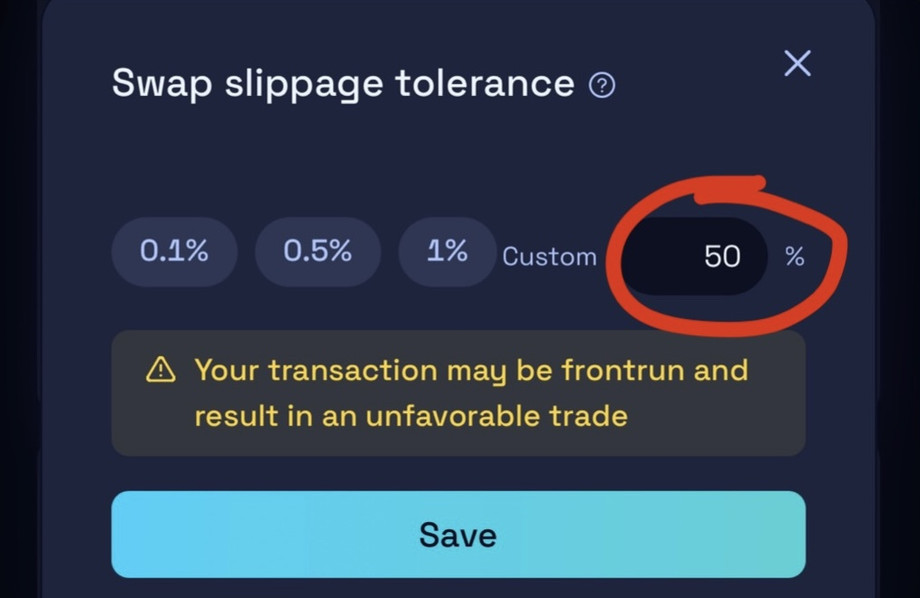
When engaging in highly volatile coins in our pumps, the price of a coin can change drastically within seconds. In such fast-moving environments, a slippage tolerance of 50% may be necessary to ensure that your trades are executed.
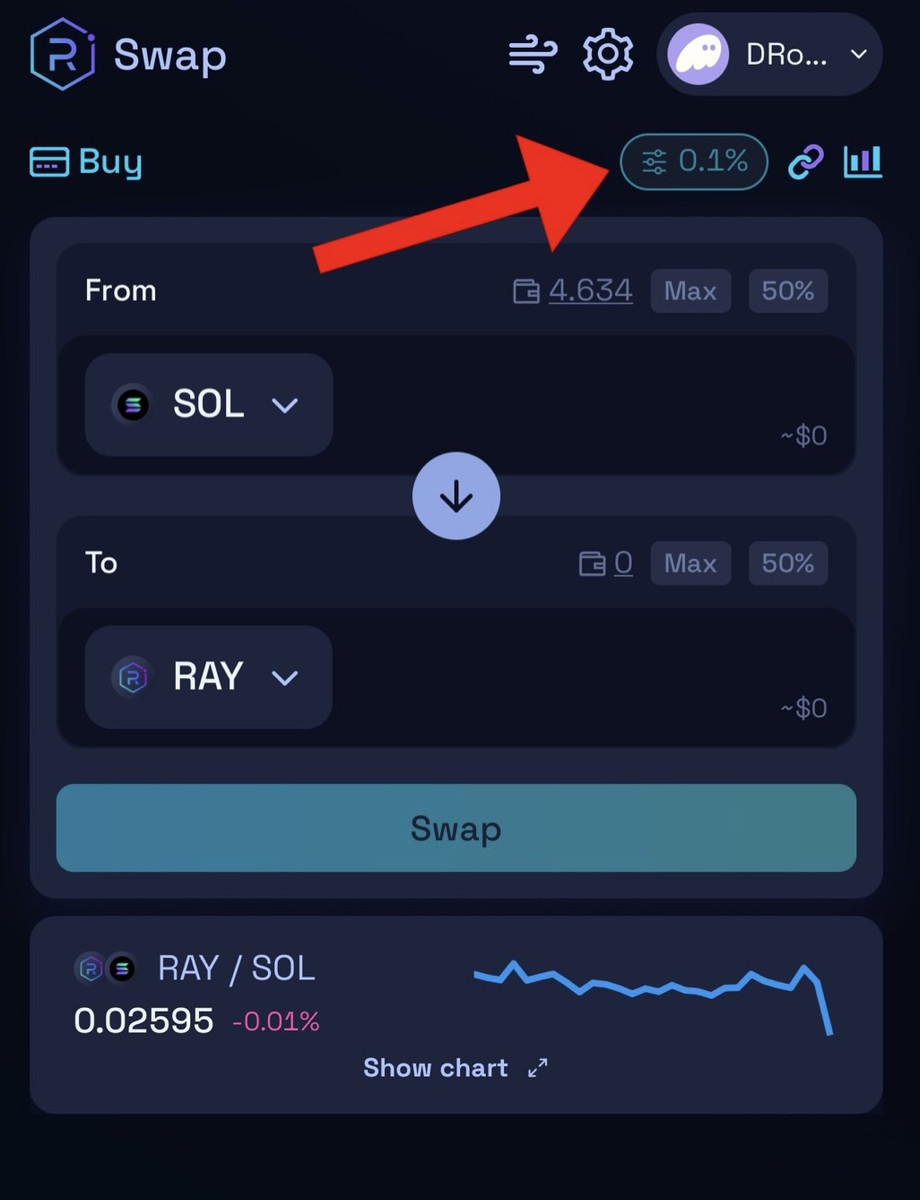
- Click here to change the slippage:
- Manually enter 50% and click save
6. Find and Buy our coin
- Click here to open the coin search:
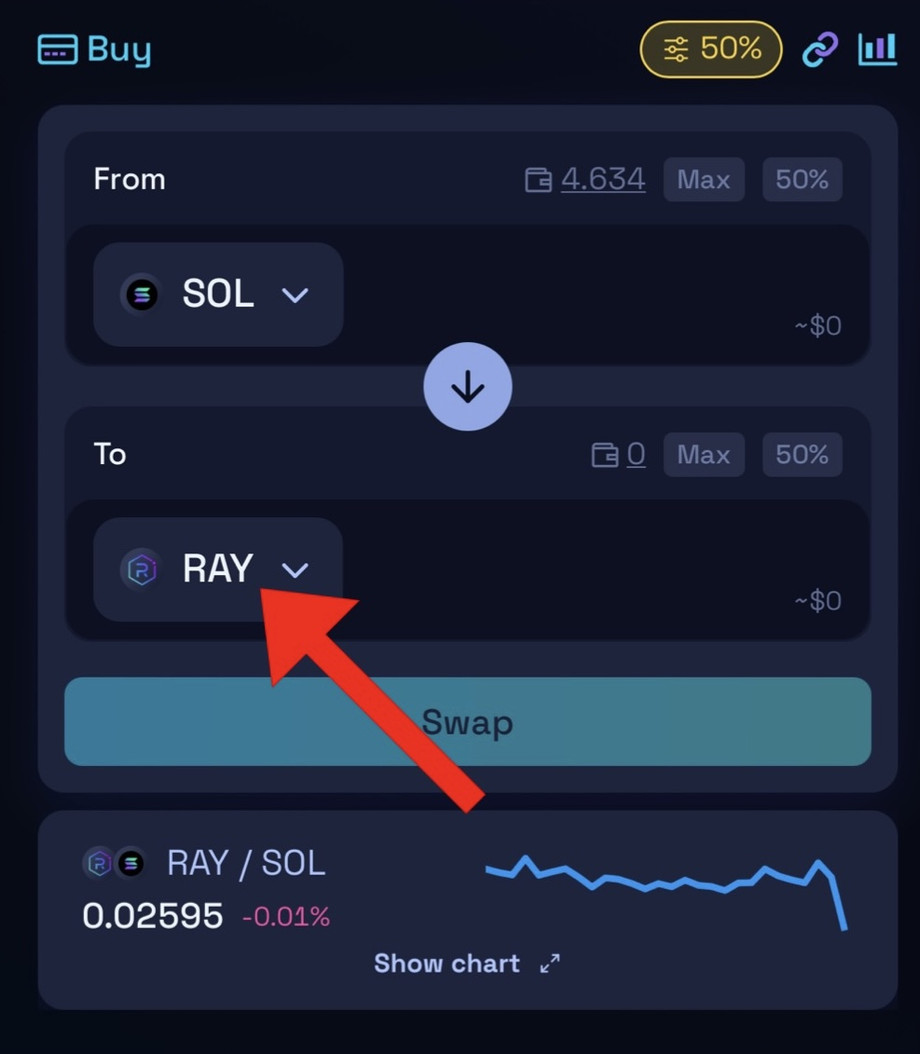
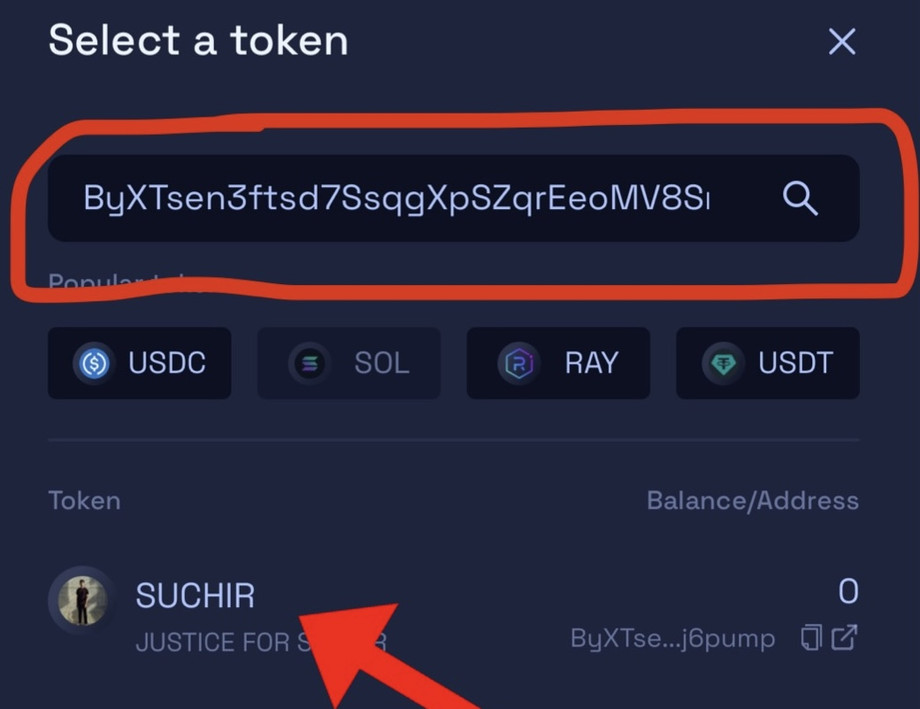
- Copy the contract address of our coin, then click the coin name (we always post the contract address at the time of the pump):
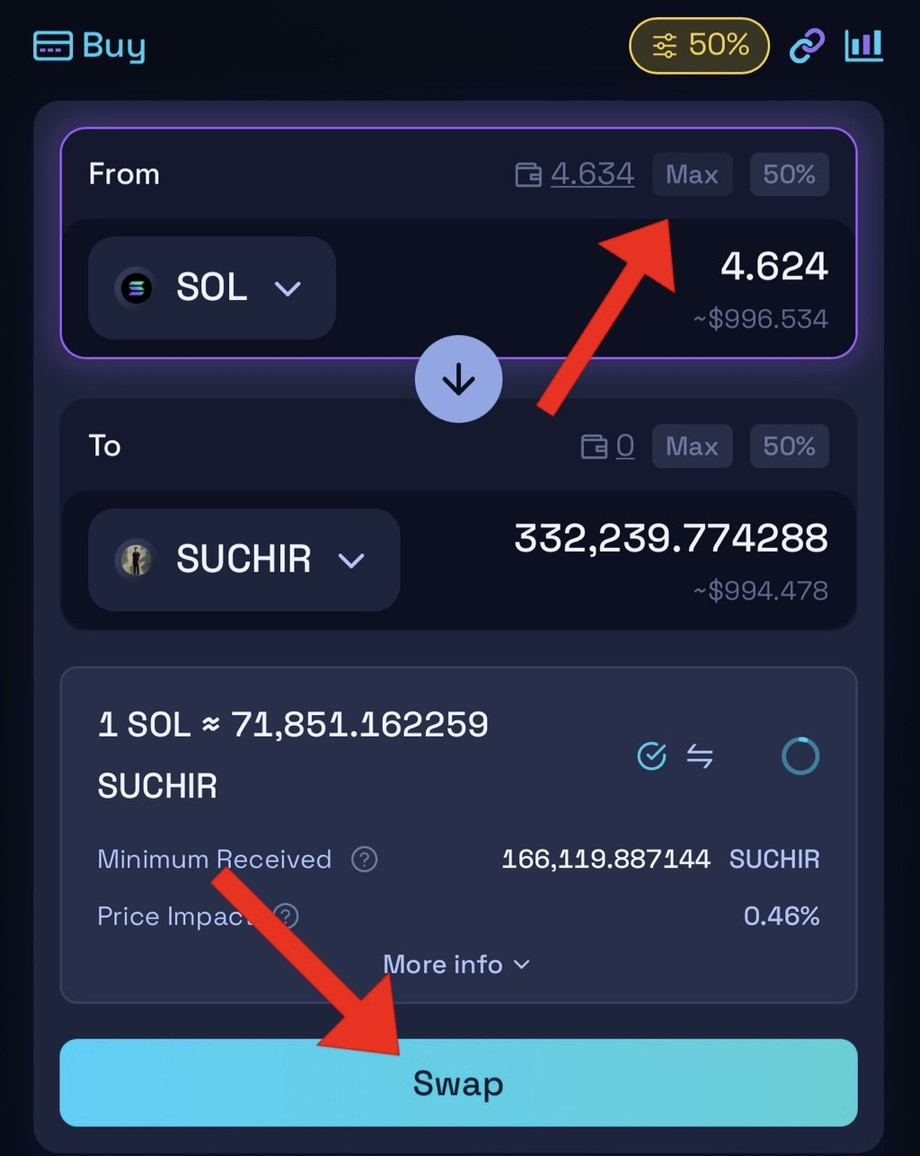
- Click "Max" to invest all your SOL into our coin then "Swap" to buy the coin.
- You don't need to invest all your SOL, but this way is faster than manually entering amount so we advise to put amount of SOL on your wallet that you're willing to invest.
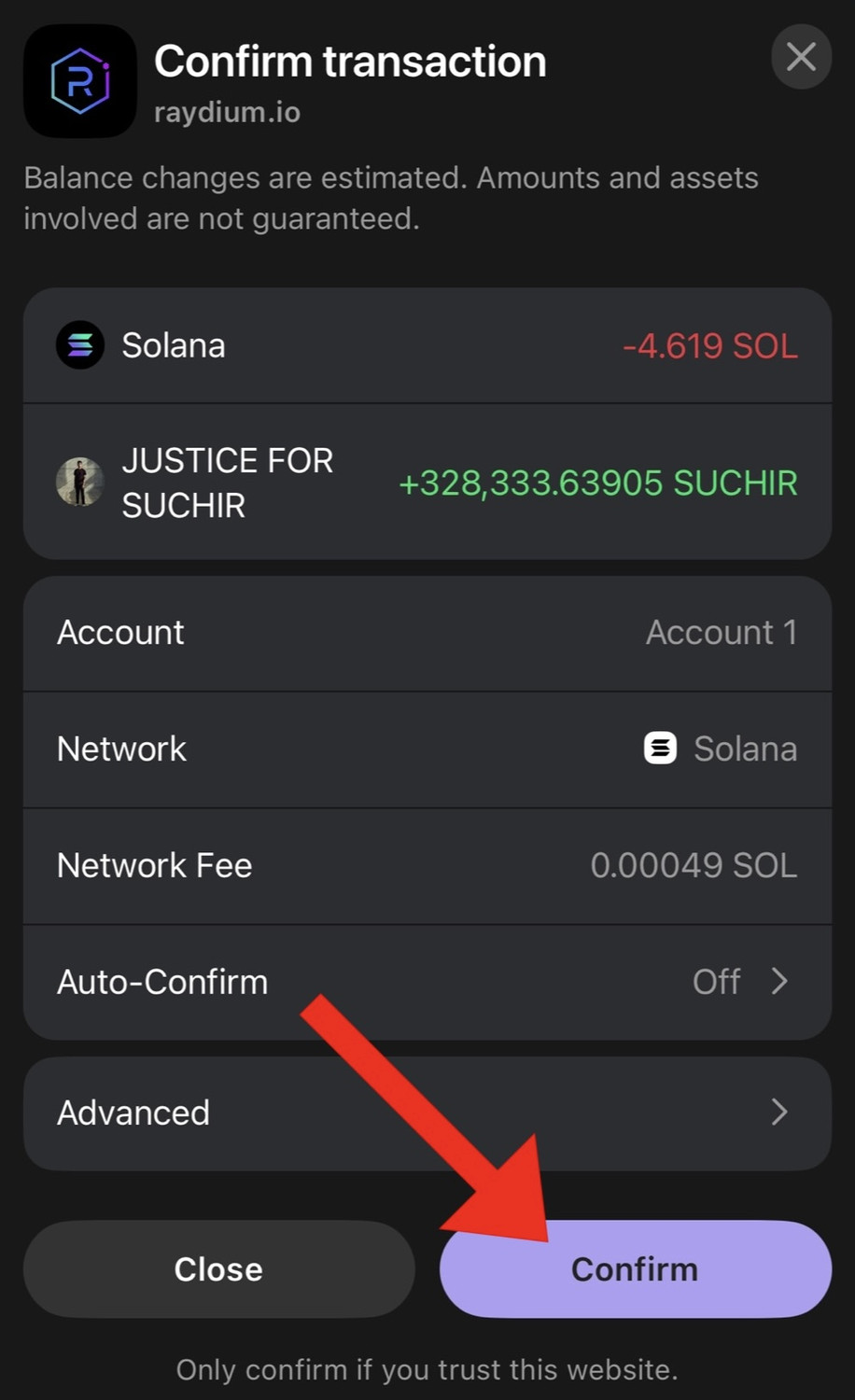
- Finally, click "Confirm" to confirm the transaction.
7. When to sell?
Congratulations, you're officially in the pump. It's your decision when you choose to sell. Our advice is to sell as fast as possible. Wait for max 1-5 seconds until the pump attracts outside investors, then SELL for profit. The huge and rapid increase in volume attracts outside investors & trading bots to invest heavily in the coin after just a few seconds of our group buying. The coin shoots up usually between 800-2000% & we then sell and take our profit.
You can wait longer and try to get better price but that's risky because these pumps are very fast so we don't recommend that strategy.
To sell your coins, simply flip the pair and repeat the above steps to sell back to SOL and lock in your profit.
ENTER ON DESKTOP
1. Open Chrome browser, and download the Phantom wallet chrome extension from the chrome store.
2. Deposit SOL to your Phantom wallet.
3. Open Raydium.io and connect your Phantom wallet
4. Repeat the steps in the Mobile guide to buy the coin.
5. Repeat the steps in the Mobile guide to sell the coin and lock in profits.
Any other questions, just contact our Crypto Insider Support and we will be glad to help you.
Let’s PUMP…
Your CIC Team 📈