HELP for AAU_Robot
Esubalew ChekolSTEPS TO SEE YOUR GRADE
You only need to follow two steps to see your grade report
- Register: Registration is made by invoking /start command and send your ID.
- Choose Grade Report from available keyboards or invoke /grade command
Note that, if you are registered in the bot, you should send your password by prefixing your password with grade. If 1234 is your password for example, your input should be grade1234.
If you are not registered, the bot expects you to send your Id No to register. If you are registered, the bot expects gradeyourpass input from you.

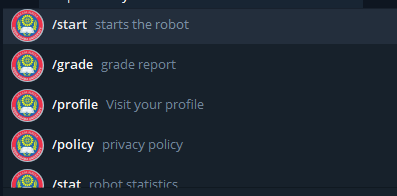
commands for unregistered users:
If you're not registered to the bot you can use the following commands:
/start - to register
/about - to read about of the bot
/help - to read this article
/statistics - to see the number of registered users
Sending any text message in the unregistered state is like sending an ID No number.
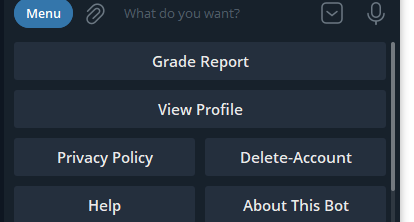

commands for registered users:
If you're registered to the bot, you can use the following commands in addition the above commands:
/delete - delete your account
/profile - see your profile
/grade- see your grade report (Requires password)
Sending any text message is like invoking grade command
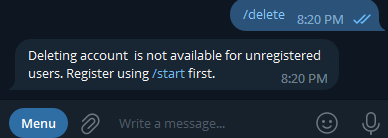
NB
Invoking commands that are only available for registered users may confuse you, so you are advised to to follow register - grade steps to access your grade.
If you have questions about this bot please send your comment to https://esubechekol.wordpress.com/contact/