SBTE Registration Process. Join @Gp_Patna on Telegram.
Rishav Dev KumarComplete Process of Registration for 1st Sem & 3rd Sem. L.E. Students
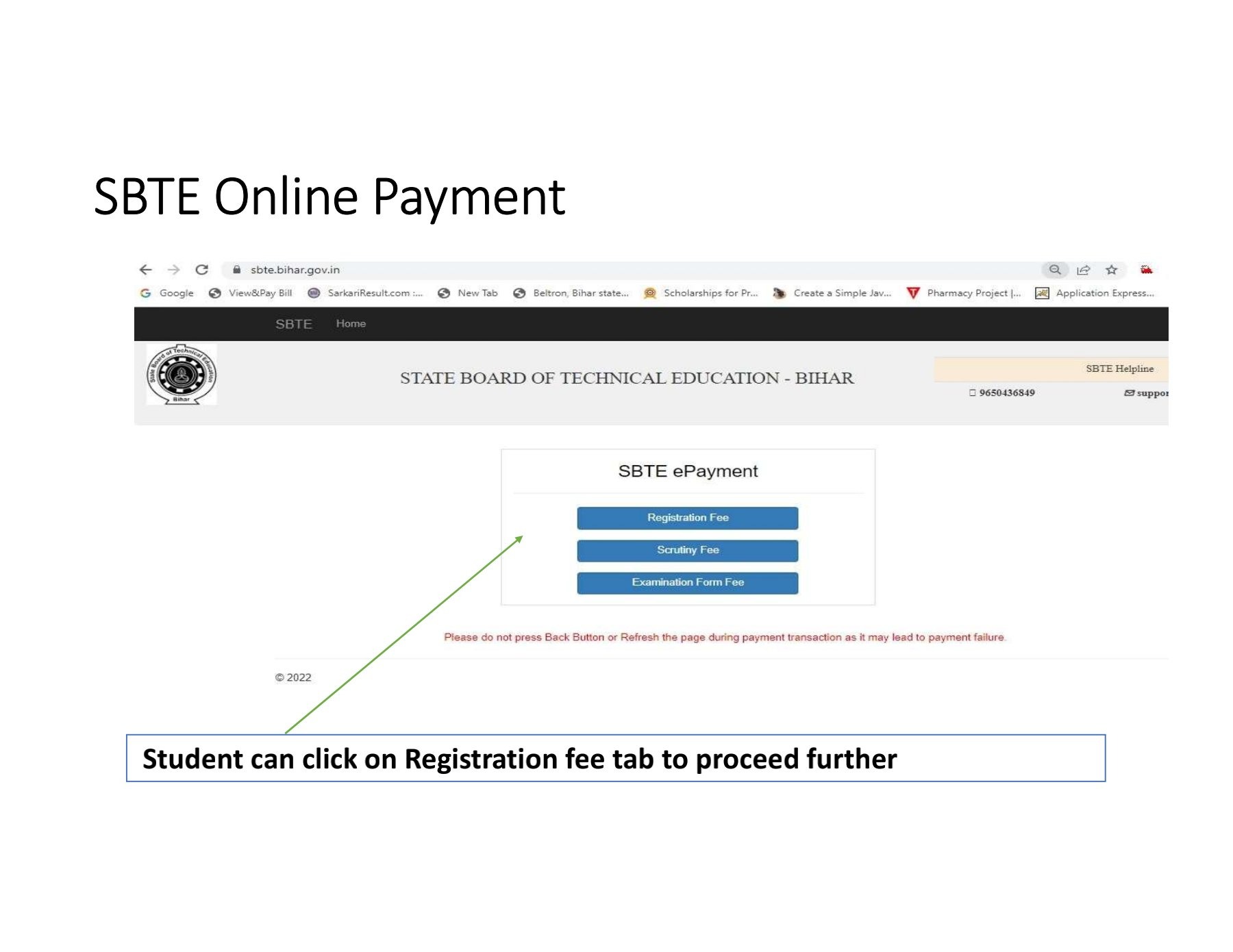
(a) First of all, Visit https://sbte.bihar.gov.in/ and click on Registration Payment.
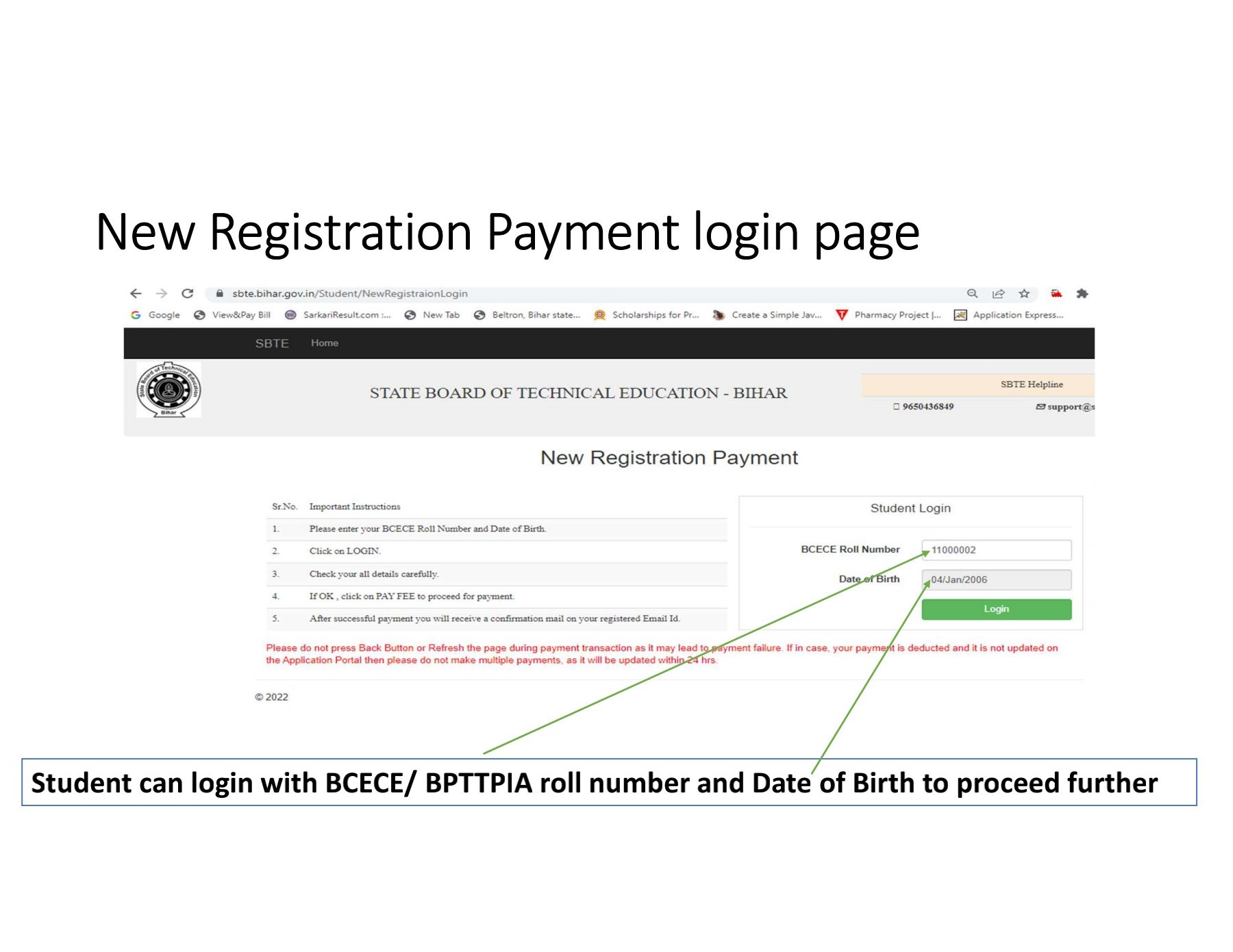
(b) Enter your BCECE roll no. (Polytechnic Entrance Examination Roll. no.) and Date of Birth.
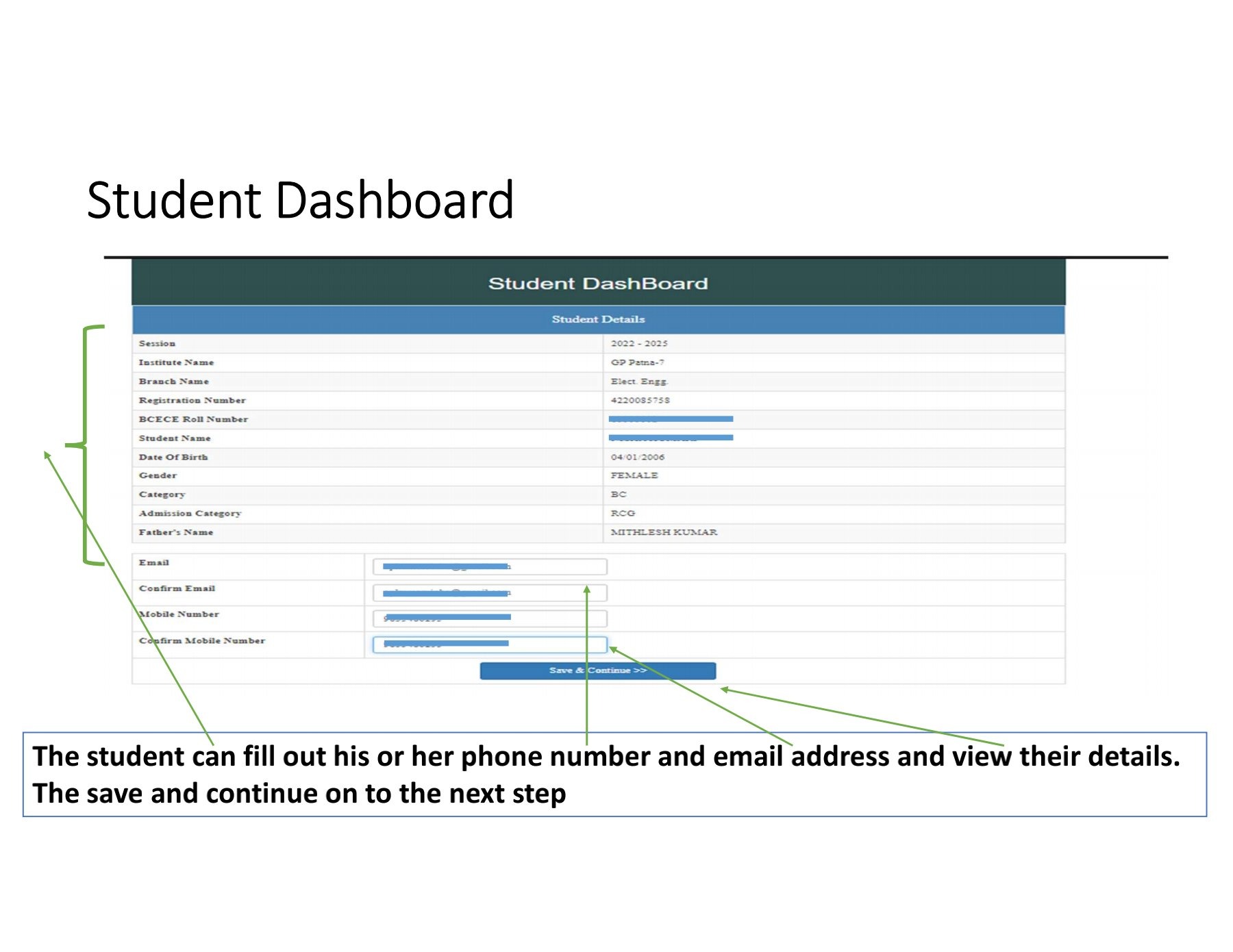
(C) Click on Login. Your Details will Appear.
(d) Click On Pay Fee and Make Payment Via Netbanking/Credit Cards.
‼️Note:- Never Use back button or close window During Payment. Wait for some time.
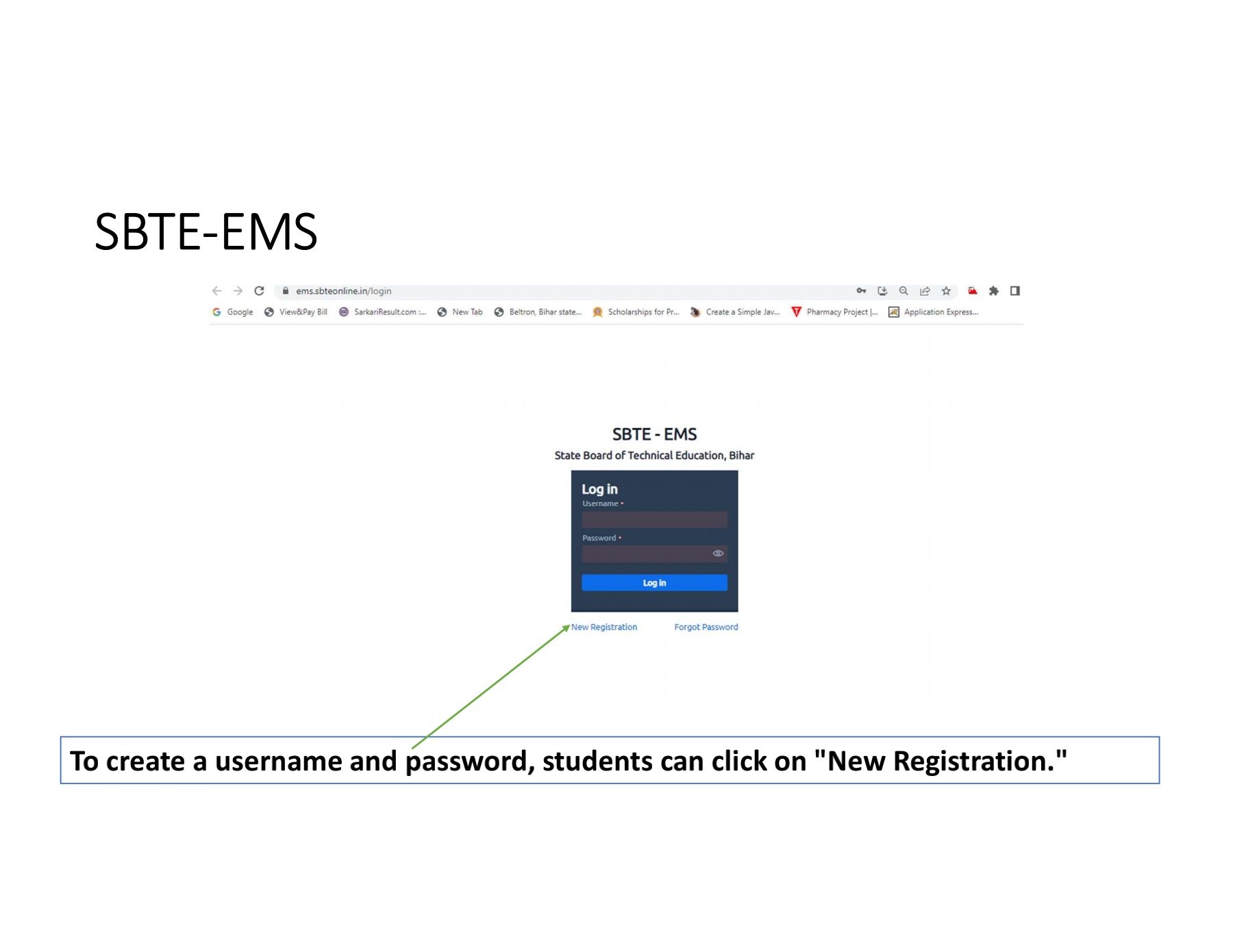
(a) After Doing Payment, Visit https://ems.sbteonline.in/ and Click on New User.
(b) Create an username & Enter all Details (like Mob. No., Email, D.O.B, BCECE Roll No. Etc...)
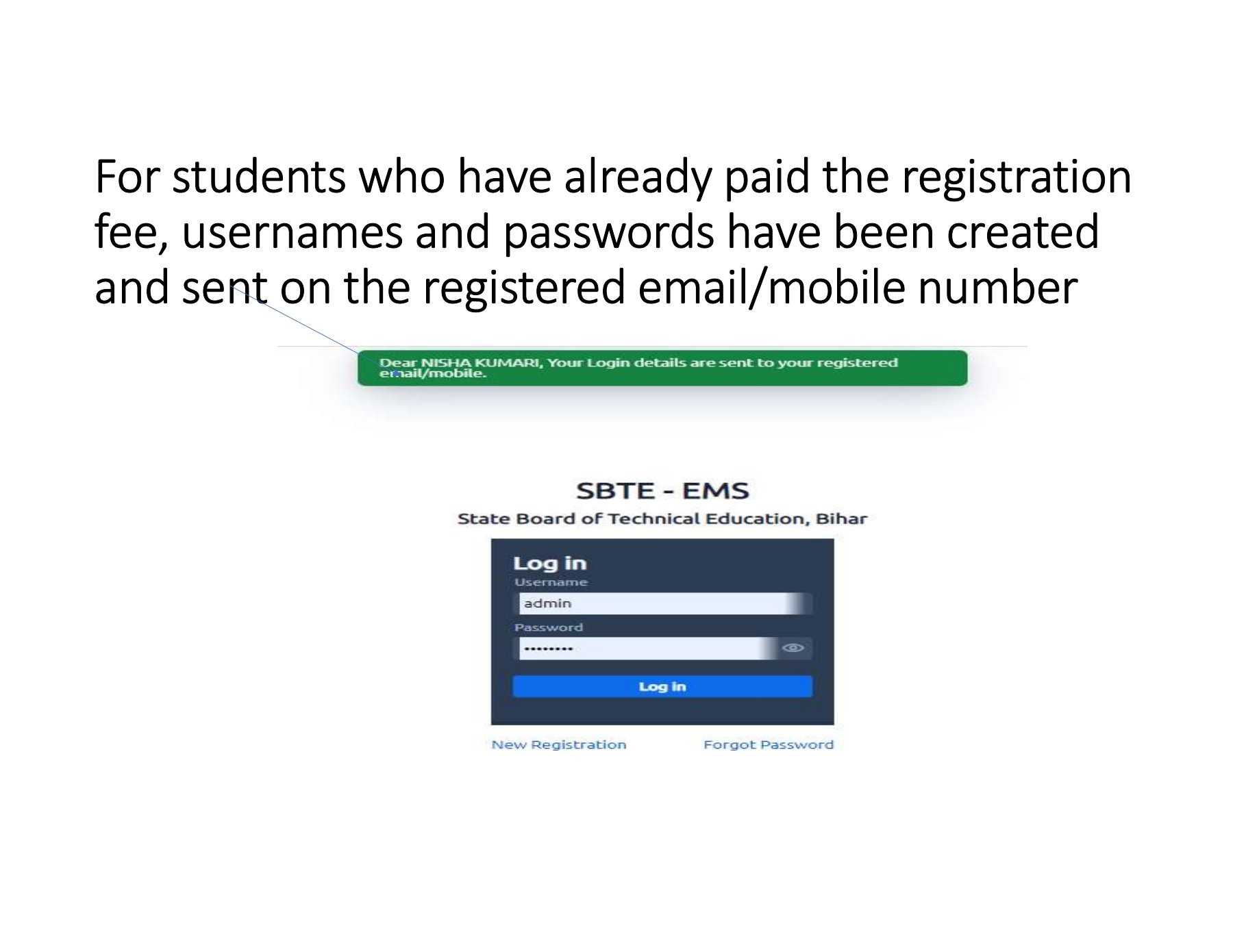
(C) After Creating Account login into the account at https://ems.sbteonline.in/ by Using Username and password.
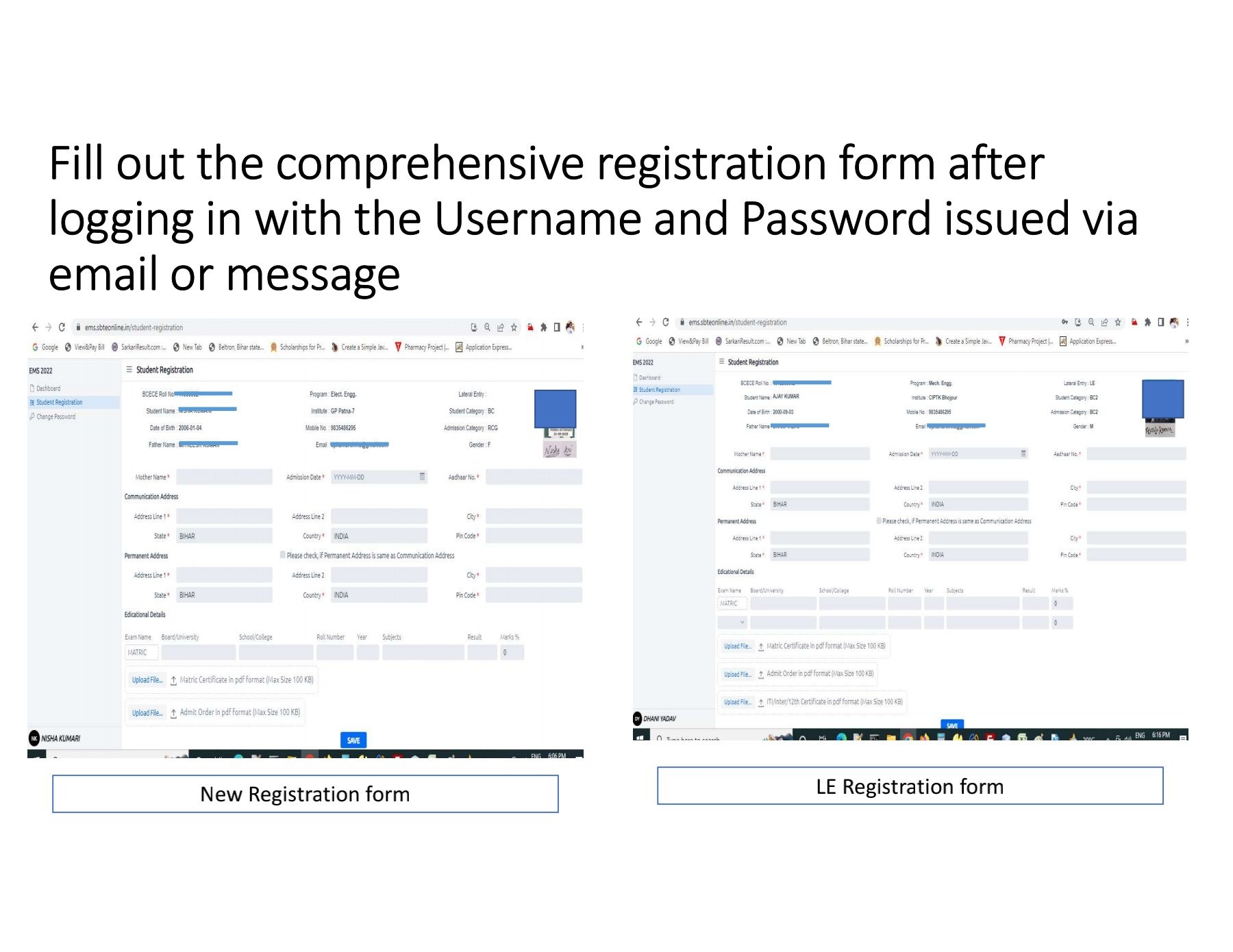
(d) After Login, From. Dashboard, Click on Registration form.
(e) Fill all required Details and Submit it.
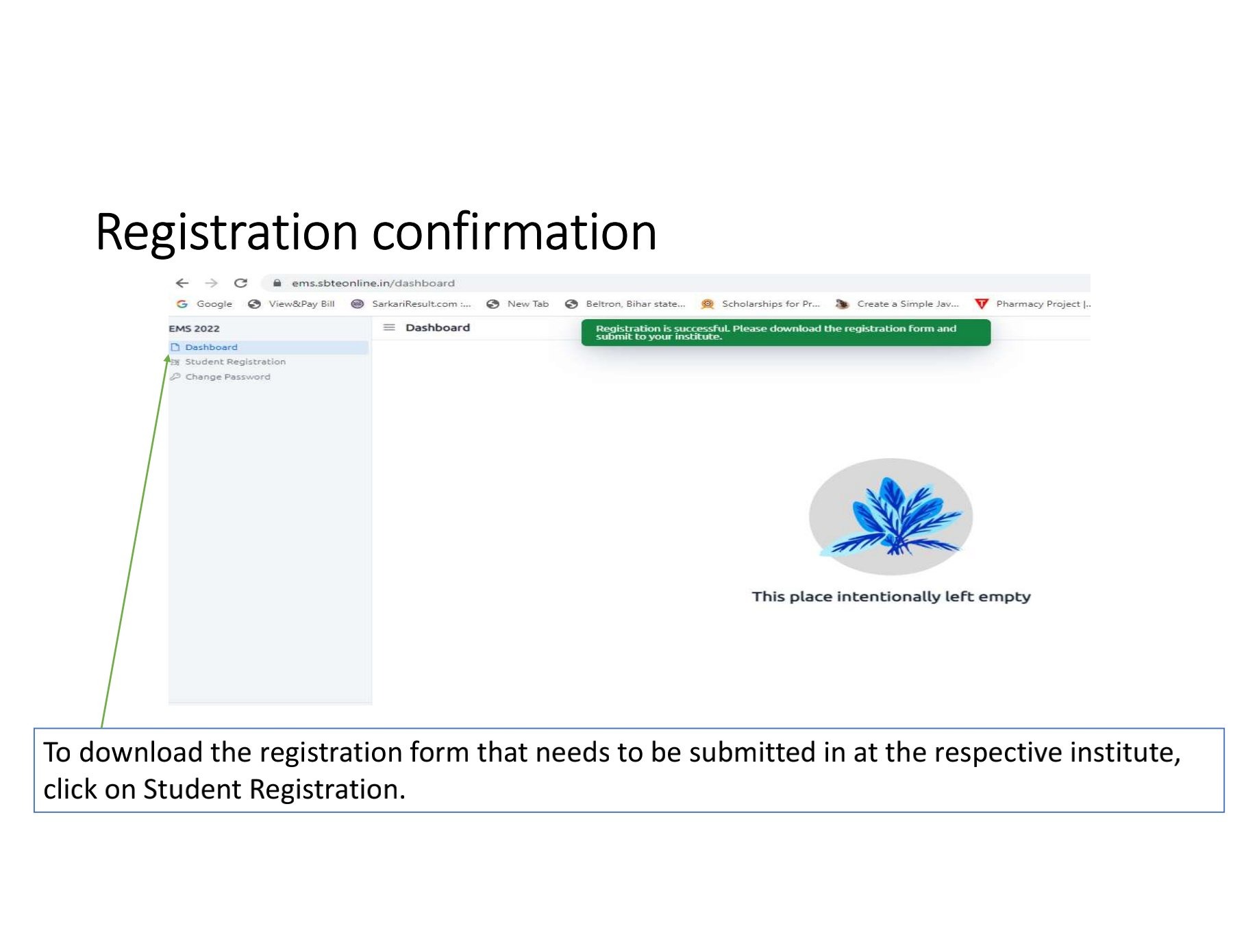
Now, Download the Examination Form and Submit it in your College with following Documents:-
1. Registration form.
2. Xerox of 10th Marksheet.
3. Xerox of 12th/ITI Marksheet (for LE).
4. Xerox of Admission slip.
5. Registration fee Payment Receipt.
6. Passport Size Photograph.
Join: @Gp_Patna
=======================
User Manual for registration