Getting Started with SuchChat
Yury SmykalovHow it works
With SuchChat, you can create a support bot for Telegram like these ones: @SuchSupportBot, @InviteMemberSupportBot.
Your users will chat with your support bot just like they chat with any other contact in Telegram.
You, as the bot owner, will use SuchChat web application to chat with your users in a highly productive manner:
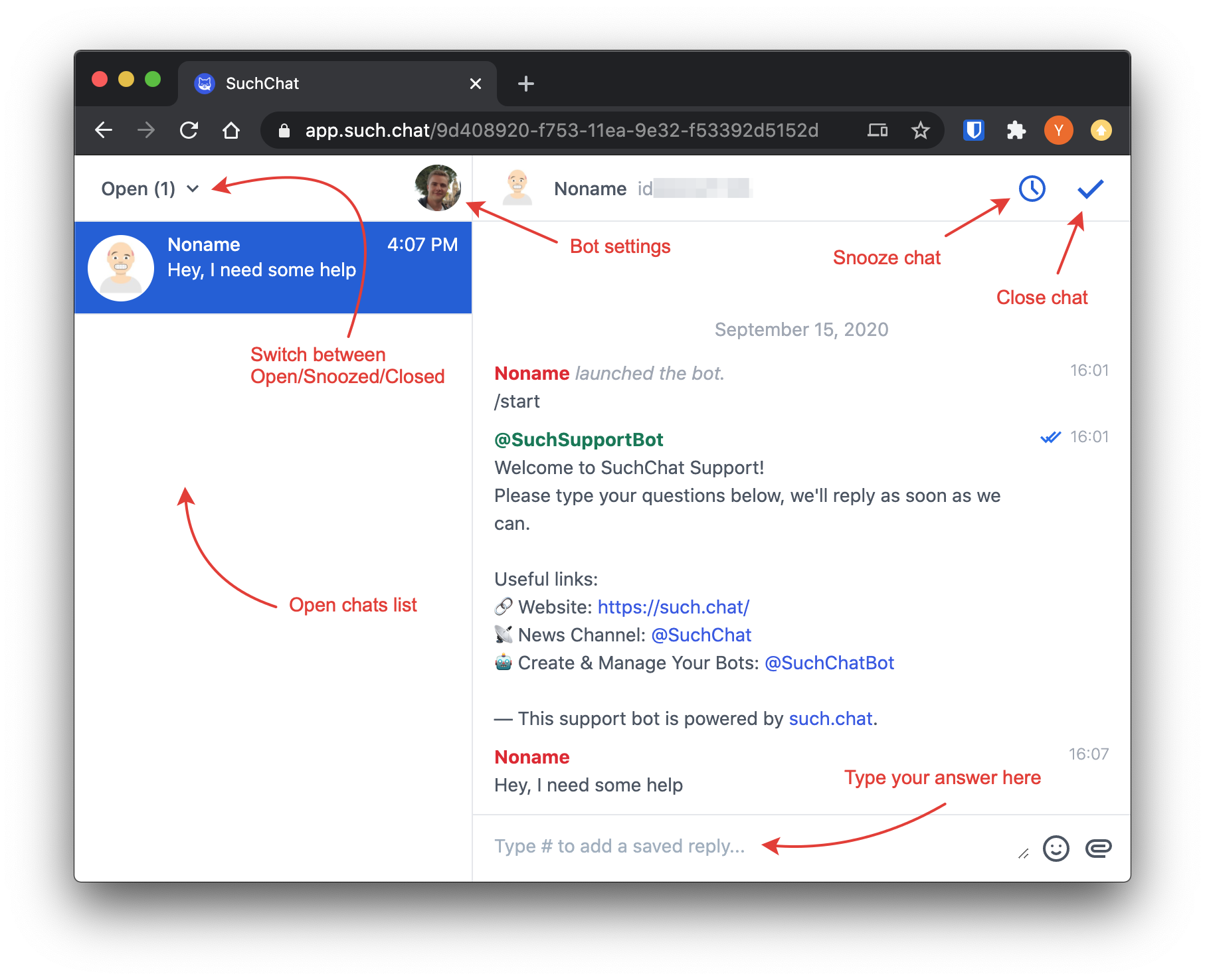
Step 1: Register a new bot
Go to @BotFather and create a new bot (use /newbot command):
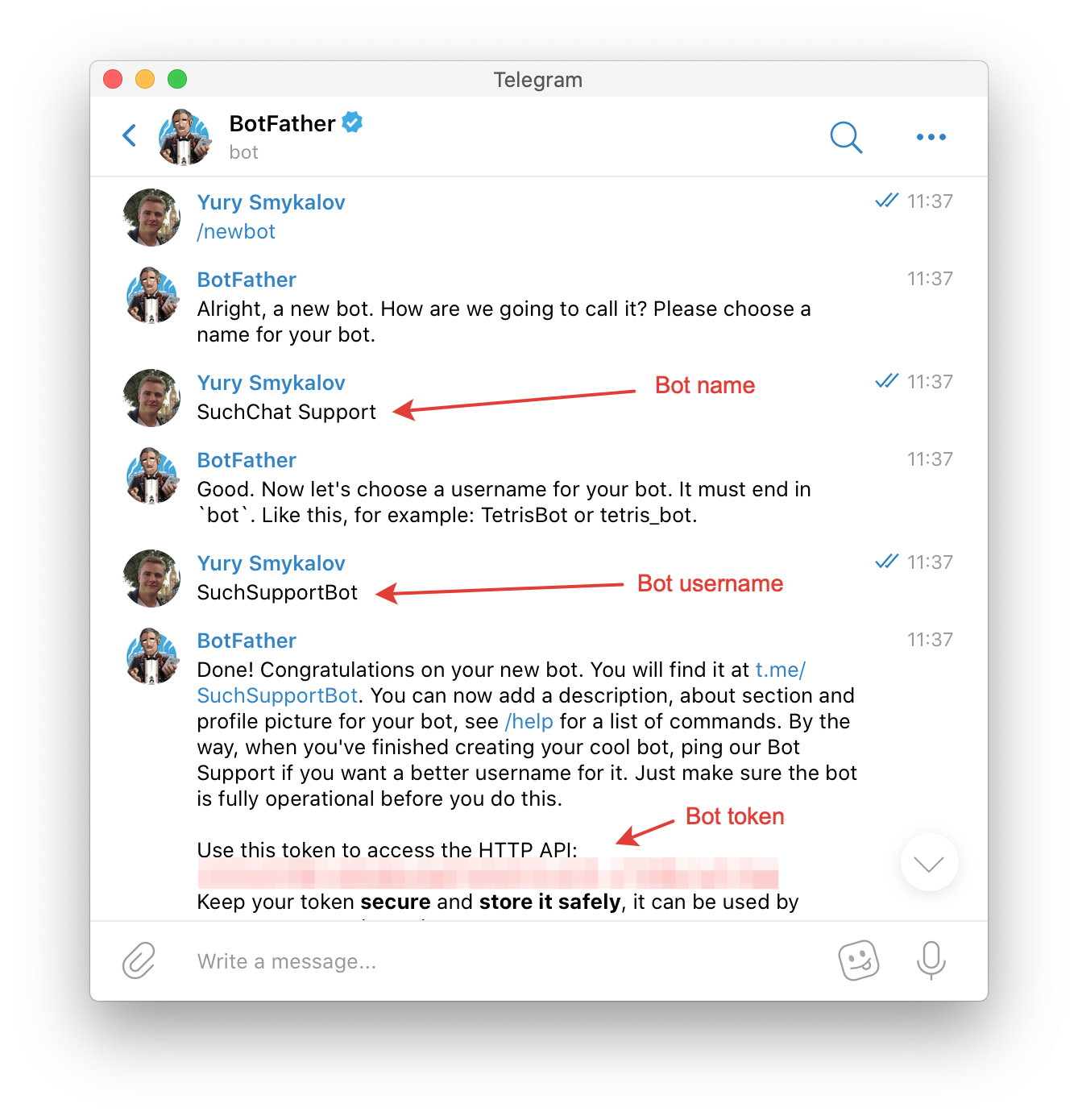
The bot username will be a part of your bot link and it can't be changed in the future, so make sure to pick a good one.
Step 2: Add it to SuchChat
Launch @SuchChatBot.
Then copy and paste the bot token received from @BotFather to @SuchChatBot:
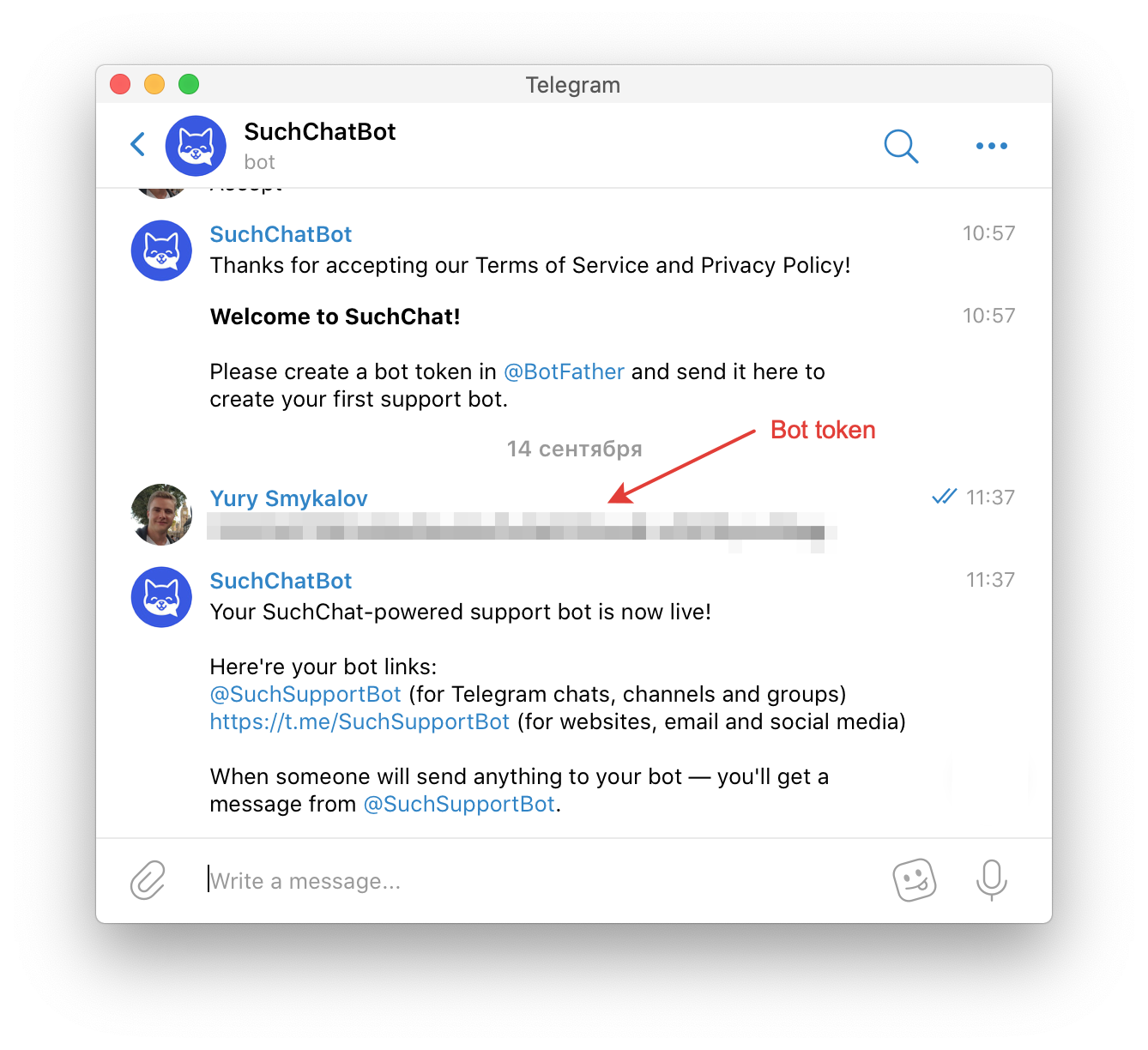
Step 3: Test your support bot
When someone will launch your support bot, he'll see a welcome message (you can customize it on app.such.chat):
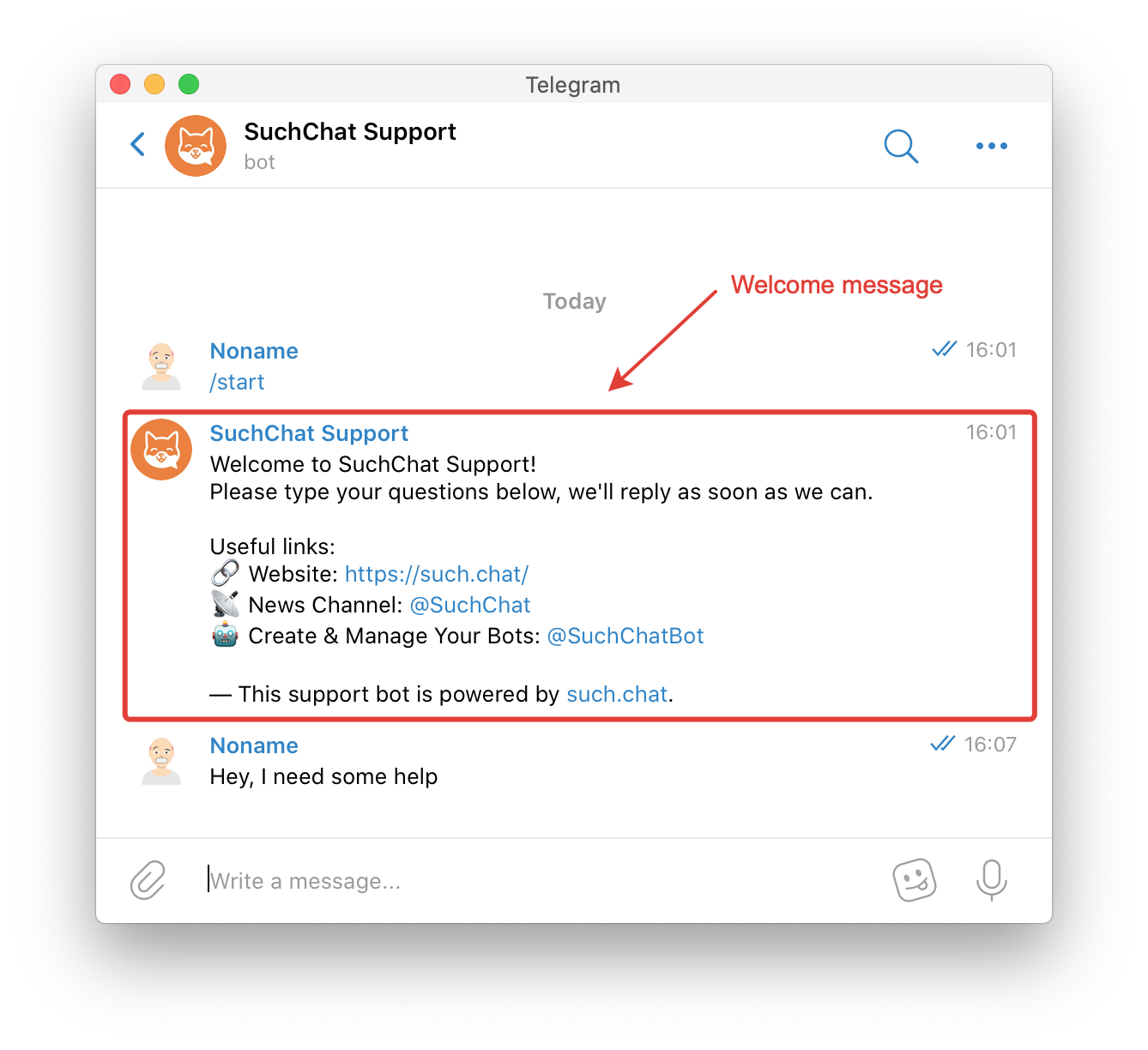
When someone will message your support bot — the bot will send you a notification with Open Chat button that runs the web application:
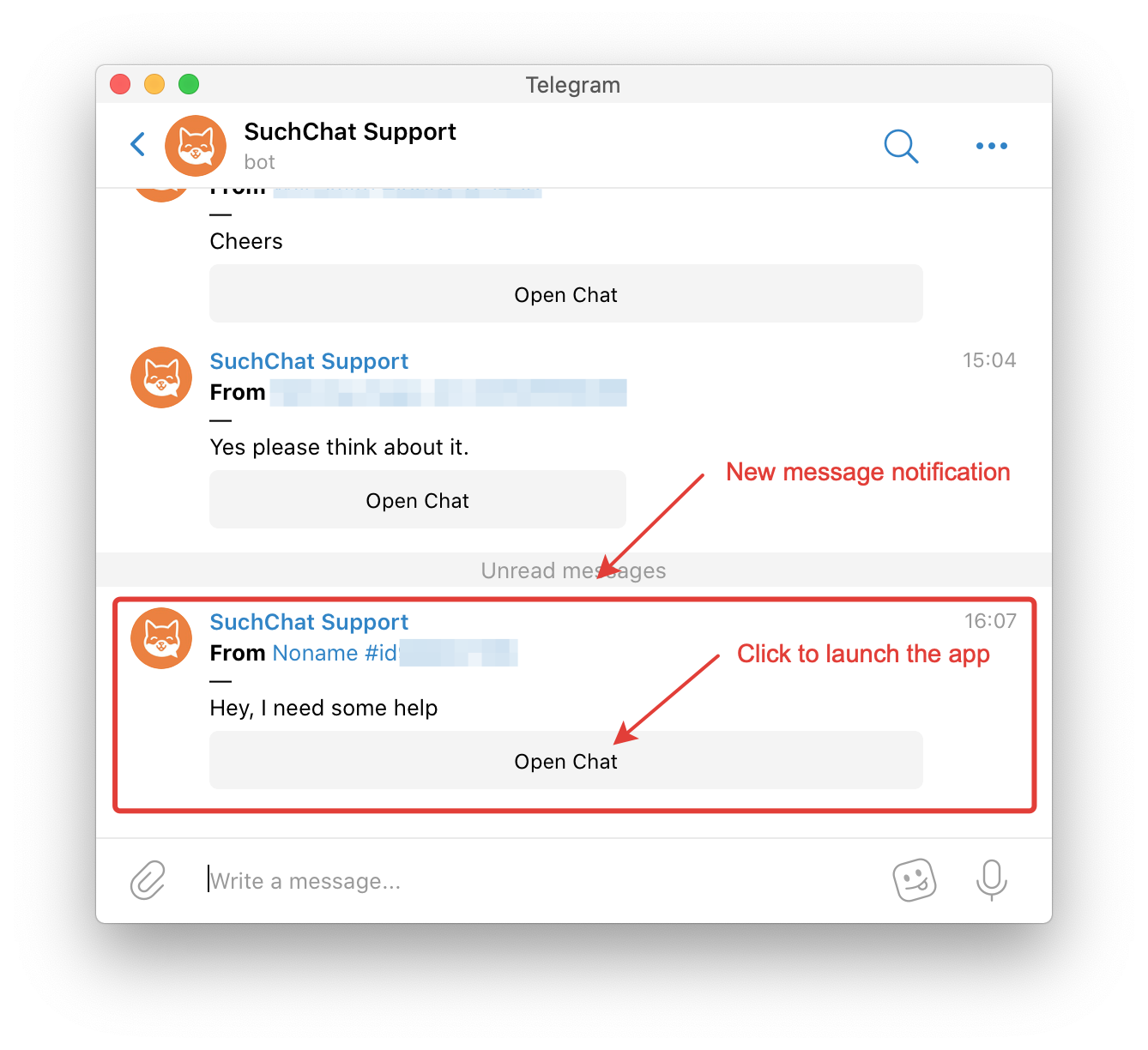
You can also access the web app directly: https://app.such.chat/login (but it won't work before adding a bot token).
SuchChat-ninja tips
Tip 1: Use Quick Replies
Open bot settings menu and create quick replies for greetings, common questions, frequently used links.
But don’t be a robot! Please don’t use a raw quick reply if it’s not the exact answer to the user’s question — it’s super-annoying when you’re asking one thing and you’re getting a template answer to a different question!
Tip 2: Always close or snooze the chats you’re done with
You should only keep those chats "open" that require some actions from you (like writing an answer or setting a reminder).
Other chats should either be closed or snoozed.
With this simple rule, you'll finish each "support" session with a clean inbox and a peace of mind.
Tip 3: Hire a team
You can create a Telegram Group for your support agents team and add your support bot to it.
Then your agents will get message notifications and start messaging through the bot just like you!
Tip 4: Learn keyboard shortcuts
There's only one at the moment 😊 but super-useful: Option (Command) + Enter.
This hotkey sends the message AND closes the chat at the same time so it should always be used to send a "final" message to the customer.
Tip 5: Use "invitational" exit
You helped your customer, he said thanks — what’s next?
Of course you could just close the chat but there’s better thing to do — ask him if there’s anything else you could help him with. It shows that you care about him and encourages him to continue the dialog.
You’d be surprised how many people actually do have other questions!
Questions or feedback?
Let's chat: @SuchSupportBot.