Getgems Fingerprints Extension
@ton_fingerprintsUser scripts put you in control of your browsing experience. Once installed, they automatically make the sites you visit better by adding features, making them easier to use, or taking out the annoying bits. A custom Getgems Fingerprints script has been written and published for public access. It is free to install and easy to use.
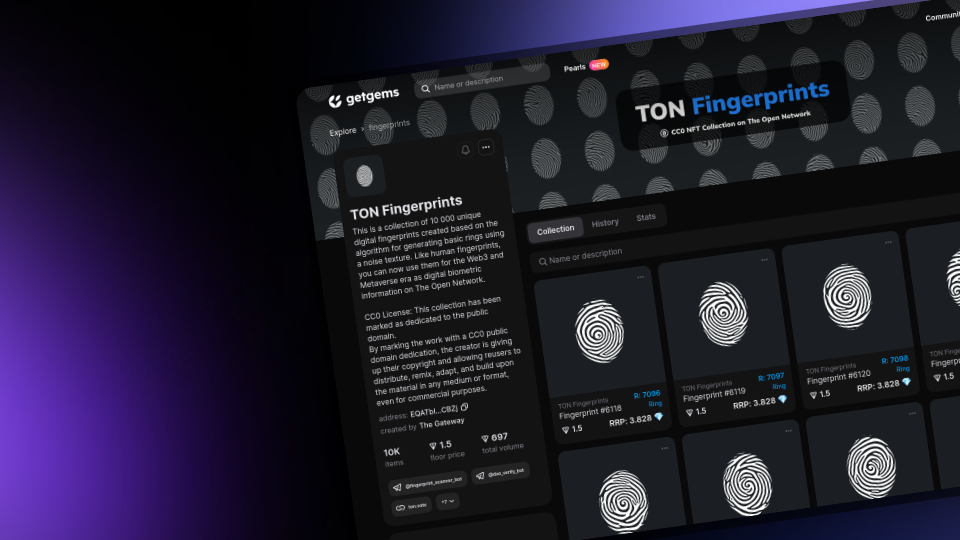
What is Getgems Fingerprint Extension?
Getgems Fingerprint Extension allows you to control the operation of the TON Fingerprints collection on the Getgems marketplace. After installation, the extension will allow you to see the attributes of the rarity of the fingerprints directly on the page of your wallet! Now you can easily determine the value and uniqueness of each NFT by viewing its characteristics in your browser.
Your screen will now display the Rarity index, Recommended Retail Price (RRP) and the DAO parameter so that you can easily determine the price, value and uniqueness of each NFT.
What is Rarity NFT?
In simple words, “rarity” is the identification of how rare a certain NFT is in comparison to the other NFTs in its collection. It’s a simple and convenient indicator of the value of NFTs. The lower the number, the more unique the NFT.
Please note that the difference can be calculated in different ways. Make purchase decisions based on an independent analysis of NFT attributes. Rarity on the Getgems marketplace is just a tool to help with evaluation.
How does Getgems display Rarity?
Usually an NFT has attributes that describe it. For example, in the TON Fingerprints collection, each fingerprint contains 10 attributes, which makes them unique. Read more about TON Fingerprints attributes in Whitepaper 1.3
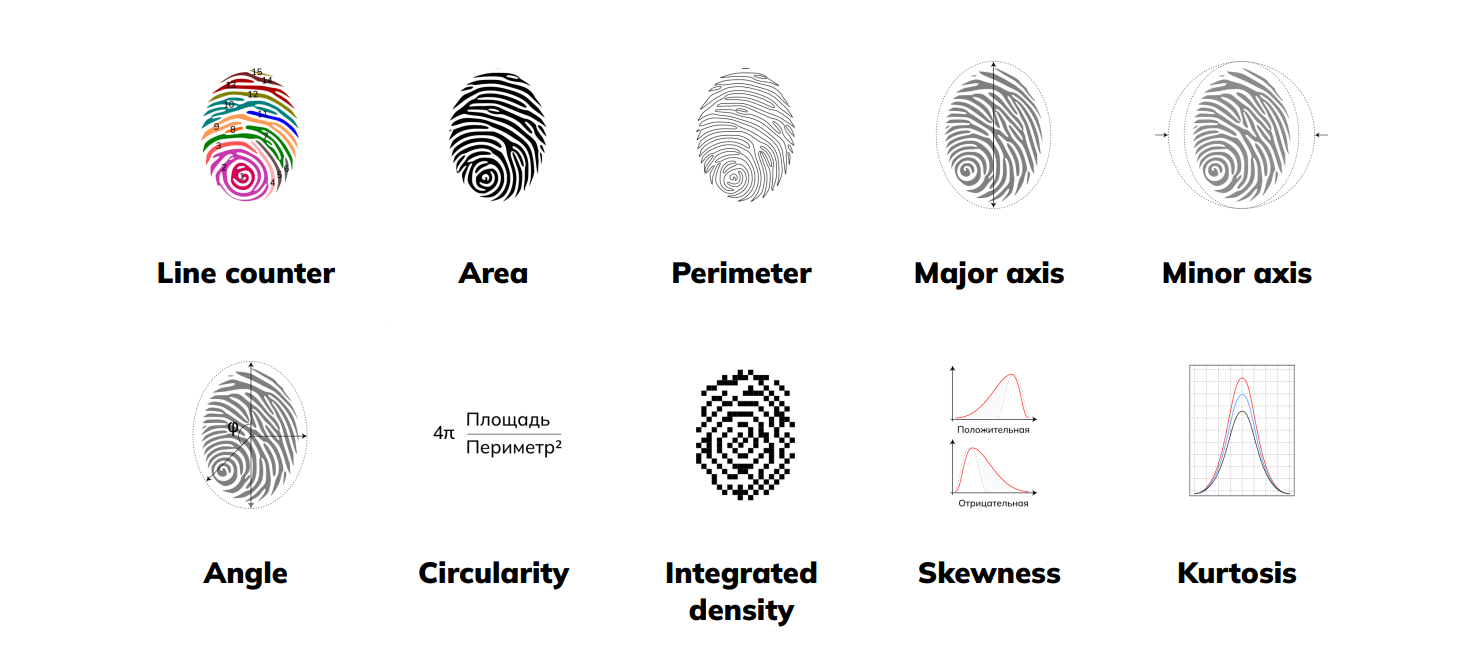
The rarity can be calculated using different methods. For example, Getgems considers rarity only based on the data that is in the blockchain. It happens that the NFT has some attribute in the collection, for example, a conditional collection with seals has different types of ears of these seals. And some of the NFTs in the collection do not have ears and their metadata does not record that these NFTs do not have ears, there is simply no data about it. Sometimes this is done intentionally, sometimes by mistake.
Getgems believes that such attributes should be taken into account in the calculation of rarity. The absence of some attribute in the NFT that other NFTs have in the collection is also an attribute.
There are cases when NFT ends up with the same rarity. For example, they are both super-unique and each of their attributes is unique within the collection. In this case, the rarer Getgems indicates the one that was previously screwed up.
To calculate the rarity, Getgems calculates the percentage for each NFT attribute and multiplies these values to get the total percentage of rarity of each NFT relative to the entire collection. This imposes certain restrictions on any collection, since the generation mechanisms are determined by the founders at the collection development stage. To solve the problem of displaying an objective assessment of the rarity index, TON Fingerprints chose to use the parameter of the number of lines Fingerprints. As a result, 30 rarity groups emerged, each of which affected the normal distribution. With such a number of parameters, Getgems could not properly display the degree of rarity and some NFTs were incorrectly evaluated by the owners, as a result, these prints were sold at an undervalued price.
Extension functions
1. Automatically change the number of columns on the collection page for convenient display of parameters. Standard for the marketplace == 4.
2. Display of the rarity index. The R symbol.
3. Displaying the DAO group (For a change, fingerprints are linked to the index of the fingers: Thumb, Index , Middle, Ring, Pinkie)
4. Display the recommended retail price. RRP: XXX 💎 (The method is described here)
Step 1: install a user script manager
To use user scripts you need to first install a user script manager. Which user script manager you can use depends on which browser you use.
Desktop
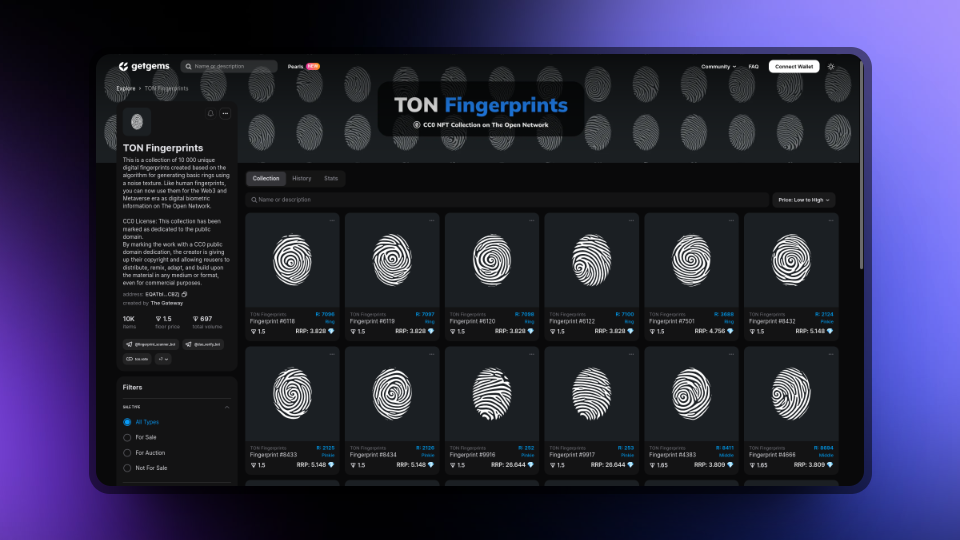
Chrome: Tampermonkey or Violentmonkey
Firefox: Greasemonkey, Tampermonkey or Violentmonkey
Safari: Tampermonkey or Userscripts
Microsoft Edge: Tampermonkey or Violentmonkey
Opera: Tampermonkey or Violentmonkey
Mobile (Android)
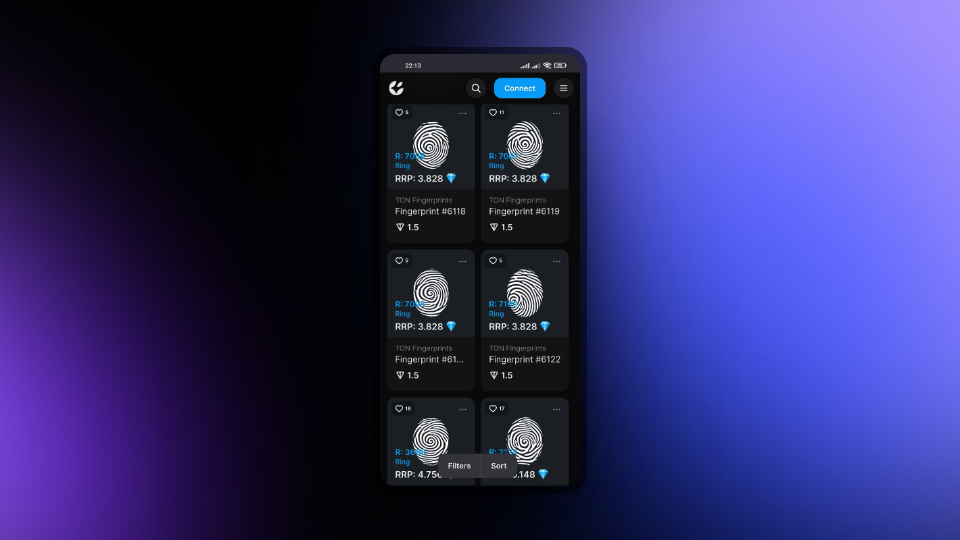
Firefox: Greasemonkey, Tampermonkey, or Violentmonkey
Maxthon: Violentmonkey
Dolphin: Tampermonkey
UC: Tampermonkey
Kiwi: Tampermonkey or Violentmonkey
Mobile (iOS)
Safari: Tampermonkey
Gear: (no additional software required)
Step 2: Install the Getgems Fingerprints script
Click Getgems Fingerprints and your custom script manager will ask you to confirm the installation.

Step 3: Use the Getgems Fingerprints script
Go to the Getgems Fingerprints collection page, which is affected by the custom script. It should automatically do its job. After some testing of the custom script, go back to Github, where you installed the custom script, and put an ⭐ or support the project by sending a Donation to thegateway.ton.
Don't miss the opportunity to improve your NFT experience and start using the extension right now!