[Frequently asked questions] Q&A
Миса1. How to import applications to the virtual machine?
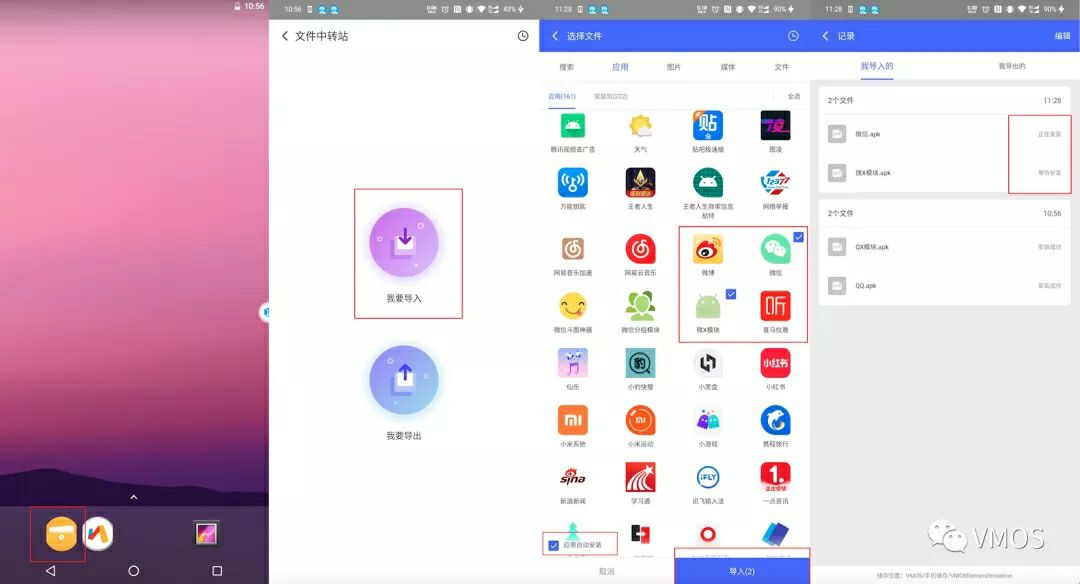
After entering the virtual machine, click on the yellow folder, select I want to import, select the application you want to use, check the automatic installation of the application in the lower left corner, and click Import in the lower right corner to wait for the installation to succeed. Or download and install it yourself in the browser of the virtual machine.
2. How to delete an application in the virtual machine?
Long press the APP icon at the top of the interface and there will be two options for removal and uninstallation. Drag the icon to the uninstallation and select Confirm uninstallation.
3. How to turn on the floating ball?
Open the floating window of the VMOS Pro application permission of your real machine, click the floating ball in the settings of the virtual machine, and use the floating ball.
4. How to open the floating window?
After returning to the real machine, click on the floating ball, and the floating window will appear~
5. How to set the size of the floating window?
After returning to the real phone, click the floating ball, and move two fingers in different directions to adjust the size.
6. How to fix the position of the floating window and switch the virtual machine?
After the floating window appears, first put the floating window to the desired position, there is a lock icon in the middle of the top, and the position is fixed by clicking it.
After the floating window appears, there are three bars on the top. Click once and several virtual machines downloaded by yourself will appear. Click on a different version to switch.
7. How to modify the screen resolution?
Click the three bars in the upper right corner of the virtual machine interface, click Settings, there is a resolution, enter the specified parameters to save and use, restart to take effect.
8. How to check the version number of VMOS Pro?
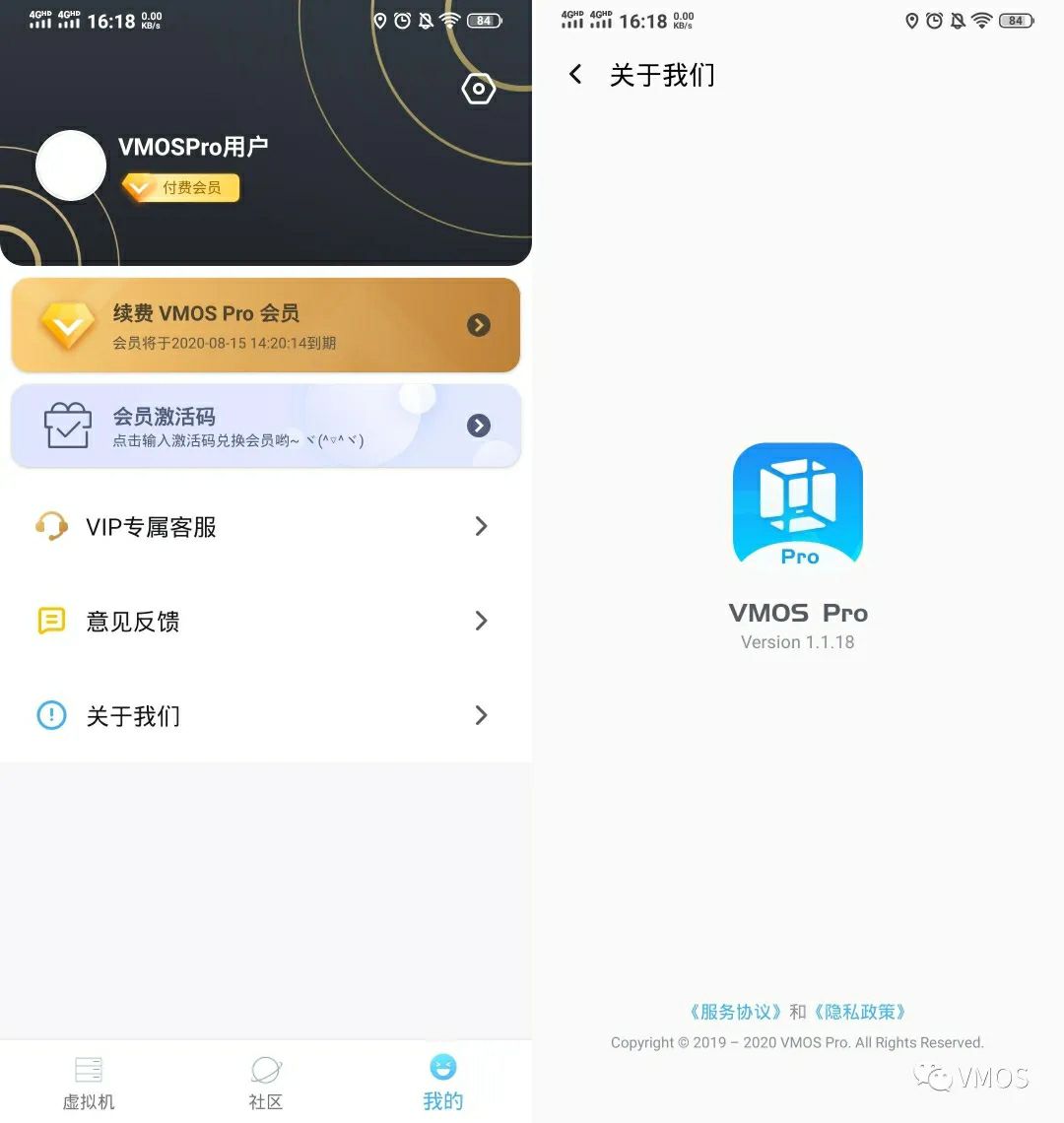
After entering VMOS Pro, click on mine. About us, you can see the version number.
9. How to check the ROM version number?
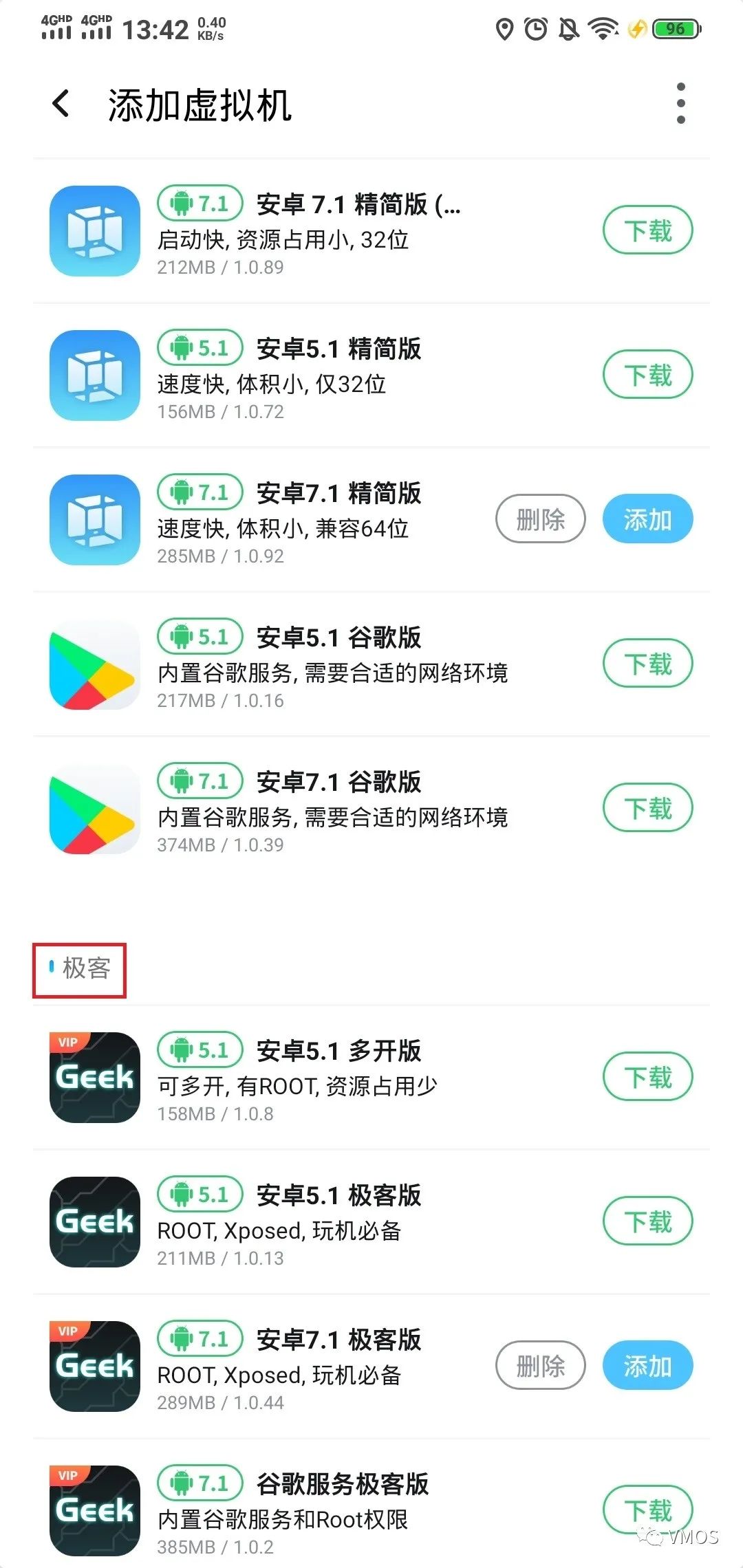
Virtual machine settings, virtual machine information, system version number, or adding a virtual machine, each ROM has its own version number.
10. What should I do if the screen is black after opening?
First make sure that you are all the latest version of VMOS Pro, if not, go to the official website to download the latest version of the installation, and then see which ROM you use, first delete the ROM, restart the phone, and then add the ROM again.
11. What should I do if the operation freezes?
The operation of the virtual machine is based on the configuration of the real machine, so the stronger the performance of the real machine, the smoother the virtual machine runs.
12. How to make the virtual machine run in the background?
After opening the app, click on the floating ball to return to the real device, or click on the return of the real device to automatically run in the background.
13. Which ROM has ROOT?
In the Geek Edition ROM list, there is ROOT.
14. What should I do if the application installation fails?
First check the installation requirements of the application to see what the required system version is, whether it supports a 32-bit system or a 64-bit system. The easiest way is to install 5.1 ROM on a 7.1 64-bit ROM.
15. How to install the ROM package shared by the boss?
First, see if the ROM package shared by the boss supports remote download. If not, download it to the phone first, and then in the add virtual machine interface, there are three dots in the upper right corner. Import the local ROM and select the good ROM package.
16. Does it support custom ROM?
The temporarily imported ROM needs to be modified based on the official VMOS package before it can be imported.
17. How to delete a virtual machine?
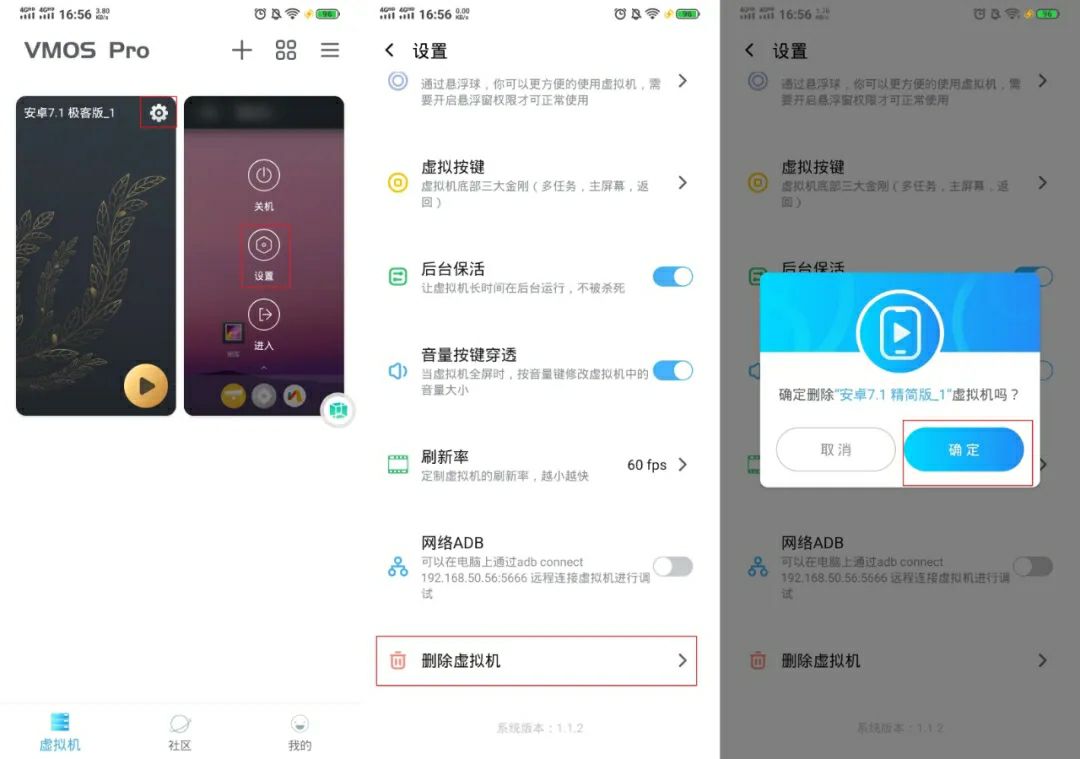
Click the three horizontal bars in the upper right corner of the virtual machine interface, select settings, and finally there will be a delete virtual machine.
18. How to use the step counting magnification in the setting?
Set the multiple according to your needs, for example: 20x; install the software you want to modify the number of steps in the virtual machine (WeChat, QQ, Alipay, Weibo, etc.). After logging in, manually shake it for a few times to see the number of steps Variety.
19. What should I do if the GG modifier cannot obtain ROOT permission or cannot display the application icon?
First determine whether your ROM is a geek version, and if the application icon cannot be displayed, please have [Use ROOT in a virtual space] in the GG settings and select Yes.
20. What should I do if the Google version keeps showing that it cannot log in?
The Google version requires a suitable network environment to enter the system.
21. How to open more virtual machines?
At present, multi-opening is a member function, and up to 6 more virtual machines can be opened at the same time. In the add virtual machine interface, add multiple virtual machines. After starting a virtual machine, return to the virtual machine list and start again.
22. How to open root in the simplified version?
Enter the settings of the virtual machine and turn on the super user authority~
23. What should I do if the application crashes in the virtual machine?
Member users can contact VIP customer service, non-member users click on my, feedback, and explain which ROM and which application.