Frequently asked questions
wuxinG90W: What should I do if I don't respond when I connect the computer after booting?
D: Open Settings → System Management → Developer Options → Default USB Configuration → Select File Transfer.
Attachment: How to open the developer option?
D: Open Settings → System Management → About Mobile Phone → Version Information → Click the version number for 7 times to bring up the developer option → Return → Find the developer option and open it
W: SELinux is Permissive. What if some applications can't be opened or flashed back?
D: download lanthanum-toolbox, open the authorized root authority, find the SELinux configuration, just open SELinux, it will take effect in real time, and it will automatically become invalid after restarting.
Toolbox download: https://w20.lanzouf.com/iRrnr0804msd
W: What if the sound of the system/notification/alarm clock is low?
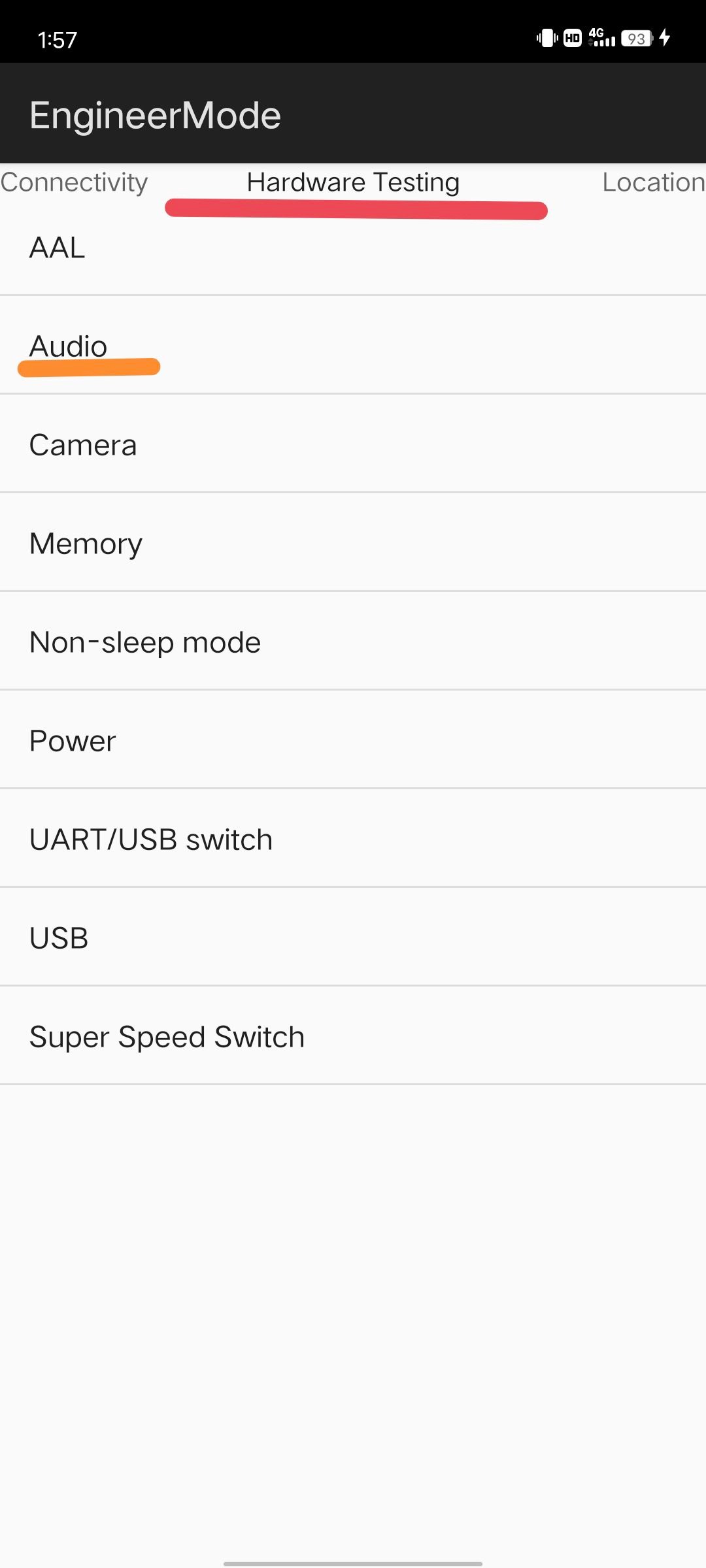
D: Enter *#*#3646633#*#* on the dial-up interface to enter the factory mode of MediaTek.
Slide to hardware Testing
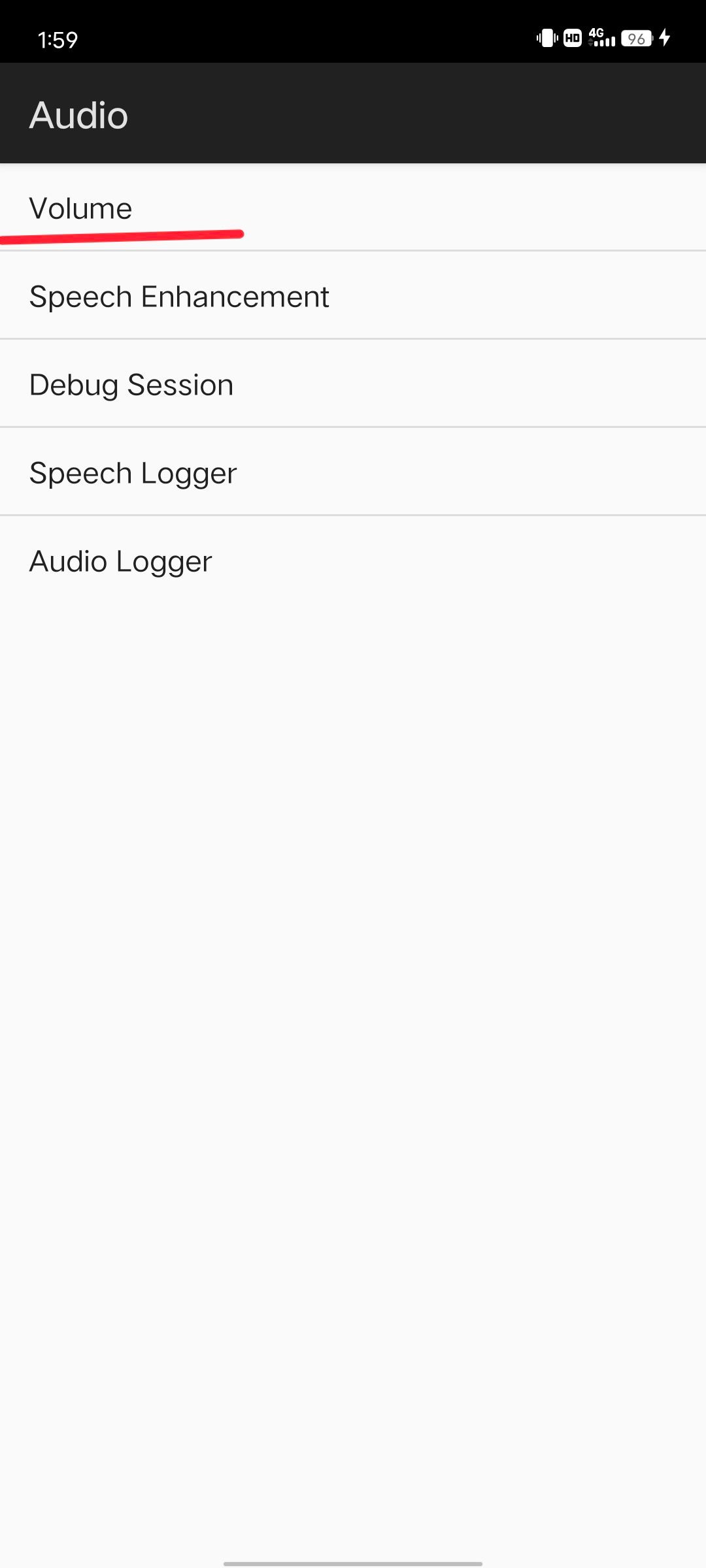
Select Audio.
Select Volume.
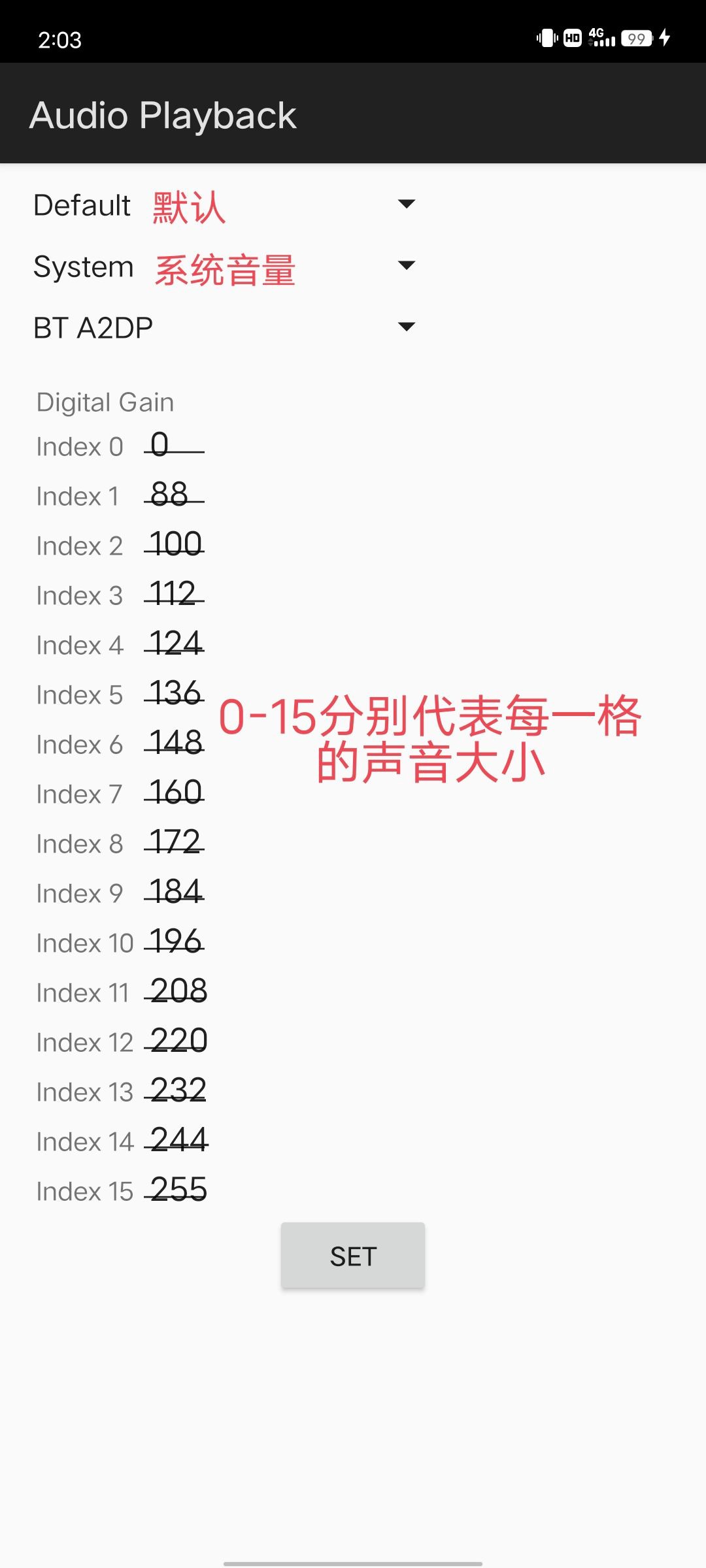
Select Audio Playback.
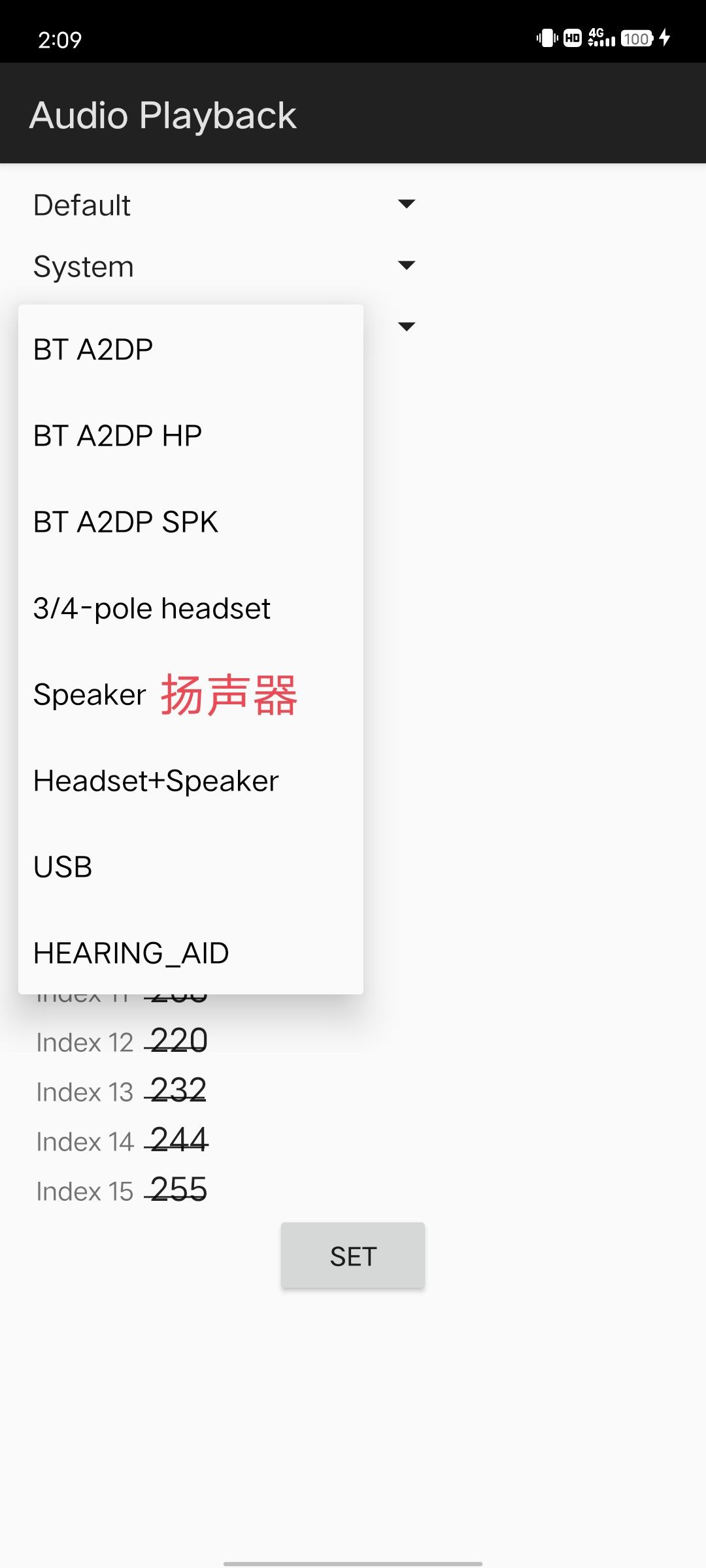
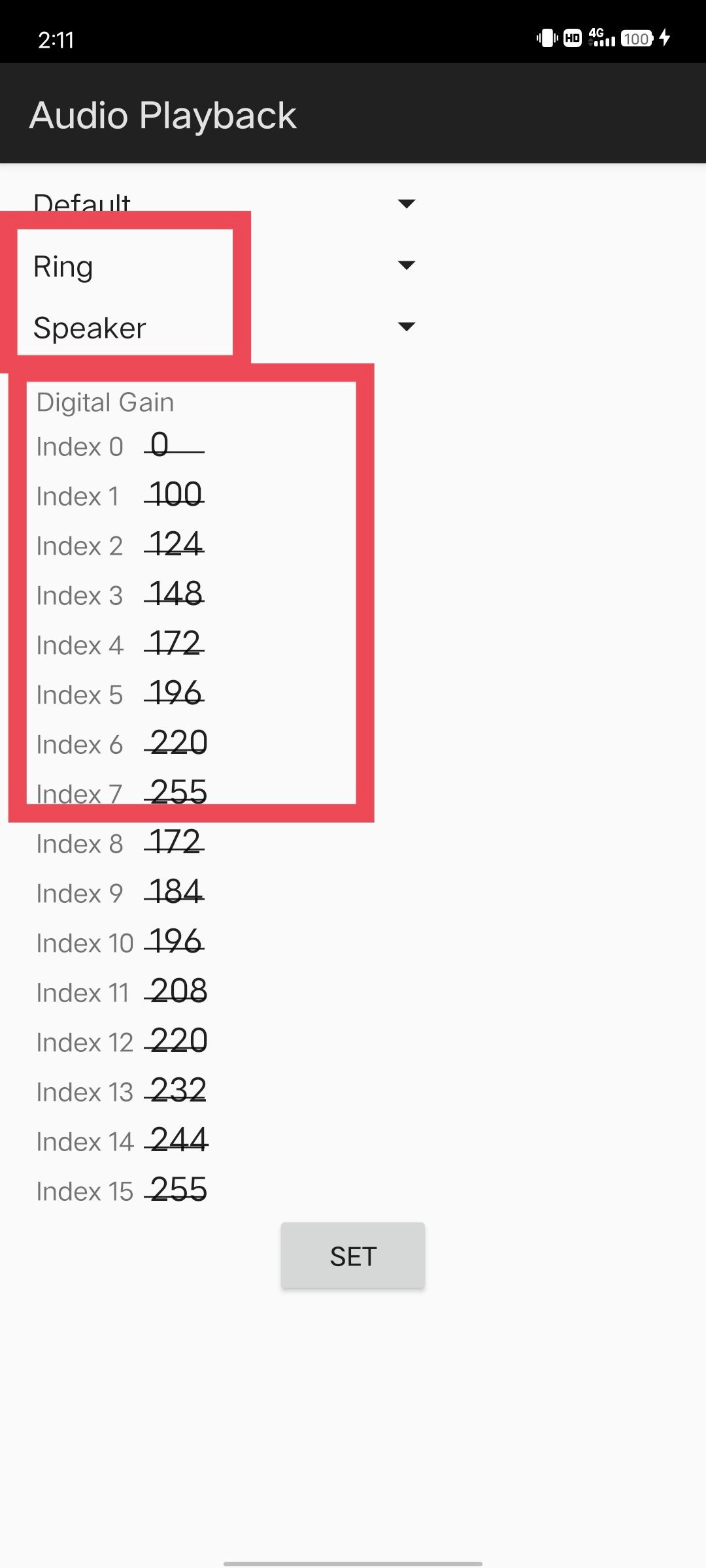
The first item does not need to be changed, mainly the second and third and the following seven levels of volume.
1. First, the third item is changed to Speaker, and then we modify the volume level below (only the first seven files need to be modified).
2. No.0 gear is 0 by default, so it is not necessary to change it.
The first gear is 100
The second gear is 124
The third gear is 148
The fourth gear is 172.
The fifth gear is 196
The sixth gear is 220.
The seventh gear is 255
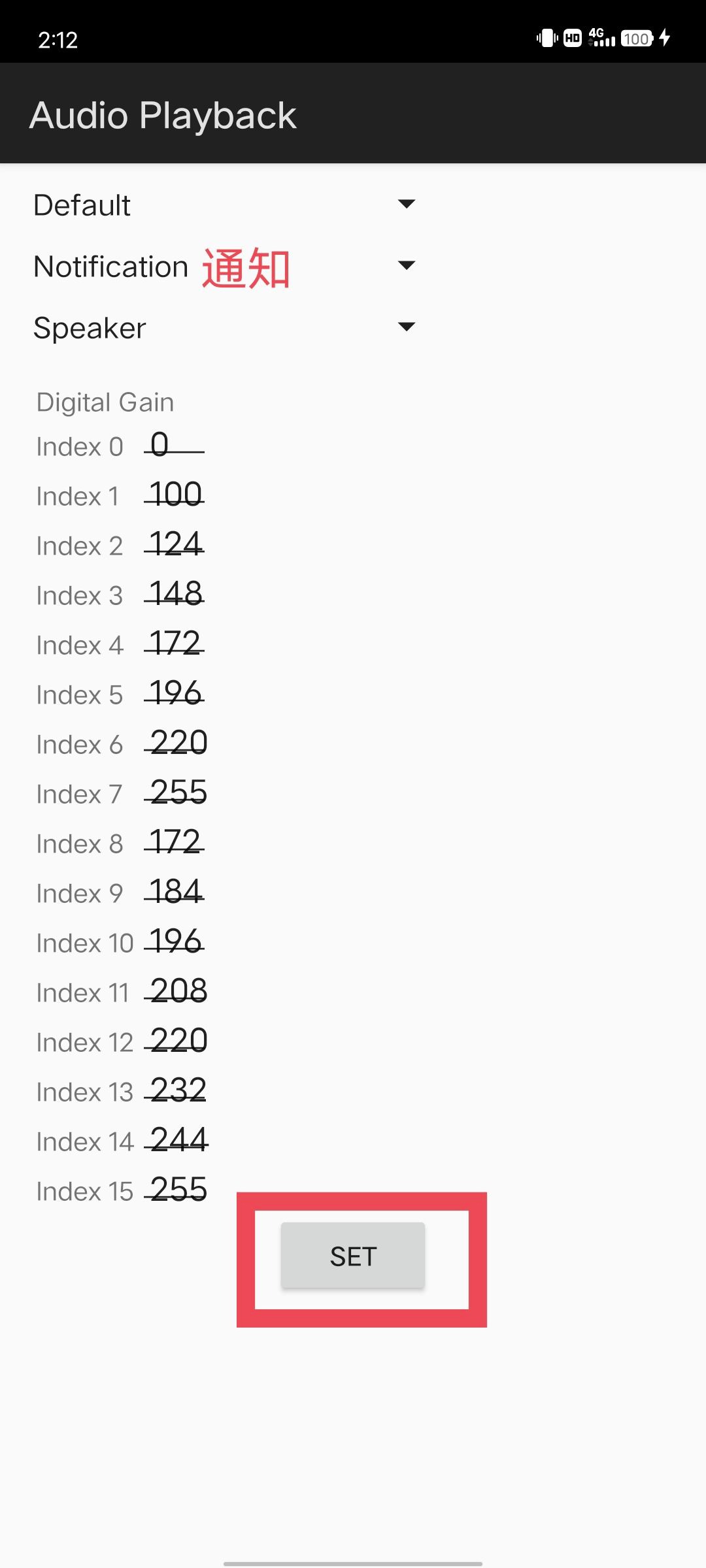
3. After changing the system sound, change all the remaining Ring (Alarm) Notification (that is, the second configuration item) to the above values, and finally save it, which can be changed without restarting, and it will take effect in real time and will not be dropped after restarting, thus solving the problem of low sound


W: What if the system kills the Apps too seriously?
D: turn on settings → system management →Multi-Turbo→ turn off the AI acceleration engine, and finally restart the equipment
W: what if I can't log in to the vivo account?
D: Don't log in with one button, please log in with SMS verification code
W: What should I do if the camera doesn't turn on when I just turned it on?
D: Download the 相机修复zip, and then flash it into TWRP to restart the system (you must flash it after entering the system once)
Download: https://wxdowmloads.cn/d/%E7%BA%A2%E7%B1%B3Note8Pro%E5%88%B7%E6%9C%BA%E8%B5%84%E6%BA%90/%E7%AC%AC%E4%B8%89%E6%96%B9ROM/OriginOS/OriginOceam%EF%BC%88%E5%AE%89%E5%8D%9311%EF%BC%89/2023.6.10/%E4%BF%AE%E5%A4%8D%E7%9B%B8%E6%9C%BATWRP%E5%88%B7%E5%85%A5.zip