ForwardBot
ForwardBotHere Is The Complete Guidelines
Features
- Forward messages from channel to channel / channel to group / group to group / group to channel
- User & Bot modes are available
- Private and public chats are supported
- Custom captions
- Forward messages based on filter types
- Skip duplicate files
- Skip certain number of messages
- Skip messages based on size, extension
- Alert messages when server restarts
Configuration
Before forwarding, go to bot's settings menu and Configure your forwarding options
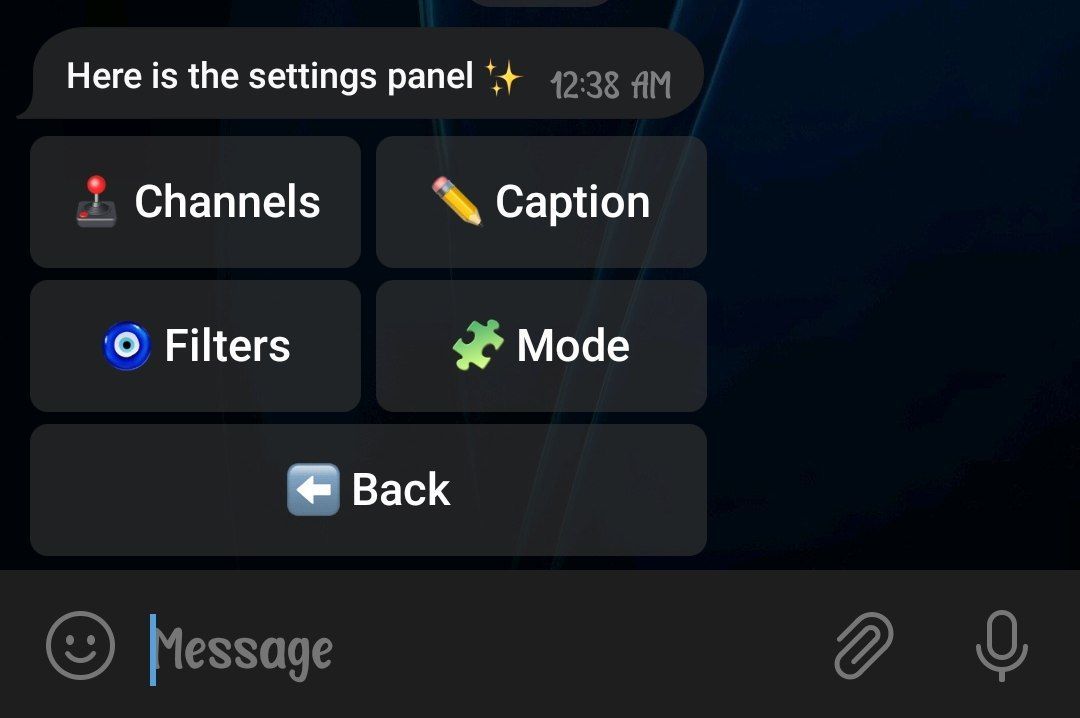
- Make sure to add a bot/user account & add atleast one channel
- To add channel, Go to Channel menu
- To add bot/user account, Go to Mode menu
- If you want to add a custom caption to messages, Go to Caption menu and add as you like
➜ About Filters:
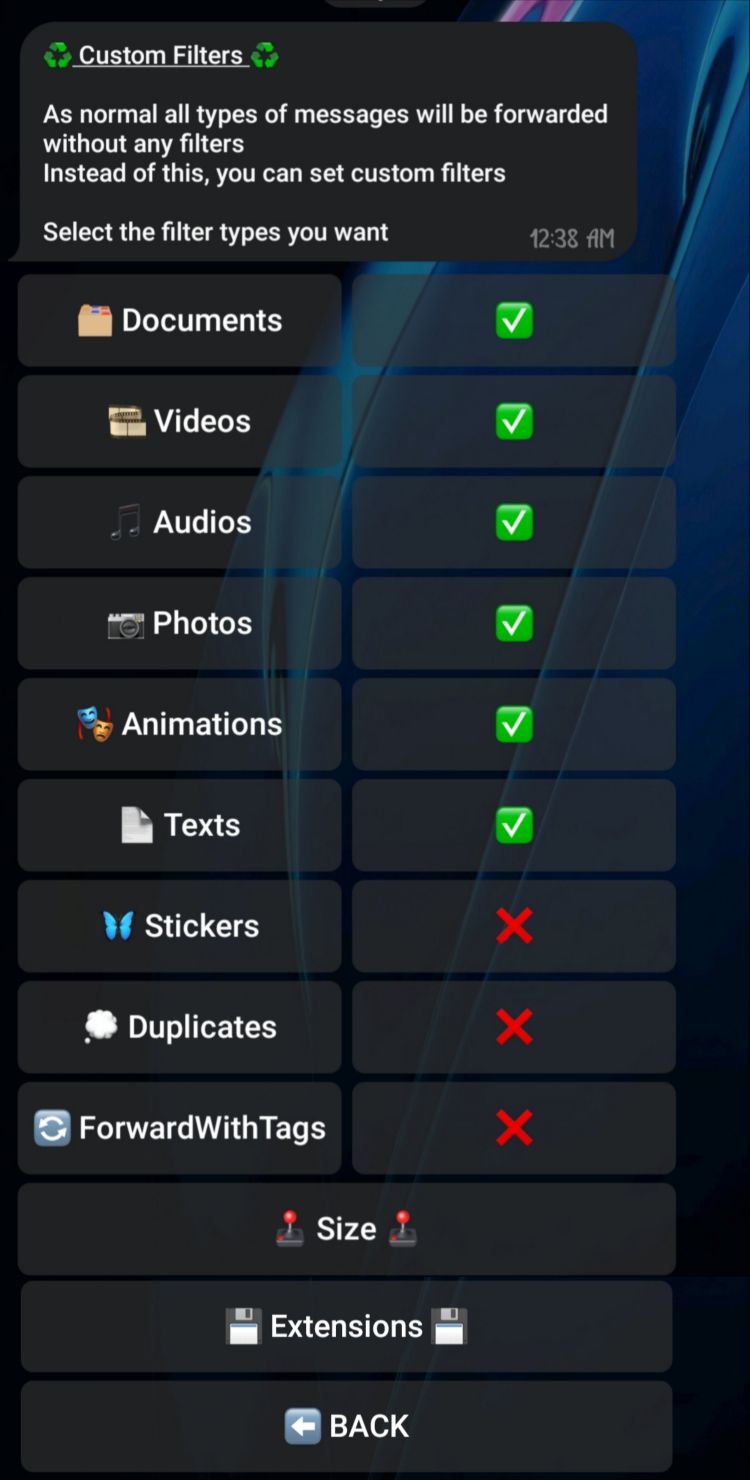
• Enable the types of messages you want to forward.
NB: If you disable Duplicates, duplicate files will not be forward to your channel. But this can be affect the speed of forward. So recommended to enable this.
• Go to size menu to filter messages based on size. Files with size less than this will not forward
• Go to extentions menu to filter messages based on extensions. Files with these extensions will not forward
How to Forward?
➜ Forwarding between your own channels:
- Add your cloned bot in both channels as admin
- Use /forward
➜ Forwarding from a public channel to your channel:
- Add your cloned bot in your target channel as admin
- Use /forward
➜ Forwarding from a private channel to your channel:
- Add user account in Mode menu
- Join in source channel from user account
- Make user account admin in your target channel
- Use /danger_forward
- NB: Read this DISCLAIMER
➜ Forwarding from groups to your channel:
==> Forward using bot:
- Make your bot admin in source group and target channel
- use /forward
NB: using bot, you can only forward messages sent by users (bots can't see messages from other bots)
OR
==> Forward using user account:
- Join in source group from user account
- Make user account admin in your target channel
- use /danger_forward
NB: Read This DISCLAIMER
➜ Forwarding from your channel to your groups:
- Add your bot admin in target group & source channel
- Use /forward
➜ Forwarding from a private channel to your group
- Join in target group from user account
- Join in source channel from user account
- Use /danger_forward
- NB: Read this DISCLAIMER
➜ Forwarding from a public channel to your group:
- Add your bot admin in target group
- Use /forward
➜ Forwarding from group to group:
==> Forward using bot:
- Make your bot admin in source group and target target group
- use /forward
NB: using bot, you can only forward messages sent by users (bots can't see messages from other bots)
OR
==> Forward using user account:
- Join in source group from user account
- Join in target group from user account
- use /danger_forward
NB: Read This DISCLAIMER