FlymeOS 9.2 flashing guide for PocoX2 (phoenix)
RetardproSteps
Download FlymeOS-PocoX2.zip
Reboot Recovery Select Port zip and flash
wait till complete then formate data and reboot
setup
*if you face internet and calling issue at "first boot" then go to settings>Network and Reset APNs as shown below
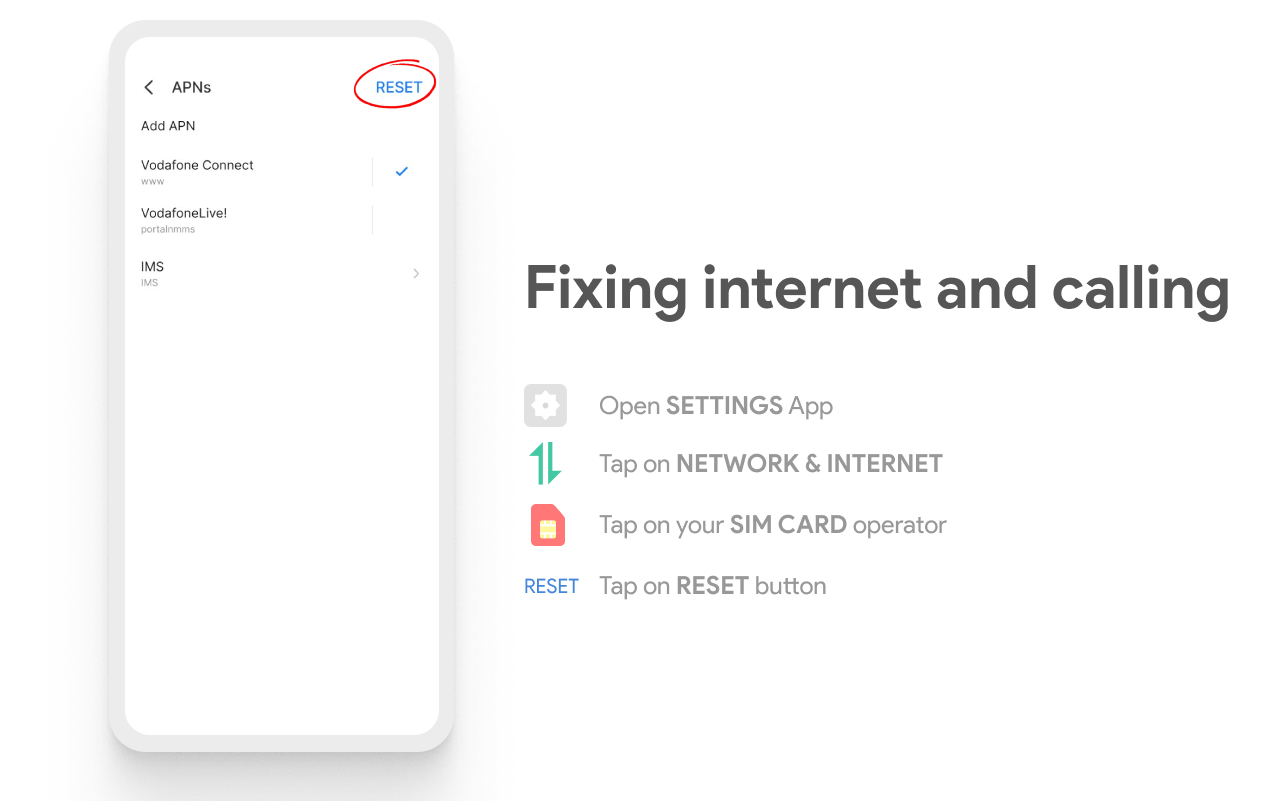
wait 2-4 minute it should work fine
if face any issue report in Telegram grouop @RetardproS
Credits:
Special thanks to @Patilsarthak for Boot animation ,Banner & Splash
Thanks to @Valikur @sinister_virus @PatilSarthak for Testing