Flutter. My Best Loader Ever
FlutterPulseThis article was translated specially for the channel FlutterPulseYou'll find lots of interesting things related to Flutter on this channel. Don't hesitate to subscribe!🚀
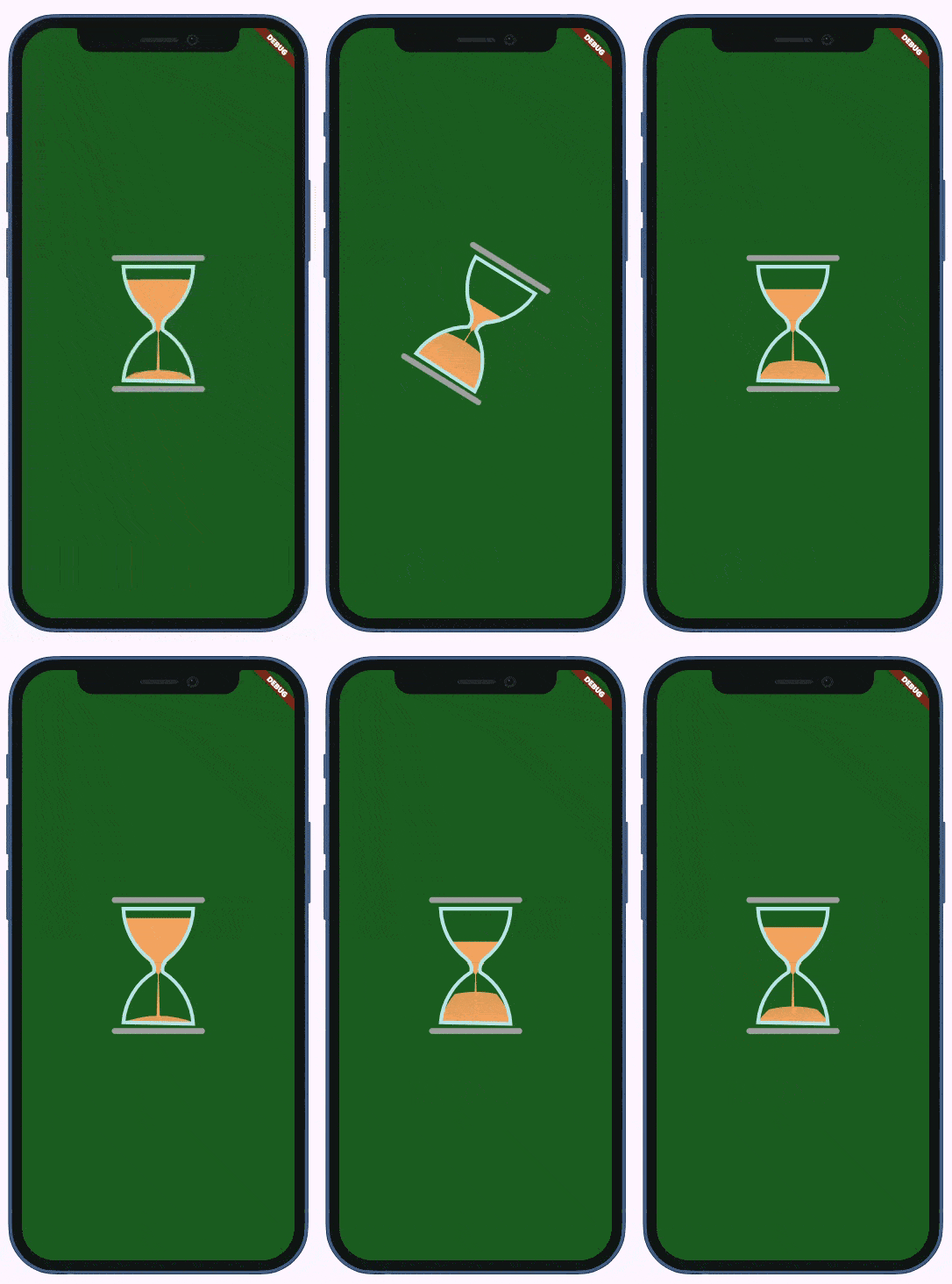
Implementing HourglassLoader with CustomPainter.
Let's make it short and quick: here is the loader I am talking about:
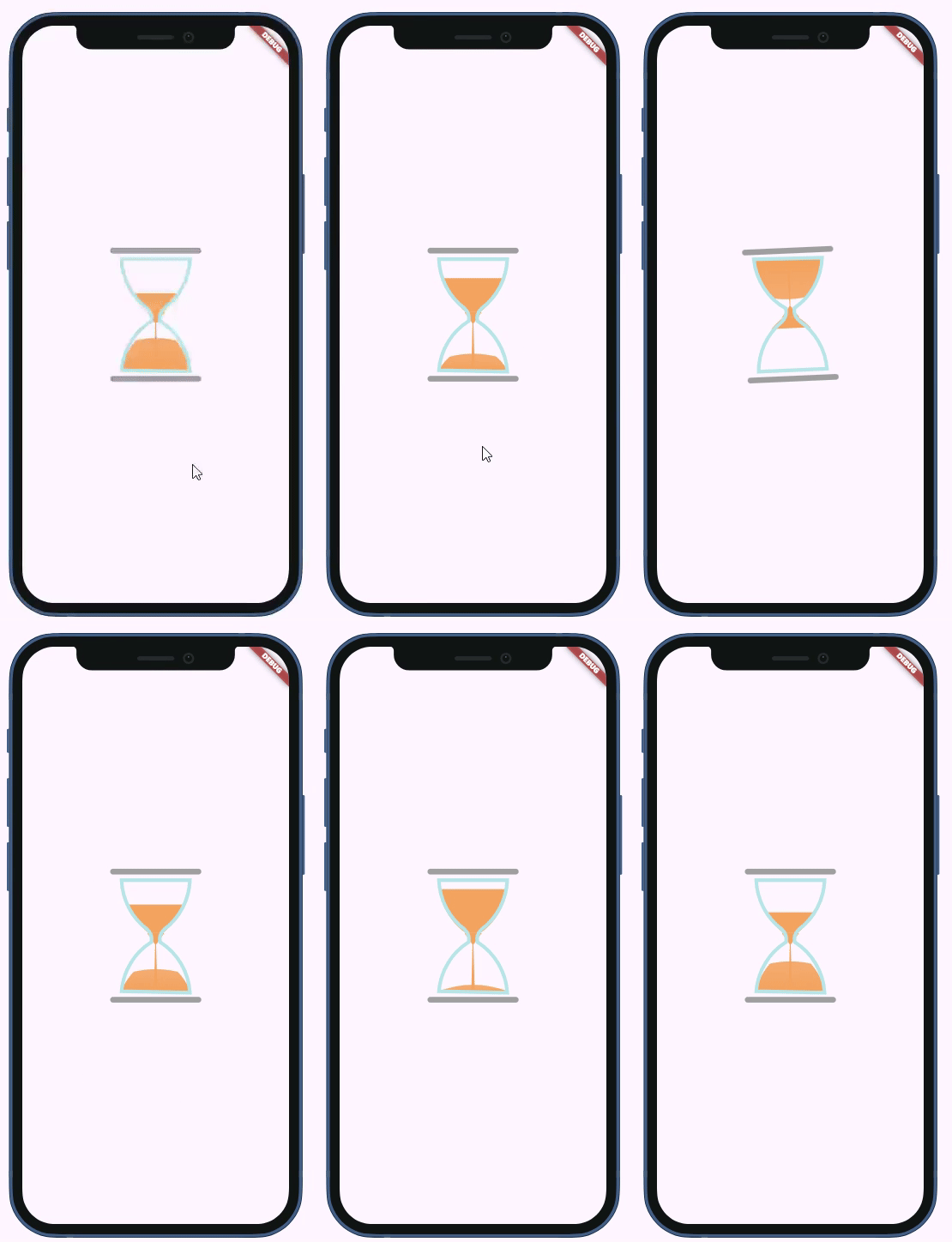
And with the same (default) colors on a dark screen:
If you are a member, please continue;otherwise, read the full story here.
Here is the usage example with all possible arguments:
    return Scaffold(
      backgroundColor: Colors.green.shade900,
      body: Padding(
        padding: const EdgeInsets.all(18.0),
        child: Center(
            child: HourglassLoader(
          duration: Duration(seconds: 2),
          width: 120,
          height: 180,
          topBottomColor: Colors.grey.shade400,
          glassColor: Colors.lightBlueAccent.shade200,
          sandColor: Colors.amber,
        )),
      ),
    );
Why do I like it?
Despite modern app users having a mental model that allows them to comprehend any weird animation
as a loader (i.e., "we need to wait several seconds"), the hourglass is symbolically time-related, so it sends a clearer message.
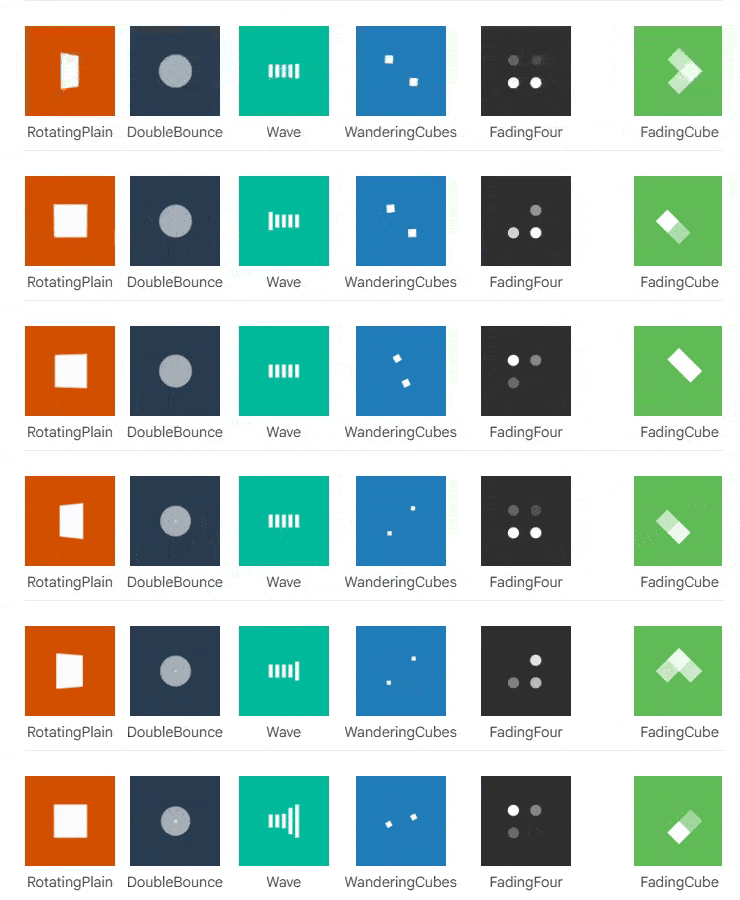
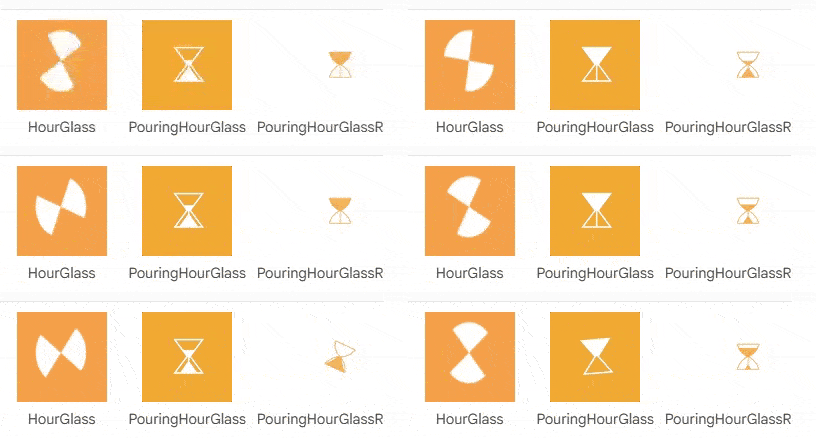
The SpinKit package has several hourglass loaders, but they are very basic:
The history
I spotted this package on FlutterDev
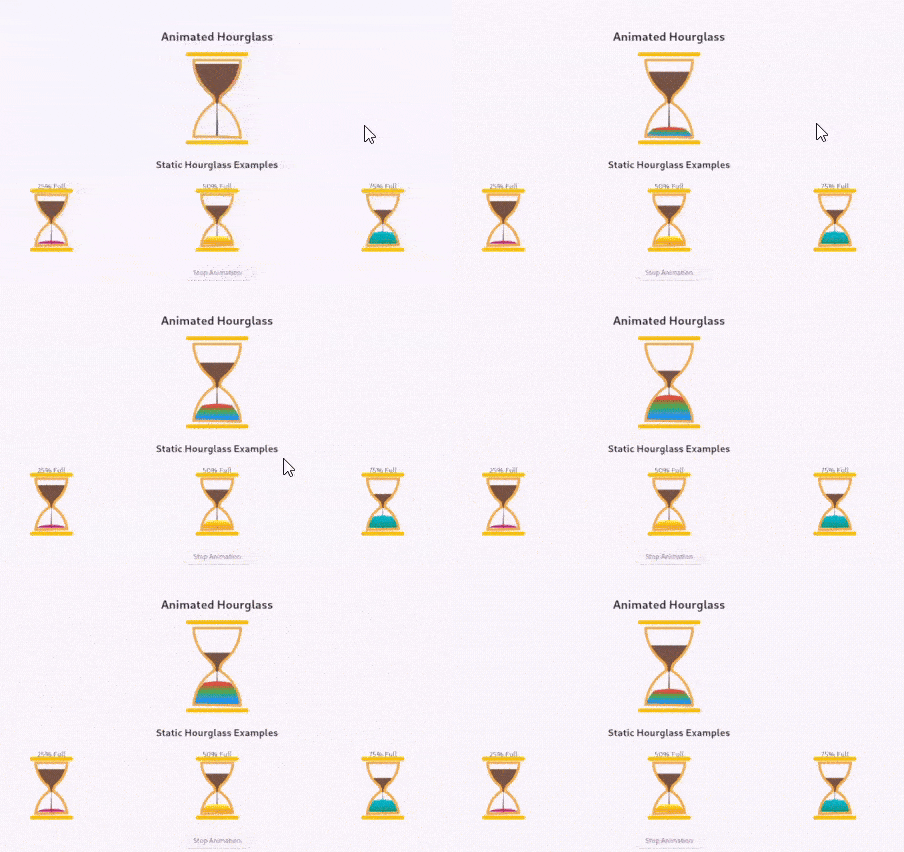
and instantly saw the potential for a nice loader.
Unfortunately, I didn't like the colors of the hourglass (the package doesn't provide a way to customize them), also, it has some weird (to me) idea of changing the color of sand, so I just copied the code and slightly customized it, also added a rotating animation.
Here is the result. I am not going to submit it as a package any time soon, so if you like it, just copy it from here.
Here is the HourglassLoader, it is a StatefulWidgetthat handles animations.
import 'package:flutter/material.dart';
import 'hourglass_widget.dart';

/// A widget that displays an animated hourglass that flips and restarts when animation completes
class HourglassLoader extends StatefulWidget {
  /// Duration of the hourglass animation
  final Duration duration;

  /// Width of the hourglass
  final double width;

  /// Height of the hourglass
  final double height;

  /// Color of the top and bottom lines
  final Color topBottomColor;

  /// Color of the hourglass outline
  final Color glassColor;

  /// Color of the sand
  final Color sandColor;

  const HourglassLoader({
    super.key,
    this.duration = const Duration(seconds: 3),
    this.width = 100,
    this.height = 150,
    this.topBottomColor = const Color(0xFFA0A0A0),
    this.glassColor = const Color(0xFFB8E6E8),
    this.sandColor = const Color(0xFFF4A460),
  });

  @override
  State<HourglassLoader> createState() => _HourglassLoaderState();
}

class _HourglassLoaderState extends State<HourglassLoader> with SingleTickerProviderStateMixin {
  late AnimationController _animationController;
  late Animation<double> _fillAnimation;
  late Animation<double> _rotationAnimation;

  @override
  void initState() {
    super.initState();
    _initAnimations();
  }

  void _initAnimations() {
    // Animation for sand filling
    _animationController = AnimationController(
      duration: widget.duration,
      vsync: this,
    );

    _fillAnimation = Tween<double>(begin: 0.0, end: 1.0).animate(_animationController);

    // Animation for hourglass rotation
    _rotationAnimation = Tween<double>(begin: 0.0, end: 1.0).animate(
      CurvedAnimation(
        parent: _animationController,
        curve: Interval(0.8, 1.0, curve: Curves.easeInOut),
      ),
    );

    // Add listener to handle rotation and restart
    _animationController.addStatusListener((status) {
      if (status == AnimationStatus.completed) {
        // Reset and restart the animation
        _animationController.reset();
        _animationController.forward();
      }
    });

    // Start the animation
    _animationController.forward();
  }

  @override
  void dispose() {
    _animationController.dispose();
    super.dispose();
  }

  @override
  Widget build(BuildContext context) {
    return AnimatedBuilder(
      animation: Listenable.merge([_fillAnimation, _rotationAnimation]),
      builder: (context, child) {
        return Transform(
          alignment: Alignment.center,
          transform: Matrix4.identity()
            ..rotateZ(_rotationAnimation.value * 3.14),
          child: Hourglass(
            fillAmount: _fillAnimation.value,
            width: widget.width,
            height: widget.height,
            topBottomColor: widget.topBottomColor,
            glassColor: widget.glassColor,
            sandColor: widget.sandColor,
          ),
        );
      },
    );
  }
}
It uses the HourglassWidgetinternally.
import 'dart:math';
import 'dart:ui' as ui;
import 'package:flutter/material.dart';

class HourglassDimensions {
  final double hourglassCurve;
  final double hourglassInset;
  final double hourglassHalfHeight;

  HourglassDimensions({
    required this.hourglassCurve,
    required this.hourglassInset,
    required this.hourglassHalfHeight,
  });
}

/// A custom painter that draws an animated hourglass with customizable colors and gradients.
class HourglassPainter extends CustomPainter {
  /// The fill amount of the hourglass (0.0 to 1.0)
  final double fillAmount;

  /// Color of the top and bottom lines
  final Color topBottomColor;

  /// Color of the hourglass outline
  final Color glassColor;

  /// Color of the sand
  final Color sandColor;

  HourglassPainter(this.fillAmount, this.topBottomColor, this.glassColor, this.sandColor);

  @override
  @override
  void paint(Canvas canvas, Size size) {
    final dimensions = _calculateDimensions(size);

    paintContent(canvas, size, dimensions);
    paintOutline(canvas, size, dimensions);
    paintTopBottomLines(canvas, size);
  }

  HourglassDimensions _calculateDimensions(Size size) {
    return HourglassDimensions(
      hourglassCurve: size.height * 0.5,
      hourglassInset: size.width / 10,
      hourglassHalfHeight: (size.height / 2) - (size.width / 10),
    );
  }

  void paintOutline(Canvas canvas, Size size, HourglassDimensions dims) {
    final outlinePainter = Paint()
      ..color = glassColor
      ..strokeCap = StrokeCap.round
      ..strokeWidth = 5
      ..style = PaintingStyle.stroke;

    final outline = Path();

    outline.moveTo(dims.hourglassInset, dims.hourglassInset);
    outline.arcToPoint(Offset(size.width - dims.hourglassInset, dims.hourglassInset));
    outline.arcToPoint(Offset(size.width * 0.6, size.height * 0.45),
        radius: Radius.circular(dims.hourglassCurve), clockwise: true);
    outline.arcToPoint(Offset(size.width * 0.55, size.height * 0.55),
        radius: Radius.circular(20), clockwise: false);
    outline.arcToPoint(Offset(size.width - dims.hourglassInset, size.height - 10),
        radius: Radius.circular(dims.hourglassCurve), clockwise: true);
    outline.arcToPoint(Offset(dims.hourglassInset, size.height - dims.hourglassInset));
    outline.arcToPoint(Offset(size.width * 0.45, size.height * 0.55),
        radius: Radius.circular(dims.hourglassCurve), clockwise: true);
    outline.arcToPoint(Offset(size.width * 0.4, size.height * 0.45),
        radius: Radius.circular(20), clockwise: false);
    outline.arcToPoint(Offset(dims.hourglassInset, dims.hourglassInset),
        radius: Radius.circular(dims.hourglassCurve), clockwise: true);
    outline.close();

    canvas.drawPath(outline, outlinePainter);
  }

  void paintTopBottomLines(Canvas canvas, Size size) {
    final outlinePainter2 = Paint()
      ..color = topBottomColor
      ..strokeCap = StrokeCap.round
      ..strokeWidth = 8
      ..style = PaintingStyle.stroke;

    canvas.drawLine(Offset(0, 0), Offset(size.width, 0), outlinePainter2);
    canvas.drawLine(Offset(0, size.height), Offset(size.width, size.height), outlinePainter2);
  }

  void paintContent(Canvas canvas, Size size, HourglassDimensions dims) {
    paintFallingSand(canvas, size, dims);
    paintTopChamberSand(canvas, size, dims);
    paintBottomChamberSand(canvas, size, dims);
  }

  void paintFallingSand(Canvas canvas, Size size, HourglassDimensions dims) {
    final contentPainter = Paint()
      ..color = sandColor
      ..strokeCap = StrokeCap.round
      ..strokeWidth = 1;

    final fallingSand = Path();
    fallingSand.moveTo(size.width * 0.4, (size.height * 0.48));
    fallingSand.arcToPoint(Offset(size.width * 0.495, (size.height * 0.57)));
    fallingSand.lineTo(size.width * 0.48, size.height - dims.hourglassInset);
    fallingSand.lineTo(size.width * 0.52, size.height - dims.hourglassInset);
    fallingSand.arcToPoint(Offset(size.width * 0.505, (size.height * 0.57)));
    fallingSand.arcToPoint(Offset(size.width * 0.6, (size.height * 0.48)));
    fallingSand.close();

    canvas.drawPath(fallingSand, contentPainter);
  }

  void paintTopChamberSand(Canvas canvas, Size size, HourglassDimensions dims) {
    if (fillAmount >= 0.99) return;

    final contentPainter = Paint()
      ..color = sandColor
      ..strokeCap = StrokeCap.round
      ..strokeWidth = 1;

    double topStartHeight = size.height * (0.4 - ((1 - fillAmount) * 0.3));
    double topEndHeight = size.height * 0.48;
    double topContentStartWidthOffset = getTopContentWidthOffset(
        size.width, topStartHeight, dims.hourglassHalfHeight, dims.hourglassInset);
    double topContentEndWidthOffset = getTopContentWidthOffset(
        size.width, topEndHeight, dims.hourglassHalfHeight, dims.hourglassInset);

    final topContent = Path();
    topContent.moveTo(topContentStartWidthOffset, topStartHeight);
    topContent.arcToPoint(Offset(dims.hourglassInset + topContentEndWidthOffset, topEndHeight),
        radius: Radius.circular(dims.hourglassCurve), clockwise: false);
    topContent.arcToPoint(
        Offset((size.width - dims.hourglassInset) - topContentEndWidthOffset, topEndHeight));
    topContent.arcToPoint(Offset(size.width - topContentStartWidthOffset, topStartHeight),
        radius: Radius.circular(dims.hourglassCurve), clockwise: false);
    topContent.close();

    canvas.drawPath(topContent, contentPainter);
  }

  void paintBottomChamberSand(Canvas canvas, Size size, HourglassDimensions dims) {
    double bottomStartHeight = size.height - 12;
    double bottomEndHeight = size.height * (0.95 - (fillAmount * 0.32));
    double bottomContentStartWidthOffset = getBottomContentWidthOffset(
        size.width, bottomStartHeight, dims.hourglassHalfHeight, dims.hourglassInset);
    double bottomContentEndWidthOffset = getBottomContentWidthOffset(
        size.width, bottomEndHeight, dims.hourglassHalfHeight, dims.hourglassInset);

    final bottomContent = Path();
    bottomContent.moveTo(bottomContentStartWidthOffset, bottomStartHeight);
    bottomContent.arcToPoint(
        Offset(dims.hourglassInset + bottomContentEndWidthOffset, bottomEndHeight),
        radius: Radius.circular(dims.hourglassCurve),
        clockwise: true);
    bottomContent.arcToPoint(
        Offset(
            (size.width - dims.hourglassInset) - bottomContentEndWidthOffset, bottomEndHeight),
        radius: Radius.circular(dims.hourglassCurve * 1.5));
    bottomContent.arcToPoint(
        Offset(size.width - bottomContentStartWidthOffset, bottomStartHeight),
        radius: Radius.circular(dims.hourglassCurve),
        clockwise: true);
    bottomContent.close();

    final colors = [sandColor, sandColor.withValues(alpha: 0.9)];
    final colorStops = [0.1, 0.9];

    final gradient = ui.Gradient.linear(Offset(size.width / 2, bottomStartHeight - 1),
        Offset(size.width / 2, bottomEndHeight), colors, colorStops, TileMode.clamp);

    final bottomContentPainter = Paint()
      ..shader = gradient
      ..style = PaintingStyle.fill
      ..strokeCap = StrokeCap.round
      ..strokeWidth = 1;

    canvas.drawPath(bottomContent, bottomContentPainter);
  }

  double getTopContentWidthOffset(
      double width, double height, double fullHeight, double inset) {
    return (((width / 2) - inset) * sin((height / fullHeight) * (pi / 3.8)));
  }

  double getBottomContentWidthOffset(
      double width, double height, double fullHeight, double inset) {
    return (((width / 2) - inset) * sin(1 - ((height / fullHeight) * (pi / 8.9))));
  }

  @override
  bool shouldRepaint(covariant HourglassPainter oldDelegate) {
    return oldDelegate.fillAmount != fillAmount;
  }
}

/// A customizable hourglass widget with animated fill and gradient colors.
class Hourglass extends StatelessWidget {
  /// The fill amount of the hourglass (0.0 to 1.0)
  final double fillAmount;

  /// The width of the hourglass
  final double width;

  /// The height of the hourglass
  final double height;

  /// Color of the top and bottom lines
  final Color topBottomColor;

  /// Color of the hourglass outline
  final Color glassColor;

  /// Color of the sand
  final Color sandColor;

  const Hourglass({
    super.key,
    required this.fillAmount,
    this.width = 100,
    this.height = 150,
    required this.topBottomColor,
    required this.glassColor,
    required this.sandColor,
  });

  @override
  Widget build(BuildContext context) {
    return Container(
      width: width,
      height: height,
      child: CustomPaint(
        painter: HourglassPainter(
          fillAmount,
          topBottomColor,
          glassColor,
          sandColor,
        ),
      ),
    );
  }
}
There are two classes here. The Hourglass widget is just a wrapper that sets up the size and passes everything to HourglassPainter, which does the actual drawing work.
How the drawing works
The painter creates several distinct visual elements:
The outline — This draws the classic hourglass shape using arc paths. It connects points with curves to create that narrow middle section we all recognize.
Top chamber sand — When fillAmount is low, this draws sand in the upper part.
Bottom chamber sand — This part grows as fillAmountincreases. It uses a gradient to make the sand look more realistic — darker at the bottom, slightly lighter at the top.
Falling sand stream — That thin vertical path in the middle represents sand actively flowing through the neck.
For each visual element, there is a Paintobject:
 final outlinePainter = Paint()
      ..color = glassColor
      ..strokeCap = StrokeCap.round
      ..strokeWidth = size.width / 20
      ..style = PaintingStyle.stroke;
A Pathobject:
final outline = Path();

    outline.moveTo(hourglassInset, hourglassInset);
    outline.arcToPoint(Offset(size.width - hourglassInset, hourglassInset));
    outline.arcToPoint(Offset(size.width * 0.6, size.height * 0.45),
...
And a canvas.drawPath method that actually paints the Pathon the Paint:
canvas.drawPath(outline, outlinePainter);
The unsolved problem
If we look at the loader again carefully:
We can see that it rotates before all the sand goes down. I tried to understand and fix it, alone and with Claude, but without success. So, if you feel adventurous, take the challenge, fix it, and tell me in the comments. I promise 50 claps. 🙂
Thank you for reading!