Flutter. Custom keyboard widget
FlutterPulseThis article was translated specially for the channel FlutterPulseYou'll find lots of interesting things related to Flutter on this channel. Don't hesitate to subscribe!🚀
Widget to replace the native platform keyboard in Flutter apps.
I found this package, flutter_custom_keyboard, and tried to use it in my app.
By the way, I don't totally understand why Flutter uses native platform keyboards. The only thing (I think) that is hard to achieve is the native look and feel. But trying to achieve a native look and feel in Flutter is silly. Better use React Native then. It is already common, trivial knowledge that the bespoke, custom design is the way to go. Then why don't we have a
Keyboardwidget? (Instead we have a lot of useless Cupertino widgets. )
If you are a member, please continue,otherwise, read the full story here.
Back to the package, the keyboard widget lacks customization options. And package info on pub.dev contains a broken link to github. Therefore, even if I wanted to submit an issue or contribute, I am unable to do so.
Here is how the keyboard looked before my custom "improvements".
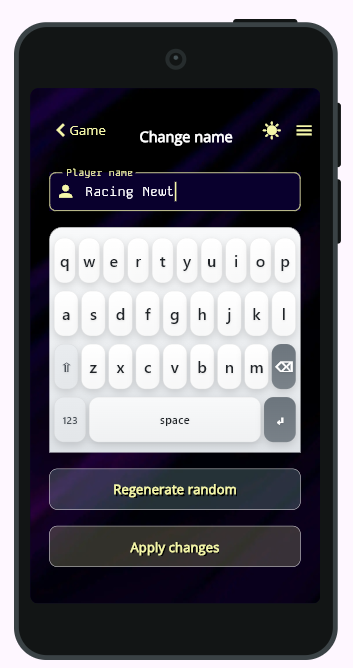
It is kinda fine for the bottom sheet, but I wanted to simply show the static keyboard; thus, it required customization to look similar to the rest of the app.
Here is the beauty of open source: I copied the code from the package into the common/keyboard folder of my app and made my unfixable improvements.
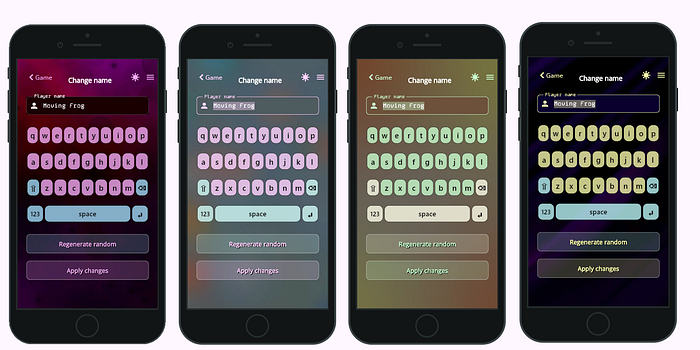
This is how it looks now.
I mostly sanitized it, removed all gradients and shadows, and made it use colors from the ColorScheme.
I would state that it looks acceptable on every background and with every color palette.
I cannot say that I tested it thoroughly, but it kinda works.
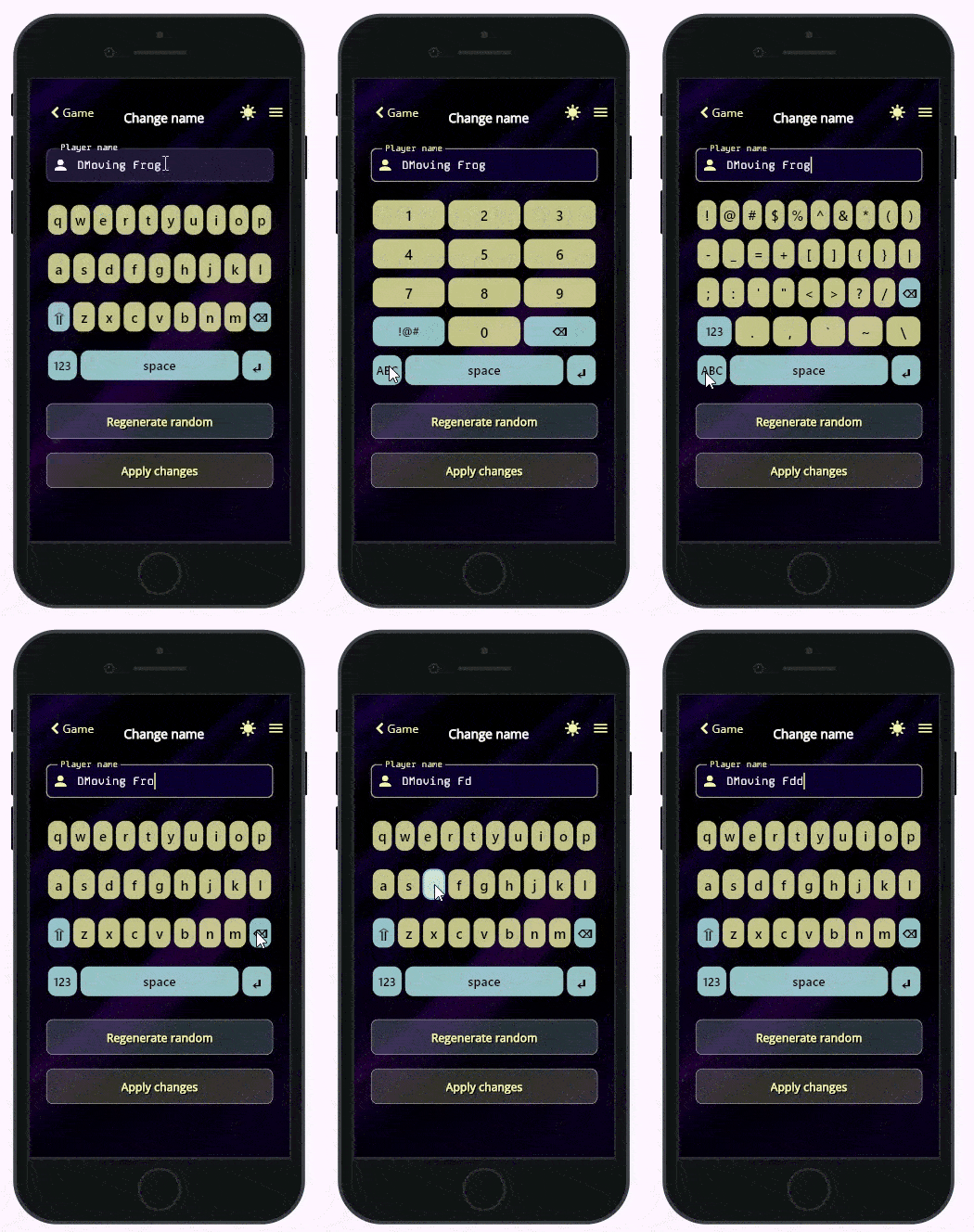
Here is how it is integrated into the View:
             Hero(
                tag: 'player-name',
                child: Material(
                  child: TextField(
                    controller: controller.playerNameController,
                    autofocus: true,
                    //  focusNode: controller.focusNode,
                    showCursor: true,
                    enableInteractiveSelection: true,
                    keyboardType: TextInputType.none,
                    onTapOutside: (PointerDownEvent event) {},
                    decoration: InputDecoration(
                      labelText: 'Player name',
                      prefixIcon: Icon(
                        Icons.person,
                      ),
                    ),
                  ),
                ),
              ),

              CustomKeyboard(
                height: 280,
                onTextInput: (symbol) {
                  controller.onTextInput(symbol);
                },
                onBackspace: () {
                  controller.onBackspace();
                },
                onEnter: () {
                  controller.applyChanges();
                },

              ),
ViewModel:
 ...
  final playerNameController = TextEditingController();
  //final focusNode = FocusNode();

  @override
  void onInit() {
    super.onInit();
    var text = SharedPrefs.getNickname()!;

    playerNameController.value = TextEditingValue(
      text: text,
      selection: TextSelection.collapsed(offset: text.length),
    );
  }

  void onTextInput(symbol) {
    var cursorPos = playerNameController.selection.base.offset;

    String textAfterCursor = playerNameController.text.substring(cursorPos);
    String textBeforeCursor = playerNameController.text.substring(0, cursorPos);
    var text = textBeforeCursor + symbol + textAfterCursor;

    playerNameController.value = TextEditingValue(
      text: text,
      selection: TextSelection.collapsed(offset: cursorPos + 1),
    );
  }

  void onBackspace() {
    final value = playerNameController.value;
    if (value.text.isEmpty) {
      return;
    }

    var cursorPos = playerNameController.selection.base.offset;
    String textAfterCursor = playerNameController.text.substring(cursorPos);
    String textBeforeCursor = playerNameController.text.substring(0, cursorPos - 1);

    var text = textBeforeCursor + textAfterCursor;

    playerNameController.value = TextEditingValue(
      text: text,
      selection: TextSelection.collapsed(offset: cursorPos - 1),
    );
  }
Note that I removed the FocusNode. With FocusNode, I get a weird bug (or user error 😎) when ChangeNameViewis loaded, the player name in the text field gets selected, and the cursor is not shown.
I tried any manipulation with TextSelection.collapsed, but without result.
So, what I am doing instead is:autofocus: true, plus an empty function for onTapOutside. The autofocus: true makes the field get focus on load, and empty onTapOutsideprevents it from losing focus when the user taps the keyboard's buttons.
The above is working for the use case with one text field per view, and that is exactly what I need just now.
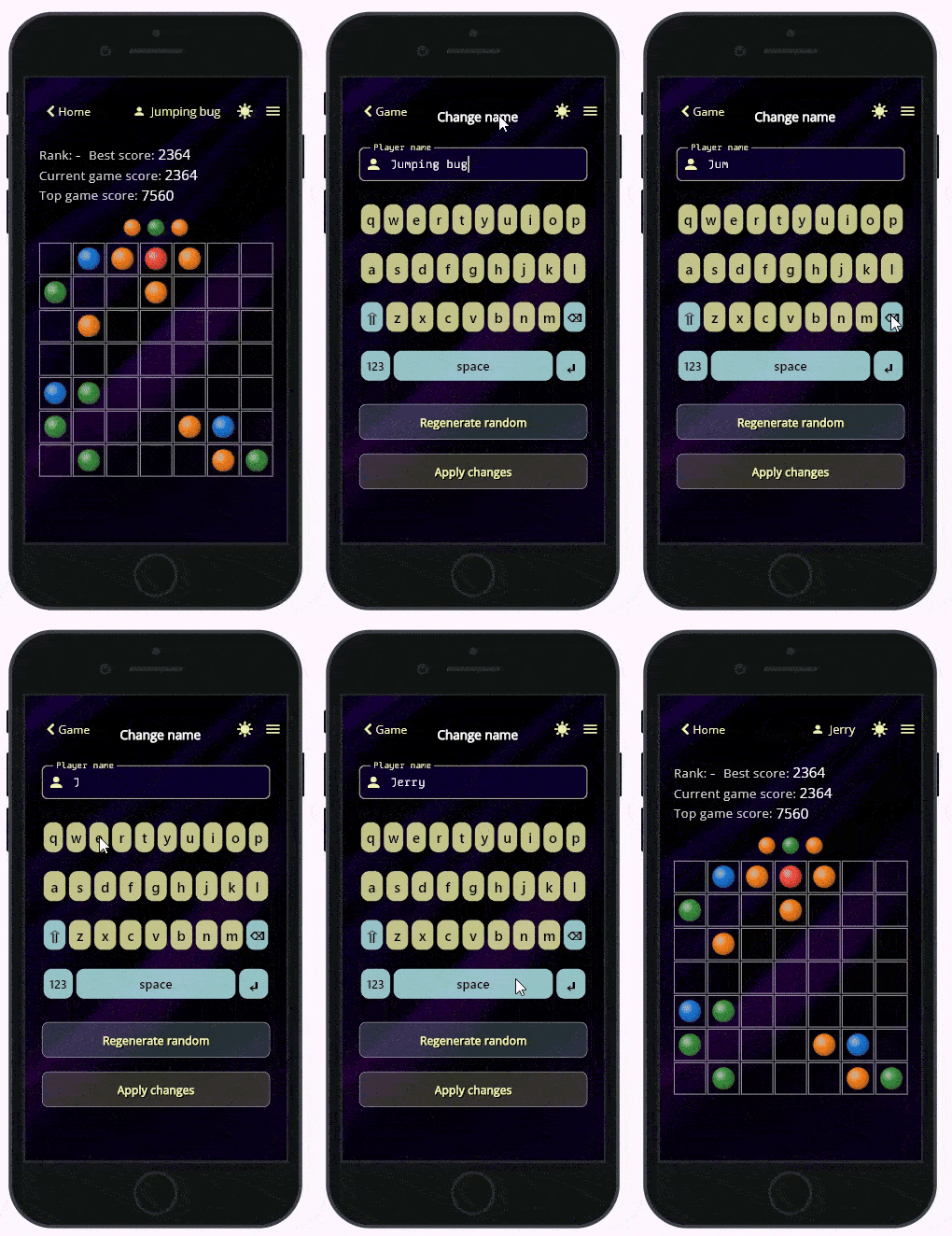
The Enter button of the keyboard does the same as the Apply changes button, so maybe I will just remove the Enter button completely to avoid confusion.
So, that's it, thank you for reading!
The original package is here.
Modified by me is here. (A lot of comments, work in progress.)
Have you noticed that the text field is wrapped in the Herowidget? It creates a flying animation that is more noticeable when the change name view is closing. That will be the subject of my next article. Stay tuned.