Flutter. Best online ColorScheme generator
FlutterPulseThis article was translated specially for the channel FlutterPulseYou'll find lots of interesting things related to Flutter on this channel. Don't hesitate to subscribe!🚀
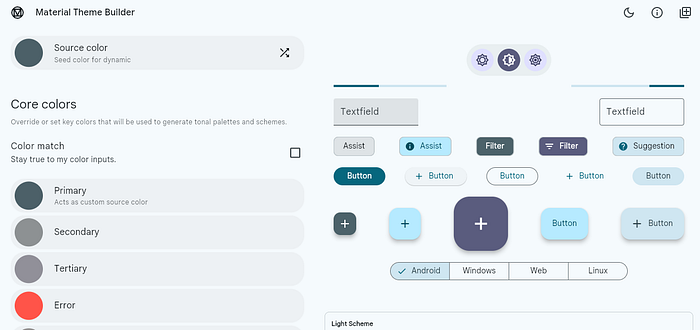
I checked all (three 😎) ColorScheme generators and chose the one that provides the best results. (Entirely subjective).
Why do we need a generator at all?
The rationale is simple; instead of generating the ColorSchemeon application startup using fromSeed, we just use a static ColorSchemegenerated and tweaked in advance.
If you are a member, please continue, otherwise, read the full story here.
So, what choices do we have?
Flutter Theme Generator

Pluses:
- Nice interface.
- Extracts colors from the image.
- Generates the whole theme with typography and the main components themeData.
- export as Dart files.
Minuses:
- Contrast ratio problems (for some color combinations);
- Sometimes, generated high contrast variants of the
ColorSchemehave more problems than low ones; - High contrast variants are generated as a
copyWithmethod that only affectssurfaceandprimarycolors.
Appainter
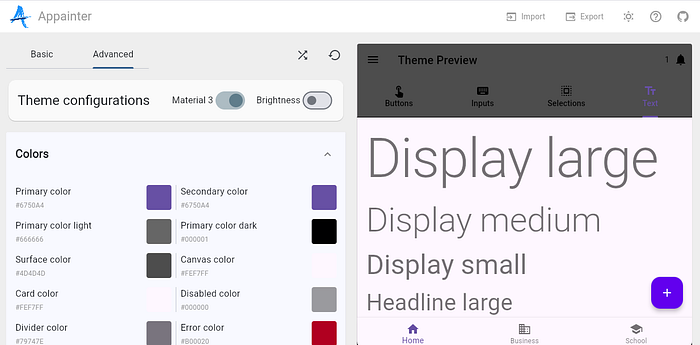
I didn't find any pluses.
Minuses:
- The interface is glitchy and buggy.
- Hard to use the color picker.
- No image colors extraction.
- Export into the json. (What to do with it? I mean, I know that JSON can be parsed and so on, but why not export directly into Dart, if you took a challenge to build such a tool?)
Material Theme Builder (the winner)
Pluses:
- Nice interface;
- Very robust and convenient color picker.
- Import the source color from the image.
- No contrast issues. Whatever colors I choose, bright or dim, it generates a nice palette with no accessibility problems.
- Generates three full
ColorSchemecontrast variants for each brightness. - Export into the Dart files.
Minuses:
- Doesn't generate the whole
ThemeData, but only theColorScheme. (I don't need theThemeData, but I try to be objective here. 😎)
Example
Here is an example of ColorSchemeI have generated.
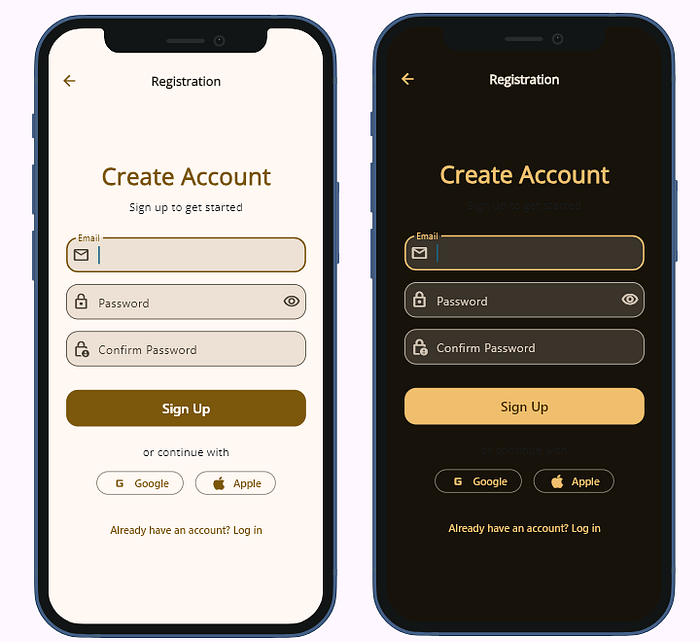
Not much we can see on above screenshots, but it is generally nice with sufficient contrast. And even if we made light surface darker, and dark lighter (I just don't like those white/black backgrounds)…
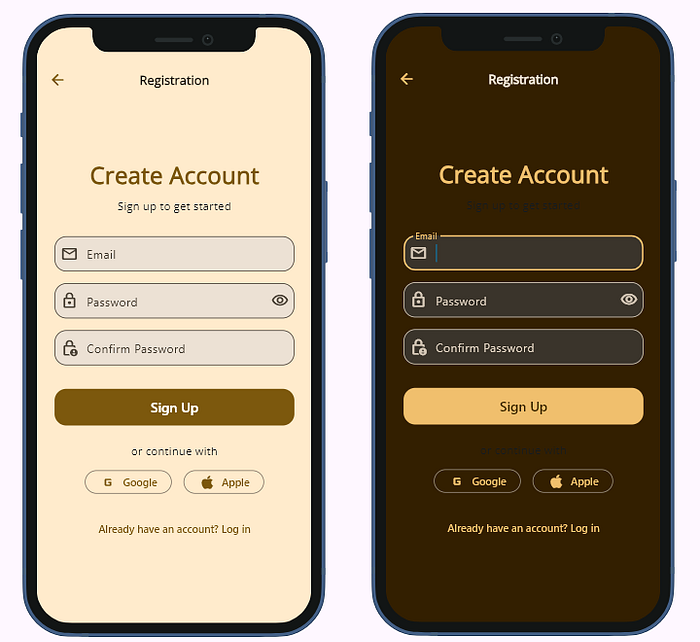
… they still look contrast enough.
Note that the above is a low contrast variant. Material Theme Builder also generates medium and high variants.
How to use
- Go to https://material-foundation.github.io/material-theme-builder/
- Choose colors
- Generate scheme
- Download the zip and extract
- Open theme.dart file and copy
ColorSchemeinto a static variable in your project.
static final mtbYellowBlueGreenLight = ColorScheme(
     brightness: Brightness.light,
      primary: Color(0xff7c580d),
      surfaceTint: Color(0xff7c580d),
      onPrimary: Color(0xffffffff),
6. Use it in your ThemeDataconstructor
theme: ThemeData(colorScheme: Schemes.mtbYellowBlueGreenLight),
Summary
Material Theme Builder is by far better ColorSchemegenerator than the rivals.
Useful links
The following sources will help to understand how the ColorSchemeworks in Flutter, i.e., which colors are assigned to which components.
https://m3.material.io/styles/color/system/how-the-system-workshttps://m3.material.io/styles/color/roles