Fix Wallpapers:
DeanLineageOS-based custom ROMs intentionally disable internet access by default for newly added system apps on the system partition, enhancing user privacy and security. When flashing Pixel Launcher or similar modules, manually allow internet access for these apps. Let's take a look.
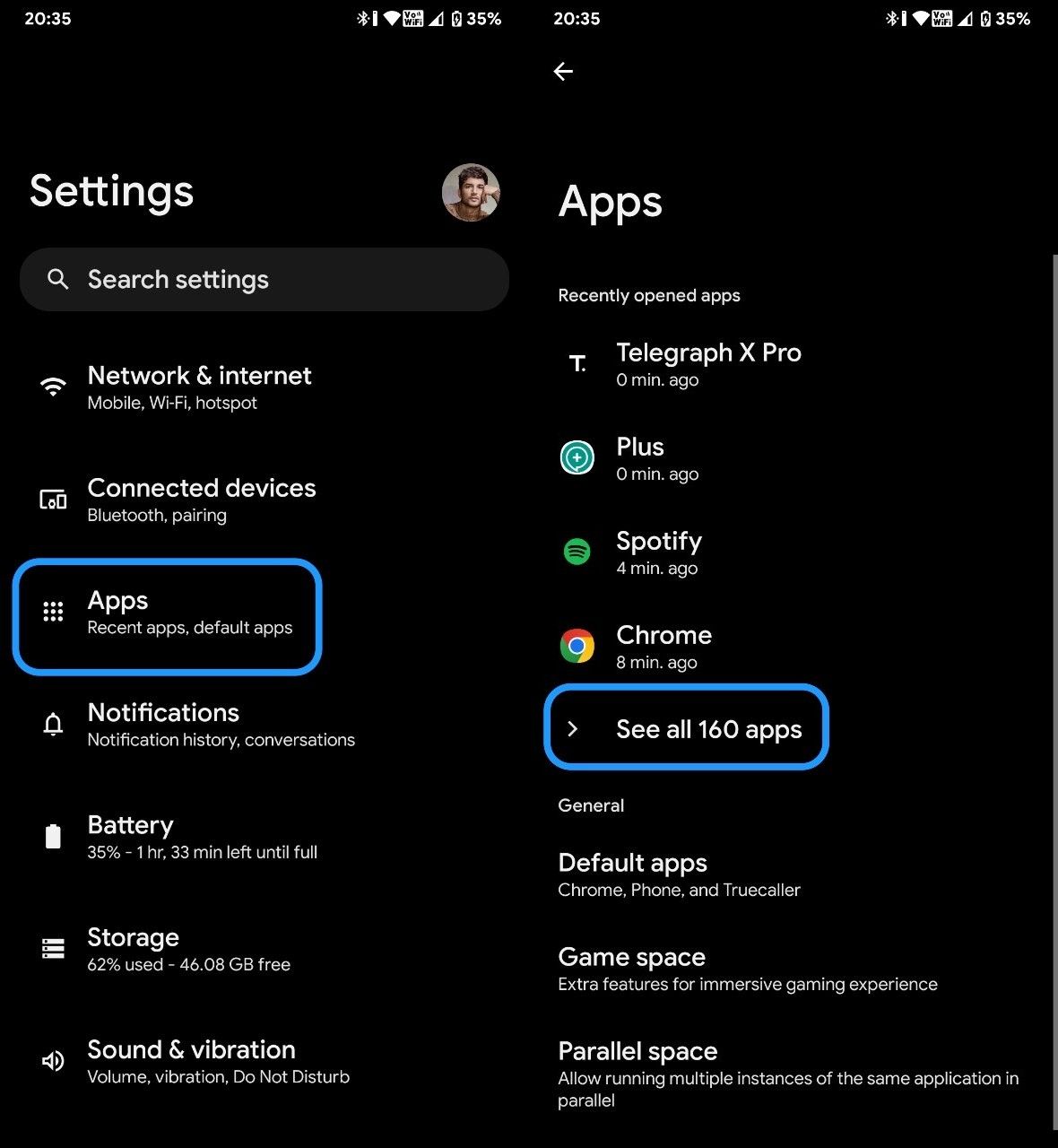
Go Into the Settings App, click on " Apps " and then select "See all xxx apps"
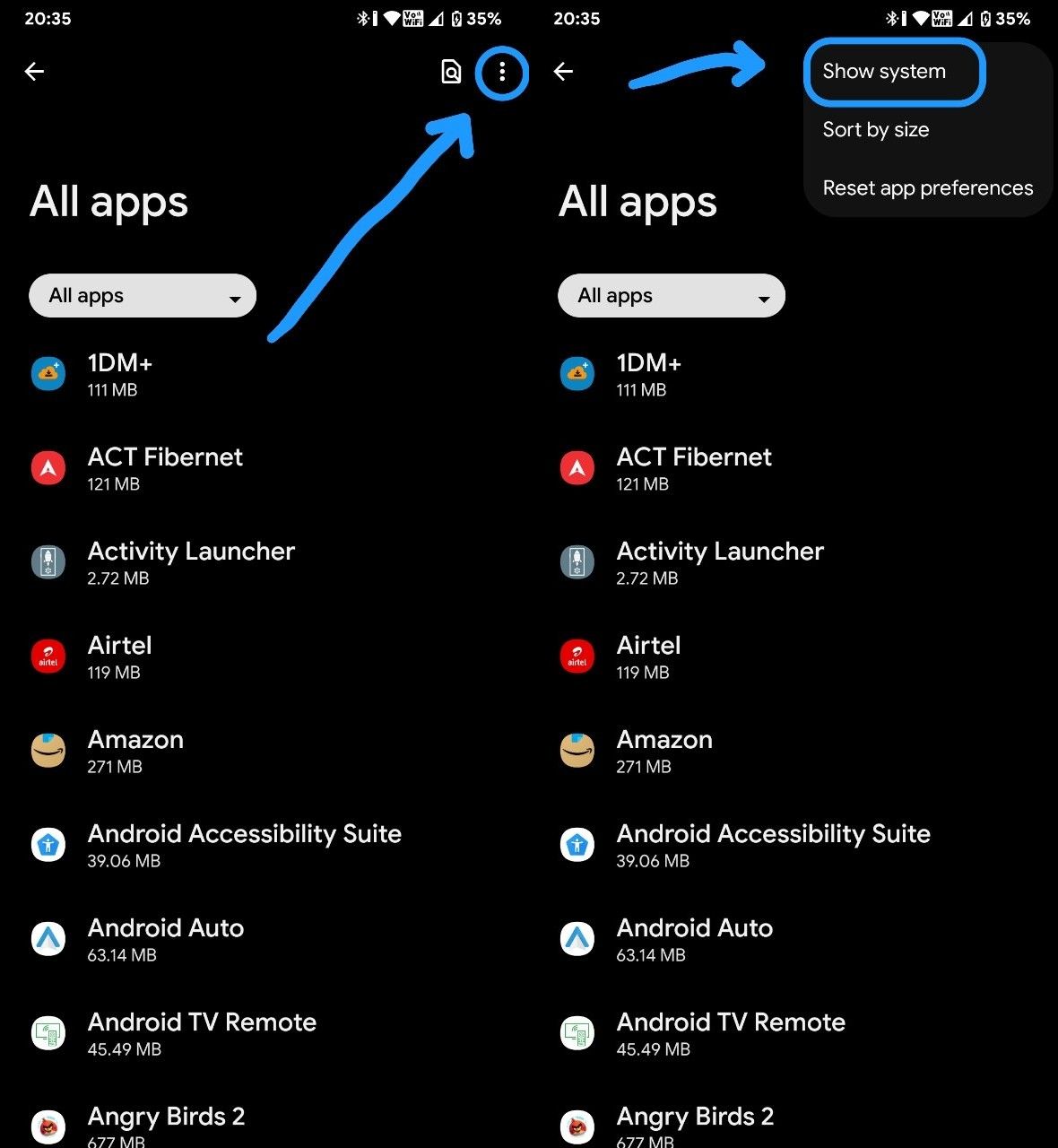
Click on there dots on top right and select "show system"
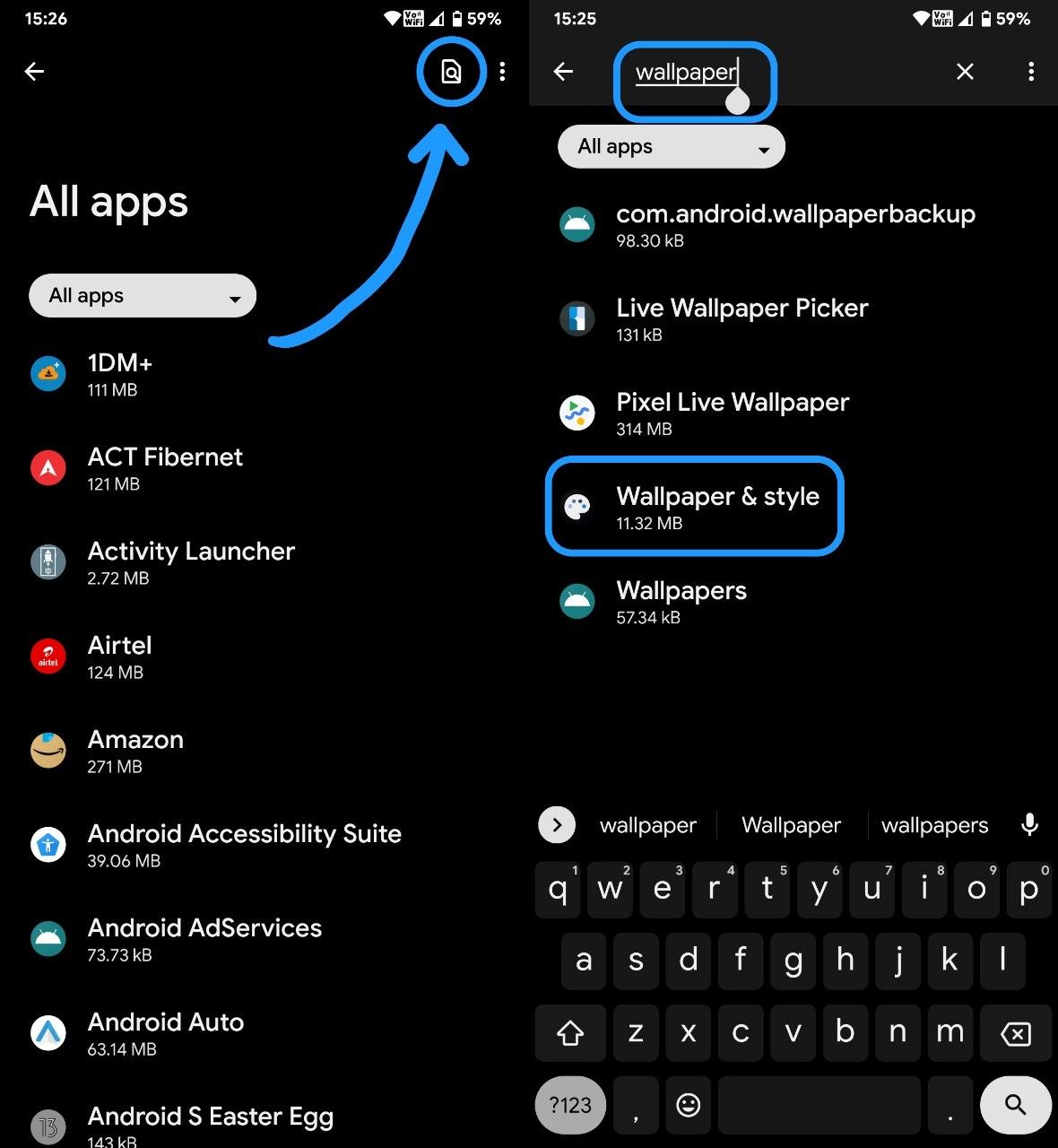
Then Click on Search button on top right corner and search for wallpaper, from the result choose "wallpaper & Style"
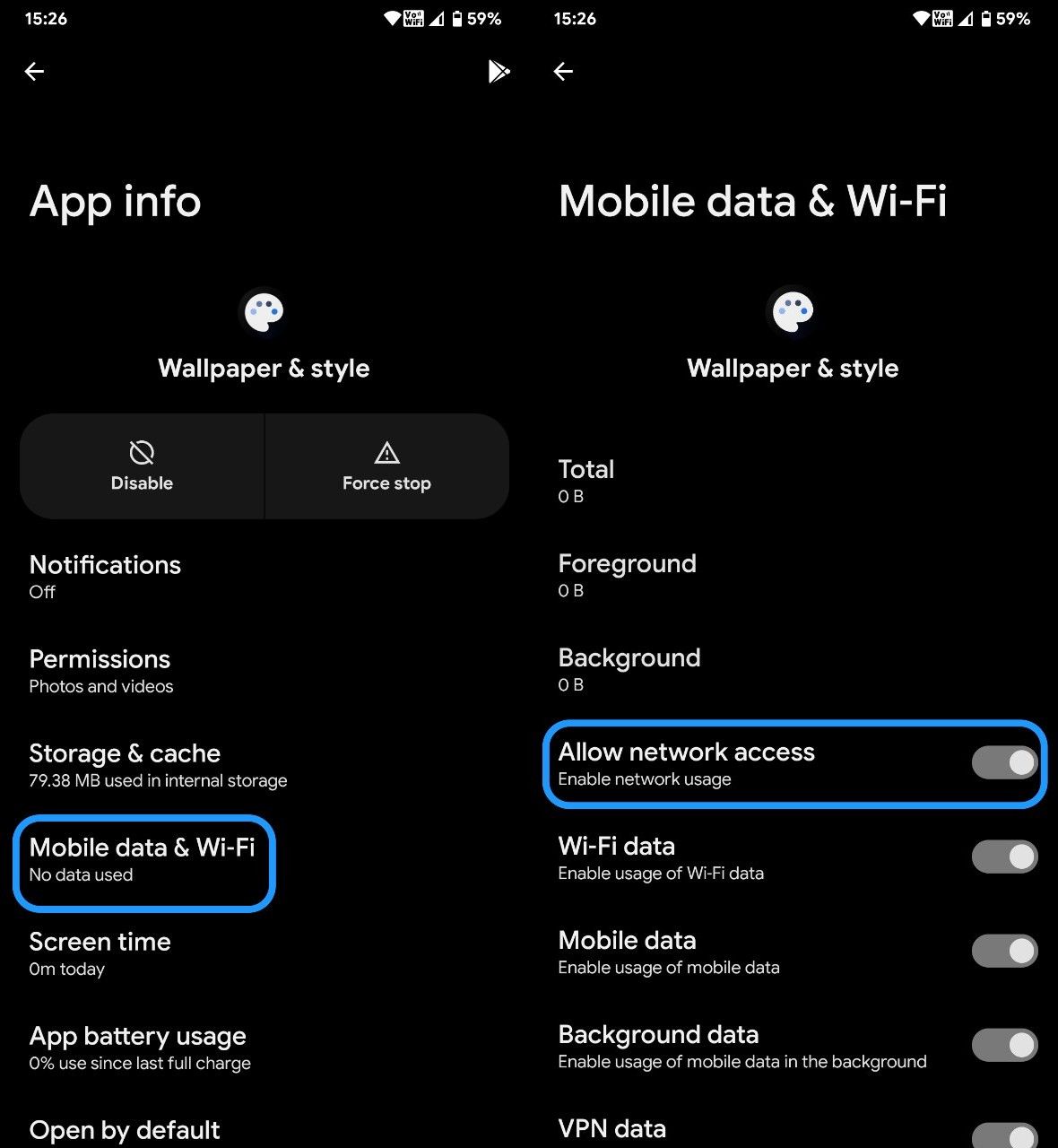
After entering the App info of "Wallpaper & Style" click on "Mobile data & WiFi" and then turn on "Allow network access" Toggle.
Now go back and search for another App, "Pixel Live Wallpapers"
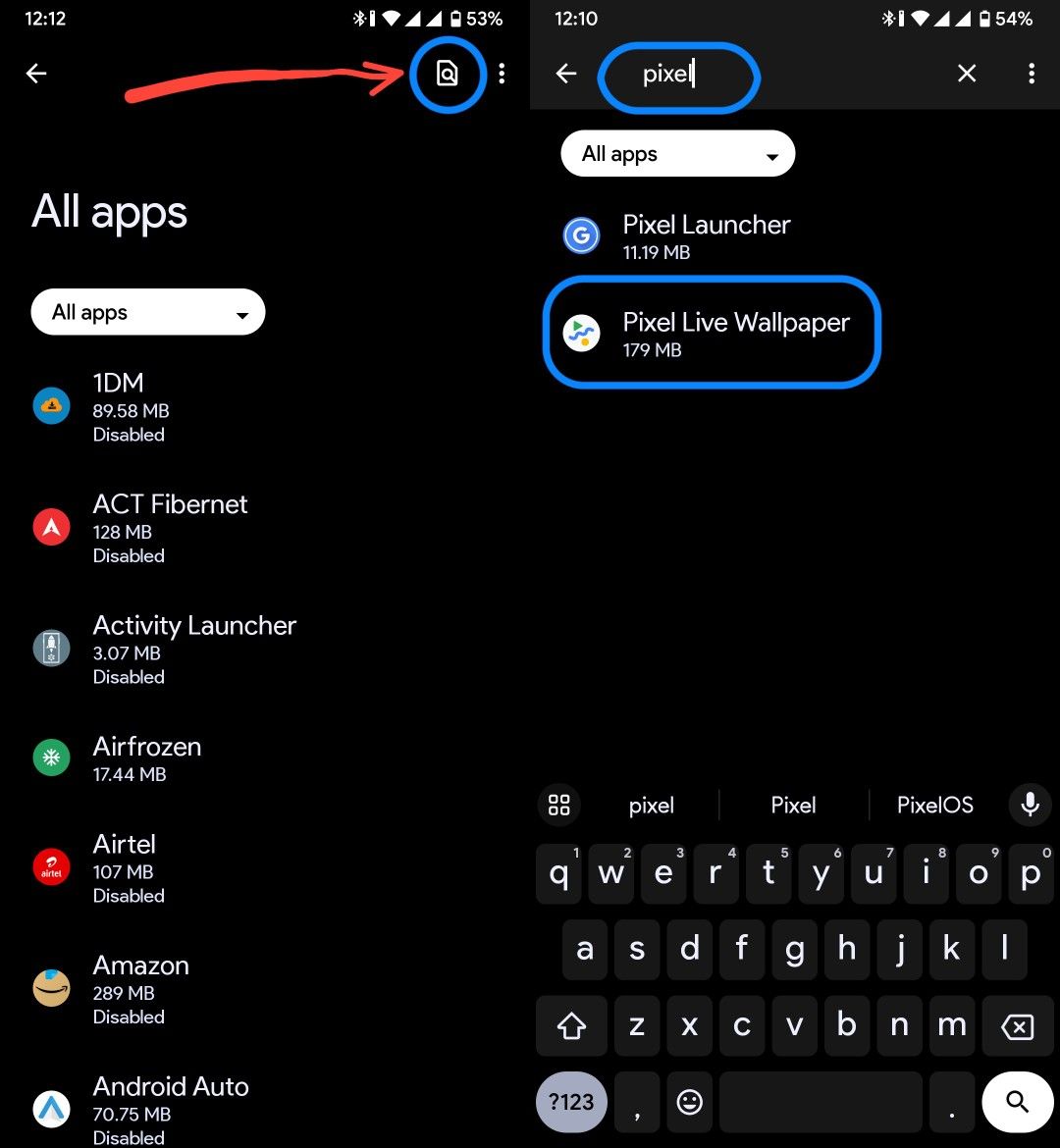
Search for "Pixel Live Wallpaper" and when you find it, click on it
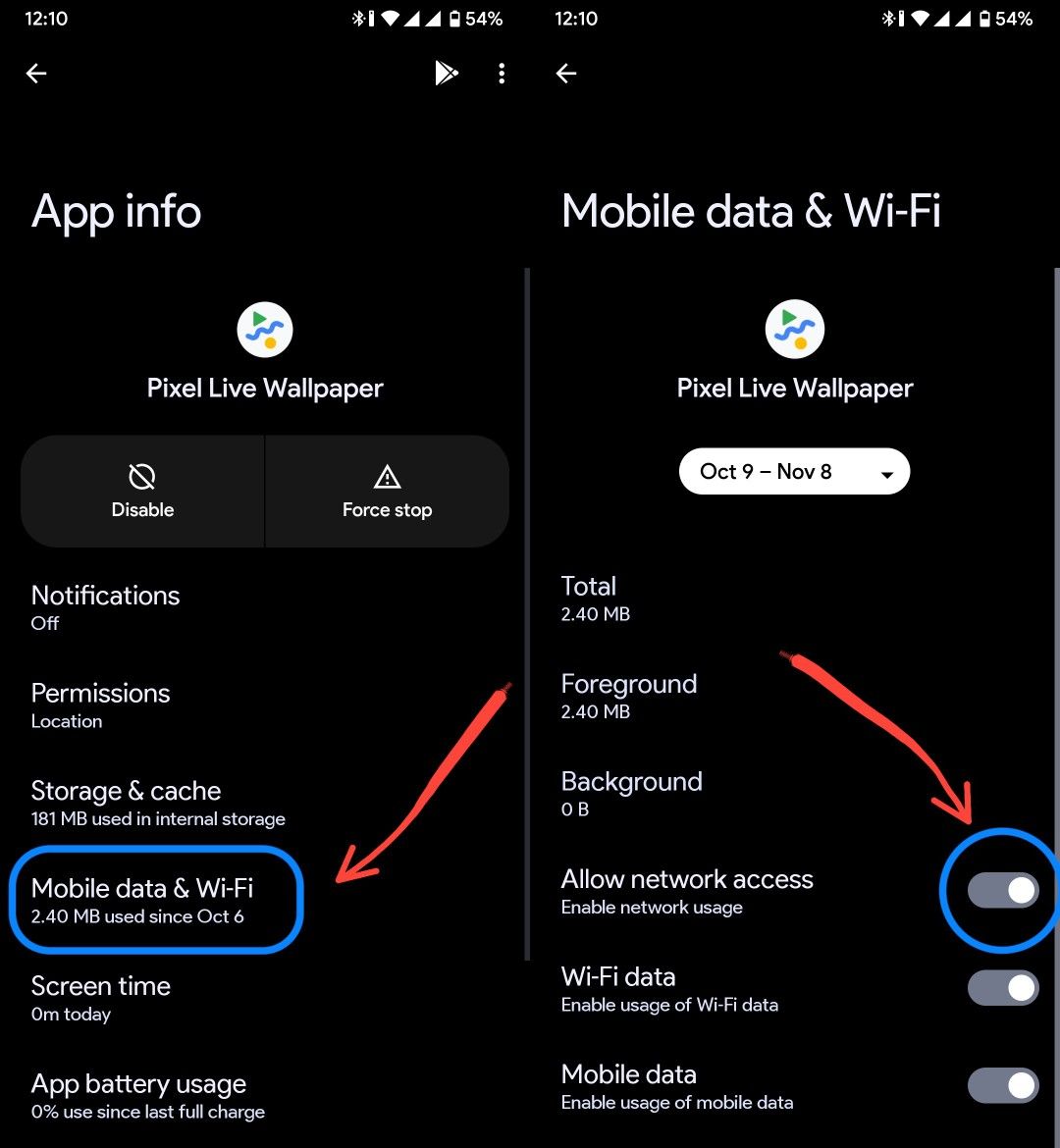
After going into the app info of Pixel Live Wallpaper app, go into Mobile data & Wi-Fi and Turn on the toggle for "Allow Network access"
That's it, you can now long press home screen, click on wallpaper and styles app and enjoy a wide range of wallpapers.