Fingerprint Scanner: sampling from a discrete distribution
@ton_fingerprintsUnderstanding the algorithm of weighted random numbers in the scanner
In the Telegram App Fingerprint Scanner, each fingerprint has its own "weight" or probability of being selected. The weighted random selection algorithm used in the application is a method of selecting items from this collection according to their weights, which, in fact, gives items with a higher weight a better chance of being selected. In this article, we will explain how this algorithm works.
The concept
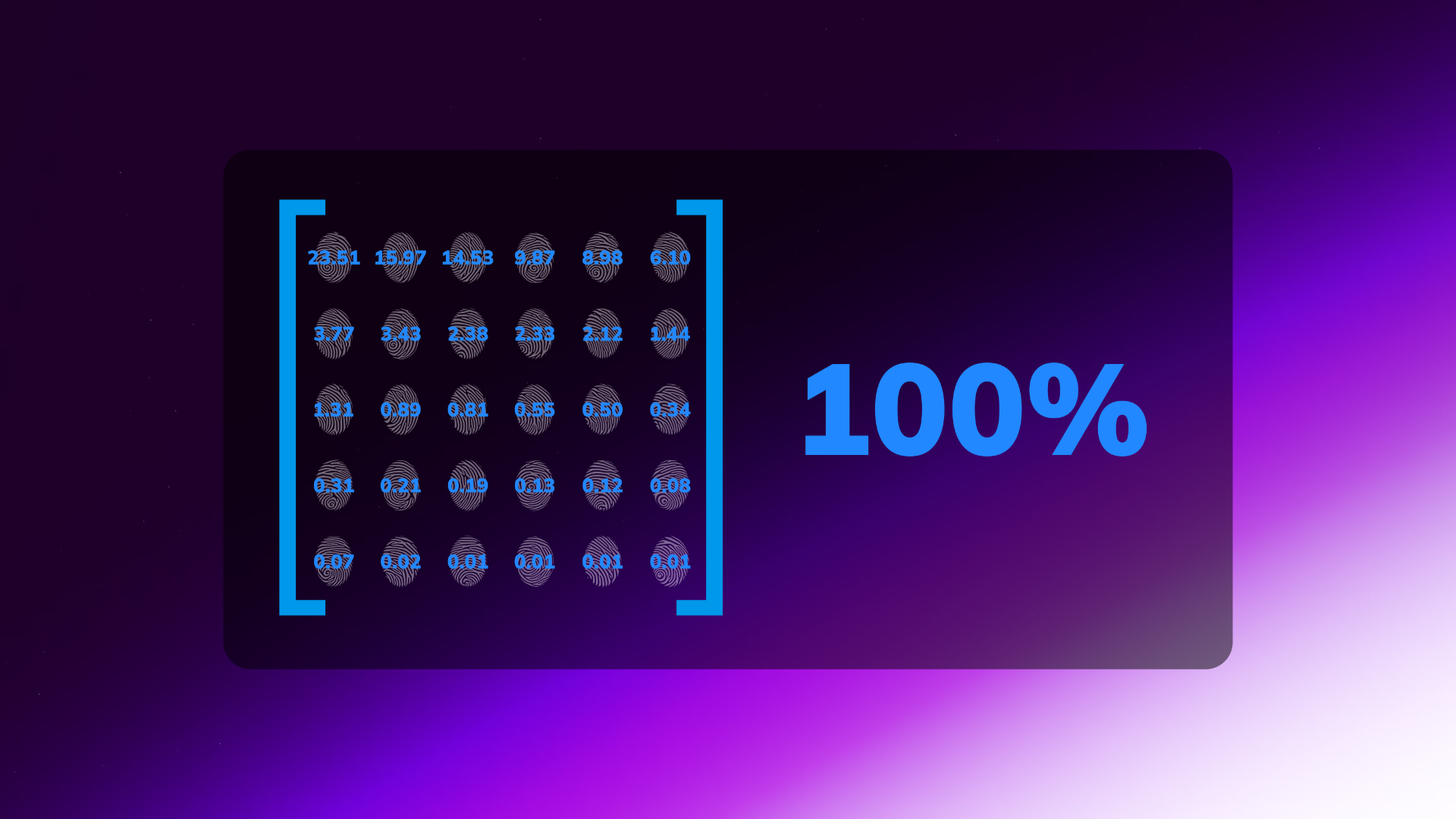
To understand the weighted random selection algorithm, imagine it as a space where each blue line represents the weight of the fingerprints rarity group. This space is shown in the following graph, where the group of each segment of this line corresponds to the weight of the element. If you click the "Confirm fingerprint" button in the scanner tab, the probability that the fingerprint is identified in a certain area will be directly proportional to the weight of this segment, regardless of the order of the areas.
Implementation of the algorithm for weighted random selection of fingerprints
This algorithm is represented as a TypeScript function that accepts an array of items elements, each of which has a weight property of type number and can contain any attributes of the fingerprints collection.
interface Item {
 weight: number;
 [key: string]: any;
}

export function getWeightedRandomItem<T extends Item>(items: T[]): T {
 const weights = items.reduce((acc, item, i) => {
  acc.push(item.weight + (acc[i - 1] ?? 0));
  return acc;
 }, [] as number[]);
 const random = Math.random() * (weights.at(-1) ?? 0);
 return items[weights.findIndex((weight) => weight > random)];
}
interface Item {weight: number [key: string]: any }: TheIteminterface is defined here, which describes objects that have aweightproperty of typenumberand the ability to contain any other attributes.export function getWeightedRandomItem<T extends Item>(items: T[]): T{ ... }: The exported functiongetWeightedRandomItemis defined here, which accepts an array ofitemselements, each of which must correspond to theIteminterface. The function returns one random element from theitemsarray, taking into account their weight.const weights = items.reduce((acc, item, i) => { ... }: An array ofweightsis created here, which contains the total weights of each element from theitemsarray. The weight of each element is calculated by adding its weight to the total weight of the previous element.const random = Math.random() * (weights.at(-1) ?? 0): Arandomnumber is generated here, which falls in the range from 0 to the totalweightof all elements. If the weights array is empty, the value 0 is returned.return items[weights.findIndex((weight) => weight > random)]: Anitemfrom the items array whose weight exceeds arandomnumber is returned here. ThefindIndexfunction is used to find the index of the element with the highest weight, which does not exceed a random number.
Explanation
Calculation of total weights
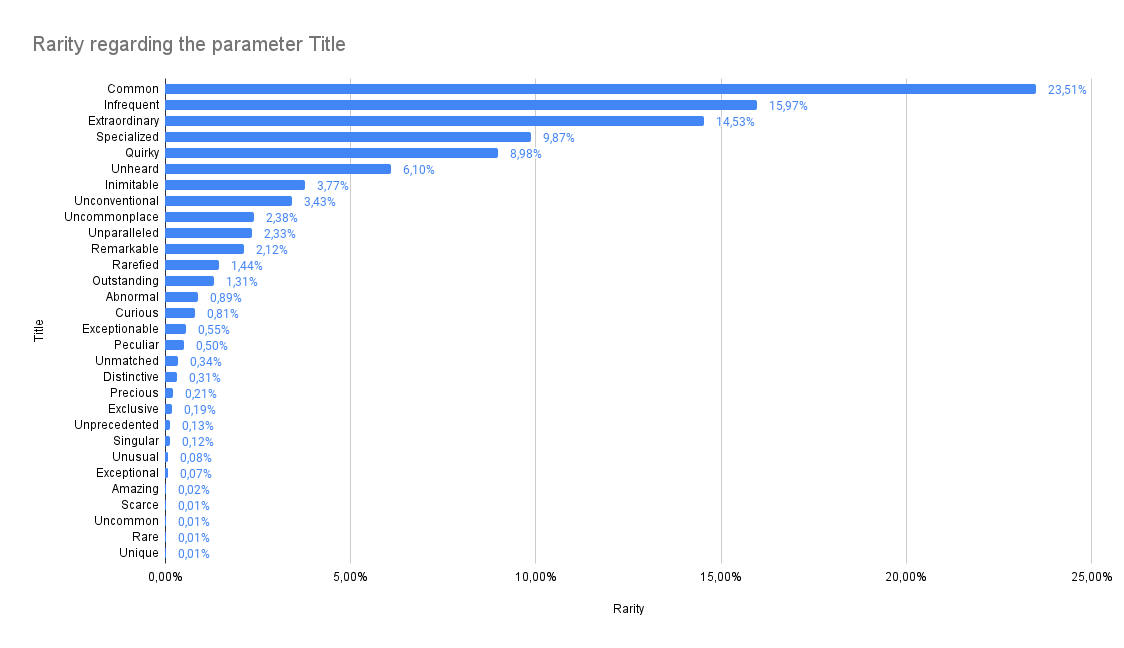
The first step in the weighted random selection algorithm is to determine the total weight. This is done by summing the weights of all the items in the collection. In our example, the total weight will be 0.01+0.01+0.01+0.01+0.02+0.07+0.08+0.12+0.13+0.19+0.21+0.31+0.34+0.5+0.55+0.81+0.89+1.31+1.44+2.12+2.33+2.38+3.43+3.77+6.1+8.98+9.87+14.53+15.97+23.51 = 100.
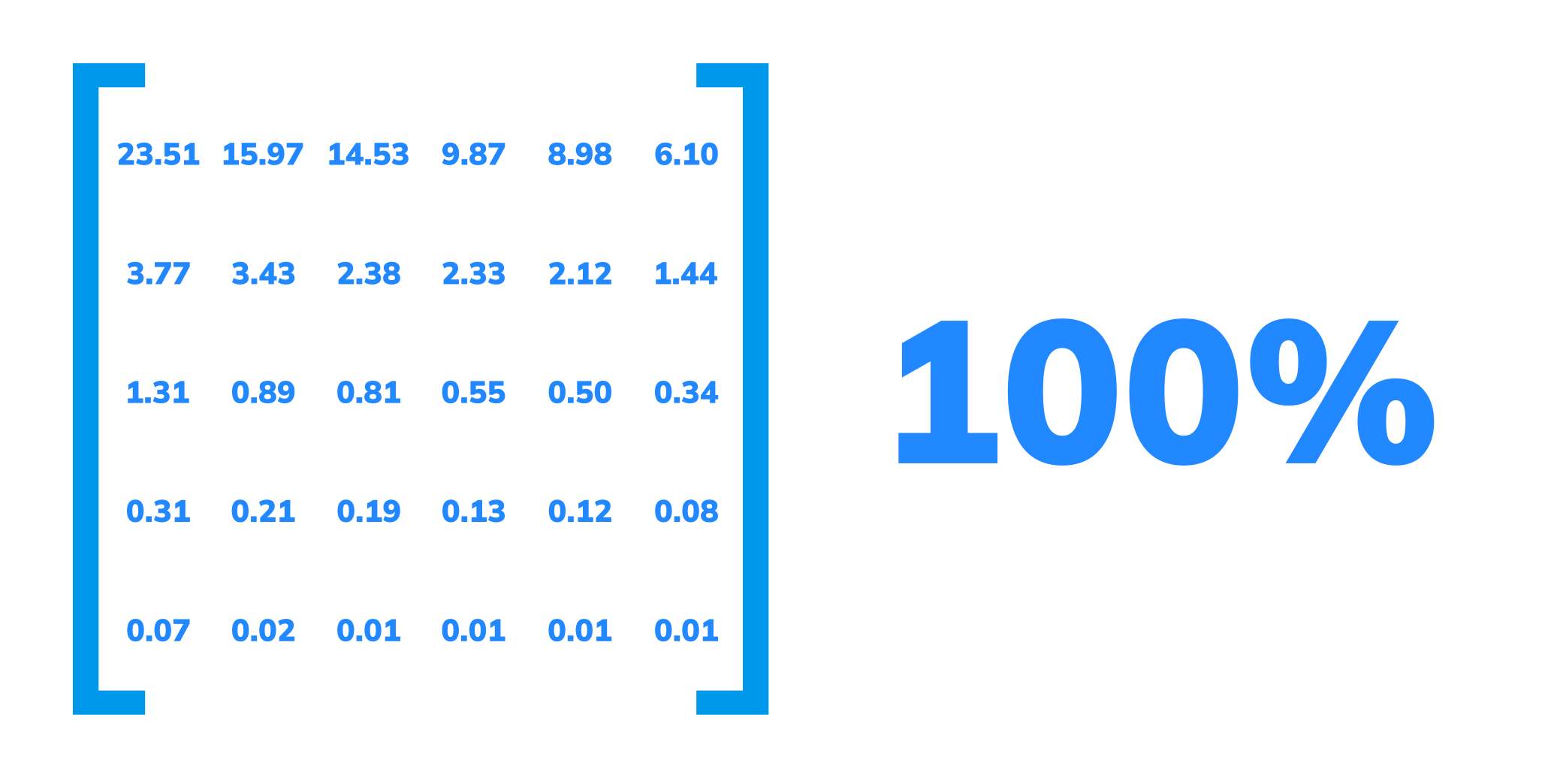
 {
    itemId: "Unique",
    weight: 0.01,
  },
  {
    itemId: "Rare",
    weight: 0.01,
  },
  {
    itemId: "Uncommon",
    weight: 0.01,
  },
  {
    itemId: "Scarce",
    weight: 0.01,
  },
  {
    itemId: "Amazing",
    weight: 0.02,
  },
  {
    itemId: "Exceptional",
    weight: 0.07,
  },
  {
    itemId: "Unusual",
    weight: 0.08,
  },
  {
    itemId: "Singular",
    weight: 0.12,
  },
  {
    itemId: "Unprecedented",
    weight: 0.13,
  },
  {
    itemId: "Exclusive",
    weight: 0.19,
  },
  {
    itemId: "Precious",
    weight: 0.21,
  },
  {
    itemId: "Distinctive",
    weight: 0.31,
  },
  {
    itemId: "Unmatched",
    weight: 0.34,
  },
  {
    itemId: "Peculiar",
    weight: 0.5,
  },
  {
    itemId: "Exceptionable",
    weight: 0.55,
  },
  {
    itemId: "Curious",
    weight: 0.81,
  },
  {
    itemId: "Abnormal",
    weight: 0.89,
  },
  {
    itemId: "Outstanding",
    weight: 1.31,
  },
  {
    itemId: "Rarefied",
    weight: 1.44,
  },
  {
    itemId: "Remarkable",
    weight: 2.12,
  },
  {
    itemId: "Unparalleled",
    weight: 2.33,
  },
  {
    itemId: "Uncommonplace",
    weight: 2.38,
  },
  {
    itemId: "Unconventional",
    weight: 3.43,
  },
  {
    itemId: "Inimitable",
    weight: 3.77,
  },
  {
    itemId: "Unheard",
    weight: 6.1,
  },
  {
    itemId: "Quirky",
    weight: 8.98,
  },
  {
    itemId: "Specialized",
    weight: 9.87,
  },
  {
    itemId: "Extraordinary",
    weight: 14.53,
  },
  {
    itemId: "Infrequent",
    weight: 15.97,
  },
  {
    itemId: "Common",
    weight: 23.51,
  }
The scanner uses two additional levels isFailure: true
  {
    itemId: 'facquire',
    weight: 20,
    isFailure: true
  },
  {
    itemId: 'fenroll',
    weight: 20,
    isFailure: true
  }
facquire-Failure to Acquire- Describes the proportion or weighted proportion of recognition attempts in which a biometric system fails to detect, identify or acquire a biometric image or signal of adequate quality, due to failures related to user presentation, sample segmentation, feature extraction, or quality control.fenroll-Failure to Enroll- Describes the proportion of enrollment transactions in which zero subjects are successfully enrolled in a biometric system.FEcan apply to overall enrollment or to the enrollment of specific biometric instances, such as enrolling different fingers in a fingerprint-based system. Image sample quality and user-system interaction can influenceFE.
These levels have a weight value of 20% of the total of all scan attempts, i.e. every fifth scan causes an error, while the balance of experience is not consumed.
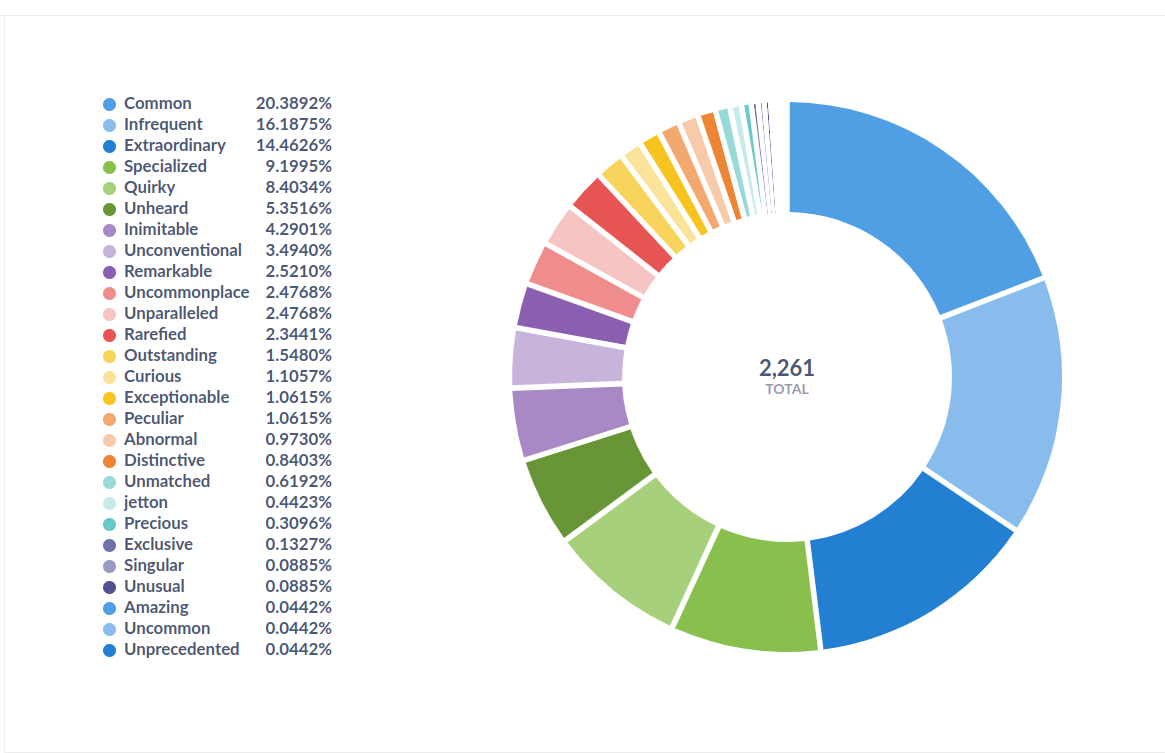
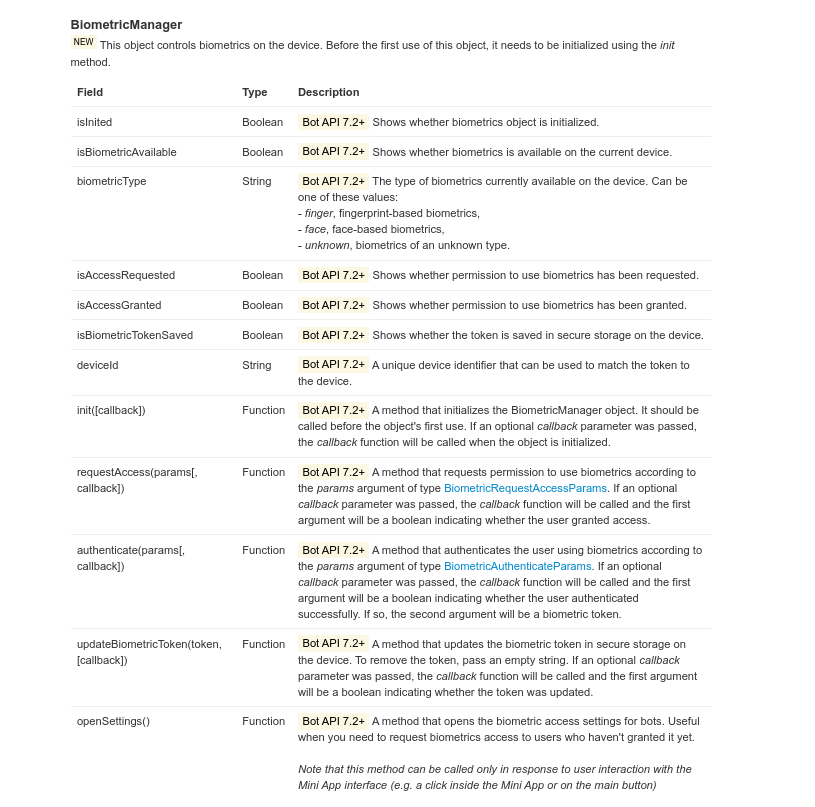
PS: On March 31, the Telegram Mini Apps Bot API introduced parameters for biometric data
In the latest update of the interface for the development of Telegram Mini Apps bots, the Biometric Manager field has appeared, which will allow developers to implement biometrics support in the Web App.