Files
YAJC become Java programmer
Hello 👋 In this article we'll have a superficial overview of files feature in Java.
We often work with files but we do it using some software (Explorer in Windows, Nautilus in some Linux distros, Total Commander, etc.). In online we can deal with cloud files stored on remote servers. In this tutorial we will work those which are stored on your local machine.
Java provides a lot of functionality to work with files out of the box. Let's examine some of them
Create a file
This example shows you how it can create an empty file

Once you compile and run this class expect the following output
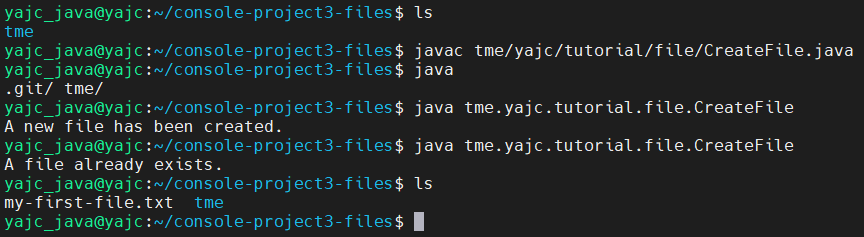
As you can see it creates a new file, to ensure this file is empty execute cat my-first-file.txt

Source code: https://github.com/yajcjava/console-project3-files/blob/master/tme/yajc/tutorial/file/CreateFile.java
Create a file with content
In Java you can find two main libraries to work with files - java.io and java.nio
In this example we will use java.nio
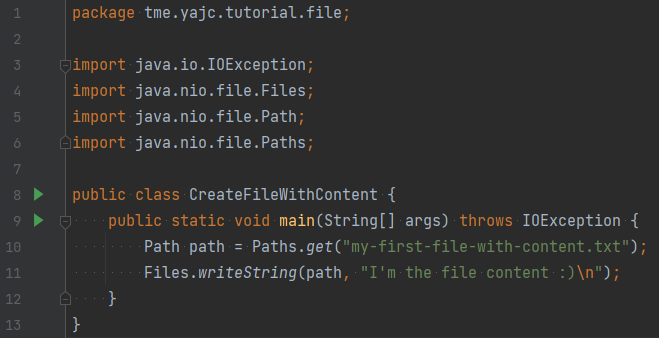
At the end of the string we use a special character \n it forces console output to go to the next line, so we make output more clear. Windows and Linux systems are different at this aspect, Windows uses \r\n symbols as a new line separator while Linux uses \n. There is a special method to provide the correct line ending depending on the OS the program is run on: System.lineSeparator() . Prefer this method instead of direct \n or \r\n usage as it could be a headache to deal with it 🤯
Compiling and running results:

Source code: https://github.com/yajcjava/console-project3-files/blob/master/tme/yajc/tutorial/file/CreateFileWithContent.java
Other ways to create a file
Java world is huge and you can find a lot of approaches to create a new file.
There is an excellent collection of Java tutorials. Refer to one of them to get more about writing to files: https://www.baeldung.com/java-write-to-file
Delete a file
Let's get back to java.io and try to delete a file
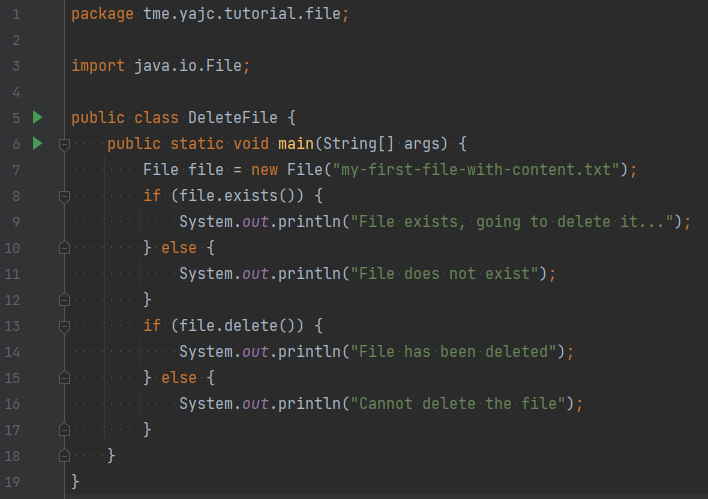
In this program we will remove a file with the exact name - my-first-file-with-content.txt. First we check if the file exists and then we remove it.
Compiling and running results:
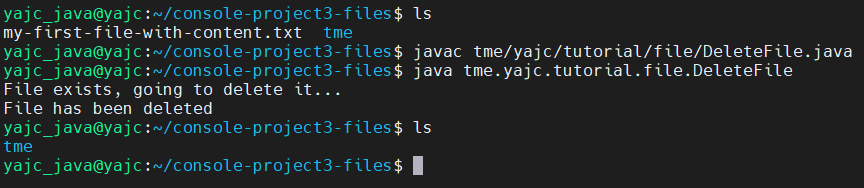
We successfully deleted the file from out file system.
Source code: https://github.com/yajcjava/console-project3-files/blob/master/tme/yajc/tutorial/file/DeleteFile.java
Some useful observation
If we look at all the files we have generated/written after following all the steps we will see some mess of files
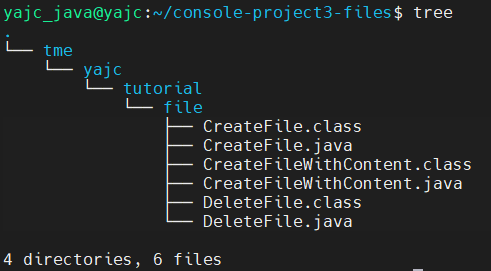
The classes generated by the compiler are located next to the source files. In the next post we will try to figure out how you can organize them to keep them in order. See you 🙃 and welcome to the chat to discuss any questions you have...