FLEX 2026-2027 online application guide for Uzbekistan
American Councils Uzbekistan*Reminder before you start:
Application deadline: September 16, 2025
Eligible applicants must:
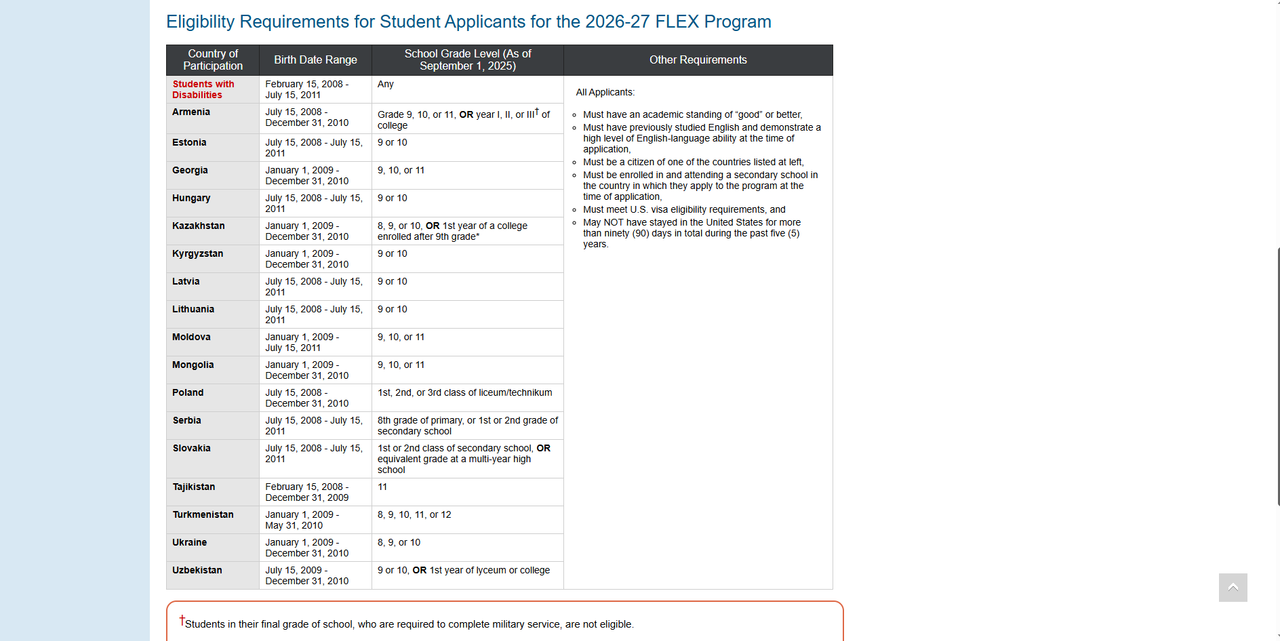
- Be 9 - 10 school grade or 1 year of lyceum or college;
- Born between July 15 2009 and December 31 2010;
- Be enrolled in and attending a secondary school in Uzbekistan at the time of application;
- Have an academic standing of good or better;
- Have previously studied English and demonstrate English language ability at the time of registration;
- Meet U.S. visa eligibility requirements; and
- Be a citizen of Uzbekistan.
To start the application please visit the AIS Forms | American Councils
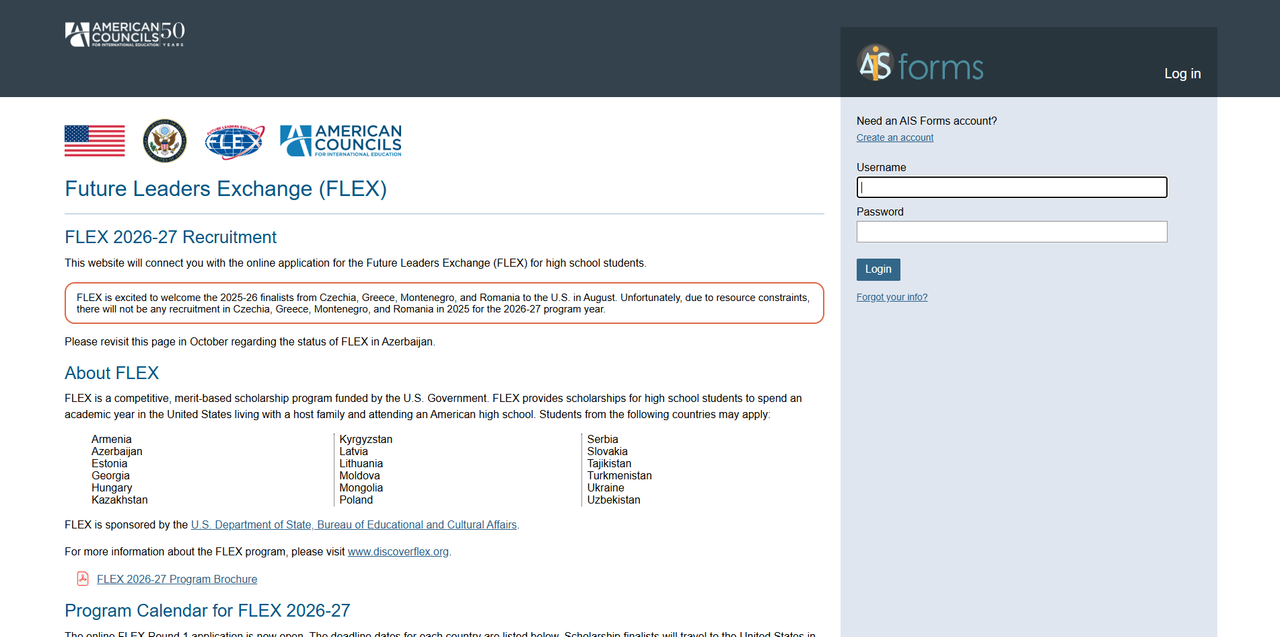
1-step
To fill out the application, click on “create an account” and fill out the following spaces:
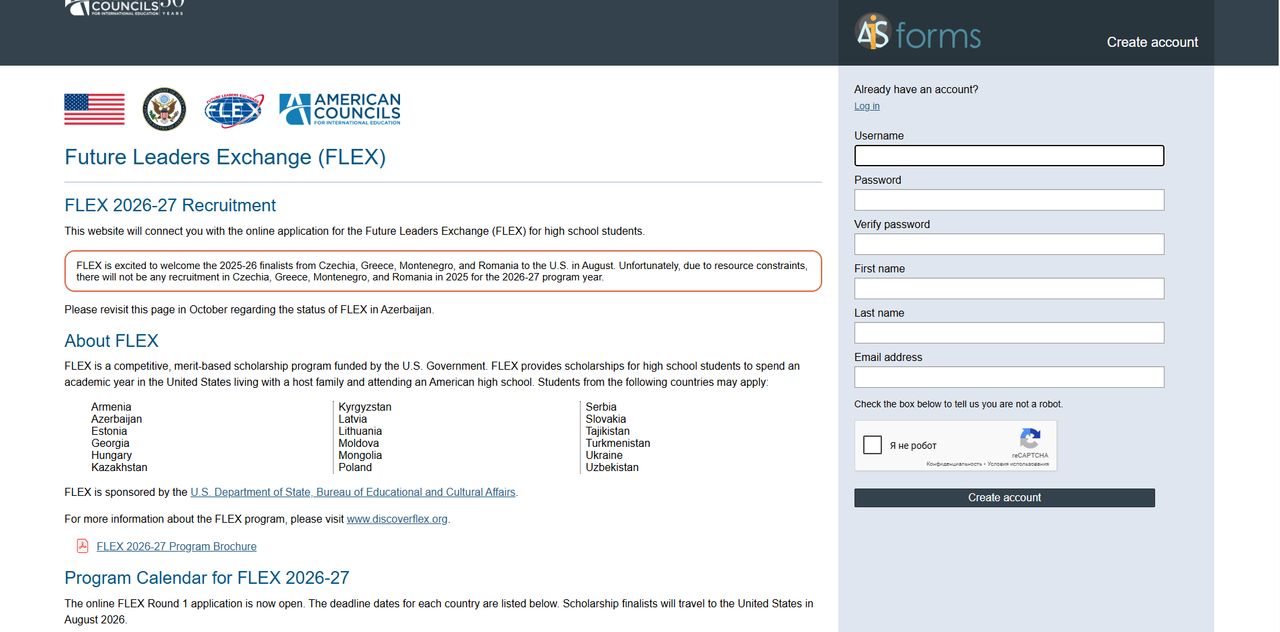
After clicking Create Account, you will receive an email from FLEX Program to your email address.
After successful registration, you will be provided with the following information: to confirm registration, click on the confirmation button in the email from FLEX Program. (Confirm your registration).

After successful registration, go to the AIS portal, enter your login and password and start filling out the application.
2-step
On this page, you will see an application labeled "Future Leaders Exchange Program" (FLEX). Begin the application by clicking the "Start" button.
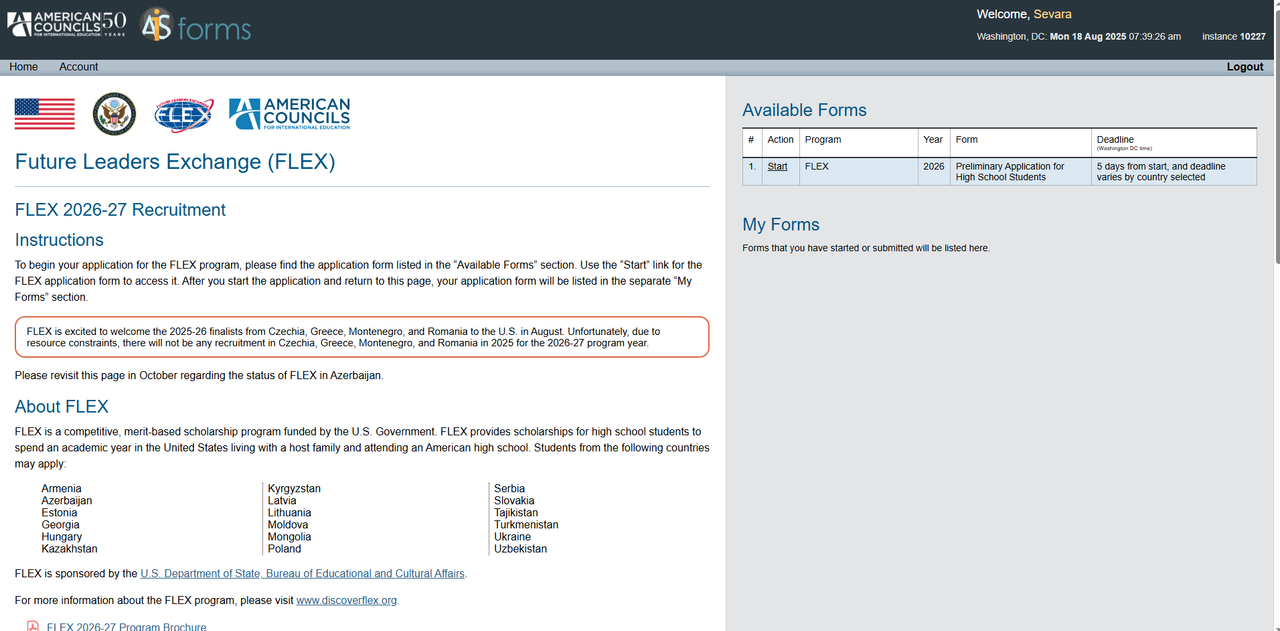
After you start your application, please pay attention to the following information: On this page, you should write your personal data so that American Councils can help you with any questions about the application or inform you that there is little time left before the application deadline. Fill out the application form in English only!
3-step
Please fill out your information and select your country of participation (Uzbekistan).
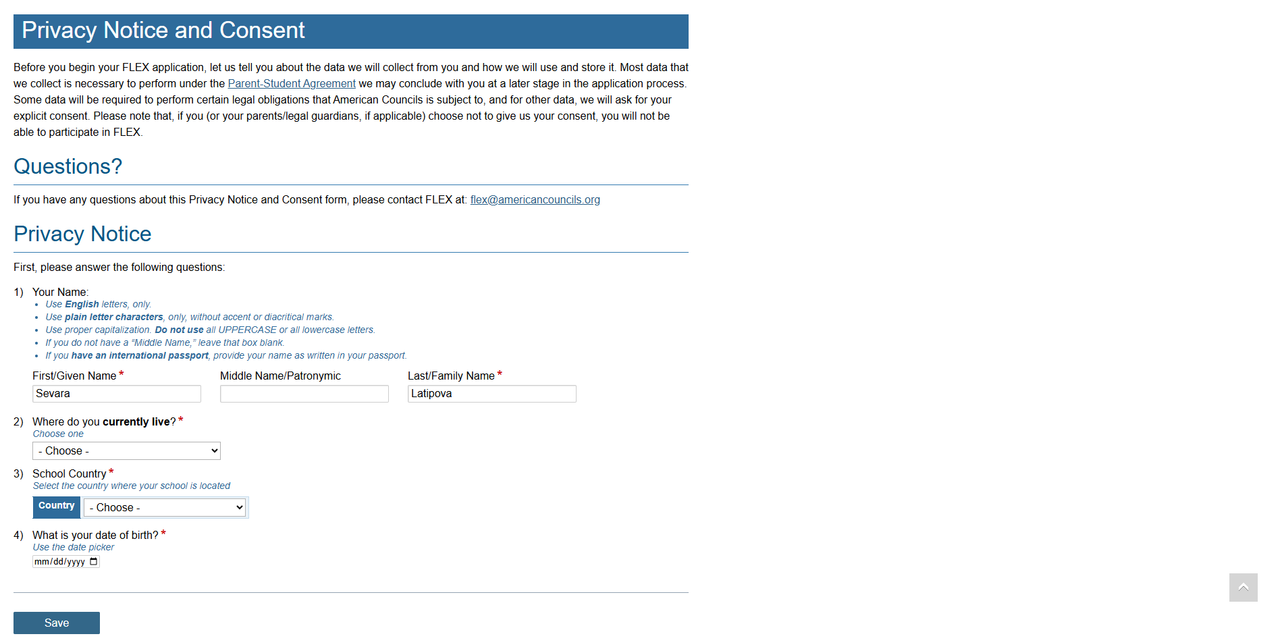
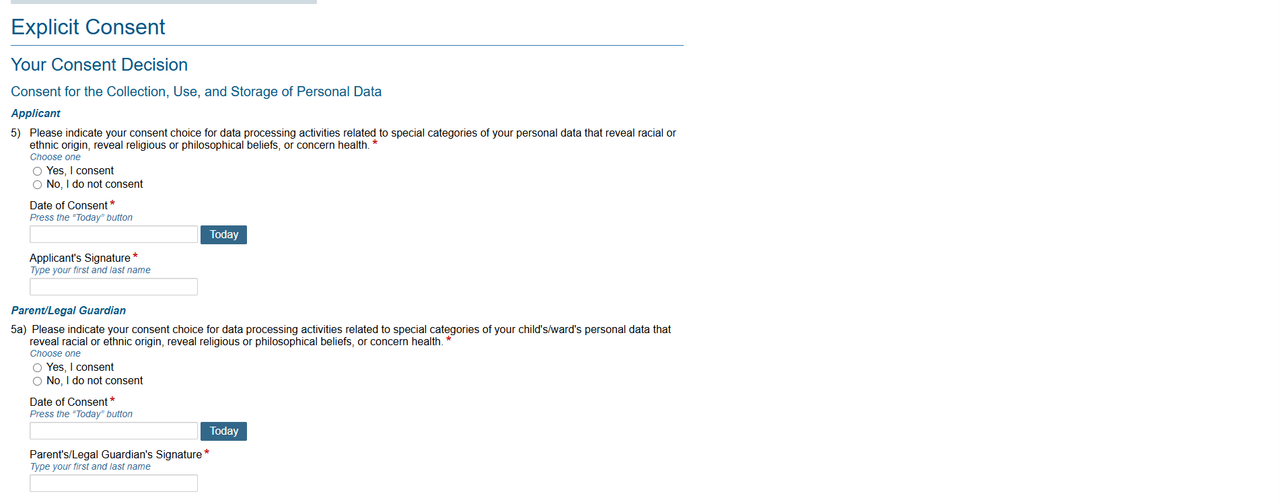
Complete your Privicy Notice and Consent. Be careful, and write your name in the Applicant’s Signature section and your parent’s/legal guardian’s name in the Parent/Legal Guardian Signature section.
4-step
In Section 1, you can get acquainted with the Program and Program Calendar.
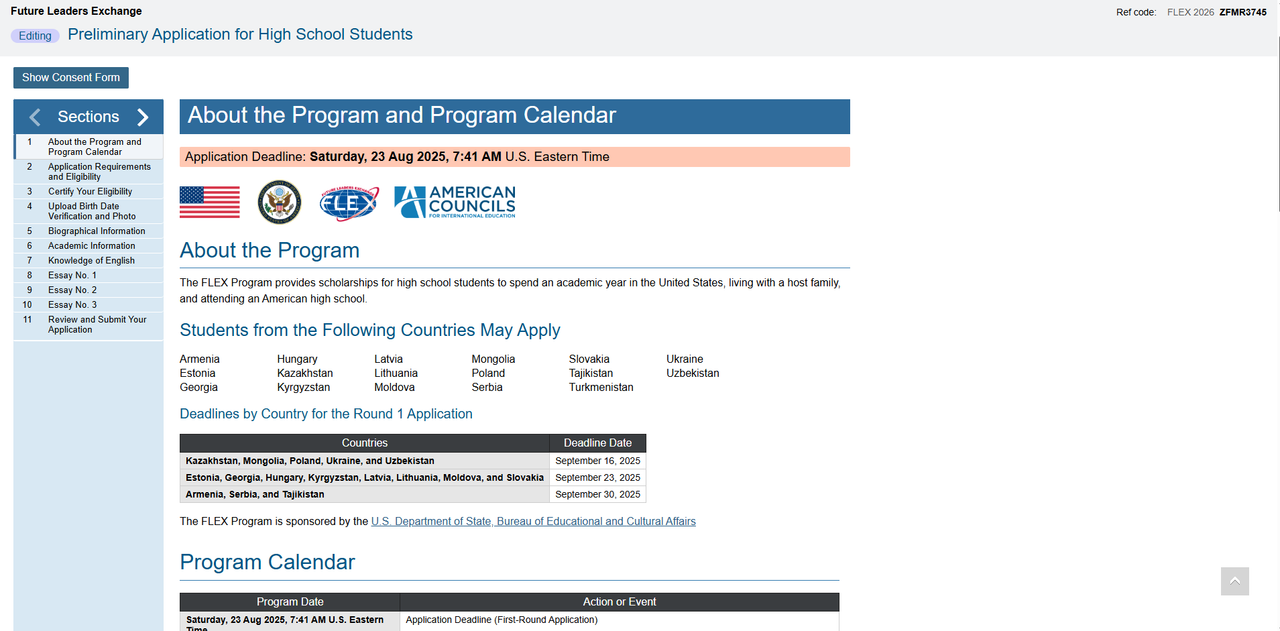
Note: Always pay attention to the deadline for submitting an application above (Application Deadline). You have exactly five days to complete your application after you start it.
5-step
In Section 2, Please get introduced to Application Requirements and Eligibility.
In Section 3, you confirm that you are eligible to participate in FLEX. To confirm that you meet the age requirements, please correctly complete all categories marked with a red asterisk.
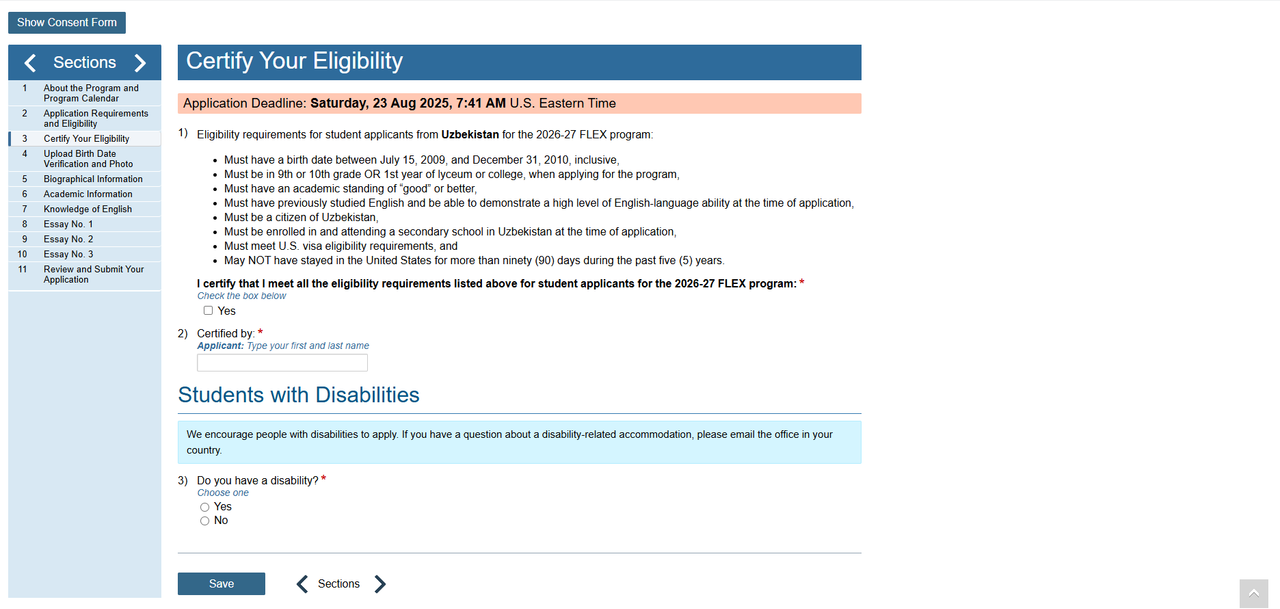
Also, your parents or guardians must familiarize themselves with the program and confirm their consent for your participation. We strongly encourage students with disabilities to apply for the program! If you are a student with disabilities, you must describe your limitations in the form that appears after you click YES. Please email flex.uz@americancouncils.org if you have questions about disabilities and the FLEX program.
6-step
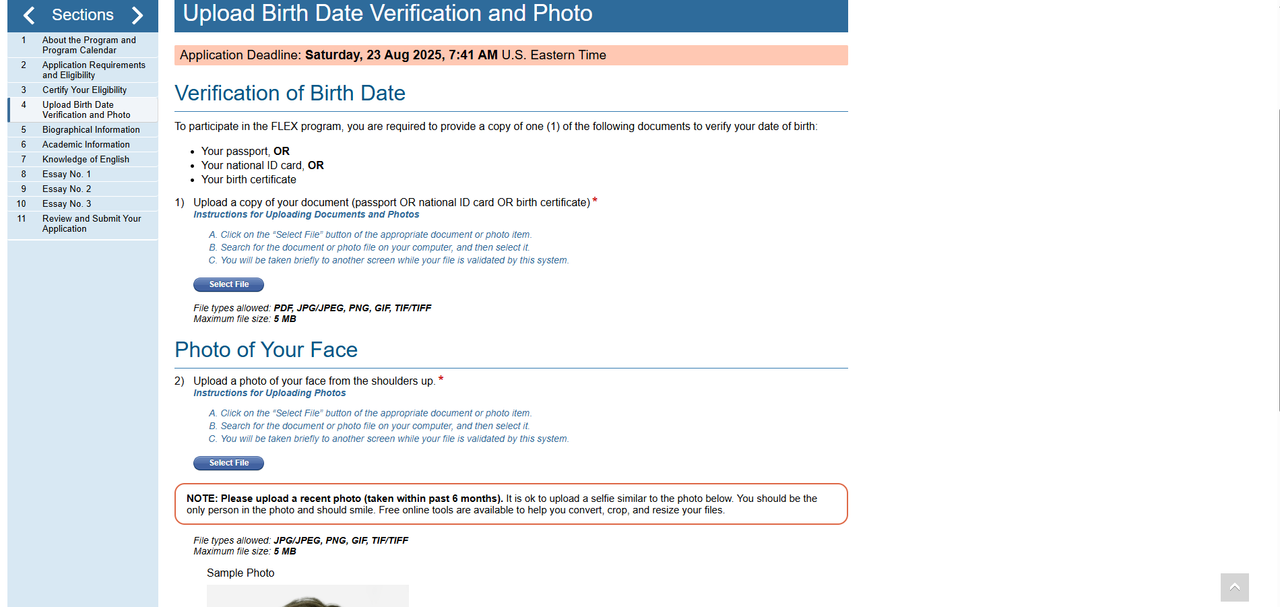
In Section 4 you upload a 3x4 passport photo and a copy of your passport/birth certificate/ID. Note: You don't need to buy a professional photo or take it separately. You can also upload it yourself by taking a selfie and adjusting the size. The photo should not be more than 5 megabytes. Files must be named only with the Latin alphabet.
7-step
In Section 5, you write information about yourself. Fill in all the categories that have a red asterisk correctly. Provide an additional contact number to help us contact you if necessary. Look carefully at this category. In order for us to contact you, write down your personal and any other phone number, of your brother, aunt, etc. In the event that we are unable to find you, we can contact them.
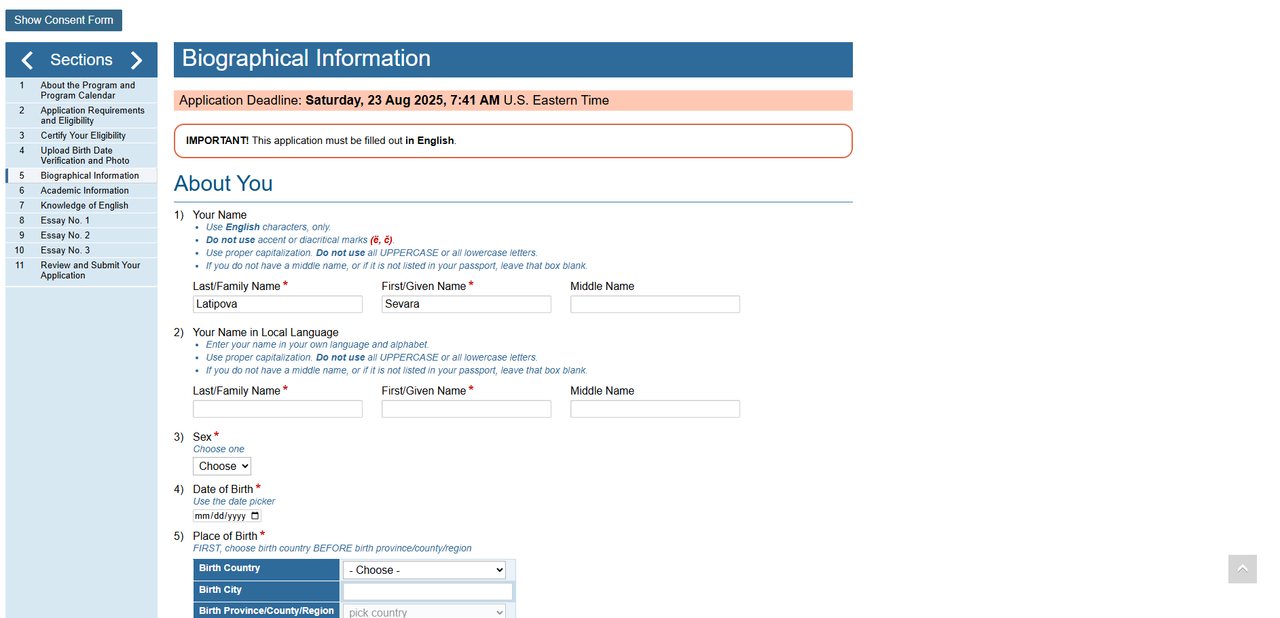
Attention! This page must be filled in only in English!
8-step
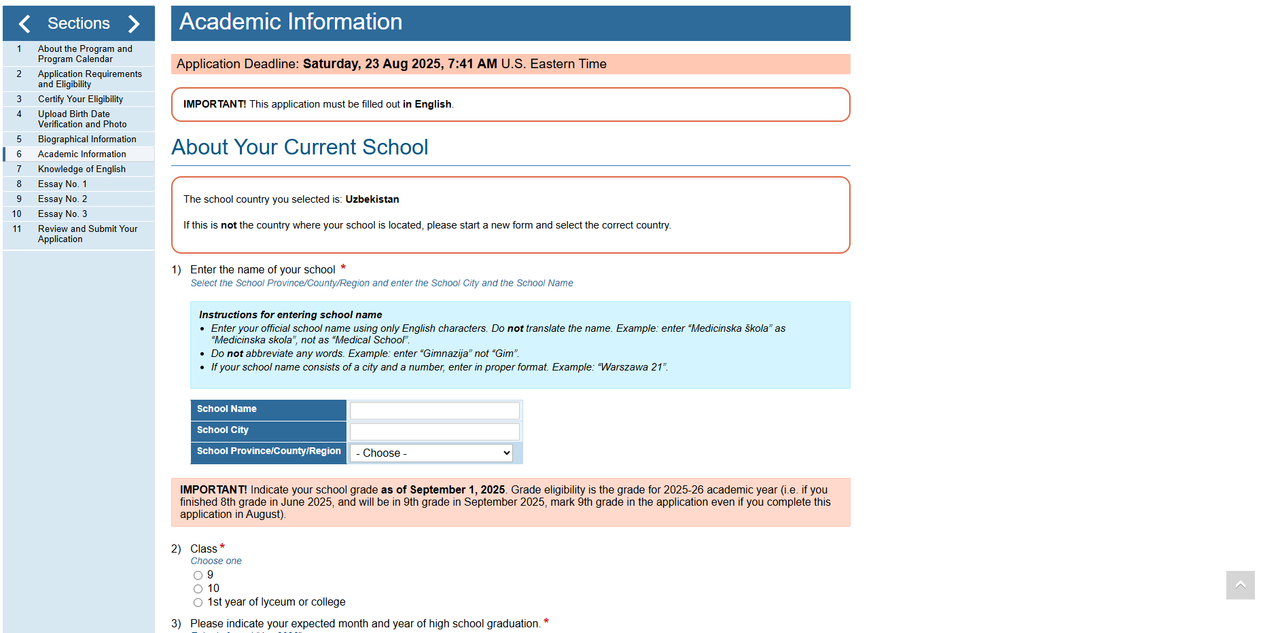
In Section 6, you enter information about your educational institution.
This page must also be filled in only in English.
9-step
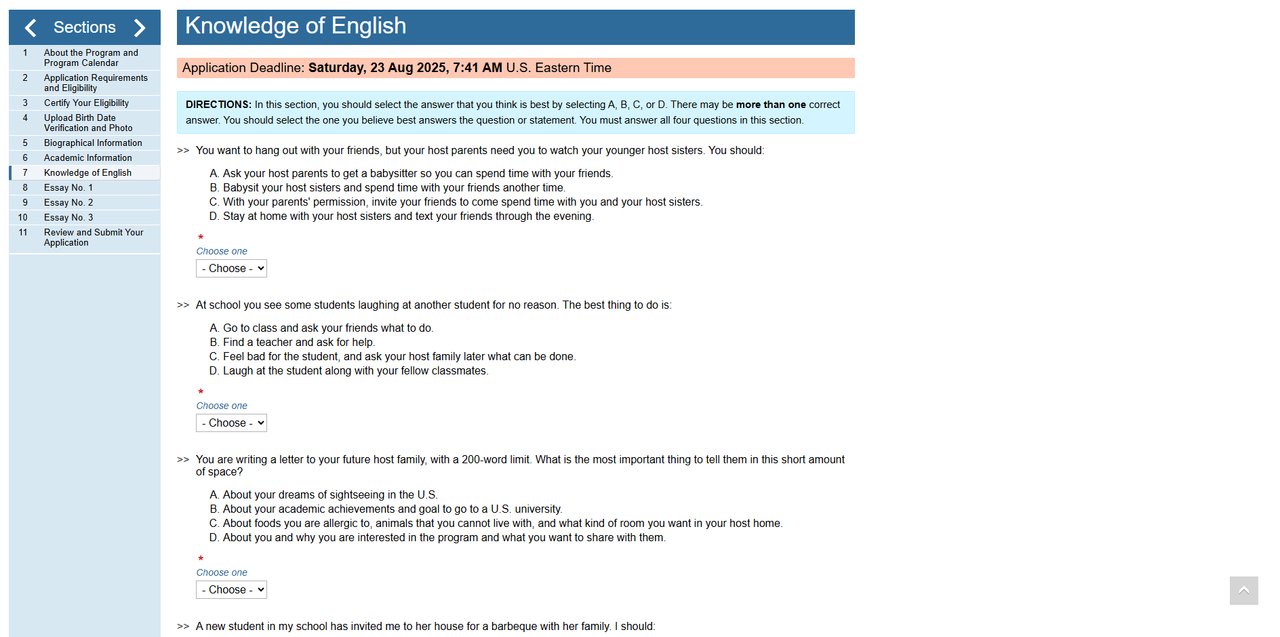
In Section 7, please provide information about how well you know English.
10-step
In Sections 8,9,10, you will write essays on 3 questions. You must answer all three (3) essay questions in only in English. Each answer must be no more than 300 words. You are expected to write answers to these questions yourself and not ask for help from your teachers, parents, or friends. Answer these questions honestly. You may NOT use Artificial Intelligence (ChatGPT, OpenAI, etc.). Essays generated by AI will be disqualified. Mistakes in spelling or grammar do not affect your application. If two applicants' essays are identical or similar, both applicants will be disqualified.
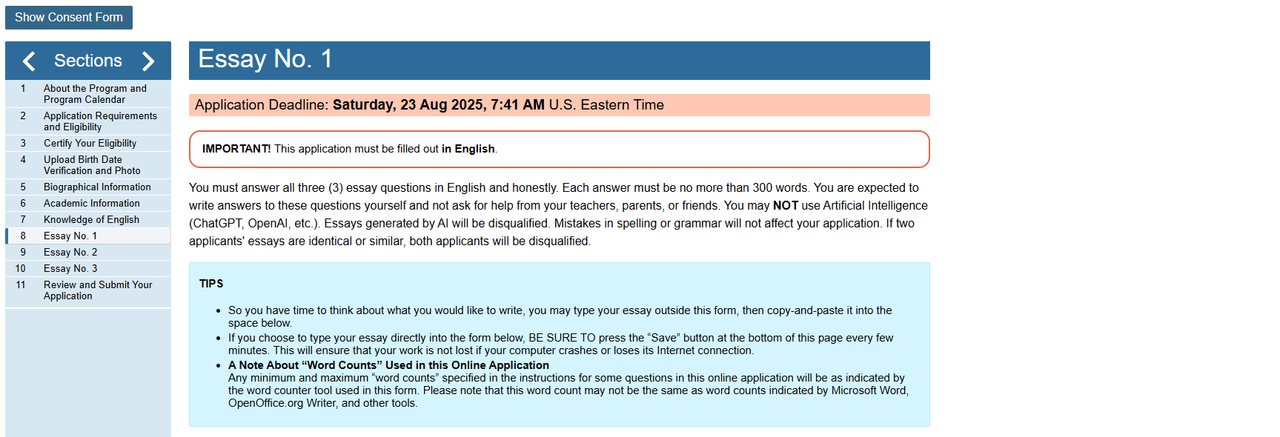
When you finish an essay, make sure to click the "Save Changes" button. Otherwise, all your records will be deleted. You can also write an essay in a separate program “Microsoft Word", and then go to the essay section, copy and paste it into the essay box.
11-step
Final consideration of the application
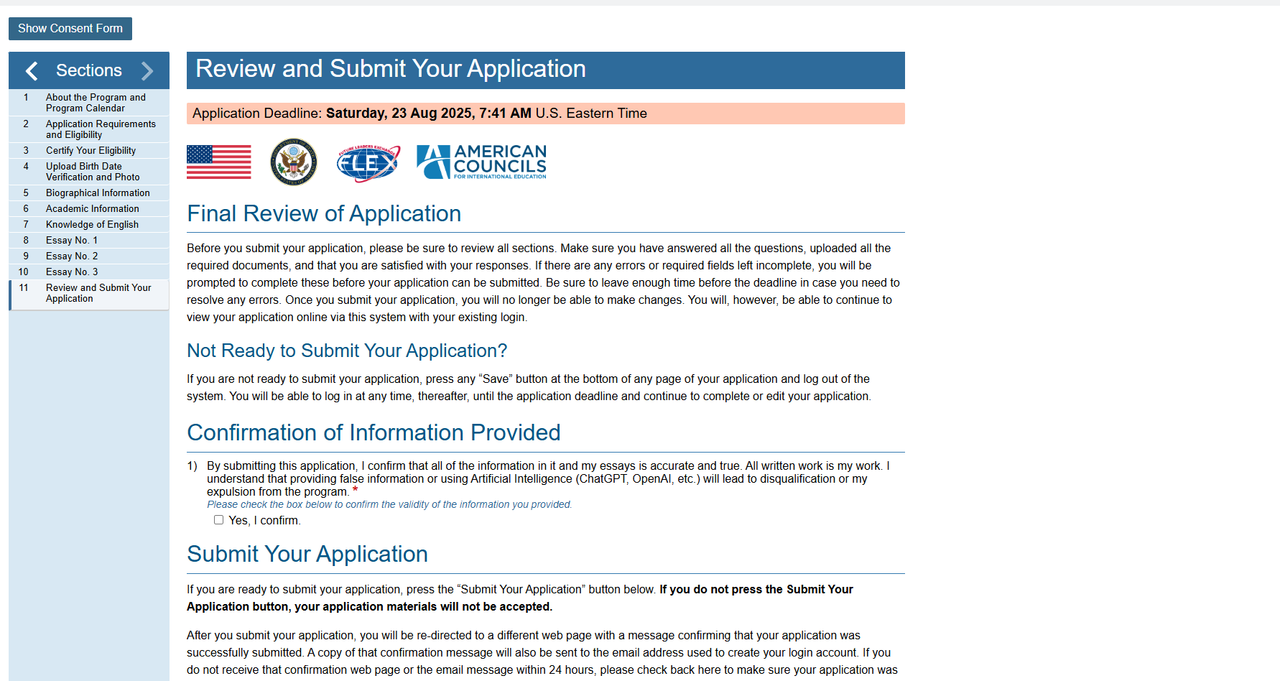
Before submitting your application, please carefully review all the sections. Make sure that you have answered all the questions, uploaded all the necessary documents, and that you are satisfied with your answers. If there are any errors or empty fields that have not been filled in, you will be asked to fill them in before submitting your application. If you need to fix any errors, be sure to leave enough time before the deadline expires. After you submit the application, you will not be able to make changes. However, you can continue browsing your application on the internet by logging in to AIS Forms.
Are you ready to submit?
If you are not ready to submit your application, click the "save changes" button at the bottom of any page of your application and log out. You can log in at any time before the application expires and continue filling out or editing the application.
Submit your application
If you are ready to submit an application, click the "Submit" button below. If you do not click the "Submit" button, your application will not be accepted.
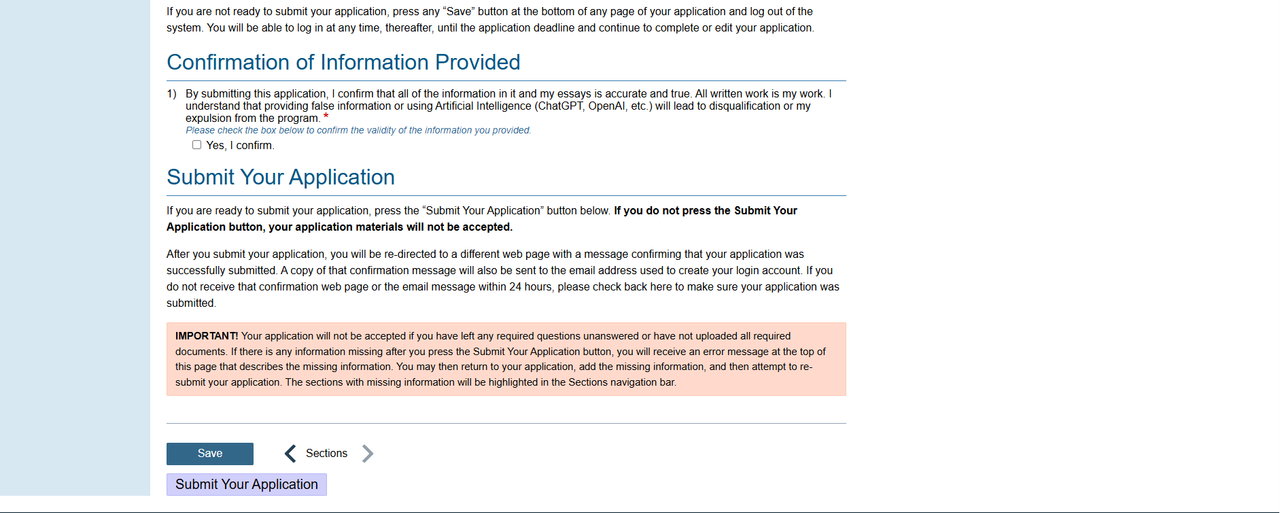
After clicking the "Submit" button, you will be redirected to another web page with a message confirming that your application has been submitted. A copy of this confirmation message will also be sent to the email address you used to create your Application account. If you have not received this confirmation web page or email within 24 hours, please re-visit this portal to make sure that your application has been submitted.

IMPORTANT! If you have left any necessary questions unanswered or have not uploaded all of the necessary documents, your application will not be accepted. You will get an error message at the top of this page, if you click the "Submit" button, you will see the missing information, and re-submit your application. Then you can go back to your application, add the missing information, and try to re-submit the application. The sections with missing information will be highlighted in red in the section navigation panel on the left.
If you have any questions about the application, please write to the official FLEX Uzbekistan email: flex.uz@americancouncils.org.