FBE ROM 1st time flashing guide with FBE encryption through Orange Fox Recovery.
Riazul®Rumy™It is now mandatory to format your data for the first time when you flash this FBE ROM.
***Backup everything from phone Internal storege to PC/Laptop/OTG/SD card.
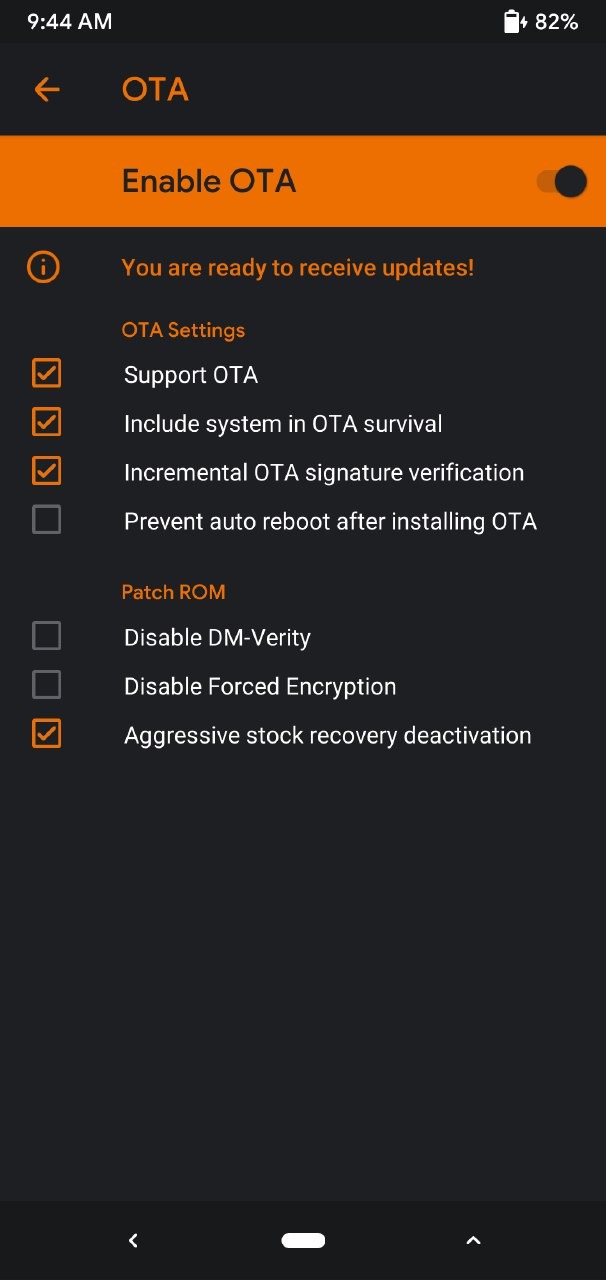
1)Reboot to Recovery Check orange fox Recovery OTA settings Turn on OTA & Un tik boxes as like Below picture.
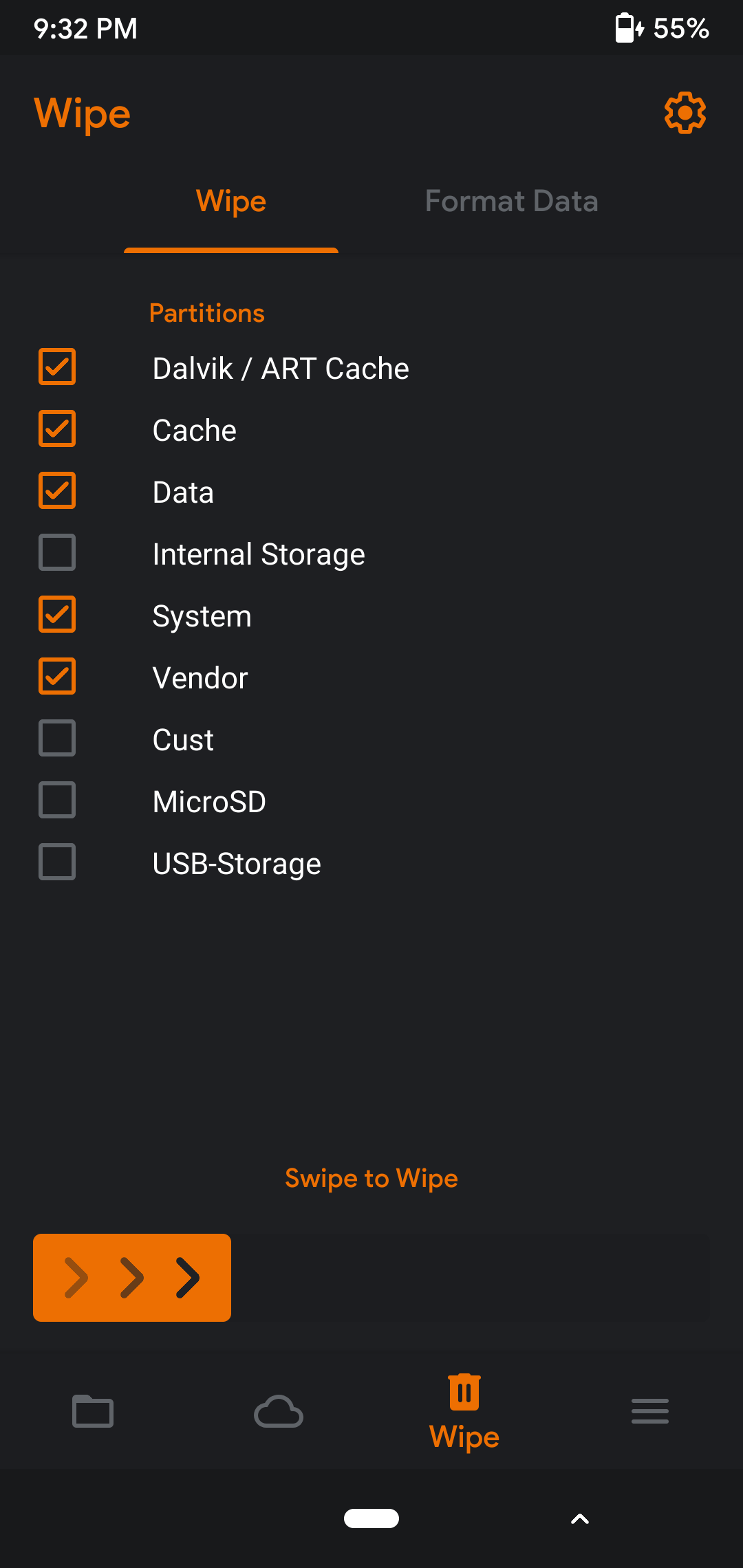
2) Wipe> Dalvik, Cache, Data, System, Vendor
3) Flash MIUI 11.2 -update firmware (Recommend latest version) Flash ROM File, Flash Gapps (for Vanilla ROM only)
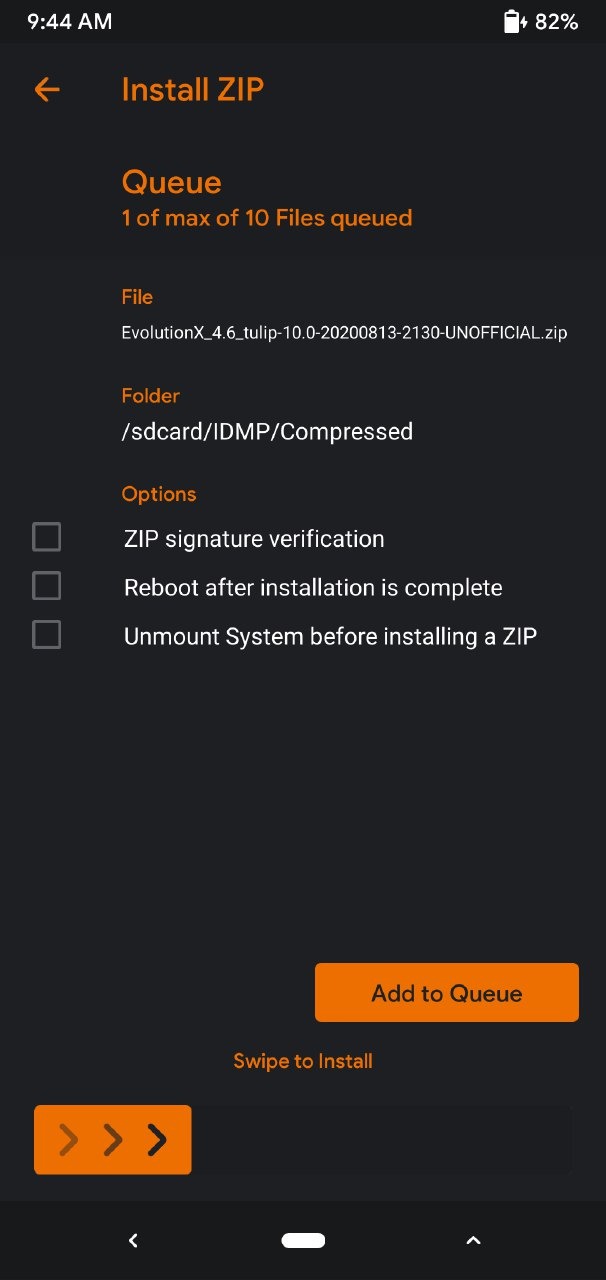
4) Format data (not wipe) follow below picture.

5) Reboot to system complete set-up.
6) Reboot to Recovery provide Lock screen PIN/password for decrypt your Data. Flash magisk (optional)if need Root , wipe dalvik,cache (semi optional) Reboot to system.
Enjoy.
***File based encryption (FBE) Advance security system for secure your Data, also format data required 1st time for flashing FBE ROM & it's not reduce your Device performance.(so my recommendation if possible use FBE encryption)