FBE ROM 1st Time Flashing guide With FBE encryption through TWRP Recovery.
Riazul® Rumy™Requirements: Latest official TWRP recovery.
Warning:- Backup internal storage Data from phone to PC/Laptop/OTG or SD card. Because you need to format data once for Active FBE encryption.
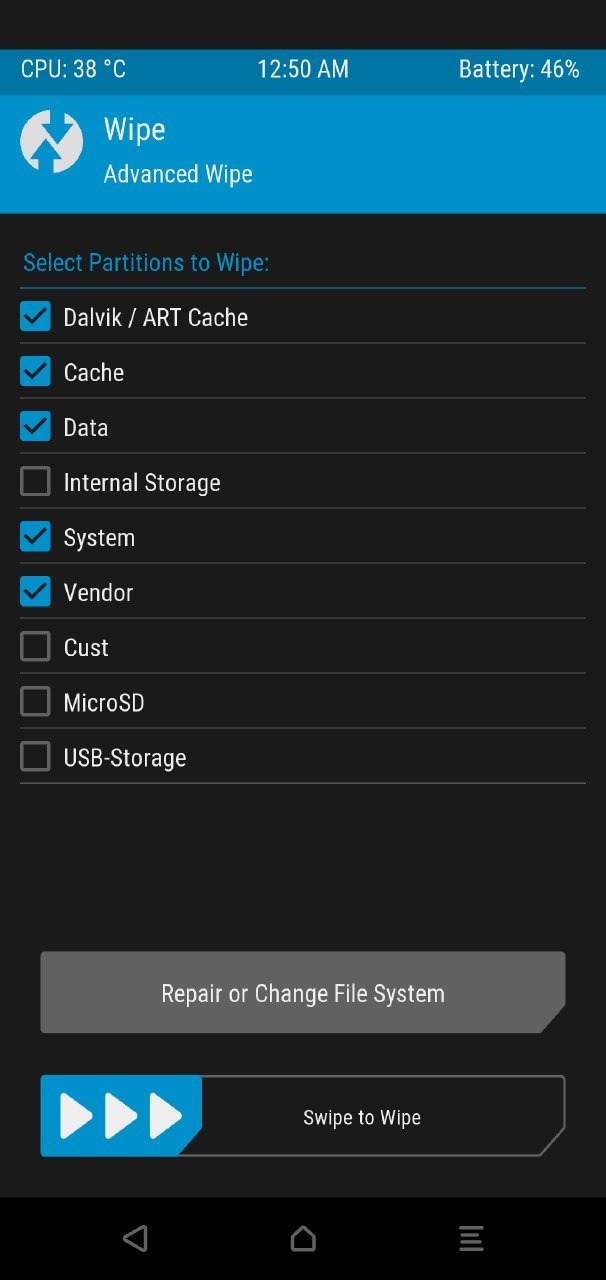
1) Go-to Recovery wipe -Advanced Wipe >Dalvik, Cache, Data, System, vendor.
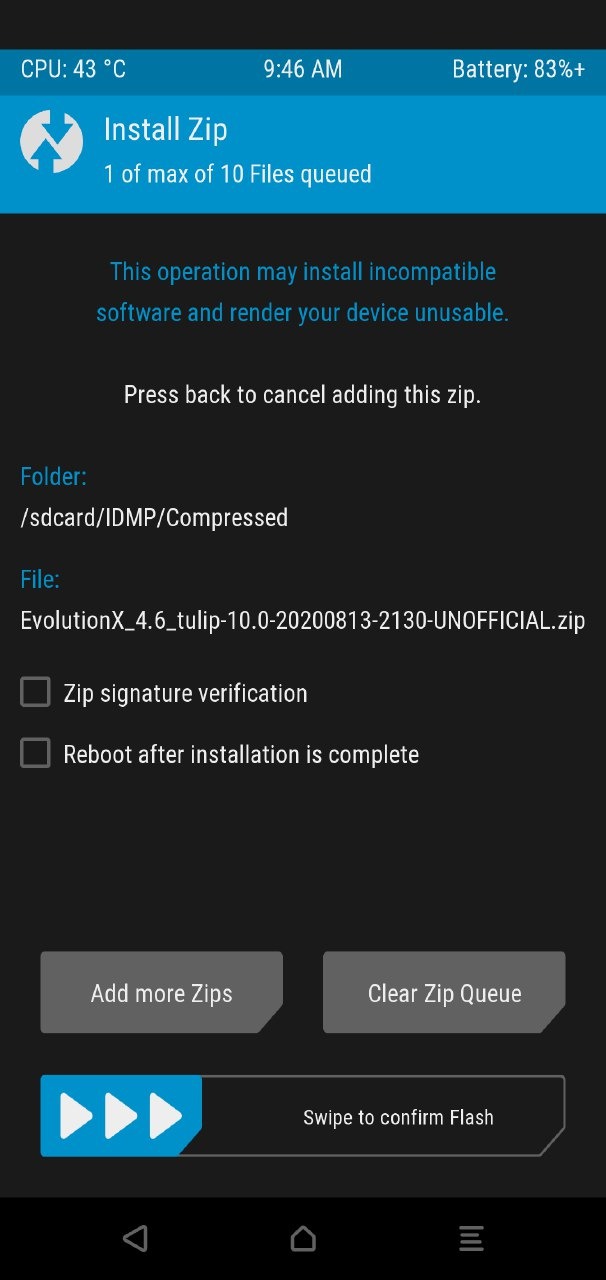
2) Flash MIUI 11.2 to - update firmware (Recommend Latest version), Flash ROM File, Flash Gapps (only for Vanilla ROM)
Before Swipe to confirm flash -Untik Reboot after installation is complete.
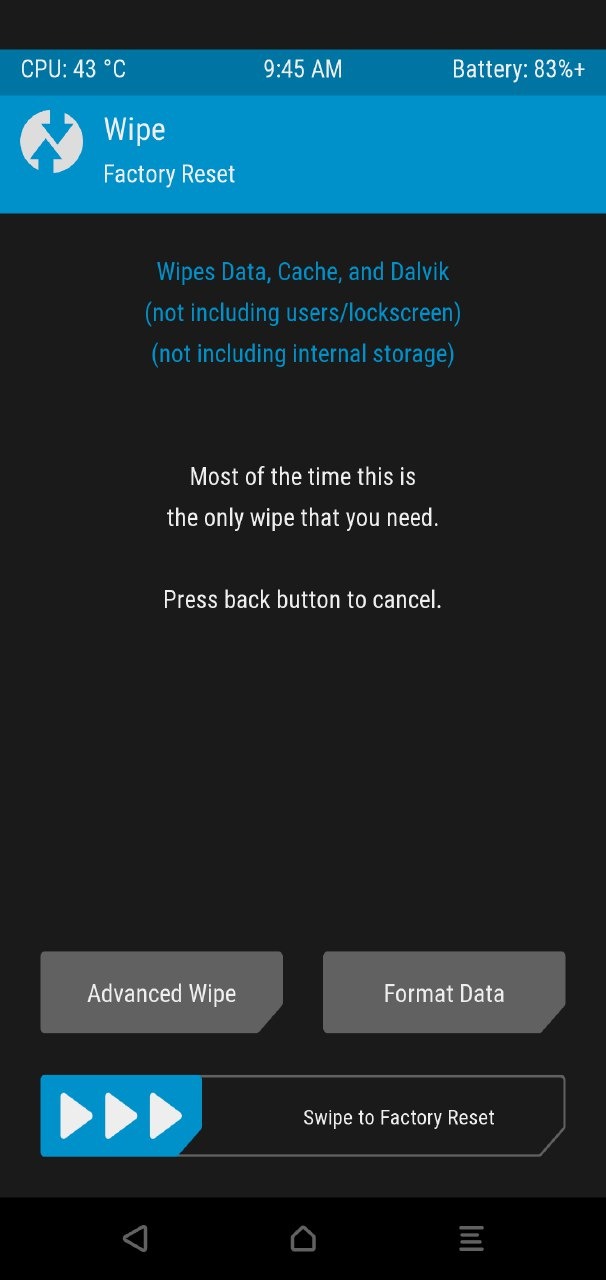
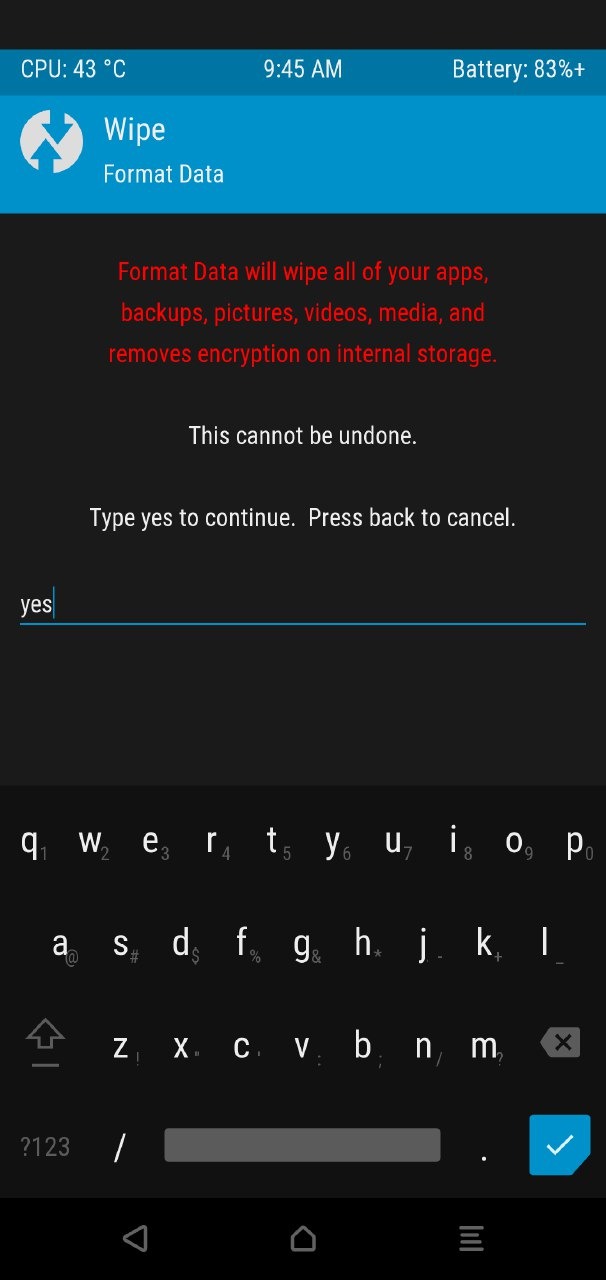
3) After complete flashing Back & Format data (Wipe >Format data-Type Yes)
Type yes) click ✓
4)After complete format, reboot to system complete set-up.(FBE encryption now active)
5) Reboot to Recovery provide Lock screen PIN/password for decrypt your Data flash Magisk (optional)if need root.
Reboot to system Enjoy.
In Future you can update your ROM via OTA or dirty flash no need format data again,also you can change any FBE ROM via Clean flash no need format DATA for Switch FBE to FBE.
***FBE(File Based encryption Advance security feature) for secure your DATA also it's not reduce performance.so active FBE encryption for secure your DATA.