Excel Solutions
Arjunaa JewellersQ.1 Add 91 before each number
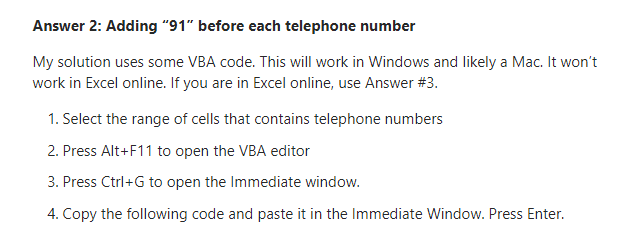
For each cell in selection : cell.value = "91" & cell.value : next
Q.2 Clear button in excel :
VBA code -
Sub Clearcells()
'Updateby Extendoffice
Range("C2").Clear
Range("C4").Clear
Range("C6").Clear
Range("C8").Clear
Range("C12", "C17").Clear
Range("D12", "D17").Clear
Range("C21", "C24").Clear
Range("D21", "D24").Clear
Range("C28", "C29").Clear
Range("D28", "D29").Clear
Range("C33", "C34").Clear
Range("D33", "D34").Clear
End Sub
Best alternative for this : Macros
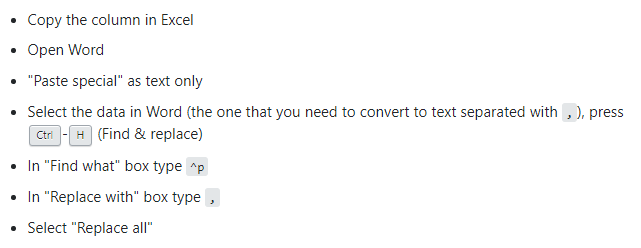
Q.3. Excels cells into comma seperated values
Q.4. formula to create a cell to search
=INDEX(C2:C10,MATCH(B13,B2:B10,0))
In simple English it means:
=INDEX(return a value from C2:C10, that will MATCH(Kale, which is somewhere in the B2:B10 array, in which the return value is the first value corresponding to Kale))