TrafficGate - Edit Online
TrafficGate🆕TrafficGate is excited to announce the launch of a new online webpage editing feature! Users can now instantly make changes and see the results using a simple interface. This feature is available after logging into a new account on the website.
🌐 To edit a page, visit the history section on the site::
https://whitegen.trafficgate.app/history
⚠️Note: The ability to edit and save a page is available only once.
Guide:
Create a WhitePage on the website.
https://whitegen.trafficgate.app/generator.- Open the history page and click "Edit."
https://whitegen.trafficgate.app/history.

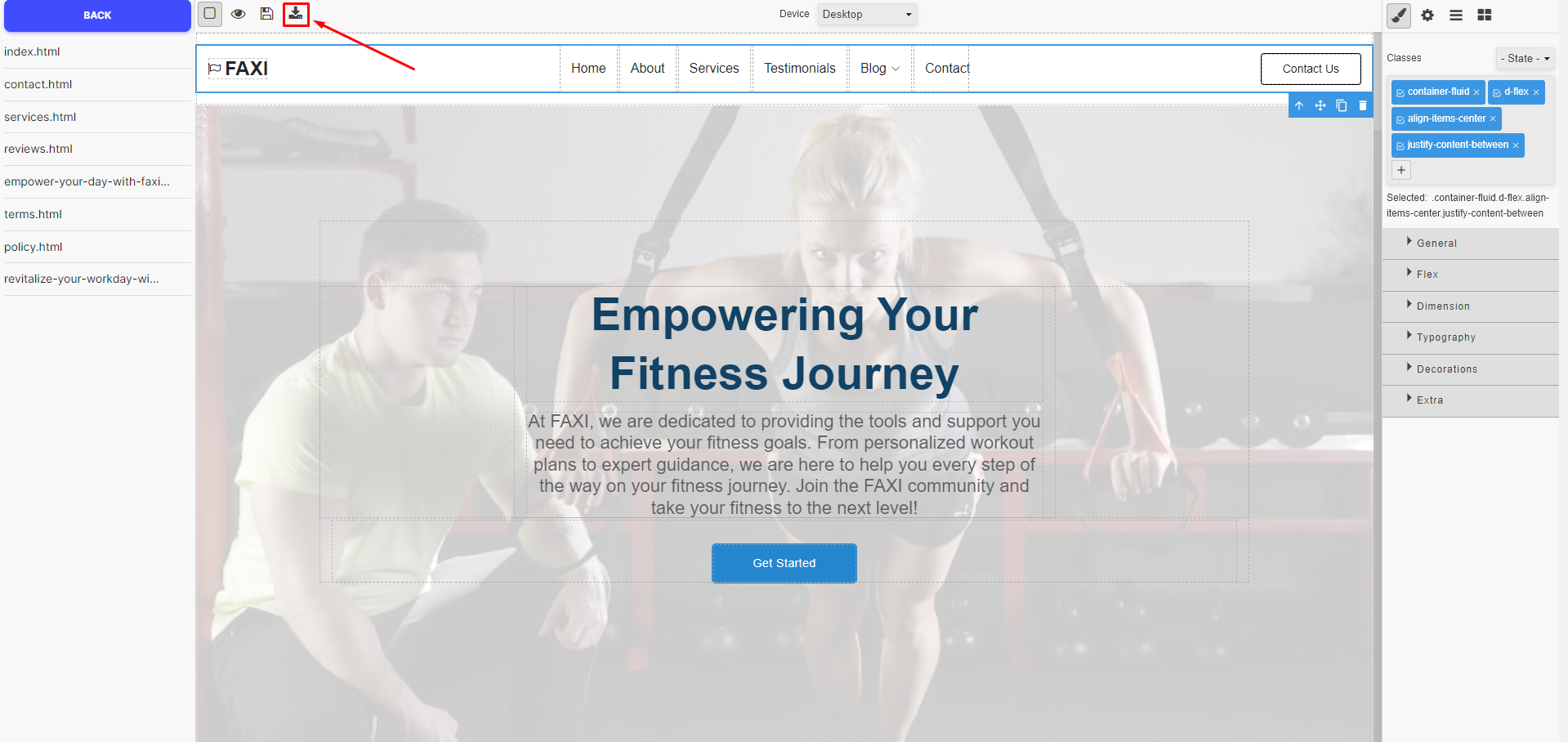
Save the page after editing.