ESN: STT REGIONAL PEER MENTOR-TEACHER APPLICATION MANUAL
American Councils for International EducationHow to fill in application form
The official online application for the Regional Peer Mentor-Teacher Cohort II is now open!
We are looking forward to receiving your application!
Required documents
Please note that electronic version of the following documents should be prepared before the start of the application process. If your original documents are not in English, they must be accompanied by English translations. Note that all uploads/files should not exceed 5MB and file types allowed are PDF, JPG/JPEG, PNG.
1. Passport copy;
2. Diploma copy.
ESN Website
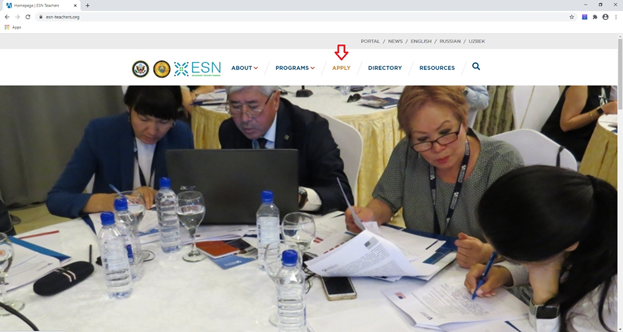
1.1. Go to the www.esn-teachers.org website and click APPLY.
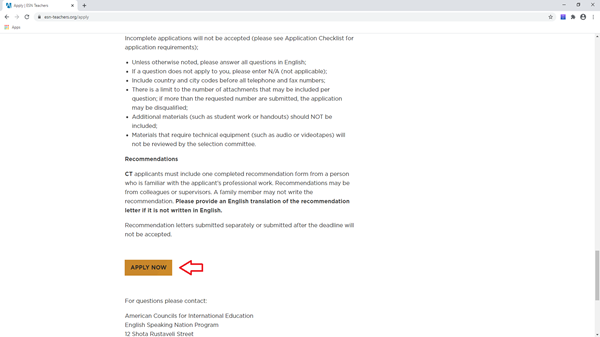
1.2. Read the information provided on the page and press APPLY NOW.
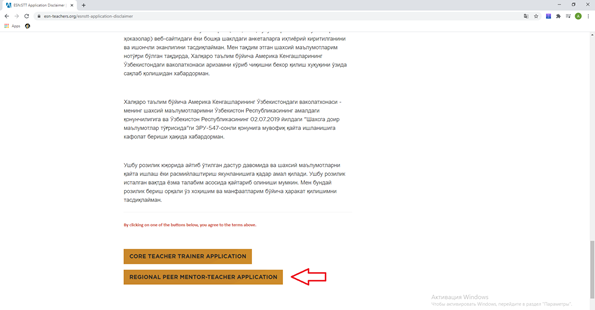
1.3. Read Disclaimer on Privacy Policy Consent for Personal Data Processing. Click REGIONAL PEER MENTOR-TEACHER APPLICATION to access the application form.
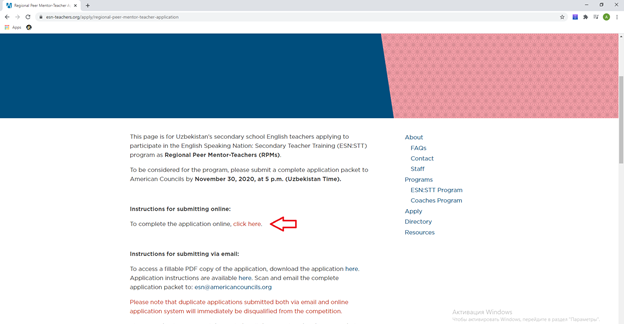
1.4. Please note the deadline and press click here.
AIS Portal
1.1. You will be redirected to the AIS Portal. Please create an account if you do not have one already. Fill in the form and press create account.
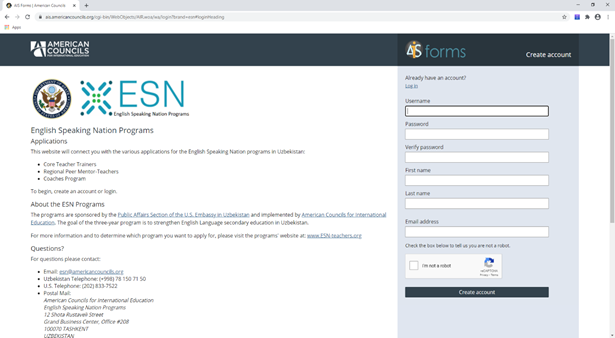
1.2. Make sure to take a note of your username and password. If you forget your password you will have to ask for a new one. Please make sure you remember which email you have used to create the AIS account as the new password will be sent to that email.
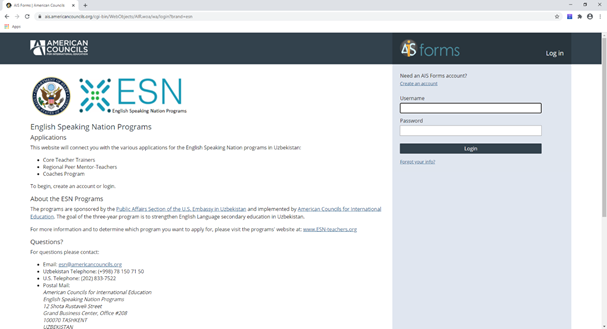
1.3. Go to the email you have indicated and confirm your registration.
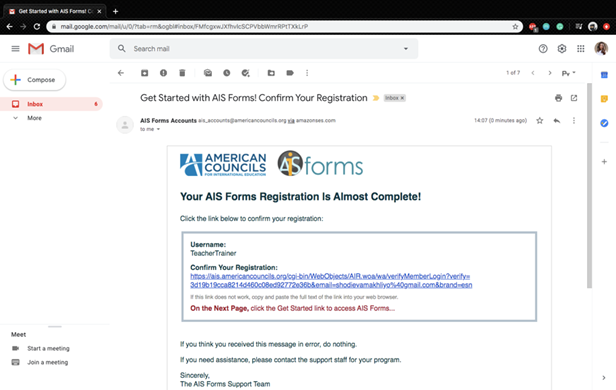
1.4. Now you can log in to AIS and press START to apply for RPM position.
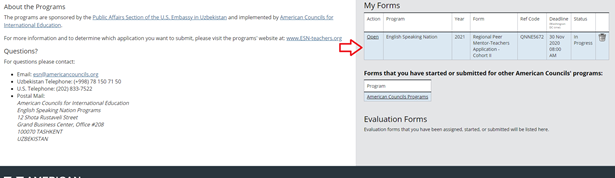
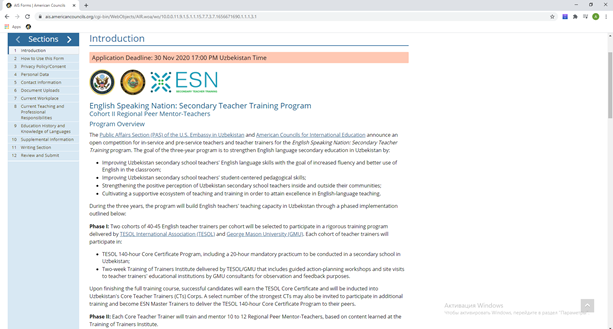
Section 1 and 2
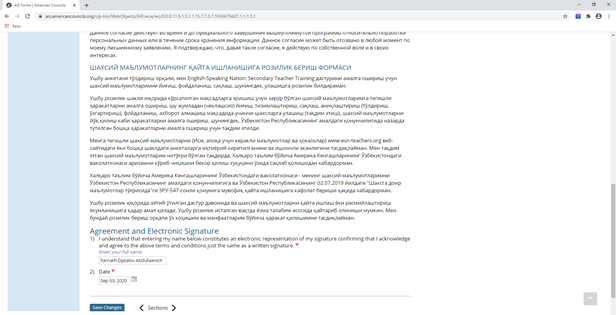
Section 3: Privacy Policy
1.1. Read and sign the Disclaimer by writing your Full Name and inserting the Date.
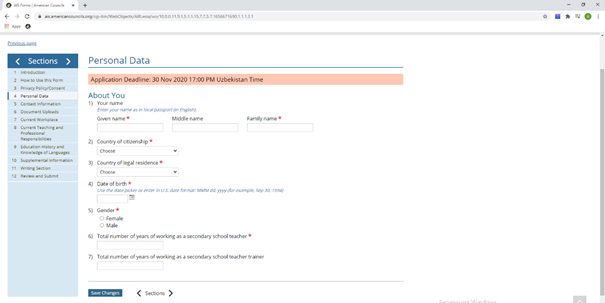
Section 4: Personal Information
1.1. Fill in the About You section with the required personal data. Please ensure that the details regarding your name are written exactly as they are in your passport/identification card. Please note that your name will be verified by your passport if/when you are invited to program selection interview and test. If your name is not spelled correctly in the application you might loose your spot.
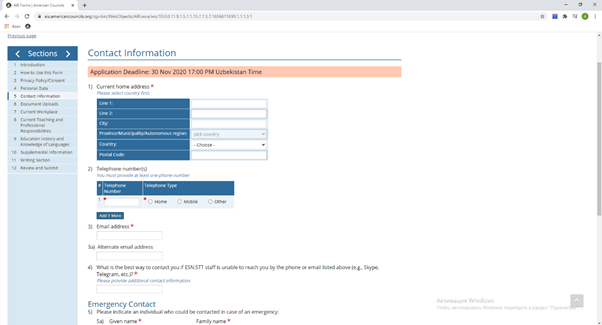
Section 5: Contact Information
1.1. Please indicate your contact details as fully and accurately as possible. Please help program staff reach out to you with the next steps of the program information by providing 2-3 phone numbers and other contact information.
1.2. Please insert the details of the person who might be contacted in case of emergency or when Program Staff is not able to reach directly to you. Please make sure that this person’s contact information is different from the one that you have provided for yourself.
Section 6: Attachments
1.1. Please upload your local passport in Document Uploads section.

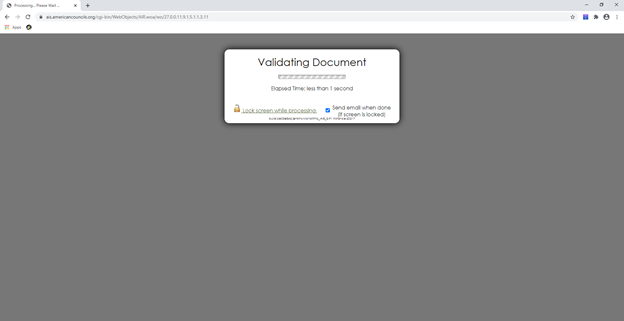
1.2. You should wait while the system validates any uploads (uploads should not exceed 5 MB) and the screen will look like this:
1.3. Please upload the scan of your diploma.

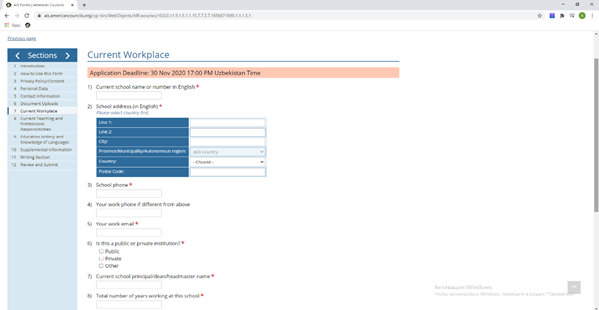
Section 7: Workplace
1.1. Fill in the Your current workplace section with required information.
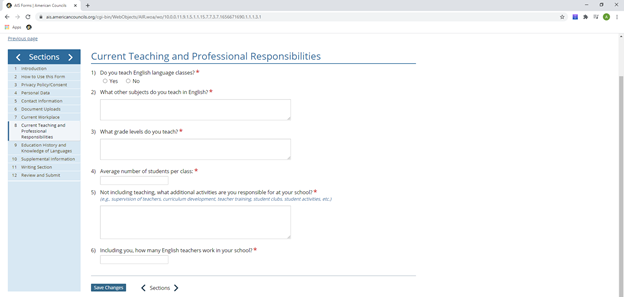
Section 8: Current Teaching and Professional Responsibilities
1.1. Please provide information on your Current Teaching and Professional Responsibilities as per instructions.
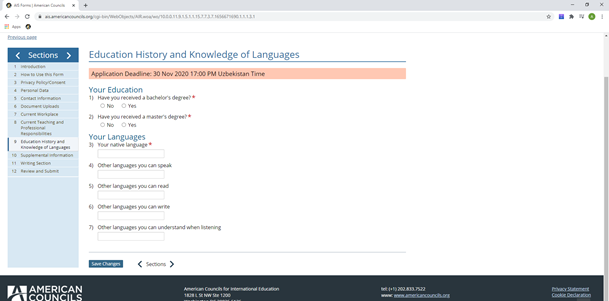
Section 9: Education History and Knowledge of Languages
1.1. Please fill in the Education History starting from the most recent one.
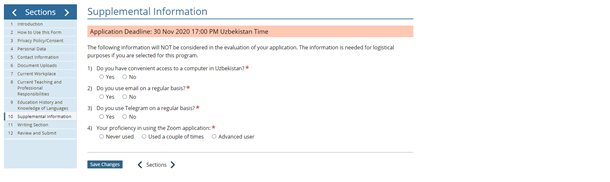
Section 10: Supplemental Information
1.1. Please fill out the Supplemental Information form. This part will not be considered for evaluation of your application. However, this information helps the program staff make logistical arrangements for you if you are selected as a semi-finalists. Technology related questions help ESN:STT to plan and conduct virtual events for you if/when you are selected for the program. E.g. if you indicate that you have access to a computer at home you will be expected to accomplish program assignments using the computer.
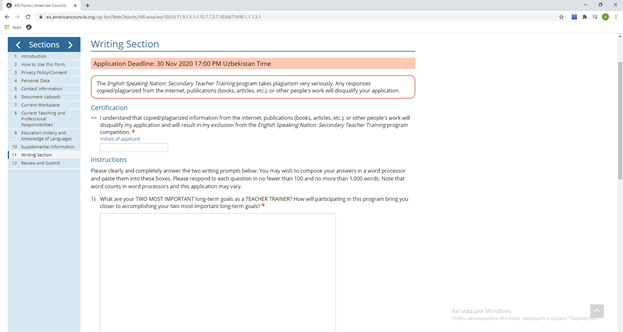
Section 11: Writing
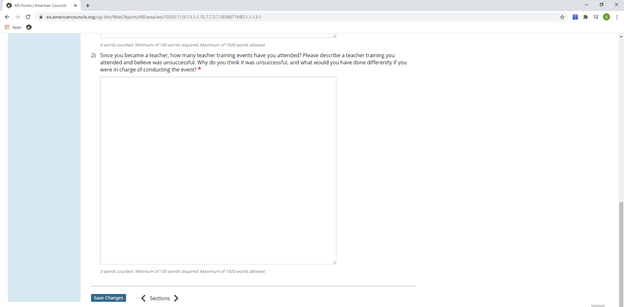
1.1. Write short essay prompts to the essay questions. You might want to write them separately and copy and paste the response. DO NOT COPY/PLAGIRIAZE. Your work has to be authentic and original. First, read and write your Name and Surname to certification statement.
Section 12: Review and Submit
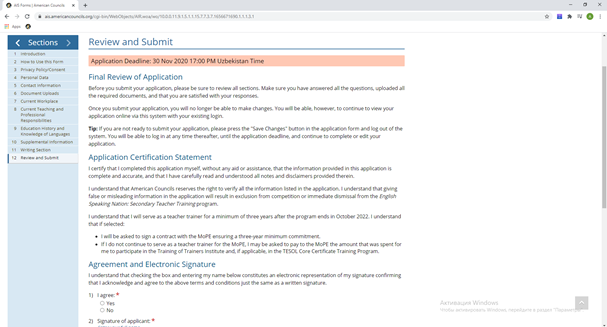
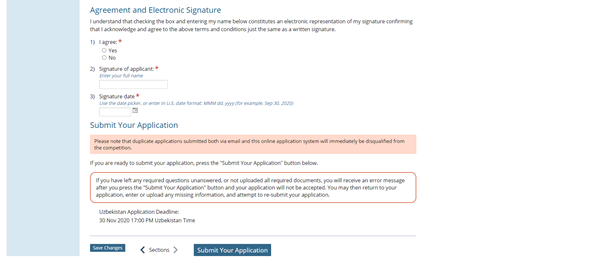
1.1. Review your application before submission. Sign with your Name and Surname, and press SUBMIT application.