Dump & Push
RahatOverview
This method can help people who wants to push shared preference data to the app's data directory for the first launch. App cloner does this well but this one is a manual way.
What you need
You need an Apk Editor and of course my uploaded files that you will use in future.
Adding Files
Before going to any step we have to add the files that is necessary for our modifications.
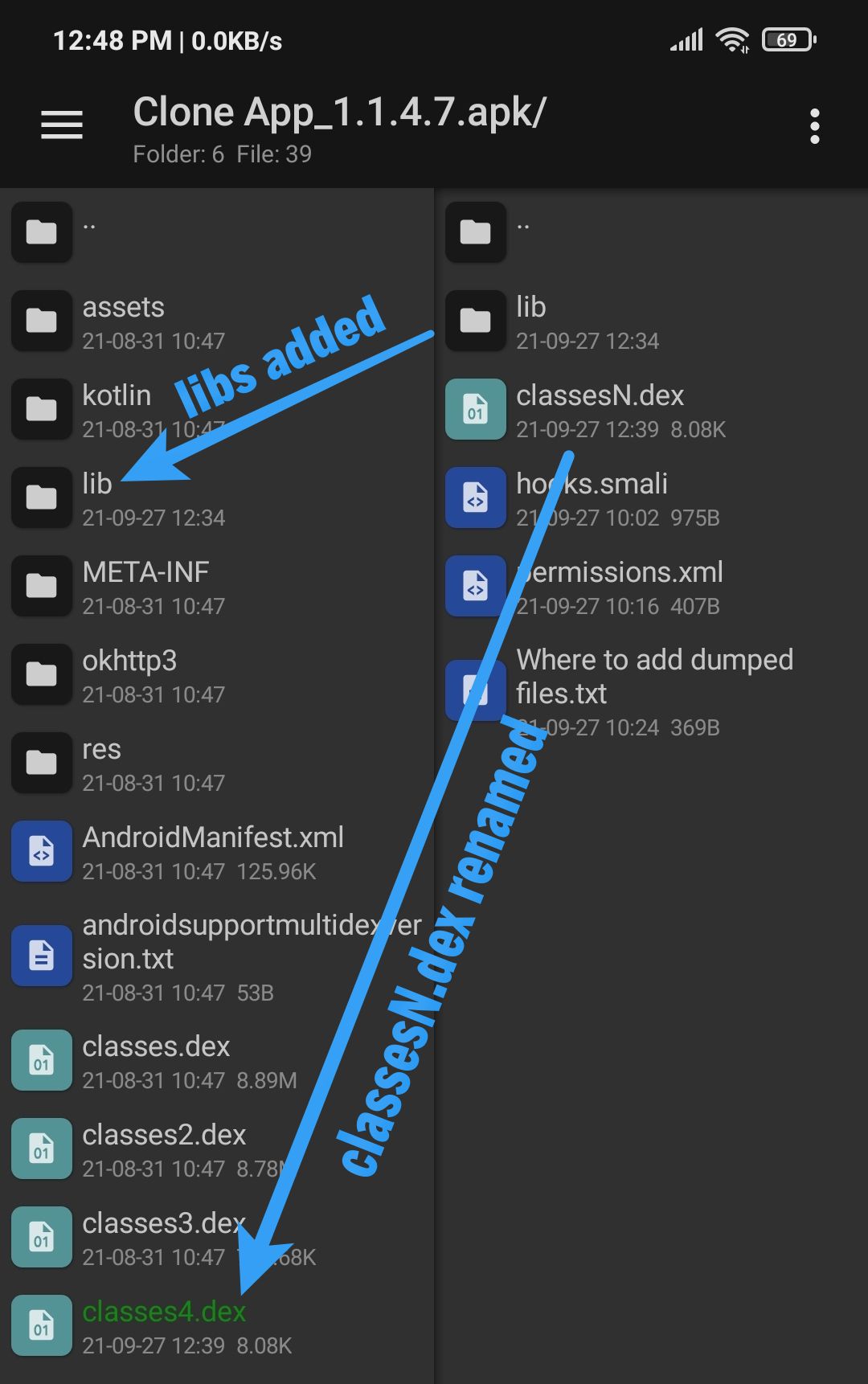
First add the classesN.dex in your app and don't forget to rename N with the number that comes at last by the sequnce of dexes in the app. Then you have to add lib folder in your app. Now you don't need all the libs, you can keep only one or two according to your need.
Step 1 : Dumping
First of all you want to dump the shared preference data from app in order to edit it. You can simply copy those files if you have a rooted device or if you are using a virtual machine. If you copy those files with your rooted device then paste them in BotX_Dumped folder. I will show you the programmatic way of dumping.
1. Manifest Editing
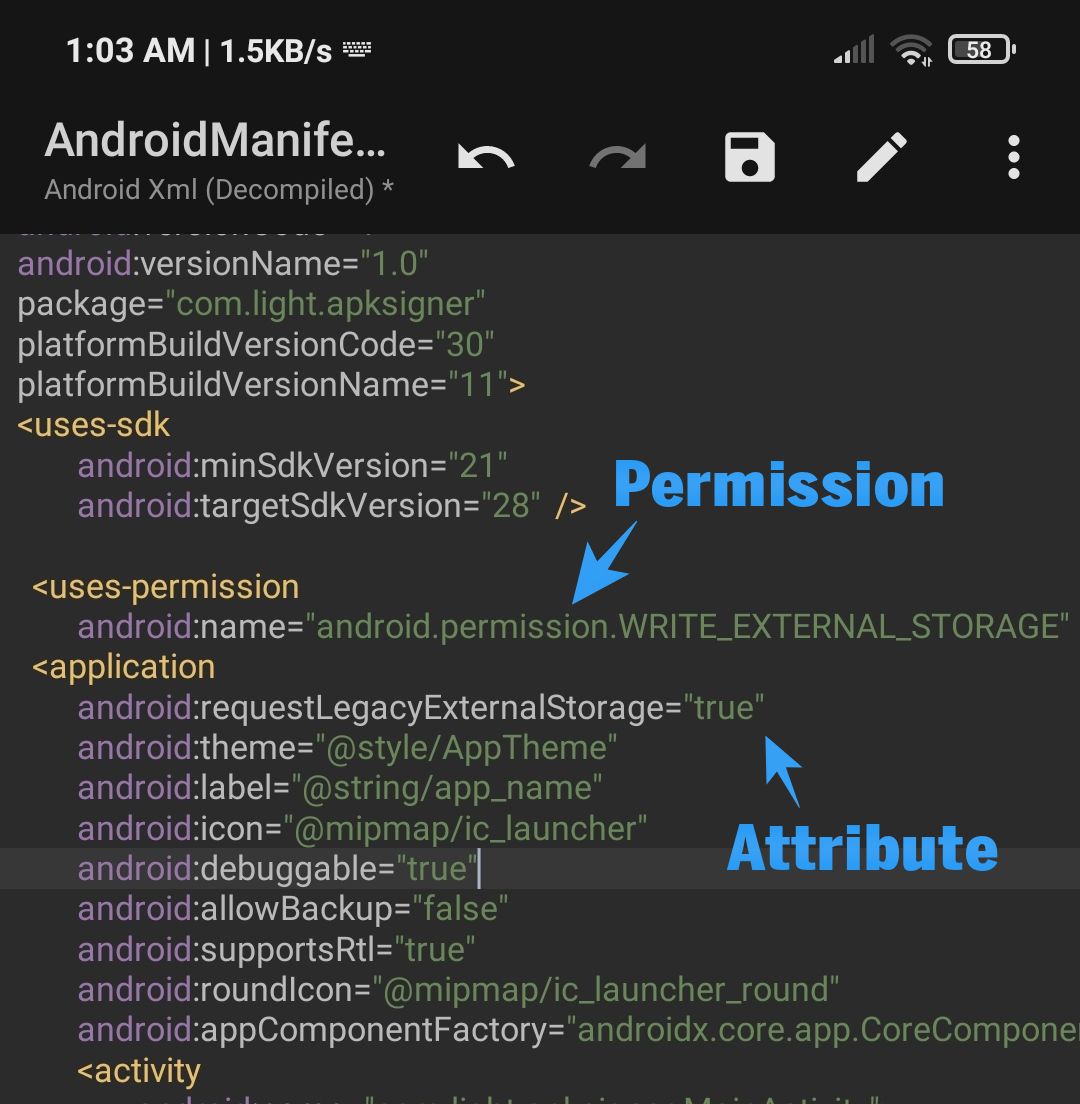
You have to add read and write permission in order to dump the data in your sdcard. Here are the changes you have to make in the AndroidManifest.xml
<uses-permission android:name="android.permission.READ_EXTERNAL_STORAGE" />
<uses-permission android:name="android.permission.WRITE_EXTERNAL_STORAGE" />
Check if these permissions exists in manifest. If these don't exist then add manually.
android:requestLegacyExternalStorage="true"
Then check if this line exists in application tag. If it doesn't exist then add it.
2. Dex Editing
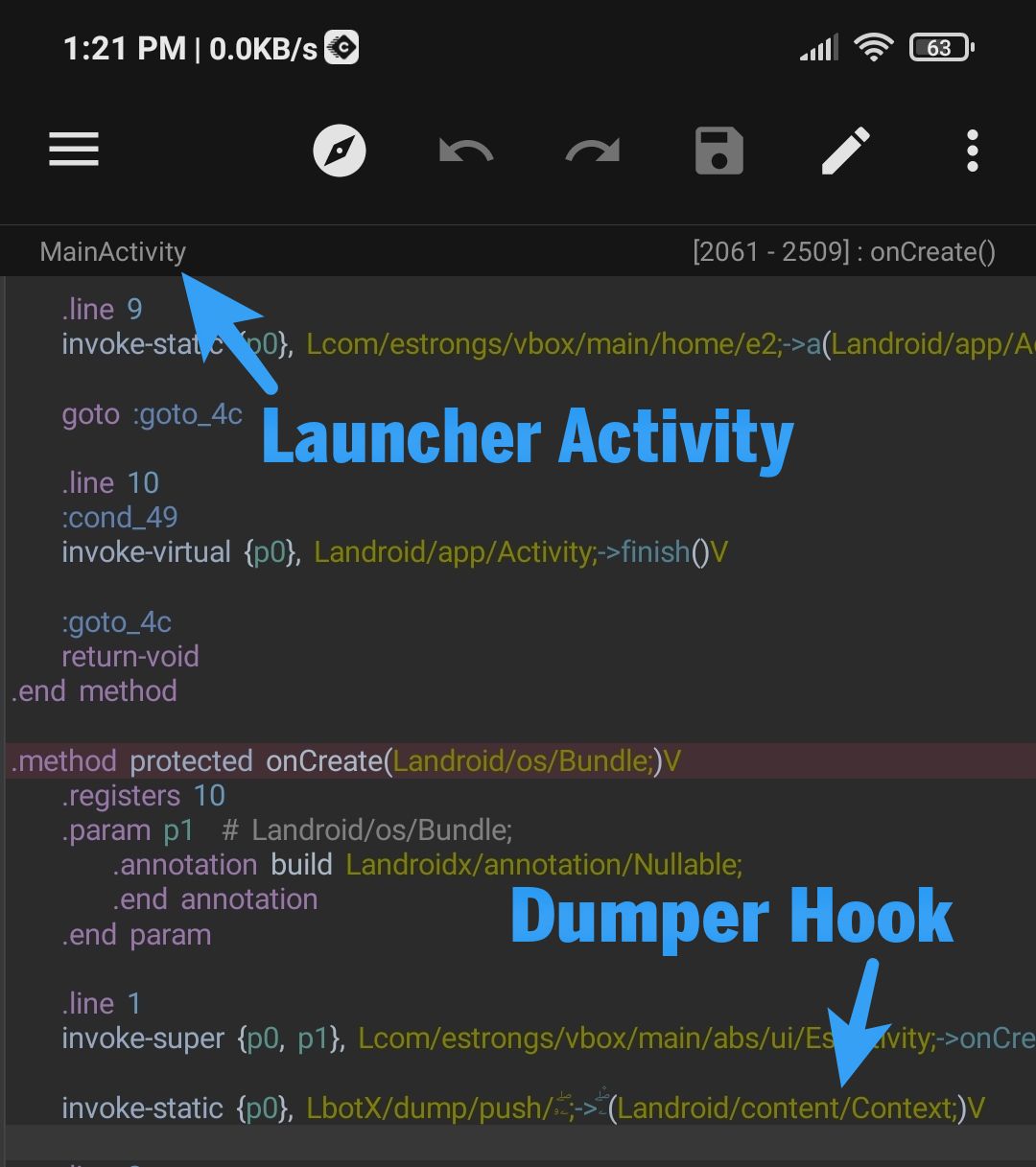
Now it comes to place our hooks to dump the shared preference data. Check hooks.smali file and you will get to know about all three hooks. In this case we need the first one. It is recommended to place the hooks in an Application class or Launcher Activity class for best performance.
3. Final Work
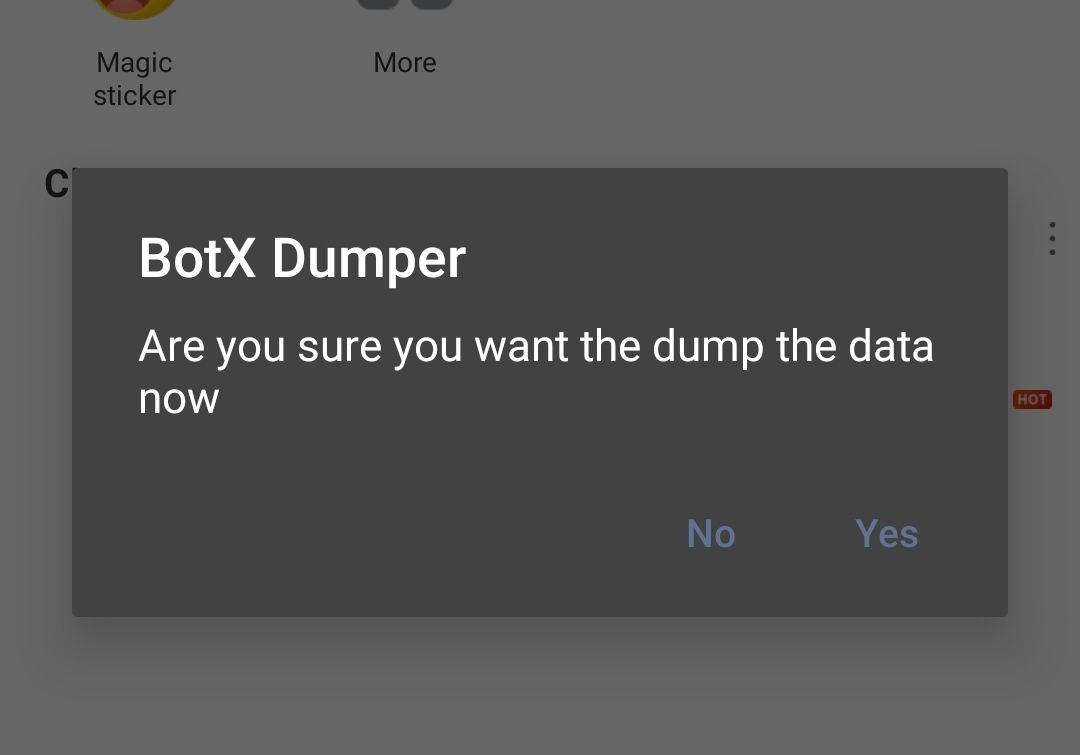
Now that you have completed all the steps of dumping shared preference files. Install the app which you've modified to dump shared preference files. Now give the app storage permission manually and use it for some time, so that it can save all the necessary values that you need in shared preference. When you think it is time to dump data then exit the app and reopen, if the app has any shared preference files saved in data directory BotX Dumper will automatically detect it and show a Dialog to start the Dumping Process. Click on Yes and the shared preference files should be dumped in BotX_Dumped folder in your sdcard.
Step 2 : Pushing
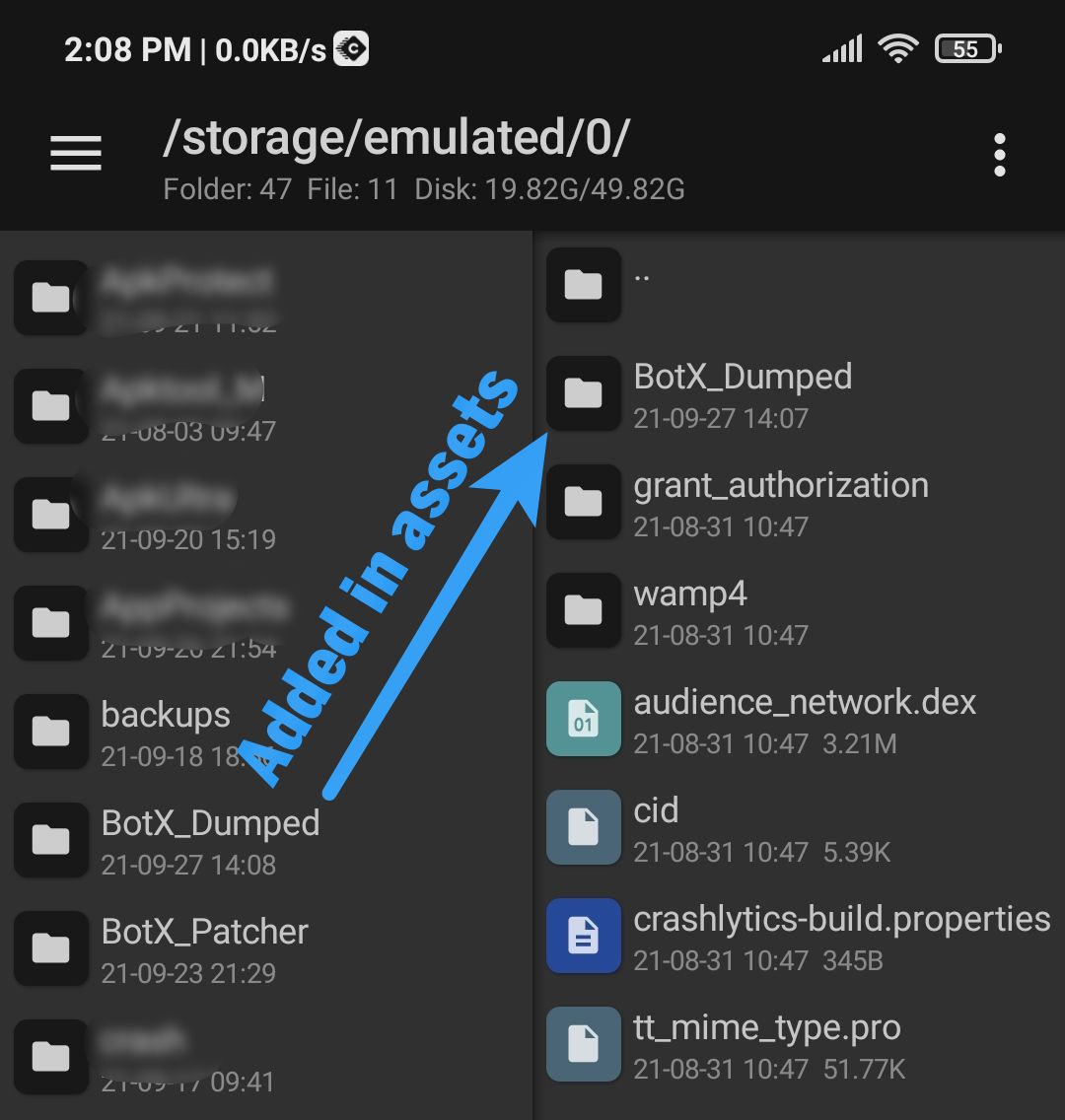
Ok after editing those shared preference files in BotX_Dumped folder, now it's time to add them in your app to push. First of all add BotX_Dumped folder in assets folder of your app. You may need to make assets folder manually if it doesn't exist. And it is recommended to delete all unnecessary files that were dumped by BotX Dumper. Keep only those files that you have modified. It will increase the performance.
1. Hook Replacement
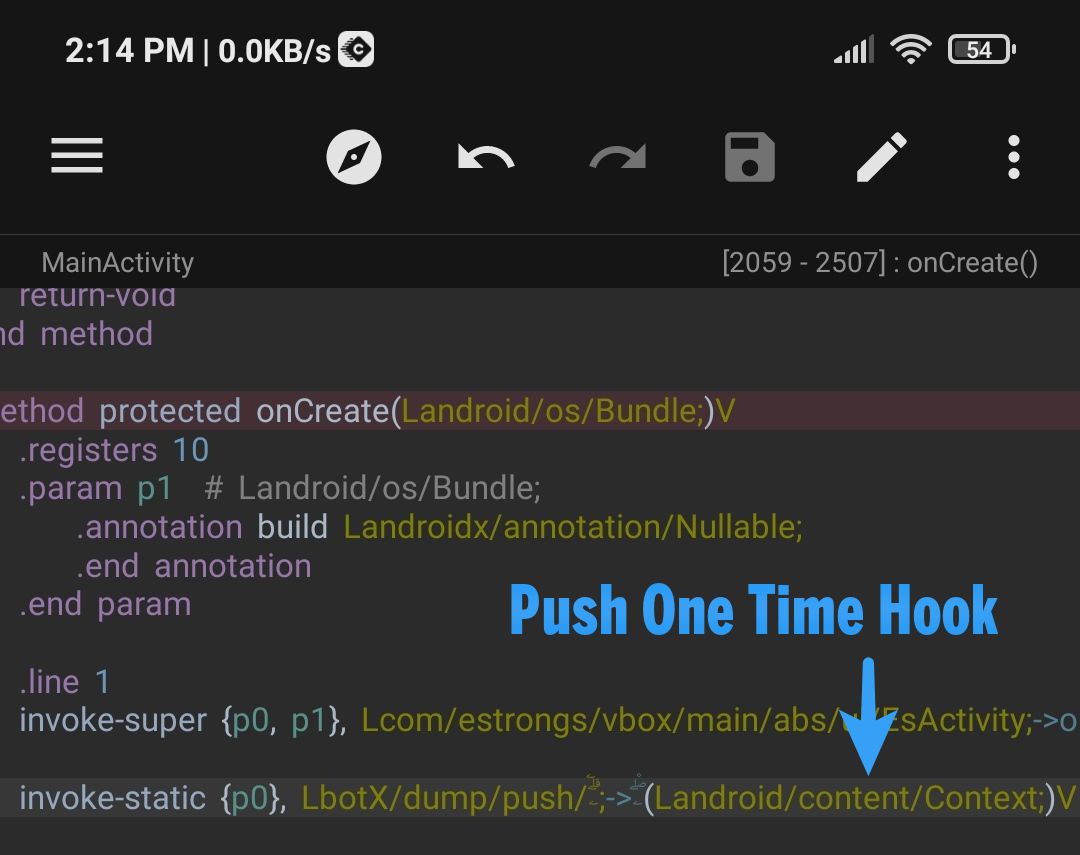
Now that you have done adding your modified files in assets folder, go to the place in dex where you placed hook to dump shared preference data. You have to replace this hook with one that is for pushing. Check hooks.smali file you will get to know which pushing hook you need. So copy that hook and replace with the dumping hook. And you're all done. Install the app and check if everything is working as you want. If it's not working as you want you may try to place the hook somewhere else and check if you added BotX_Dumped folder in assets folder of the app correctly with all shared preference files inside of it.