Download Private Telegram Content
Radio KencanaUsing a File Manager
Even if you can’t save Telegram photos and videos to the gallery, they are still saved on your device. But, they are hidden. You can access the hidden folder and copy files to another folder to view them in the gallery.
Step 1: Download and install Mi File Manager from Google Play Store.
Step 2: Launch the app and allow necessary permissions.
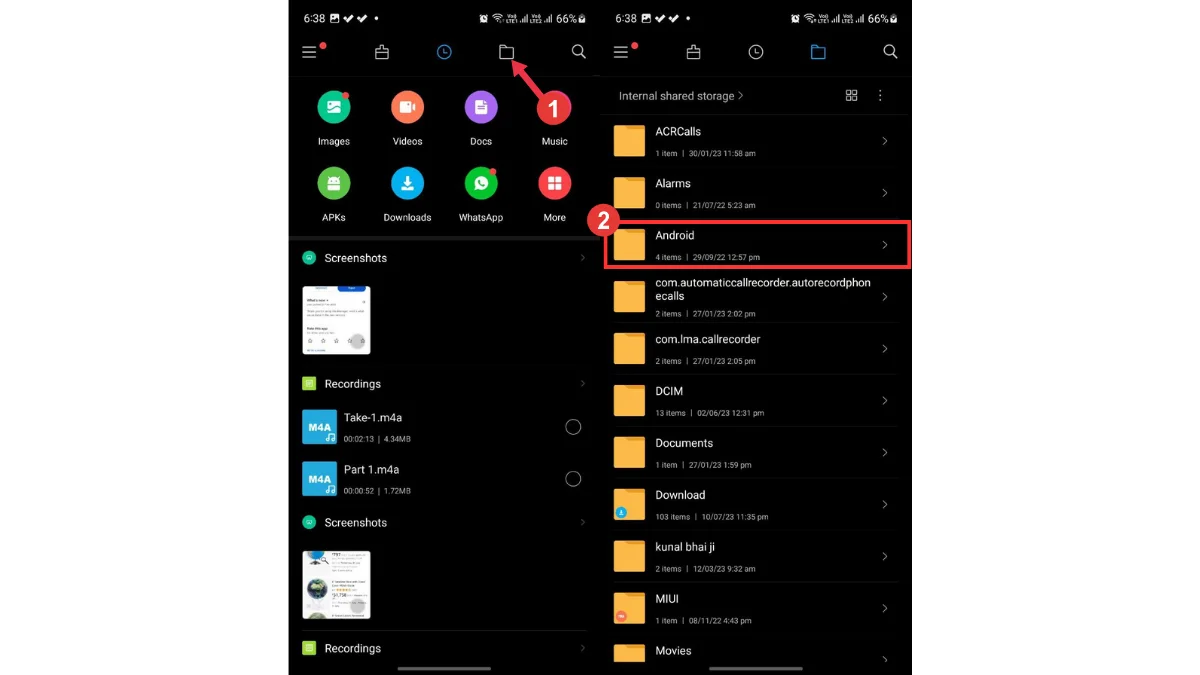
Step 3: Go to the Files tab and tap on Android. [If you can’t see the Android folder, tap on the three-dot icon and select Show hidden files.]
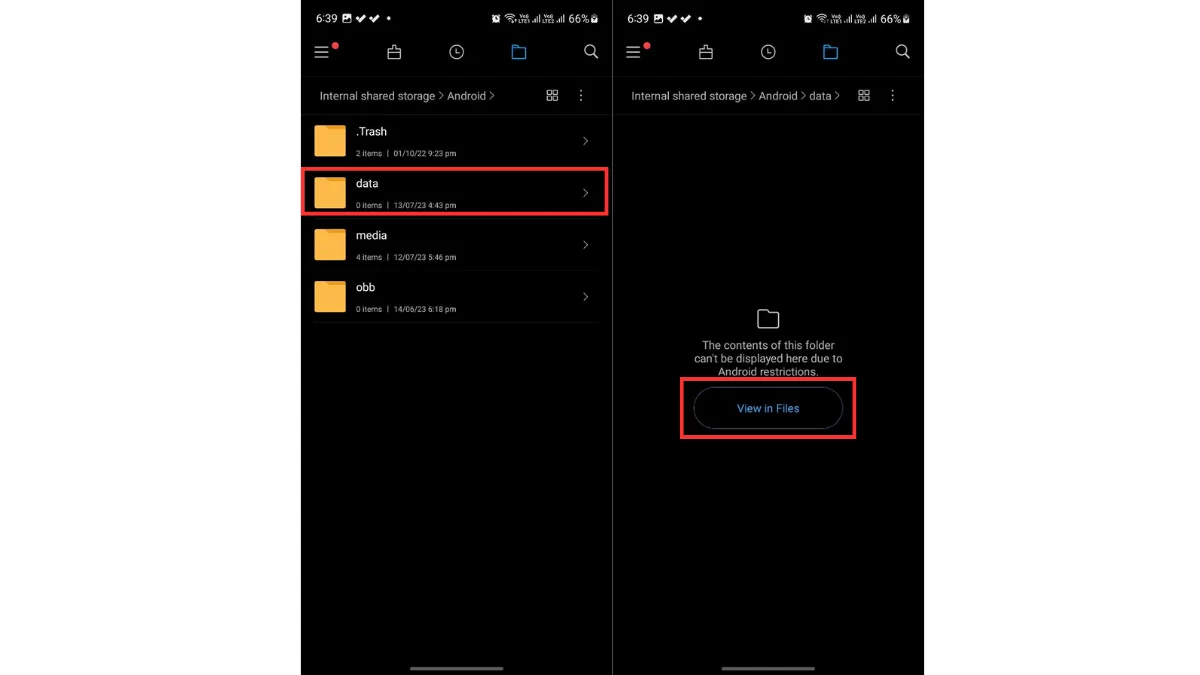
Step 4: Tap on Data. [On newer Android versions, you can’t directly access the Data folder.] Tap on View in Files.
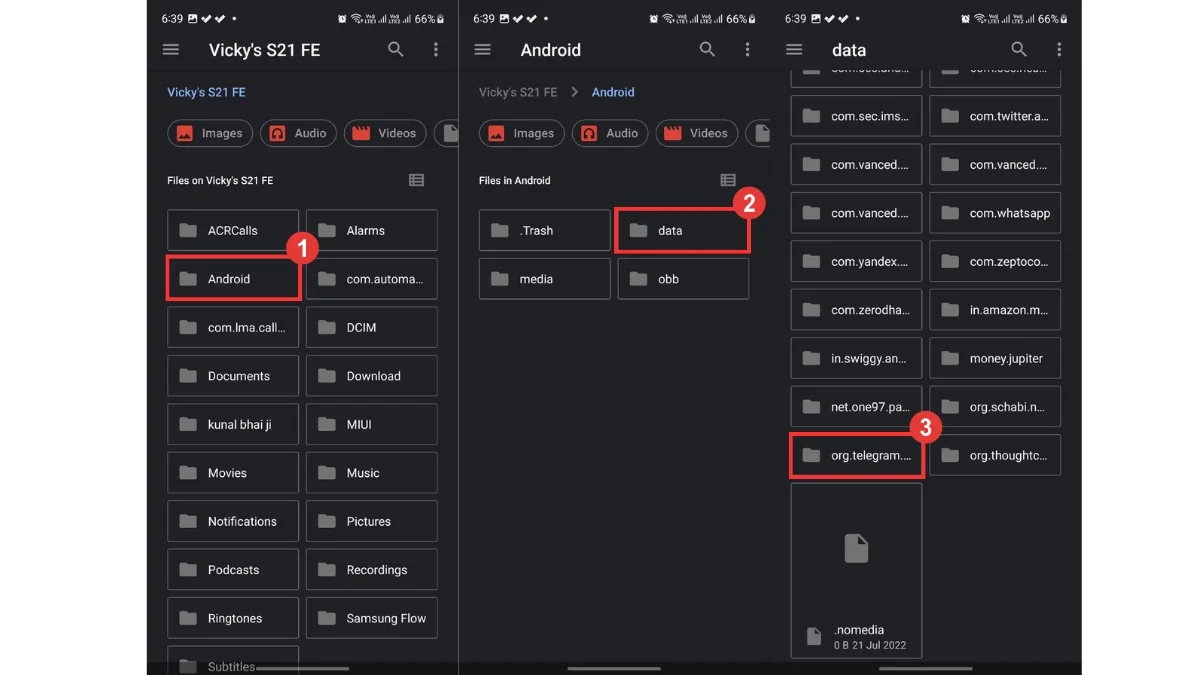
Step 5: Go to Android -> data -> org.telegram.messenger.
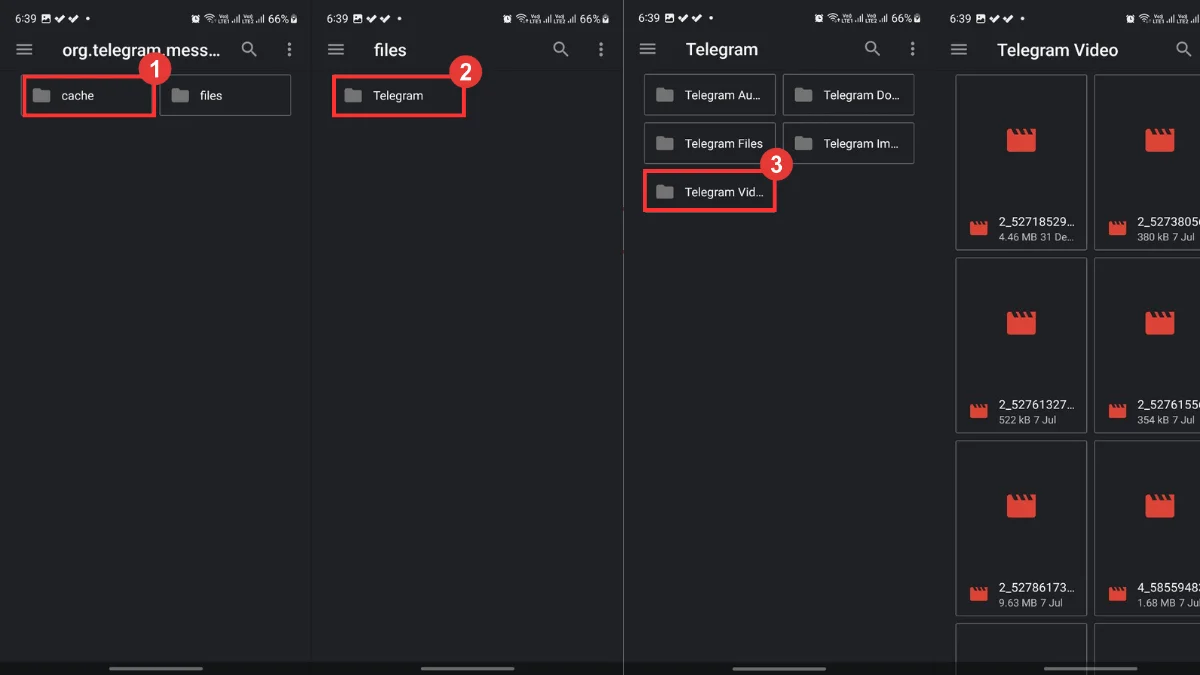
Step 6: Tap on files -> Telegram -> Telegram Video. To view images, select the Telegram Image folder.