DevourClient installation guide - ENG
by Kalybr50Let's start right away with the points and without a preface, because how much everyone fucked me with the questions "HOW TO INSTALL THIS???????"
0. If after reading this guide you still have some questions, or something doesn’t work for you, please UNINSTALL YOUR COMPUTER, thanks💜💜💜
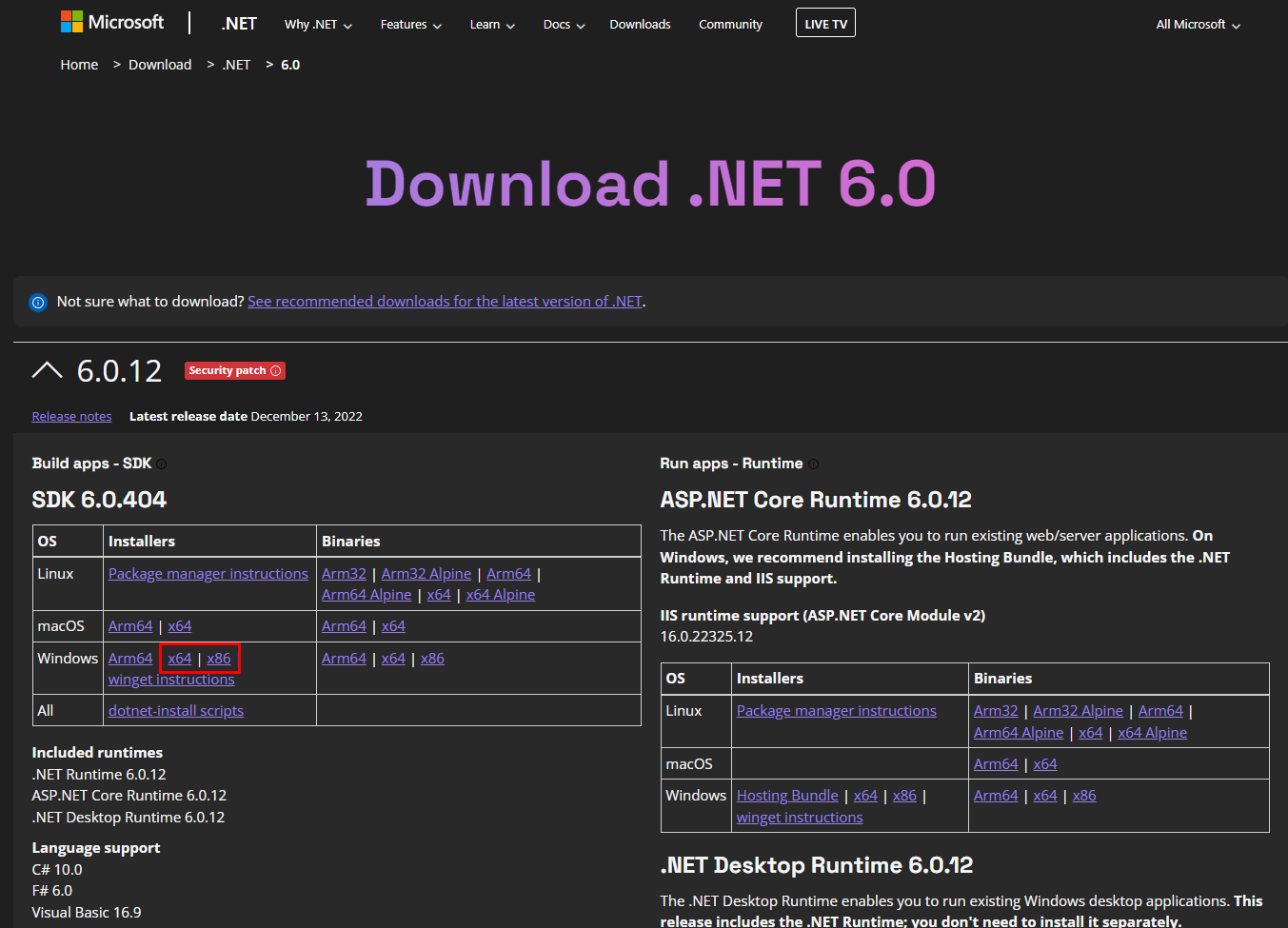
- Make sure you have .NET 6 Runtime installed
You can download HERE.
2. Download and install MelonLoader
You can download HERE.
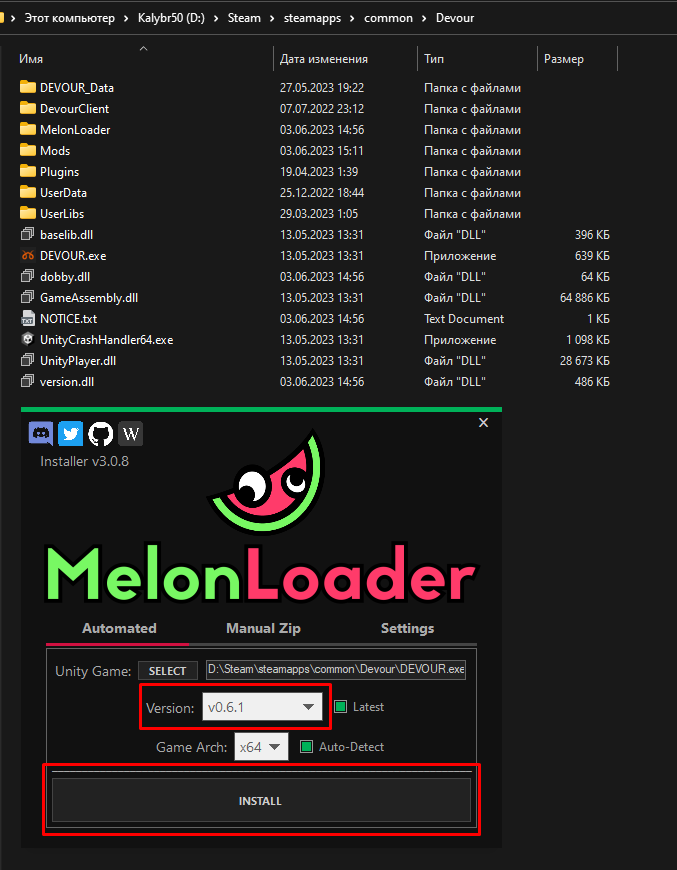
Click on the SELECT button and select the DEVOUR.exe executable file. Make sure v0.6.1 is selected and click the INSTALL button.
3. Replace files of MelonLoader.
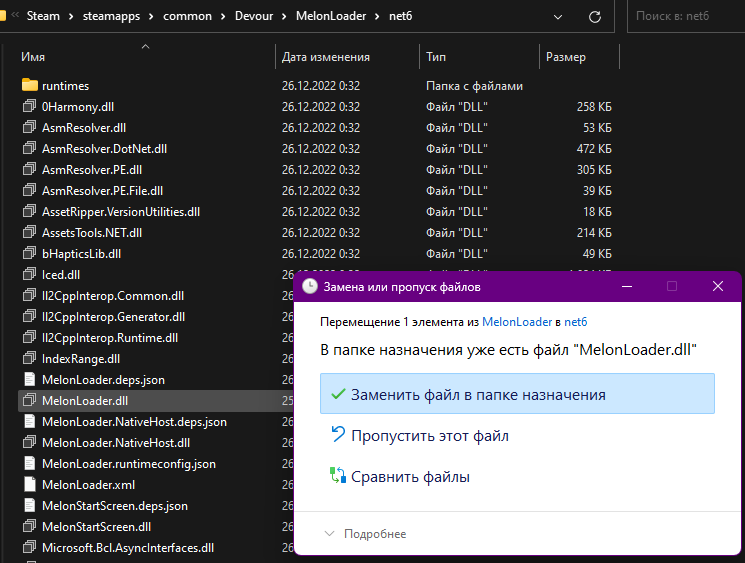
Download the file MelonLoader.dll and move the downloaded file to the folder with the game, along the path Devour\MelonLoader\net6 with replacement.
4. Download DevourClientUpdater.
You can download HERE.
And move the downloaded file to Devour\Plugins folder

If something is not clear to you, or something did not work out for you, read paragraph 0 ;3
Happy using!