Dev Sell: sell when the token creator sells
Art @quadraziDDev Sell watches the wallet that created a token. When that wallet starts selling, Cove can sell part or all of your position based on the rule you set. The trigger follows the dev’s sales, not a price or market-cap target.
Place a Dev Sell on a token
Open a token you hold, switch to Selling, then tap Limit → Dev Sell.
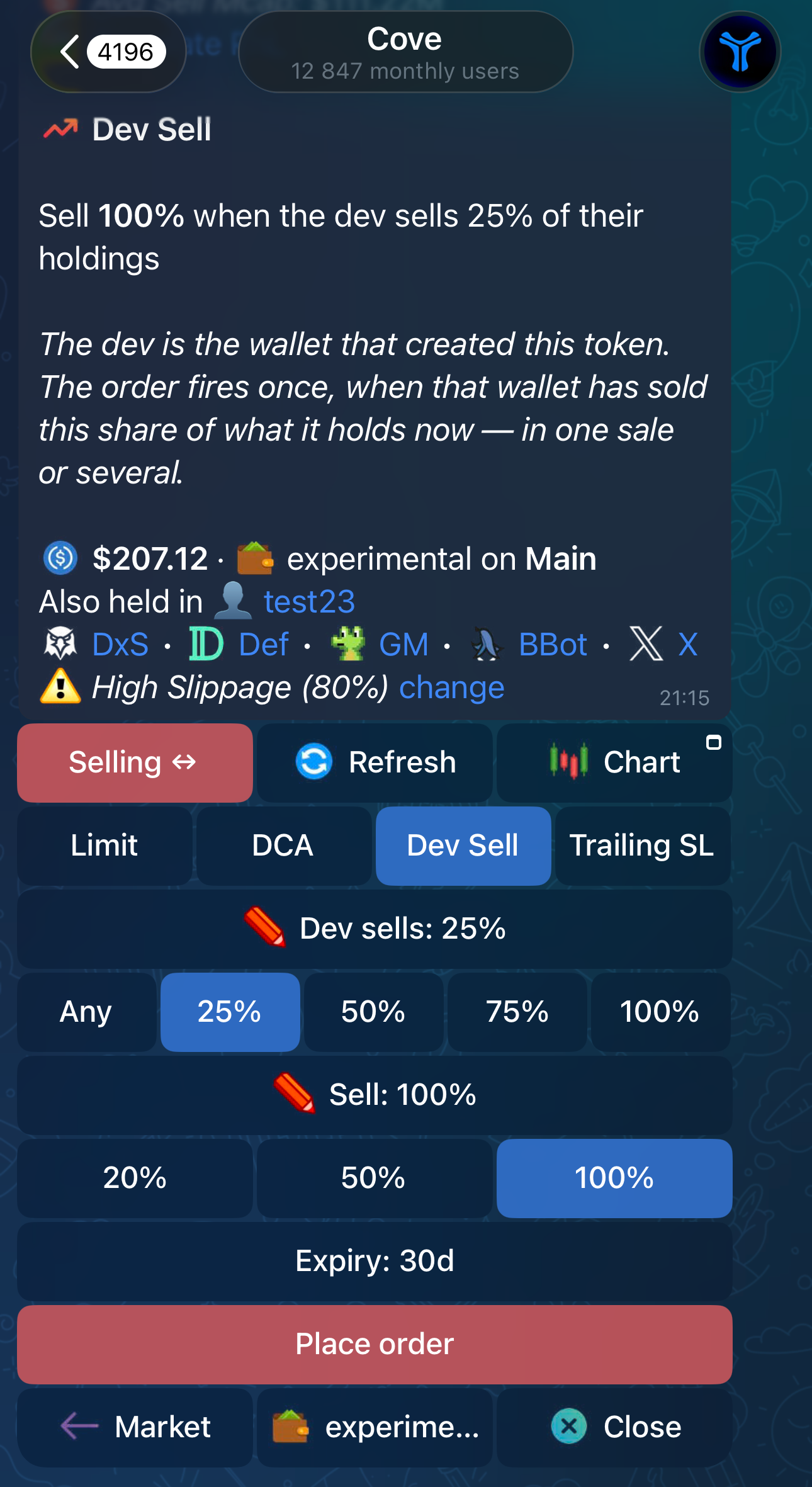
Choose two values:
- Dev sells — how much of the dev’s holdings must be gone before your order triggers. Pick Any, 25%, 50%, 75%, 100%, or enter your own percentage.
- Sell — how much of your position Cove should sell when it triggers.
Tip: tap on long 'dev sells' button with a pencil emoji to enter your custom amount. Works for sell% as well.
The panel starts at Dev sells: any and Sell: 100%. You can use those defaults or change them, review the selected wallets and expiry, then tap Place order.
For example, Dev sells 25% → Sell 50% means Cove waits until the dev has sold and their wallet balance has fallen by at least 25% from when you placed the order. It then tries to sell 50% of what you hold at that moment. The order fires once.
Set it up for future buys
Open Settings → Trade Panel Settings → Auto orders → Auto Dev Sell. You can set it separately for Market buys and Limit & DCA buys.
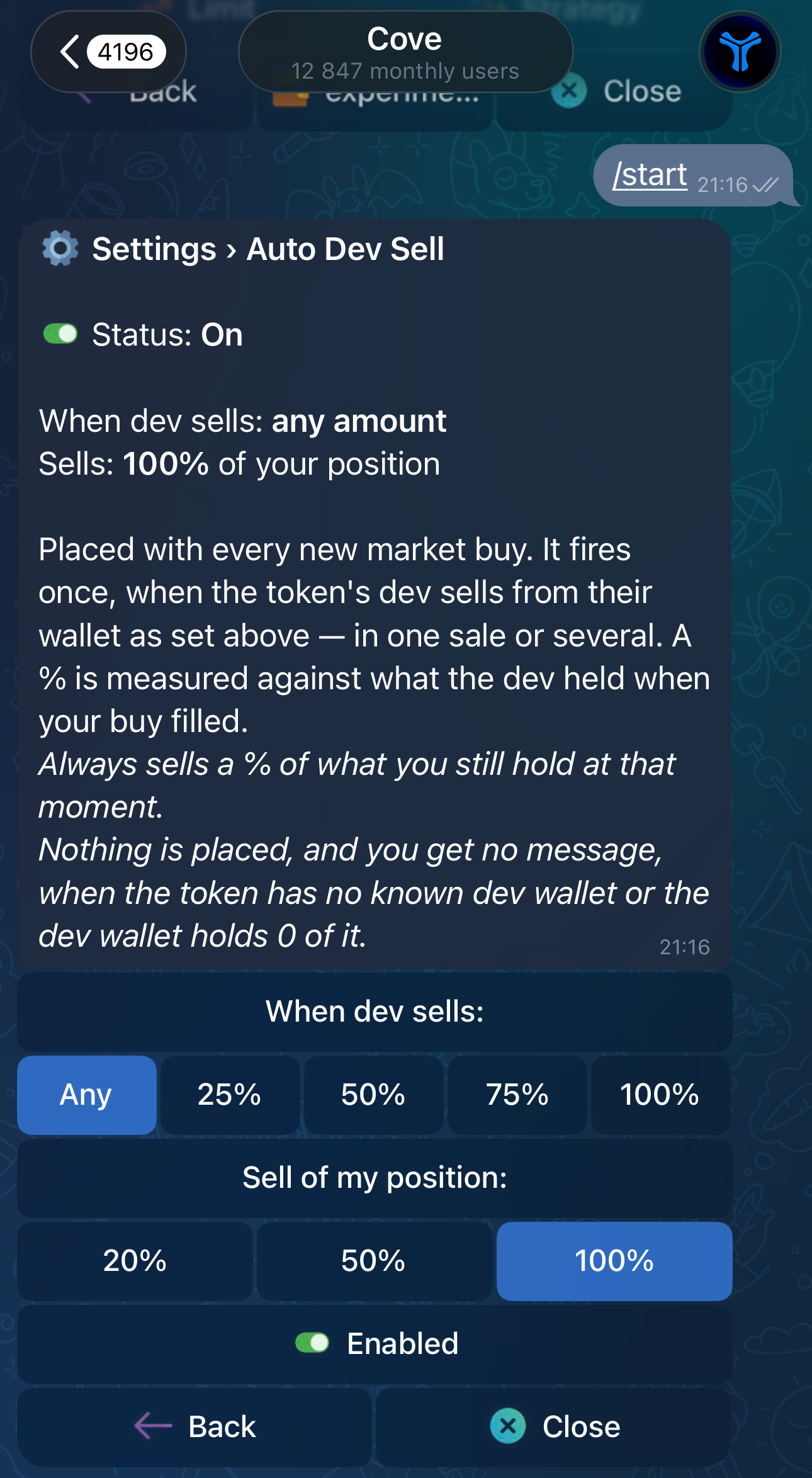
Choose when the dev’s sales should trigger your order, choose how much of your position to sell, and turn the setting on. Auto Dev Sell is off by default and applies to new buys after you enable it. A filled buy can then place the same Dev Sell order for you.
If Cove cannot identify a dev wallet, or that wallet no longer holds the token, no order is placed. Auto Dev Sell does this silently, so check /orders to see what was actually armed.
Track or change your order
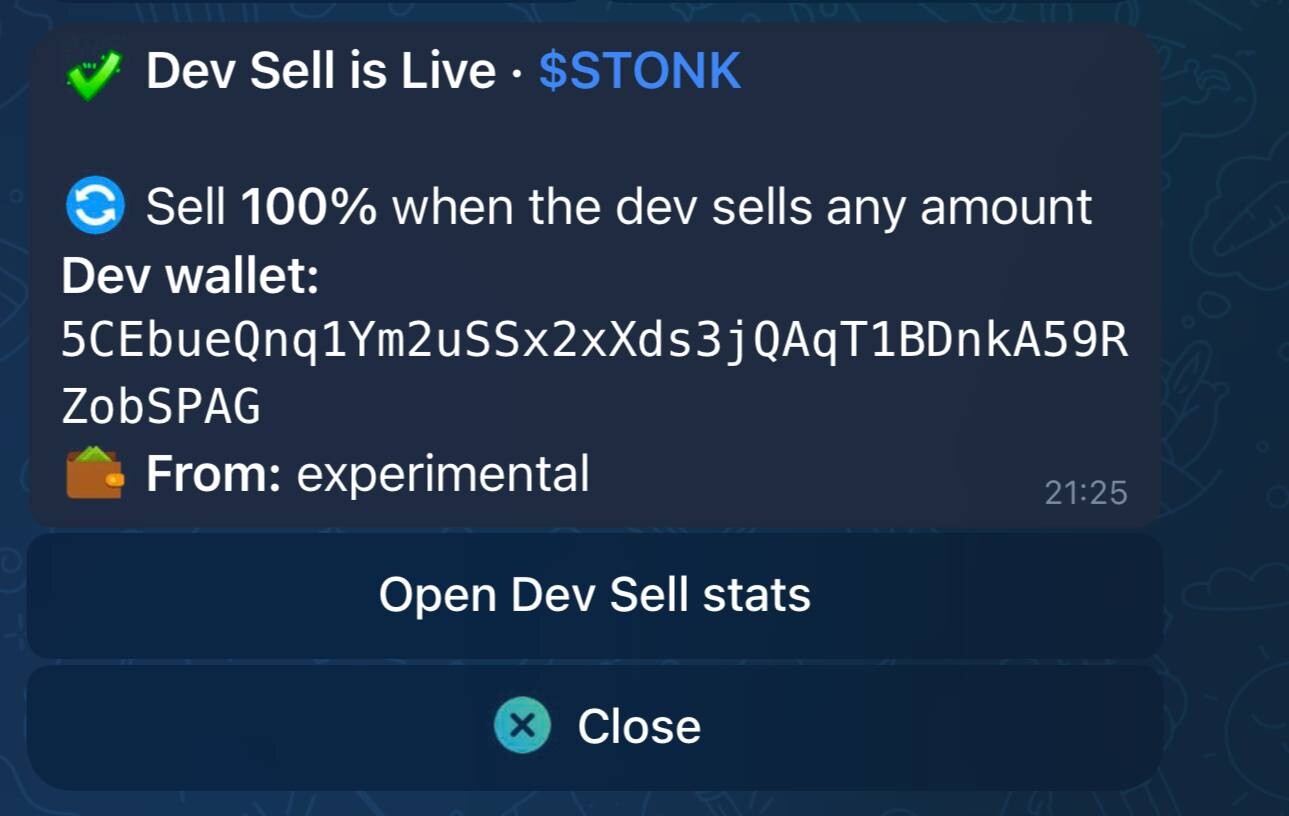
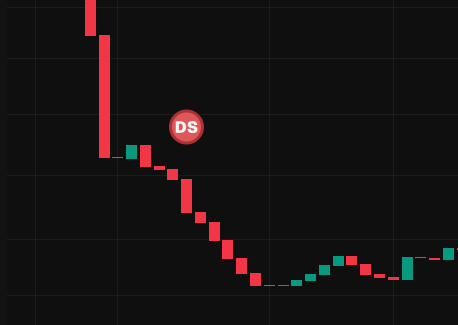
After placing a Dev Sell, tap Open Dev Sell stats to see its status, the dev wallet, and progress toward your trigger. You can refresh the stats, edit the trigger or sell amount, or cancel the order. Dev Sell also appears as DS in /orders.
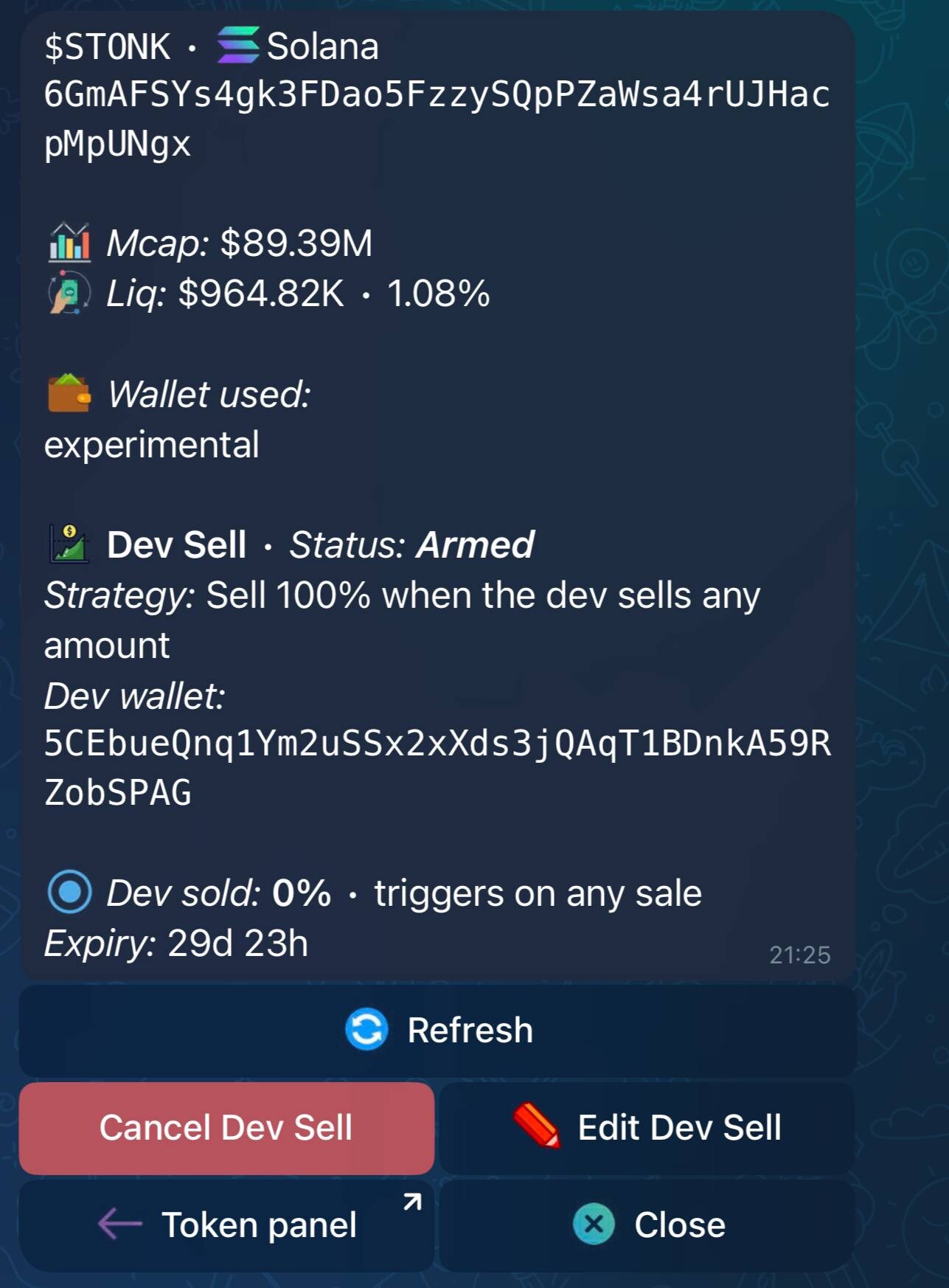
If you selected several wallets, Cove places an order for each one. The stats screen shows the placement together; you can manage individual wallet orders through /orders.
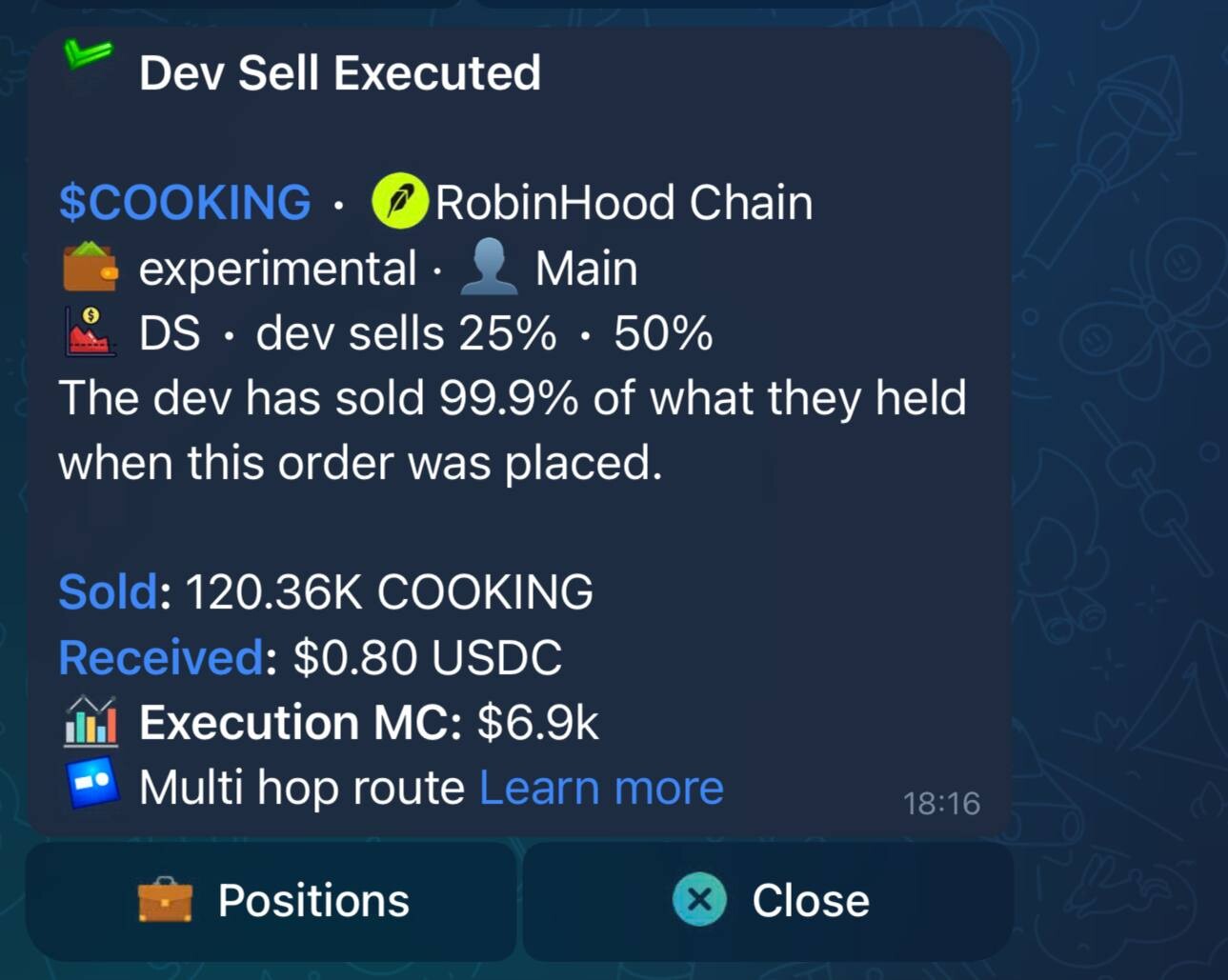
Good to know
Cove needs evidence that the dev sold and checks how far their wallet balance has fallen since your order was placed. Several sales can add up to your threshold. Moving tokens to another wallet without a sale does not trigger Dev Sell.
Dev Sell reacts after the dev’s sale is detected. It cannot sell ahead of them or guarantee a fill or profit. If selling your position would cause very high price impact, Cove may pause and ask you to confirm the sale.