Detailed instructions on installing a purchased account on PS4
Detailed instructions for installing an account on your Curling Iron! We read carefully, so as not to ask unnecessary questions to sellers :)
Stage number 1 - Account deactivation.
First you need to go to the site from a PC:
https://account.sonyentertainmentnetwork.com
And follow these steps:
Device Management -> Playstation Systems (games)
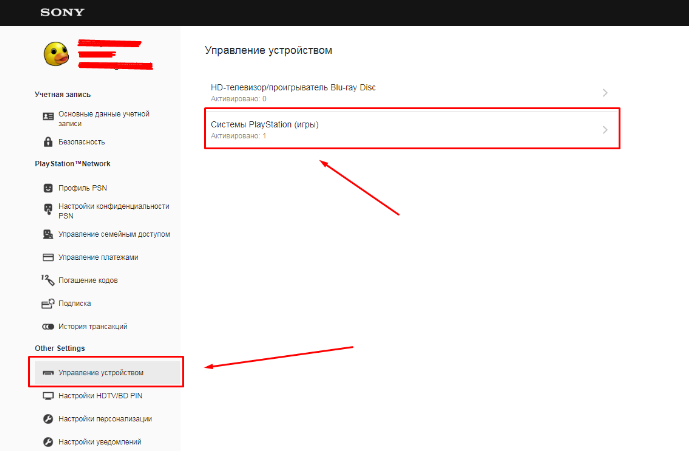
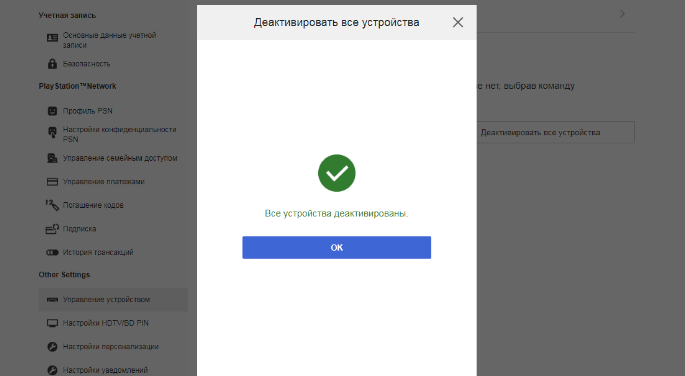
2. Click "Deactivate all devices" (in the appeared tab, click the "Yes" button - https://prnt.sc/r38avt):
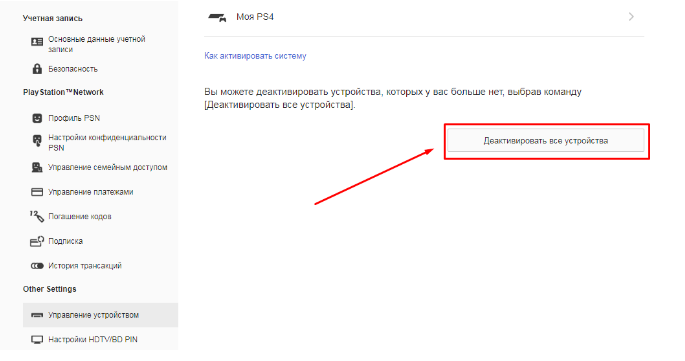
All. Devices are deactivated, now you can go to step number 2
Stage 2 - Go to your PS4 console.
After turning on, go to the settings:
1. Login settings.
2. User management.
3. Create a user.
4. Enter the data.
Click "Next" and go to the Store, as indicated in the pictures below and start downloading games.
Note: Languages may be different, see the correct action in the pictures below:
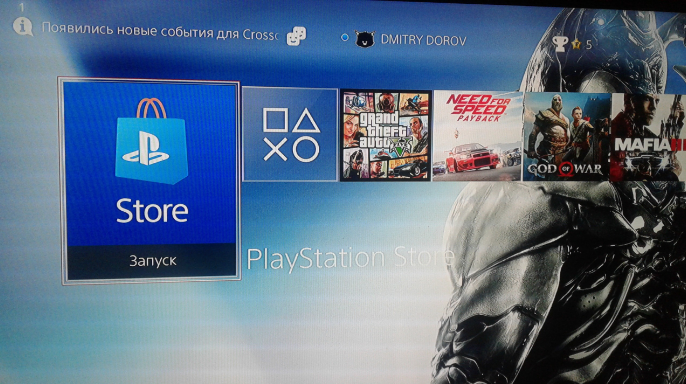
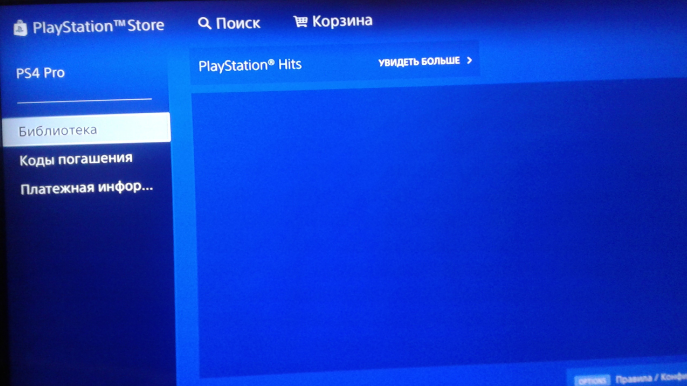
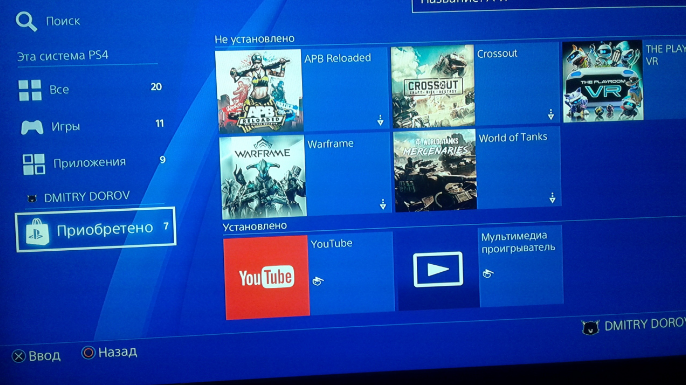
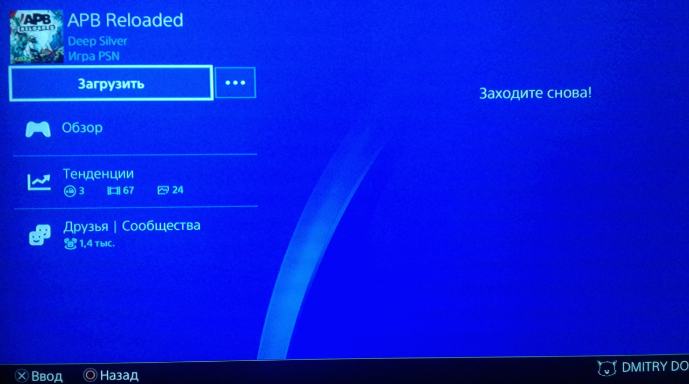
We exit the purchased user account and go to your personal profile.
There will be downloads of purchased games, we are waiting for the download to finish, and after boldly we begin to play them.
Playing with the Internet = High probability of catching a castle on a game.
Turn off the Internet and do not turn it on at the Curling Iron, thereby the games will live long, without locks!
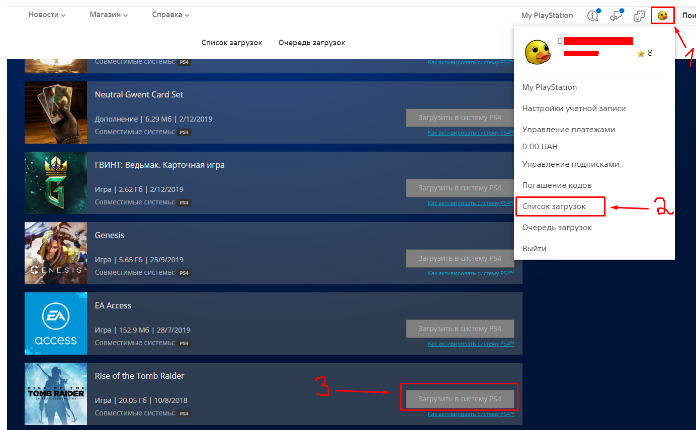
If you were thrown out of the user when adding an account to the console:
We go from the purchased account to store.playstation.com
From there, put on the download the games that you bought.
To do this, find the game and click download!
For any questions, write to us in telegrams @Vartosfl | @redPSN
Thank you for choosing us! The best games, the best prices will always be with you!