Deposit $CATS to Bitget
CATS teamDesktop:
Wallet Address
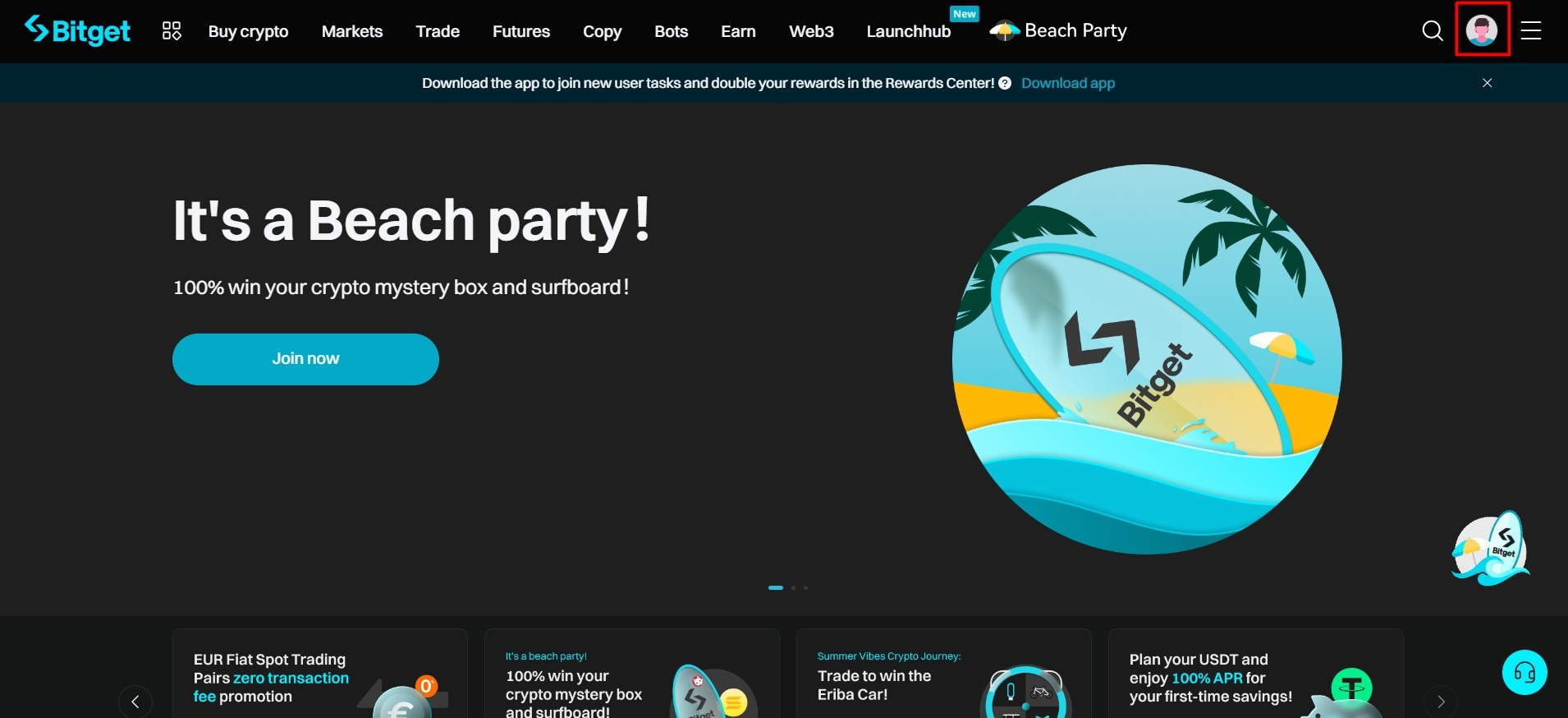
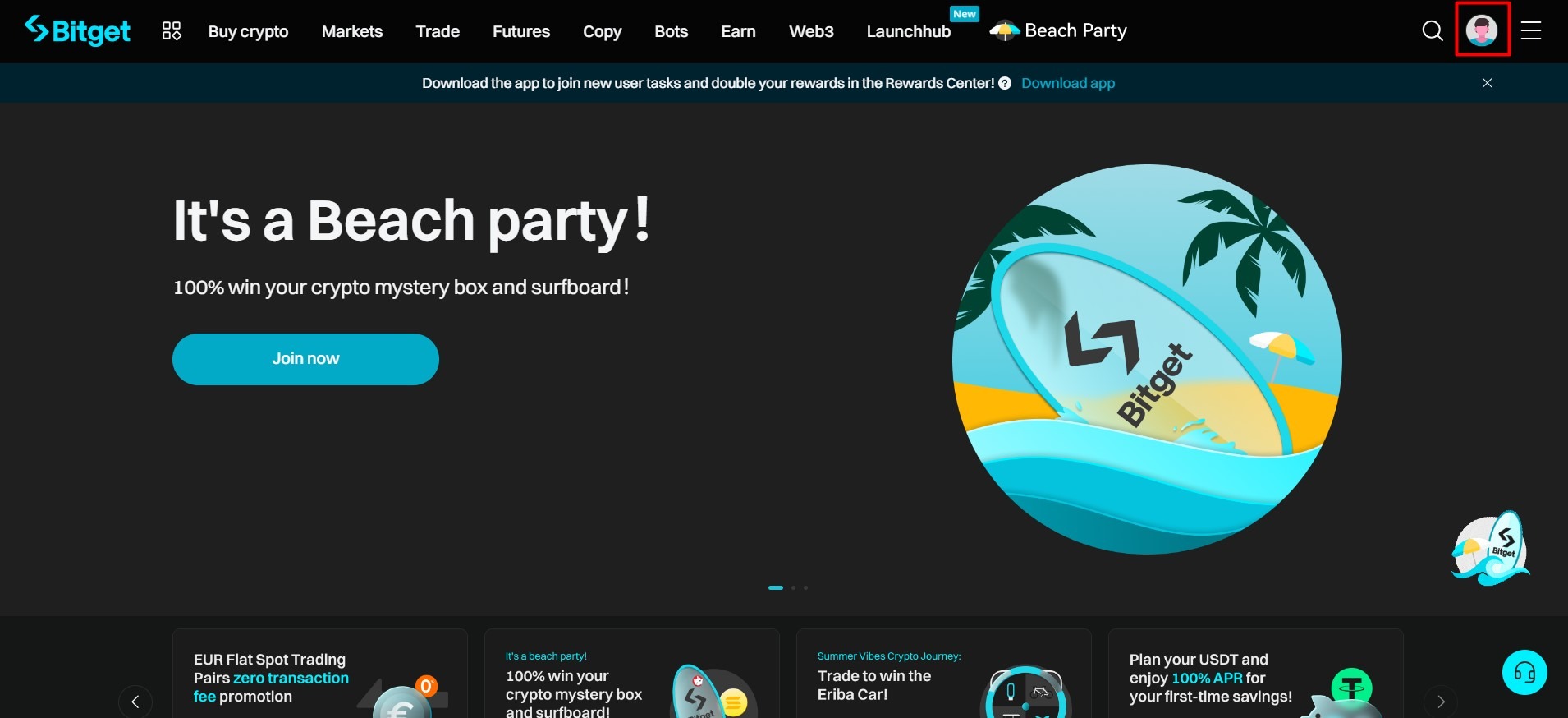
1. In the top right corner, select the profile icon.
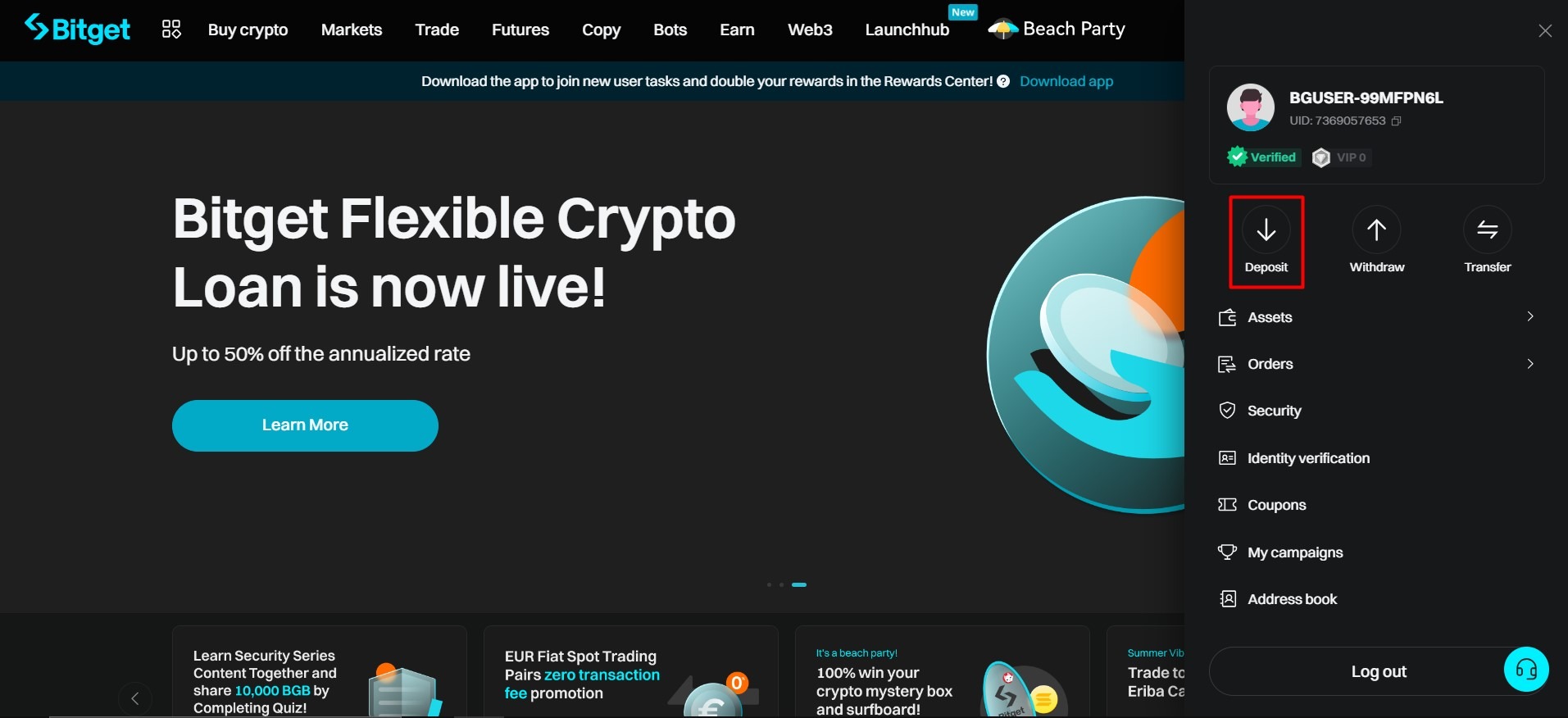
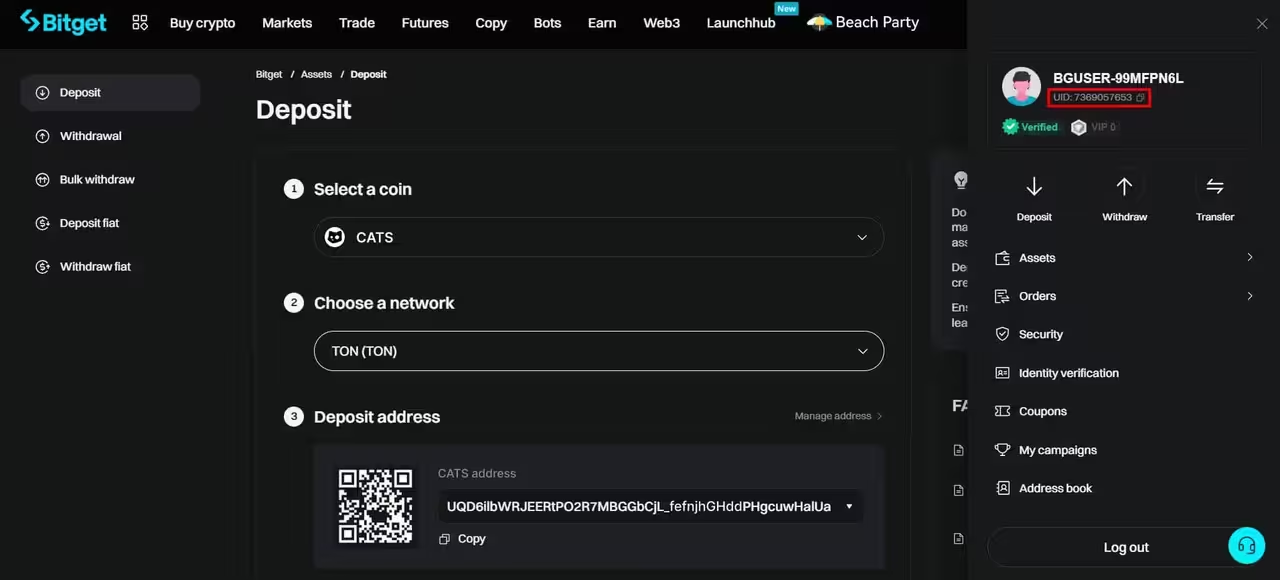
2. Next, click the "Deposit" button.
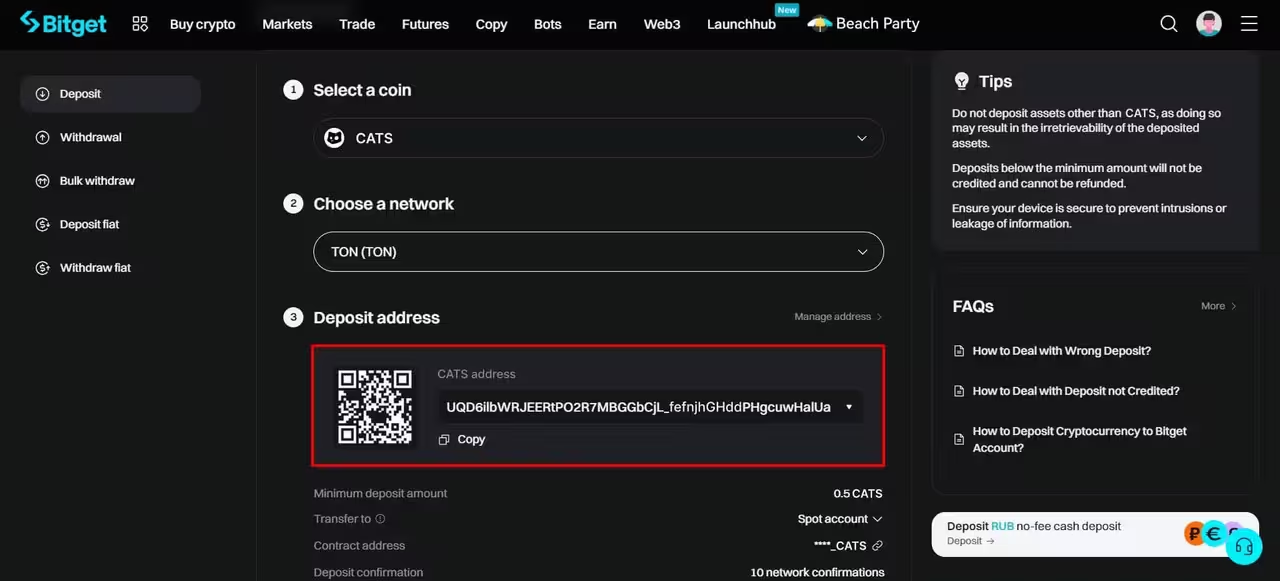
3. When choosing a cryptocurrency to top up, enter CATS in the search, click, and select the network type "TON".
4. After that, your CATS wallet address will be displayed.
UID:
1. In the top right corner, select the profile icon.
2. Your UID will appear in the description of your profile in the dropdown menu.
Mobile app:
Wallet address
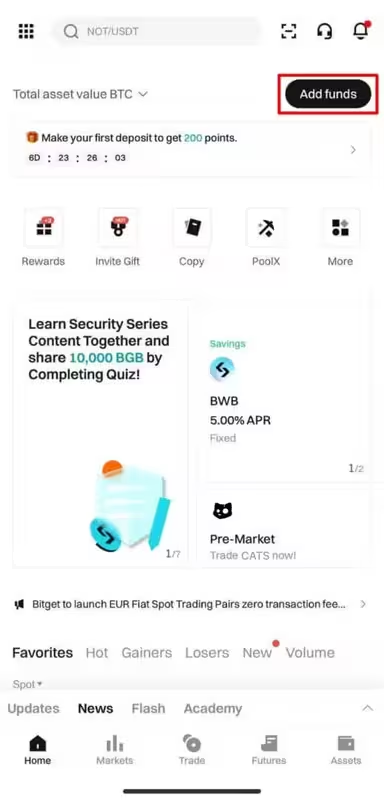
1. Tap on the "Add funds" button on the main page.
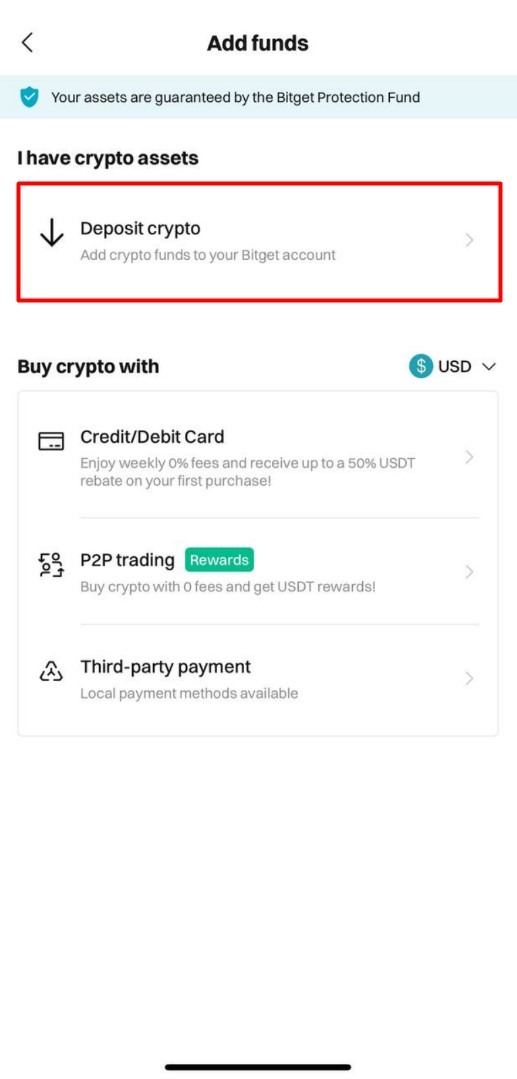
2. In the pop-up window, click on "Deposit crypto".
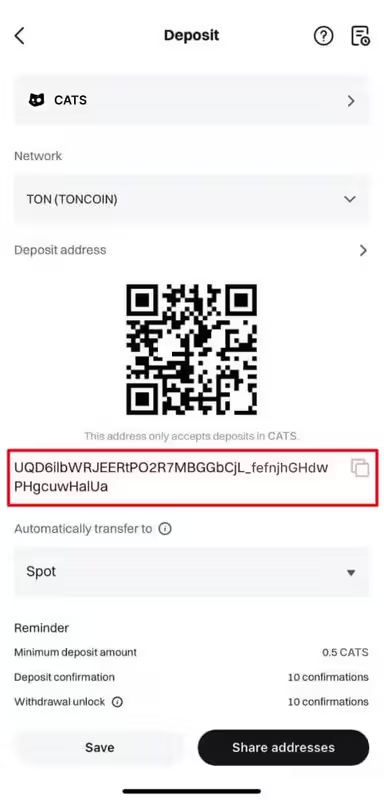
3. In the search bar, find CATS, select the network type as "TON (TONCOIN)."
4. On the deposit page, you will see the address of your wallet.
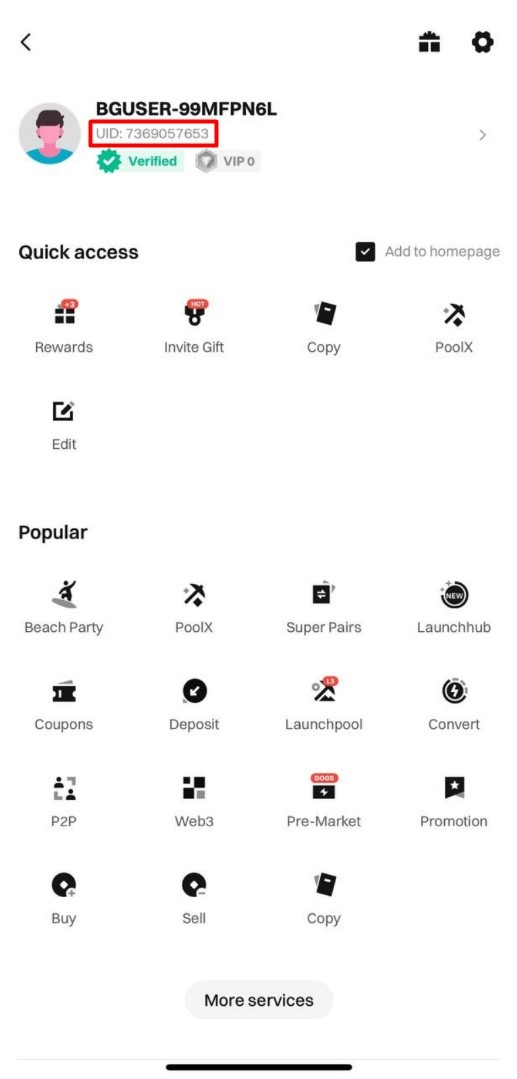
UID
1. In the top left corner, find the profile icon and click on it.
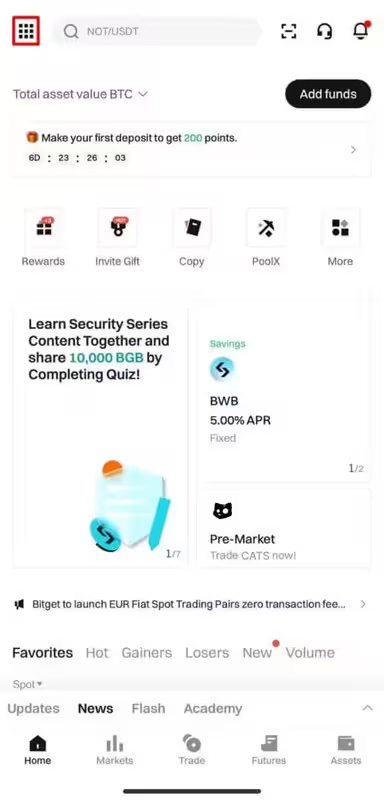
2. Your account details and UID will appear on the page.