Defbox DVWA Lab write-up
Mikhail AksenovThis is a guide to what's happening inside DVWA Defbox Lab and how to catch an attack there.
The lab is built around DVWA project. DVWA is a deliberately vulnerable web application. It contains dozens of vulnerabilities. First released in 2010 it is still a useful training exercise where attackers can learn on how to exploit different web vulnerabilities.
Level 1
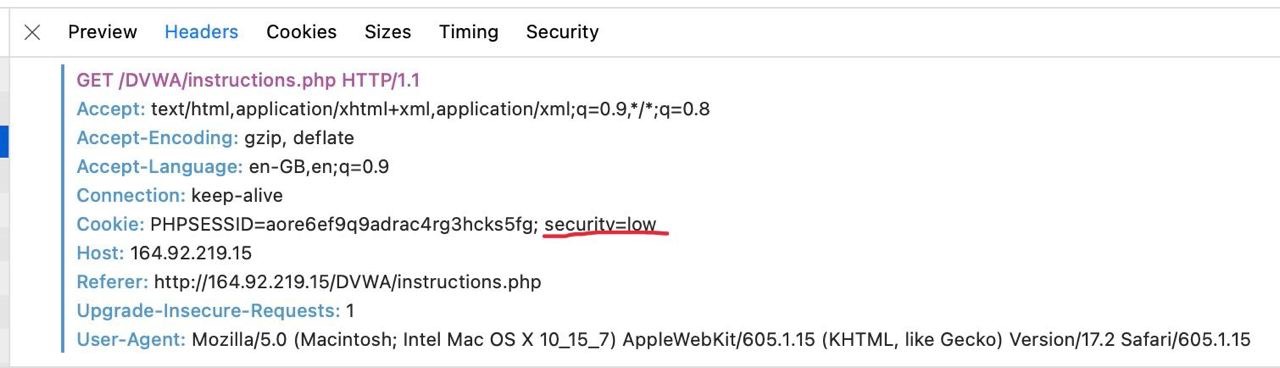
DVWA has difficulty levels starting from easy to impossible. The cheapest highlight is about these levels:
DVWA has difficulty levels. Level is identified via cookie. What is the cookie name?
The second highlight is
There is a flag.txt somewhere in the Lab. What are the contents of the file?
Text doesn't say that it's in the logs. We try the hacker's way - Hack the machine and inspect its insides. Command injection seems like the easiest way to get into machine. It is about unsanitized user input. The page says
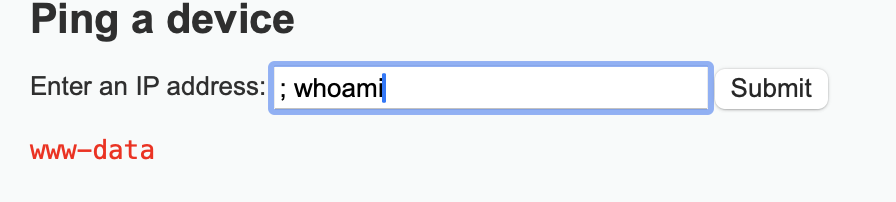
Ping a device
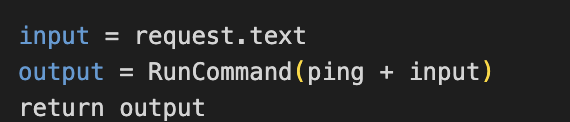
What could an experienced developer do to develop such feature? Maybe something like
Input "; whoami" should work as "ping; whoami" and return us a user, let's try it:
Now let's find a flag.txt file:
; find / -name "flag.txt
This print returns
/etc/flag.txt
We print it with
; cat /etc/flag.txt
We get which is the highlight
D3F80X H4t35 phl495
The last part is the attack and attacker's user agent:
What is the User agent attacker used during RCE attack?
Now it's time to run attack and look into the logs. Let's start from file logs should be something from the web server there - yes, apache logs available. And user agent also there -
|)3F80x |-|AX0.-
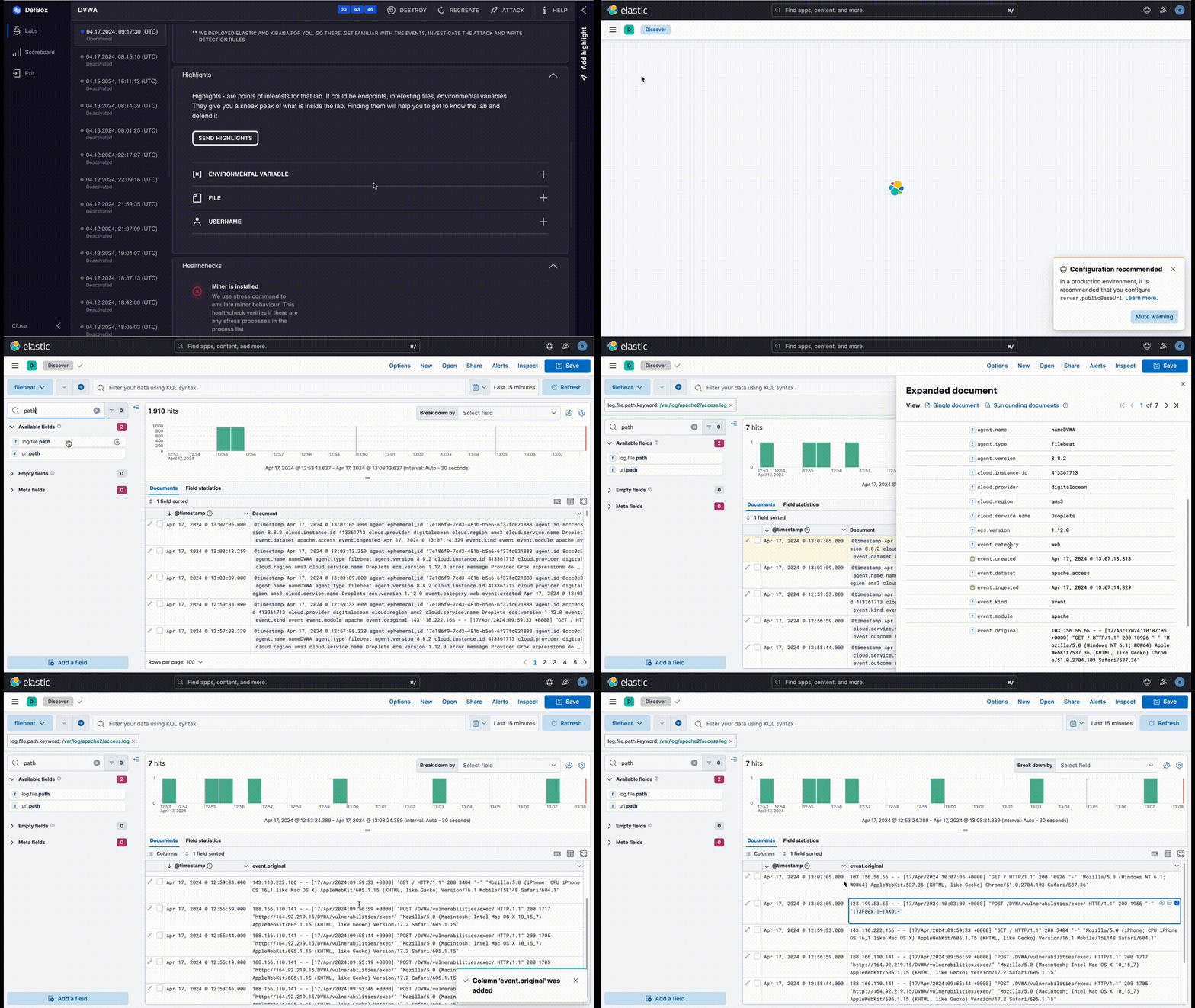
The last thing left is the correlation rule. Obviously wrong first option is to detect user agent:
- event.original: "|)3F80x |-|AX0.-"
The query would work, but it's obviously wrong because attacker can change his user agent, and moreover most probably in real world hackers would not have such bizzare user agents in the field.
The other approach I can think of is looking for suspicious processes started by www-data
- event.category: process and user.name: www-data and process.title :*;*
This query is looking for all the processes started by www-data and having ';' in them. While it's not ideal solution - there are many other characters to inject into command prompt, this query can be a start to writing more advanced detection rules
Level 2
The second level is about Blind SQL injection. More theory can be found here - https://owasp.org/www-community/attacks/Blind_SQL_Injection
How Blind SQL can be exploited in DVWA - https://rahulmondal666.medium.com/lets-learn-webapp-pentest-from-basic-on-dvwa-fa1fb434b898
This level has no highlights, so we will dive straight into detection phase
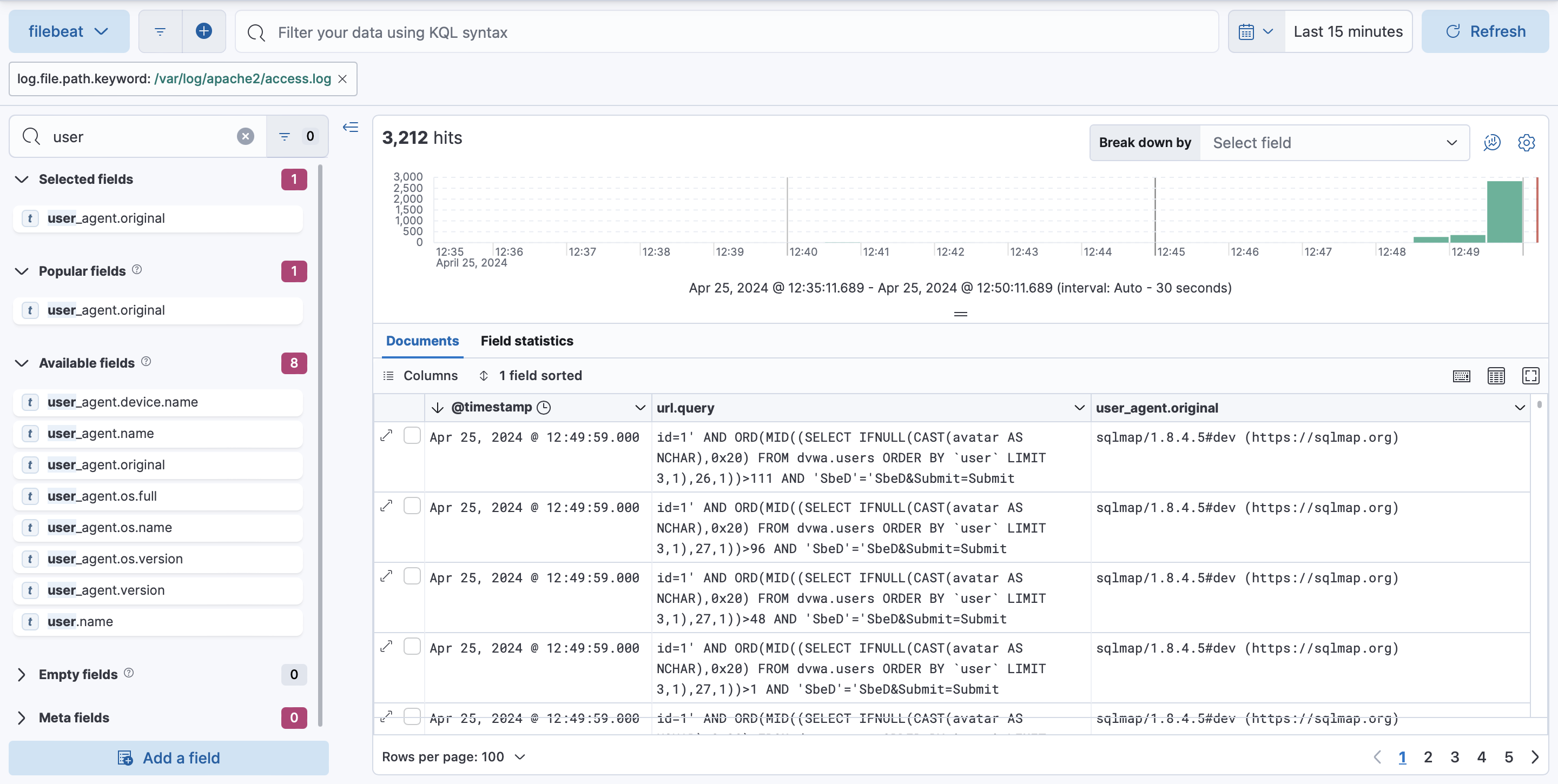
We see suspicious queries and user agent. These suspicious can be written as query for detection rules:
- user_agent.original : "*sqlmap*" - Can be helpful against script kiddies, but not again anyone who can change his user agent.
- url.query.keyword : *\\'* - We look for single quotation mark in query parameters. This query is more useful and can be further extended to capture other ways of injections
Level 3
A little theory - https://owasp.org/www-community/vulnerabilities/Unrestricted_File_Upload
How attack is run in Defbox - https://medium.com/@eudorina67/dvwa-file-upload-vulnerabilities-40104b54d488
There is one Highlight regarding Level 3 - It is the shell URL. Let's dive again into logs after running an attack:
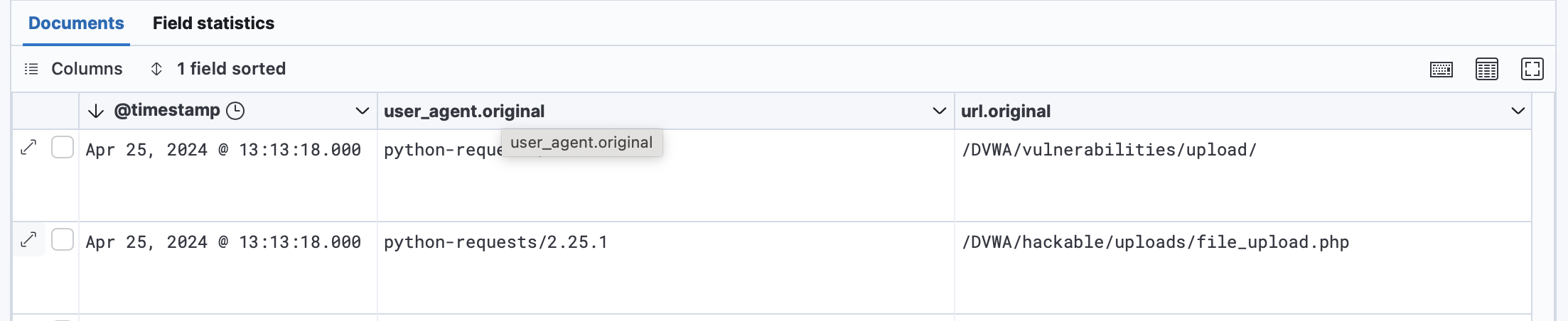
Unfortunately, commands are written in the body of POST request, which is not shown in logs. We can again see for any suspicious processes run by www-data user:
- event.category: process and user.name: www-data and process.title :*;* - This query ran in auditbeat data view will show us suspicious processes and allow to detect attack