Debloat MIUI 12 & Increase Battery Life
@saitama_96Let's see how to Debloat MIUI First!
Pre-requisites
-- A PC/Laptop
-- USB Cable
-- ADB Drivers
-- Szaki Xiaomi ADB/Fastboot Tool
-- Java
-- Your Device
Instructions
Step 1
First we will uninstall the Mi Wallpaper Carousel App. This app shows Dynamic Photos on your lock screen which consumes battery every time you check lock screen. To uninstall this app, Open Settings and go to About Phone > Storage

Now here, click on Apps and Data and you will find Wallpaper Carousel, Uninstall it! You can also uninstall all the apps which can be uninstalled directly!
Step 2
-- Now we have to debloat apps using ADB/Fastboot tool which We've added above! First things First, Enable "USB Debugging". Now Run the tool on your PC/Laptop and Connect Your Phone and it will send a prompt request. Click "Always give access to this Computer" from the Phone. Now You Will See A List of Installed Apps in the phone. You Can Select The Apps you want to Uninstall. After selecting those apps click on the uninstall button. We've attached a list of apps below that can be uninstalled without any issues, We've also debloated Clock, Calendar, Notes etc but it's on your own freewill if you want to debloat those or not!
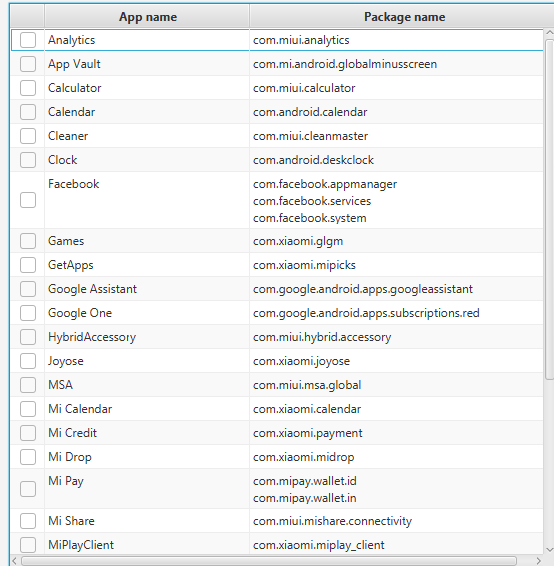
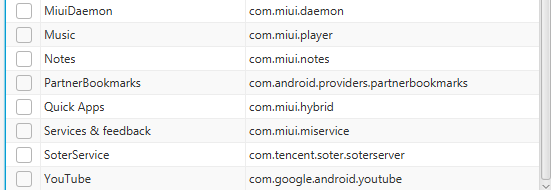
We've successfully debloated our MIUI Now! Now let's disable the trackers!
Step 1
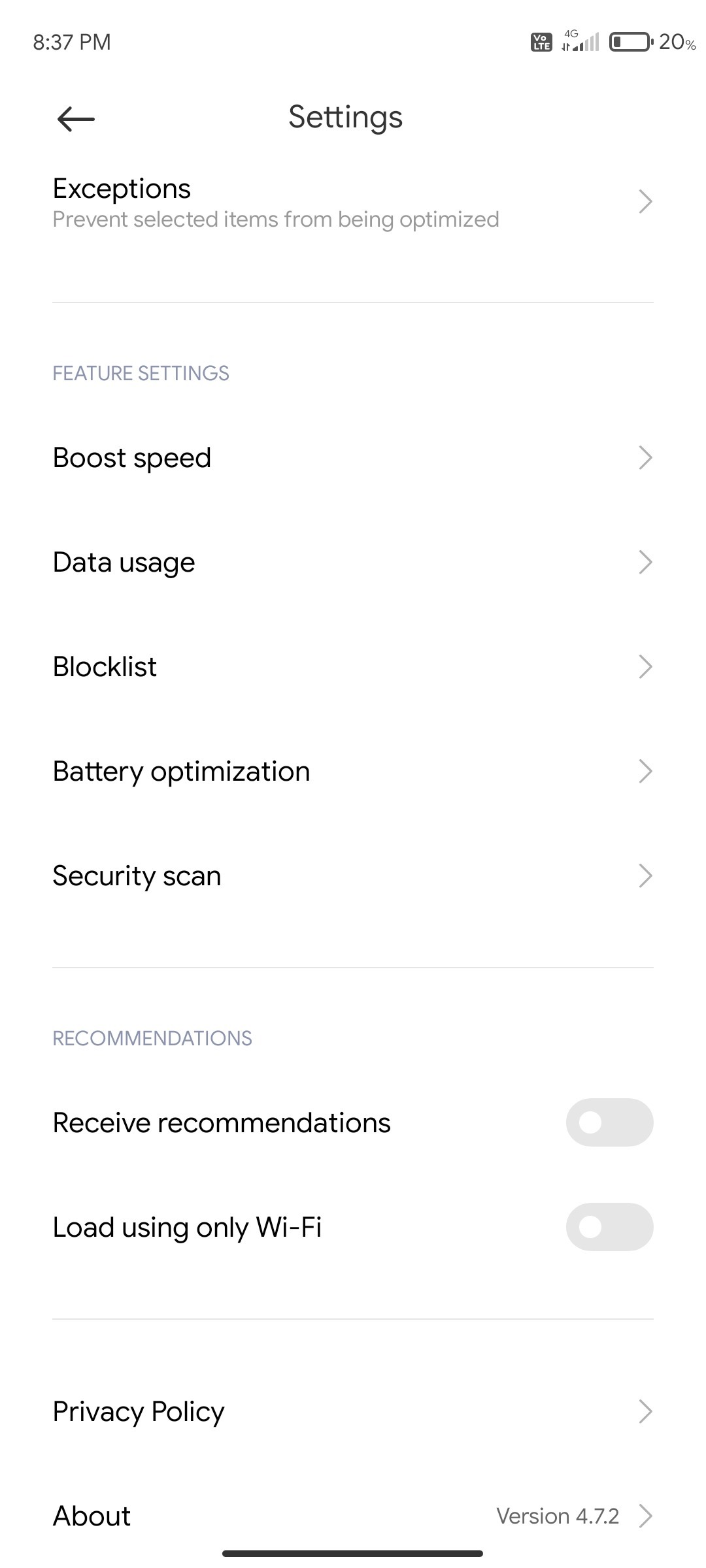
Go to Settings and search "Personalized" and now click on "Personalized ad recommendations". Make sure it is turned off. Also Open all the system apps(Like security, themes etc), go to their Settings and turn off "Receive Recommendations"(See Screenshots).
Warning - Don't Uninstall core MIUI Apps Otherwise Your Device Will Stuck in Bootloop.

Step 2
Using ADB, Disable System Traceur (make sure usb debugging is turned on in developer options). Type the following command in ADB
adb shell pm disable-user com.android.traceur
This command will disable logging though! You won't be able to take logs after this until you reflash! It's safe if you don't need to make debugging on your phone!
Step 3
After following all these steps Calibration Battery Once and you will feel smooth MIUI Experience and Good Battery Life
Thanks! Enjoy Debloated MIUI!