Crypto withdraw to Bybit
- Tap "+"
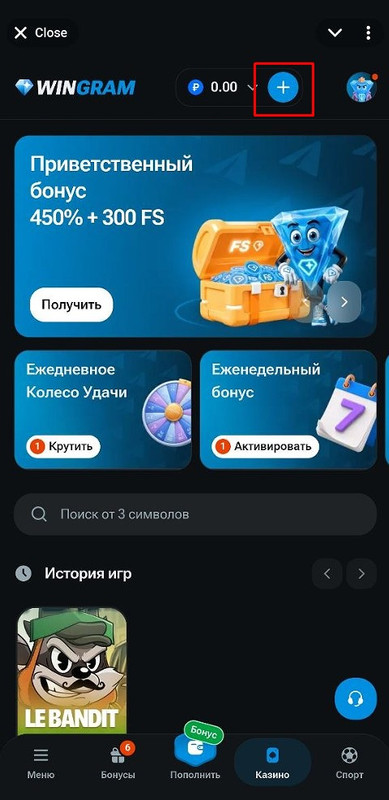
- Next, select Cryptocurrency
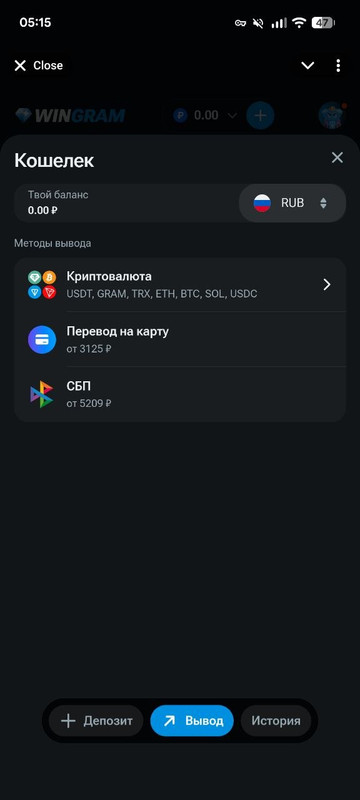
- Choose the cryptocurrency you want to withdraw
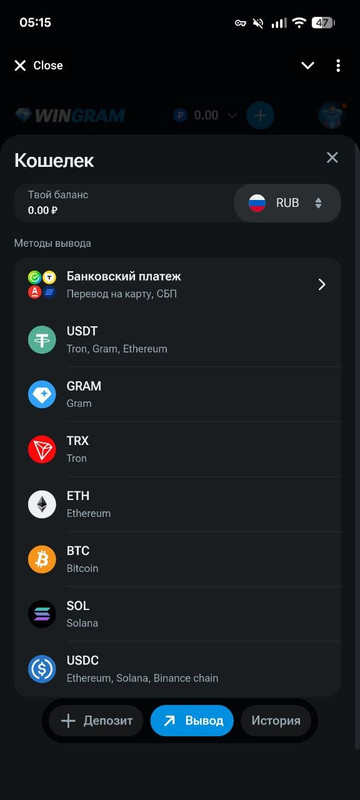
- Enter your Bybit address, and the funds will be credited to your exchange account
How to find your deposit address on Bybit:
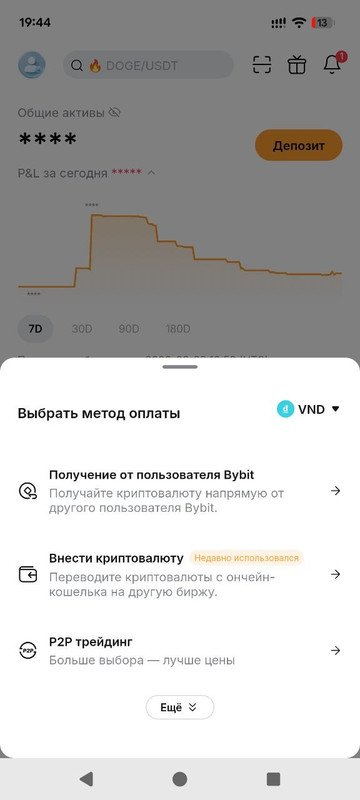
- On the home screen, tap Deposit.
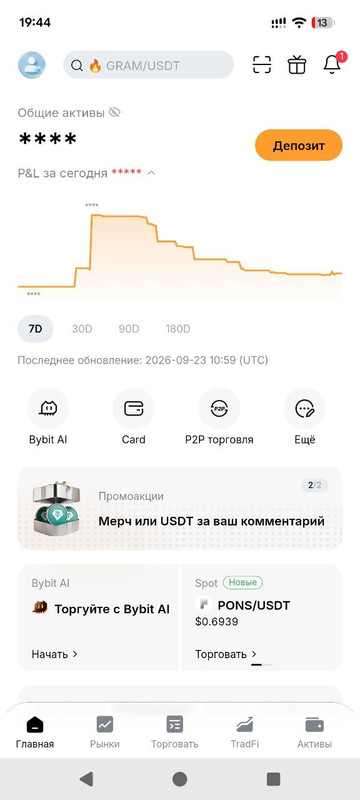
- Select "Deposit Crypto".
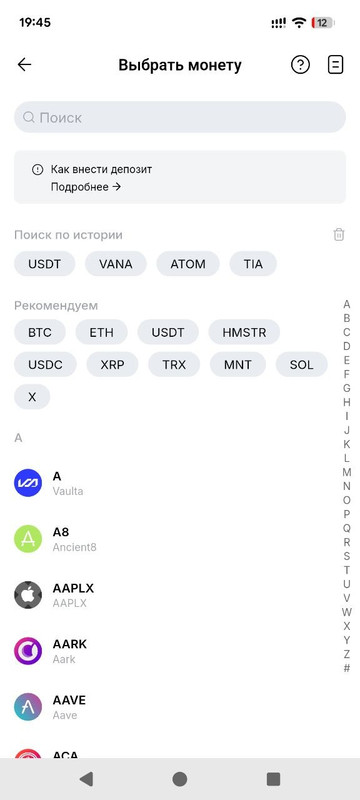
- Choose the currency, for example, USDT.
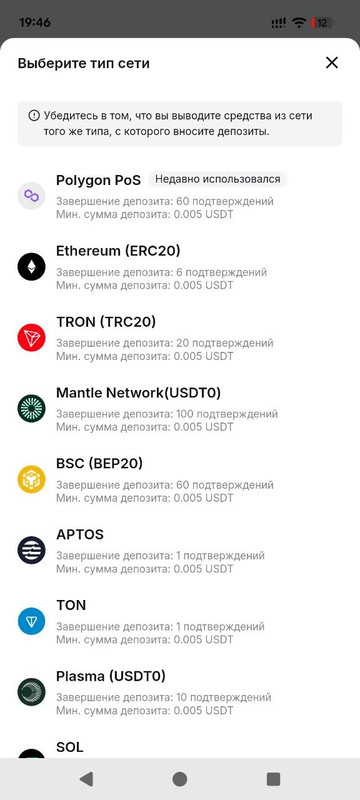
- Select the network type you are using for the withdrawal.
- Now you can copy your deposit address and use it to withdraw from Wingram.
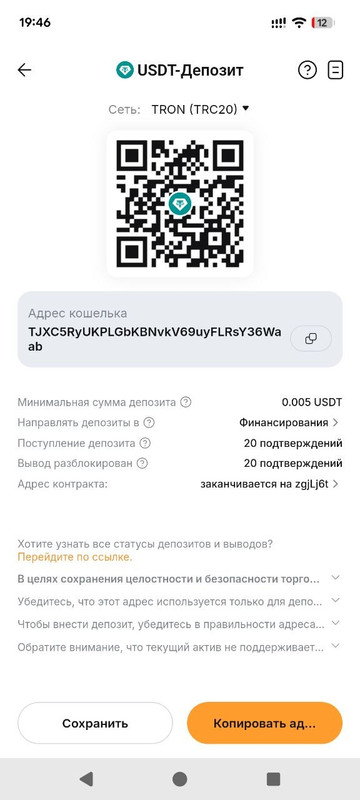
Make sure to double-check the network selected for receiving the cryptocurrency; it must match the network you chose for the withdrawal in your Wingram account.
Selling Cryptocurrency and Withdrawing Funds to a Bank Card
Step 1: Transferring Crypto to the P2P / Funding Wallet
- Go to the Assets section.
- Find the cryptocurrency you want to sell and tap "Transfer".
- Select "From Spot Account to Funding (P2P) Account".
- Enter the amount and confirm the transfer.
Step 2: Selling Cryptocurrency via P2P
- On the home screen, tap Deposit.
2. Select "P2P Trading".
3. Go to the Sell tab.
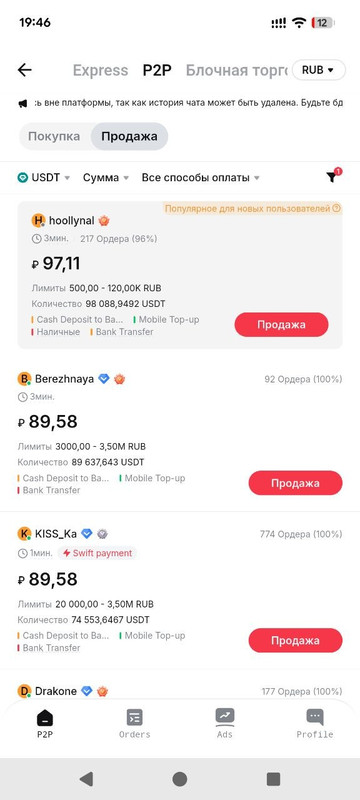
4. Select the cryptocurrency you want to sell (for example, USDT).
5. Specify the currency you want to receive (for example, RUB, USD).
6. Browse the available buyers' offers. Pay attention to their rating and completion rate.
7. Choose an offer that fits your conditions.
8. Enter the amount you want to sell.
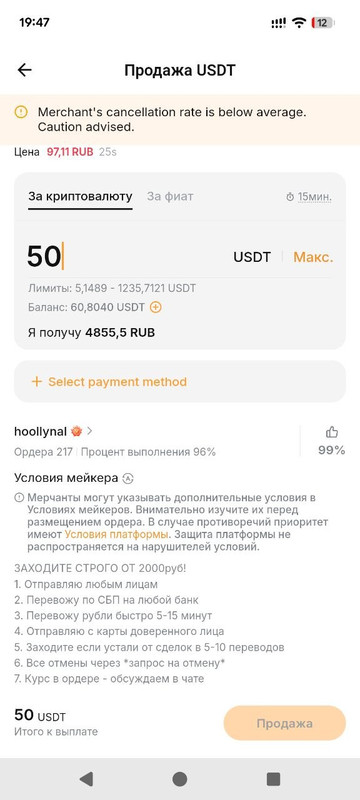
9. Select your payment method to receive the card transfer (e.g., bank transfer).
10. Tap "Sell" and confirm the order.
Step 3: Confirming Payment Receipt
- After you tap "Sell", the buyer will transfer the money to your bank card.
- Wait until the funds are credited to your card.
- Once the money is in your account, confirm the receipt in the Bybit app.
- Only then will the cryptocurrency be released to the buyer.
Additional Tips:
- Check details: Make sure your bank card/payment details are accurate.
- Stay alert: Never confirm the receipt of funds until the money is physically in your bank account.
- Use 2FA: Keep Two-Factor Authentication enabled to protect your account.