Crypto top-up with xRocket
1. Buying Cryptocurrency
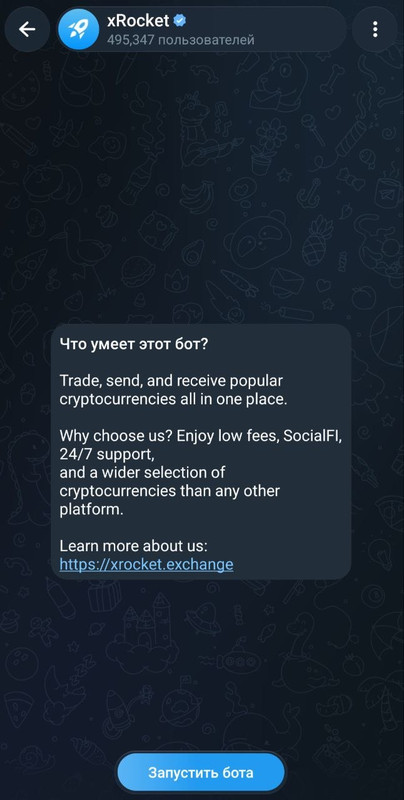
Find the official wallet bot (for example, @xrocket).
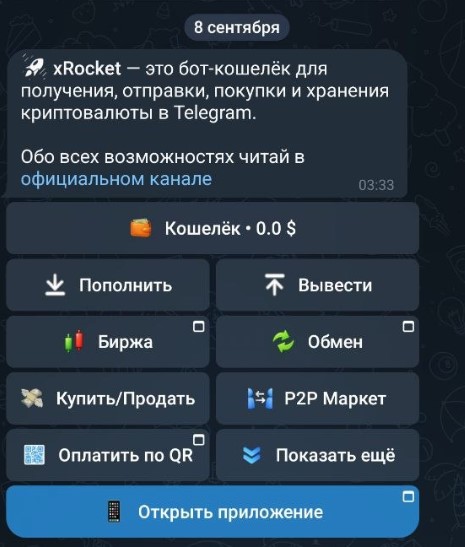
Tap Start Bot to activate it and Open App for an easier, more convenient interface.
Topping up your wallet:
To deposit cryptocurrency into your wallet balance, go to the "Deposit" section and select a transfer method.
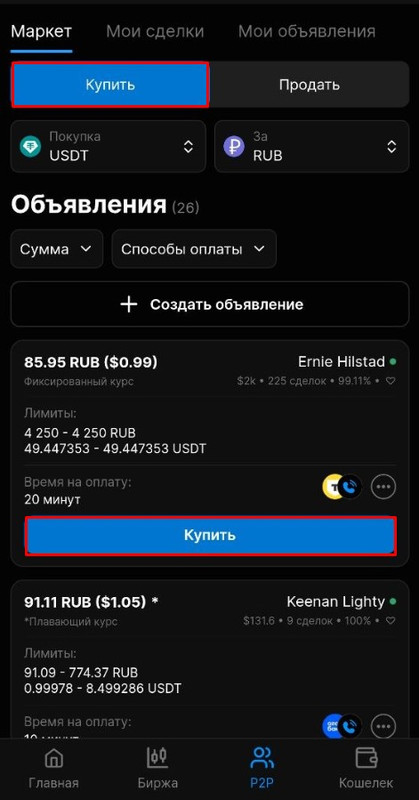
If you want to fund your wallet by purchasing crypto with fiat money (via card, SBP/Faster Payments System, or bank transfer), open the P2P section.
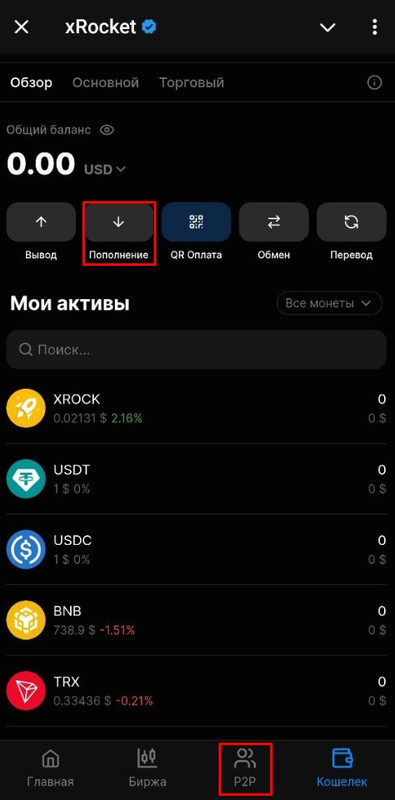
The crypto purchase section will open.
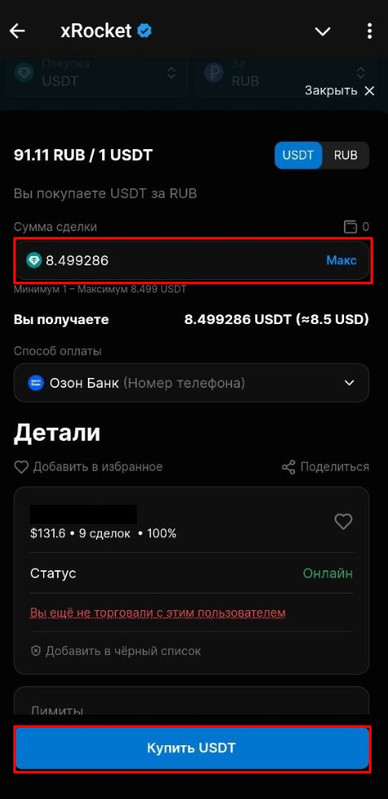
Select the cryptocurrency you need and your payment currency.
Next, choose a suitable seller, enter the desired amount, and complete the trade.
Security:
Make sure to enable Two-Factor Authentication (2FA) in Telegram to protect your funds.
Store all private keys and passwords in a secure place.
2. Account Top-Up
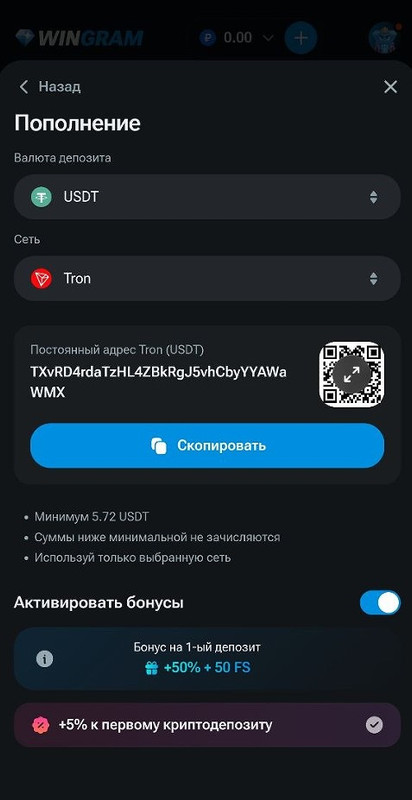
- Tap the "+" icon.
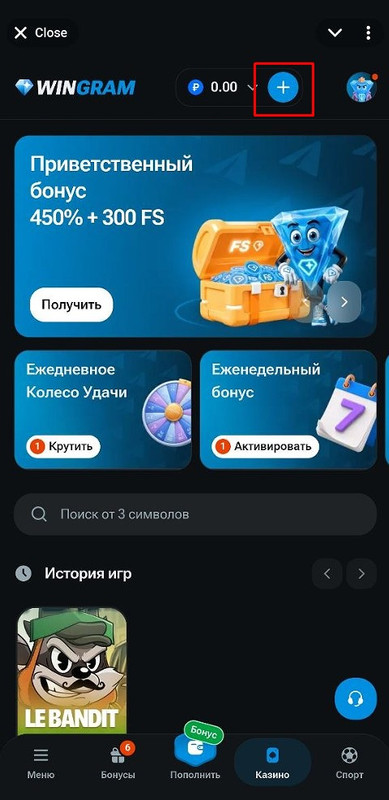
- Select "Cryptocurrency".
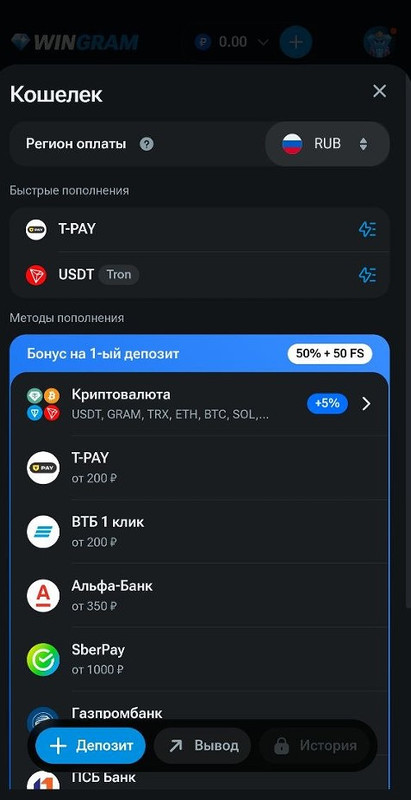
- Choose your deposit currency and the network you will use for the transfer.
- Copy the address.
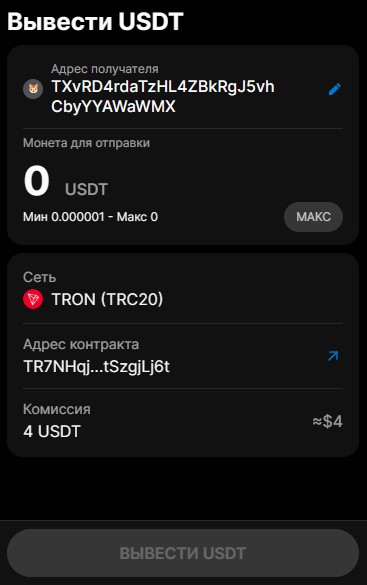
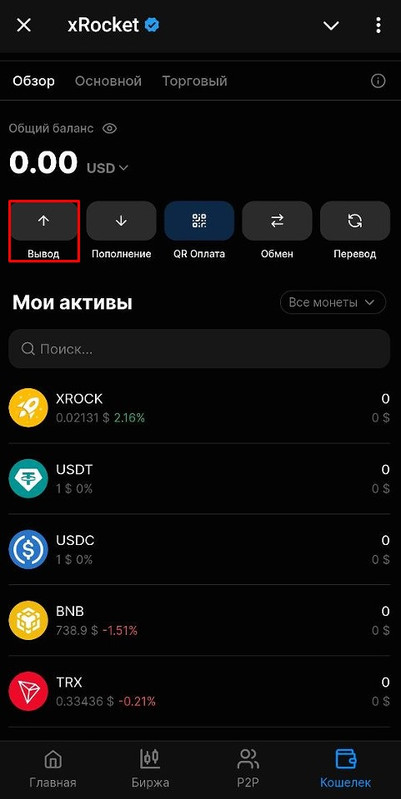
- In your xRocket wallet, tap the Withdraw button.
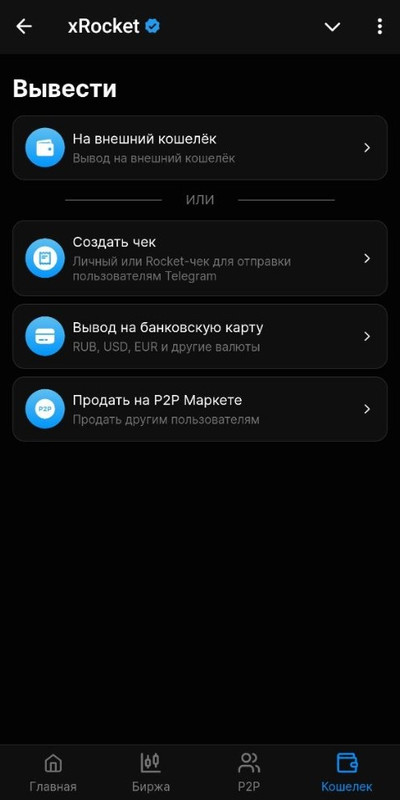
- Select "To an external wallet".
- Choose your currency, the network you plan to use for your Wingram deposit, and paste the address you copied earlier.
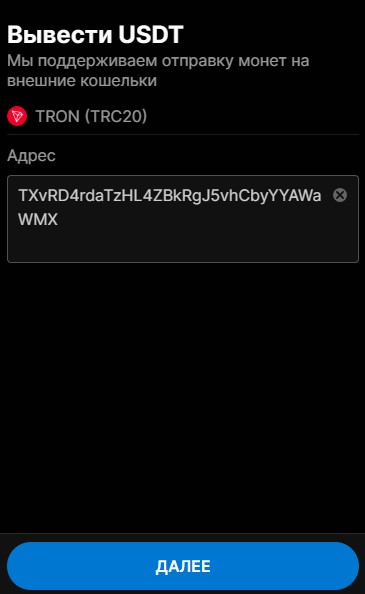
- Enter the amount you want to deposit and tap Withdraw.