Crypto top-up with TG-wallet
Installation and Activation:
- Go to Telegram and find the official TG wallet bot (for example, @wallet).
- Tap Start to activate it.
- You will be prompted to create a wallet—follow the bot's instructions.
Funding the Wallet:
- To deposit funds into your TG wallet balance, go to the "Add Funds" / "Deposit" section.
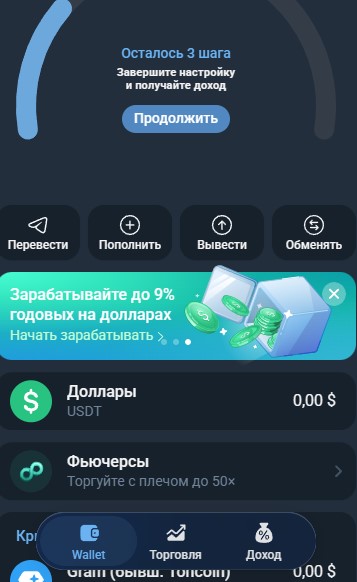
- Cryptocurrency can be purchased in several ways; let's take P2P Express as an example.
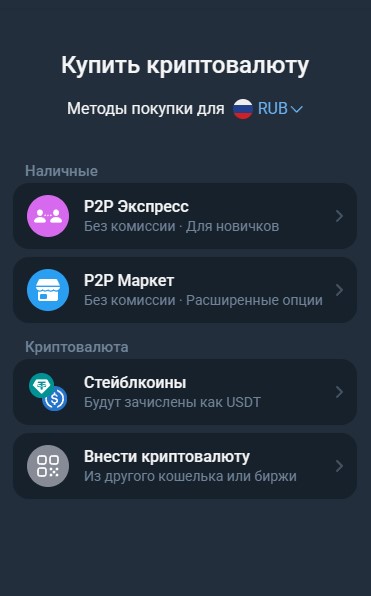
- Select the coin you wish to buy and enter the required amount.
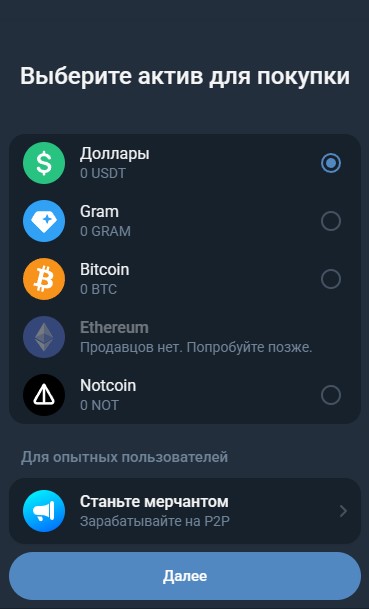
- Next, complete a quick identity verification procedure.
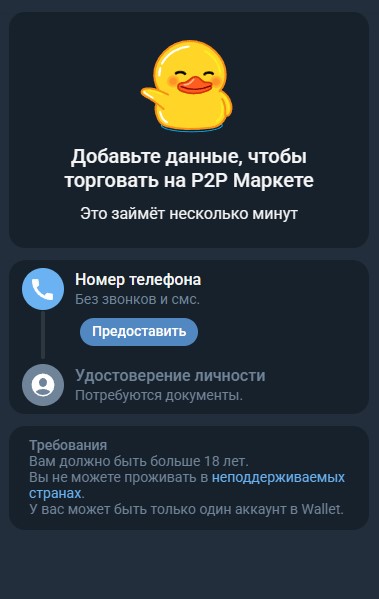
- The system will then automatically match you with a suitable seller, and all you need to do is complete the deal.
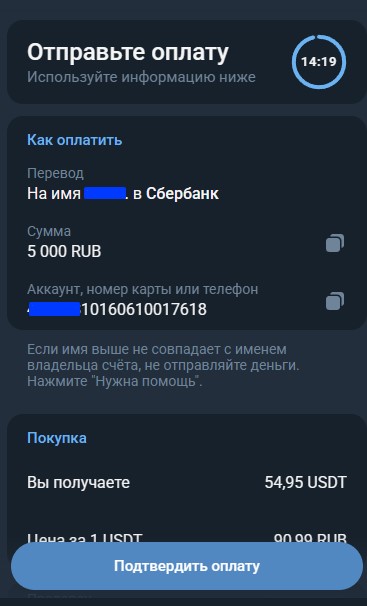
Security:
- Make sure to enable Two-Factor Authentication (2FA) in Telegram to safeguard your funds.
- Store private keys and passwords in a secure place.
- Check the seller's rating and follow the wallet’s internal rules.
Depositing Crypto into Your Gaming Account:
- Tap the "+" icon.
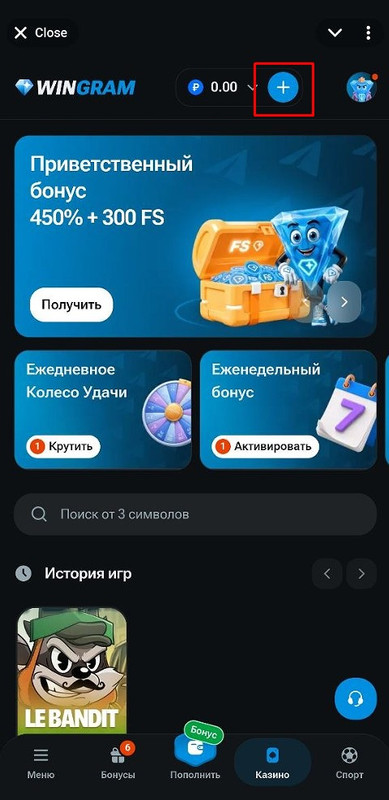
- Select "Cryptocurrency".
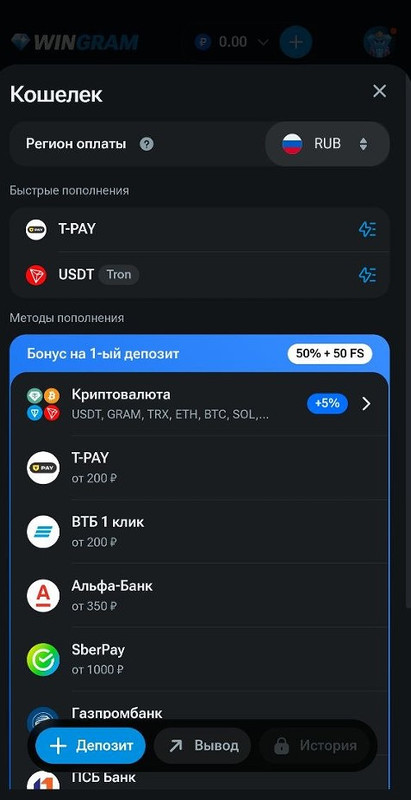
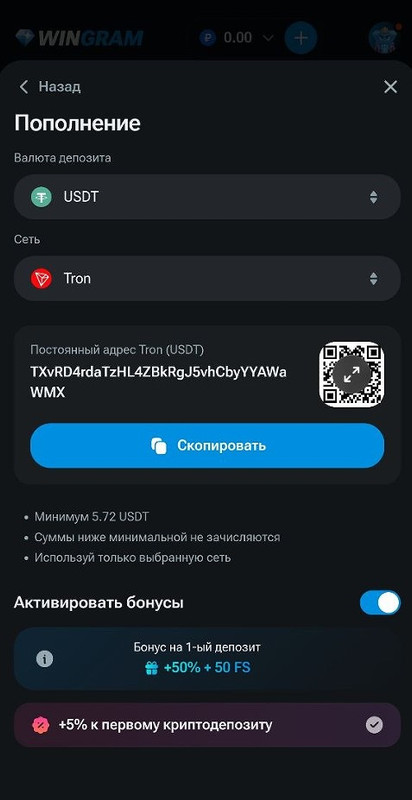
- Choose the deposit currency and the network you intend to use.
- Copy the address.
- In your TG wallet, tap the Send / Withdraw button.
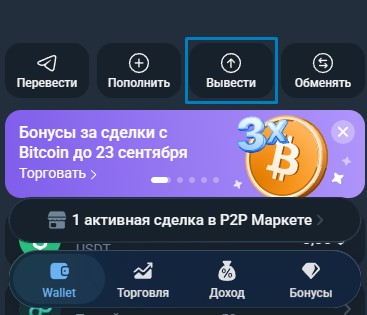
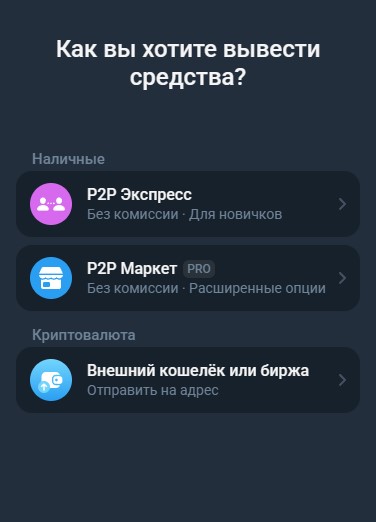
- Select External wallet or exchange, then pick the currency you are depositing.
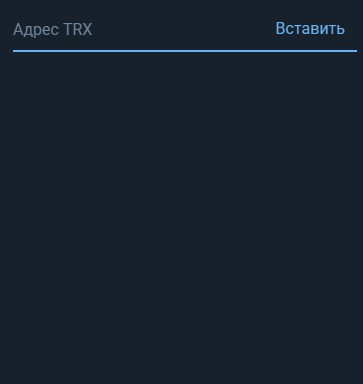
- Paste the address you copied earlier.
- Enter the desired amount and send—you're done.
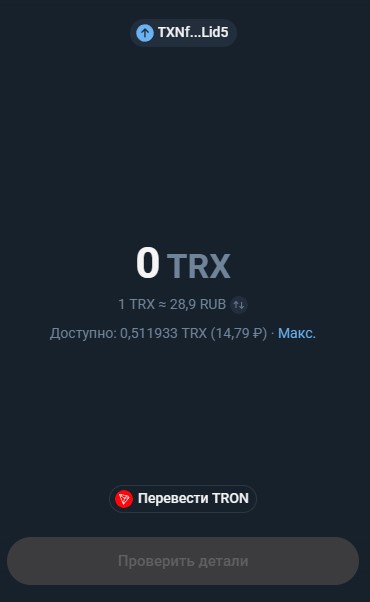
Make sure to double-check the network you are sending the crypto on; it must match the network selected for the deposit inside your Wingram account.