Crypto top-up from Bybit
Step 1: Registration on Bybit
- Download the Bybit app.
- Tap the "Sign Up" button.
- Enter your email or phone number and create a password.
- Confirm your registration via email or SMS.
Step 2: Verification (KYC)
- Log in to your account.
- Go to the "Account & Security" section.
- Complete the KYC process: upload an identity document (such as a passport) and take a selfie.
Step 3: Depositing Funds
- On the home screen, tap Deposit.
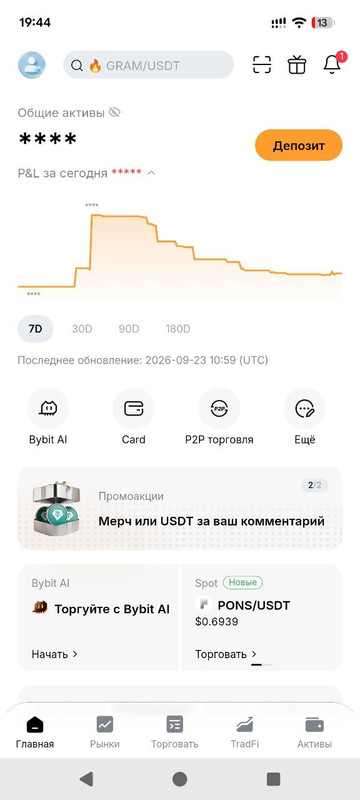
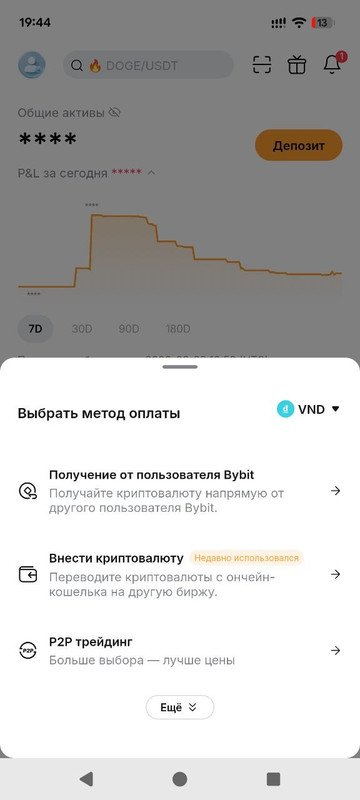
- Select "P2P Trading".
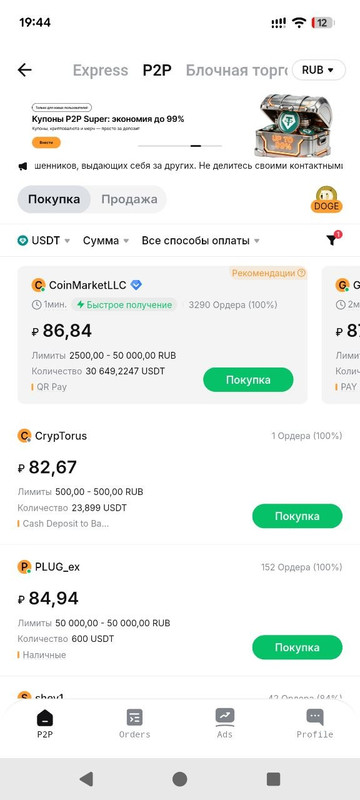
- Choose your currency and find a suitable offer by selecting a seller with a high rating and an acceptable rate.
- Enter the required amount. Transfer the funds to the seller using the provided payment method.
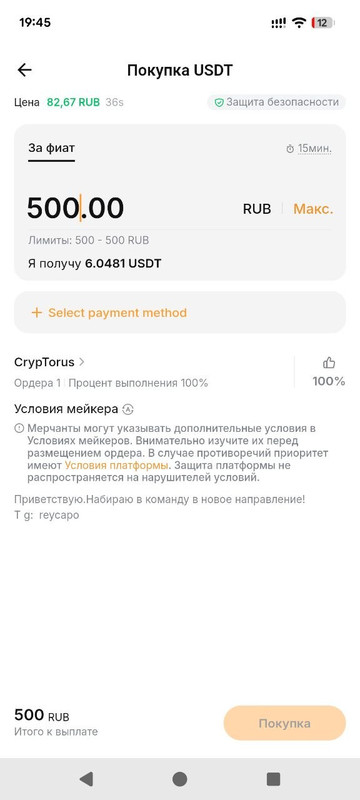
- Verify that the transaction details are correct, then confirm and complete the order.
- The funds will be credited to your spot (or funding) account.
Depositing Crypto into Your Gaming Account:
- Tap the "+" icon.
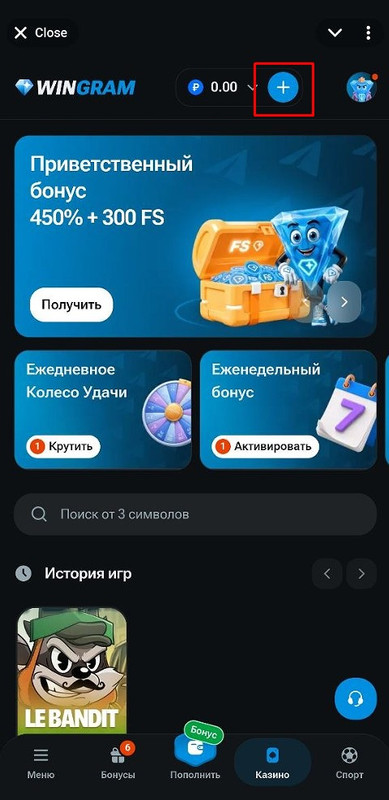
- Select "Cryptocurrency".
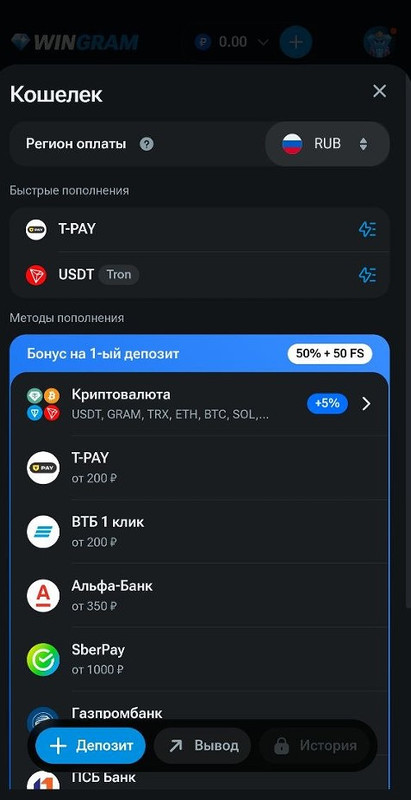
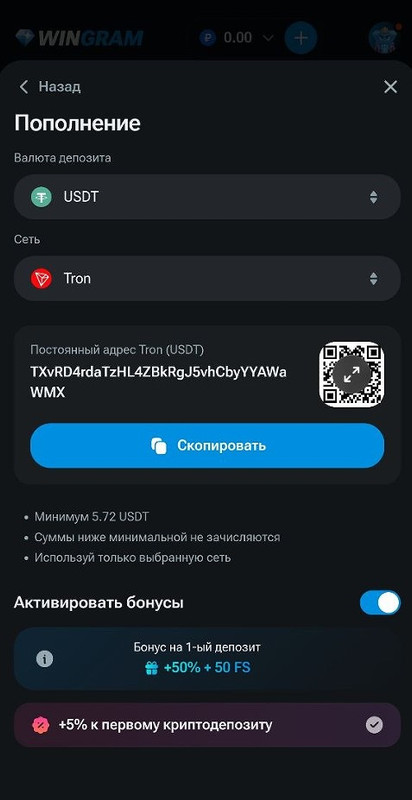
- Choose the deposit currency and the network you intend to use.
- Copy the address.
- Open Bybit and tap Assets in the bottom right corner.
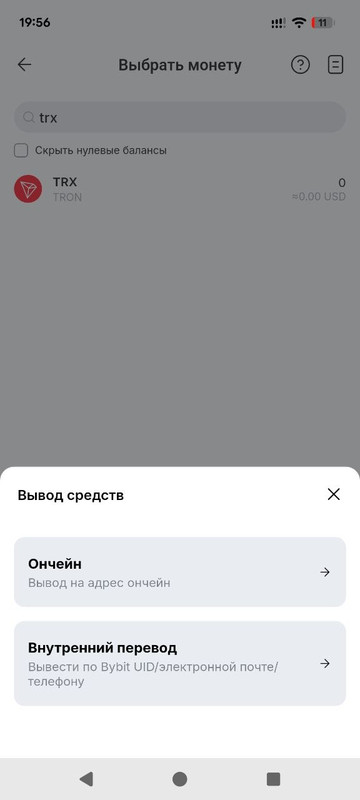
- Select Withdraw (Crypto).
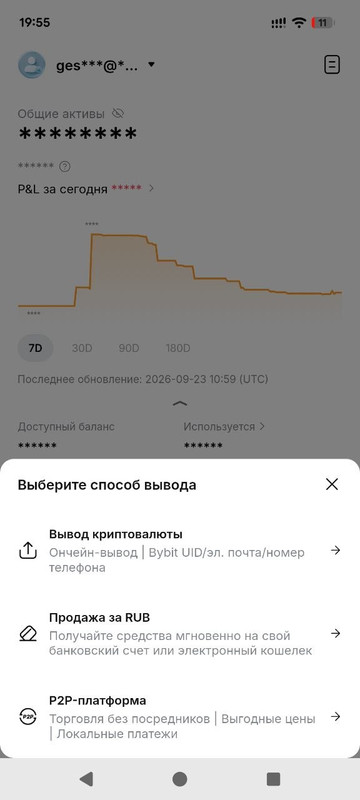
- Pick the required currency and choose On-chain.
- Paste the copied address, select the network, and enter the deposit amount.
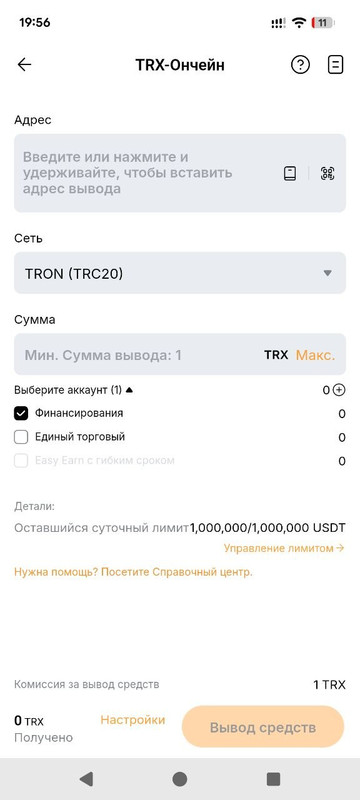
Make sure to double-check the network you are sending the crypto on; it must match the network selected for the deposit inside your Wingram account.