Crypto Galaxy Game Guide
AlazGGCore Gameplay: Planet Cultivation, Troop Cultivation, and PVP
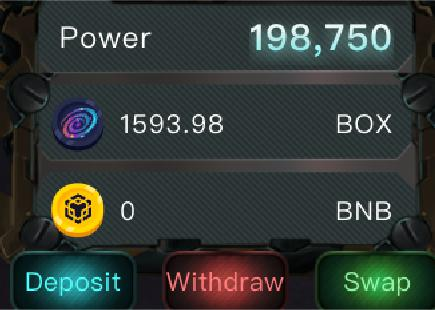
Four in-game tokens:
1. $BOX: governance token, which has a transaction tax of 18%, most of the protocol’s income is used to buyback different tokens of value ($BNB, $XVS, etc.) and allocate them to the Staking Pool, more gamers bring more staking profits.

BOX contract address: 0x0F5F514CC37d51CcC9A5d183D6073298eDf9eEb8
Trading link: https://dsgmetaverse.com/#/swap
Or use the Swap function in the upper left corner of the game, which has a default slippage of 22%
2. $SPICE, $ENERGY, $ORE: transaction tax is 18%, their prices are very low in the early stage, and consumption is high
SPICE contract address: 0xF3a7F80e10F5d762Dddb19c4d81Af4522e260c6D
ENERGY contract address: 0x7F3fB4973CE7574E87062f4684f8865729B7b373
ORE contract address: 0x90dC747720396c540D0dfD0eA7350fa07c91ca8E
Trading link: https://dsgmetaverse.com/#/swap
Or use the Swap function in the upper left corner of the game, which has a default slippage of 22%
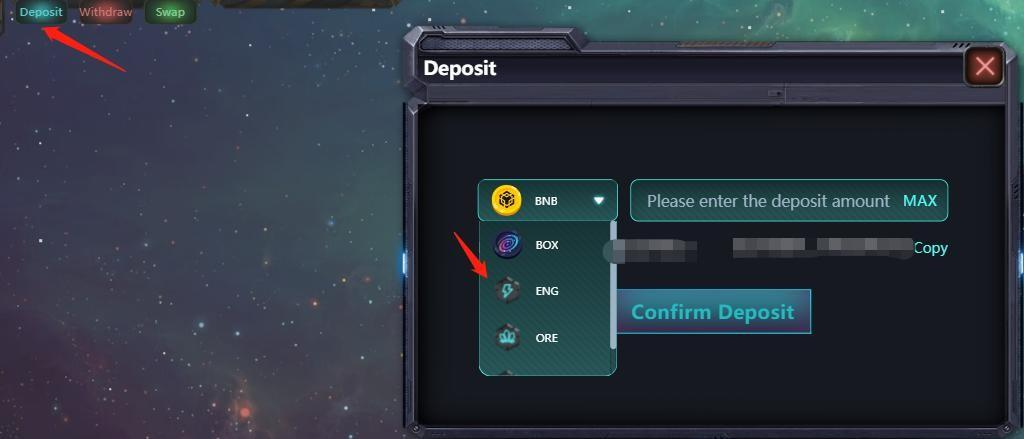
New gamers are recommended to spend 0.1BNB to buy each of the three resources directly from Swap, you can Deposit BNB to your in-game wallet.
Here are the specific steps:
There is only one NFT collection in the game, Planet NFT, with different rarities! Rarity is tied to available building areas of a planet.
How to play?
First of all, enter the game: https://gameapp.cryptogalaxybox.com/
Connect your BSC wallet and enter a name.
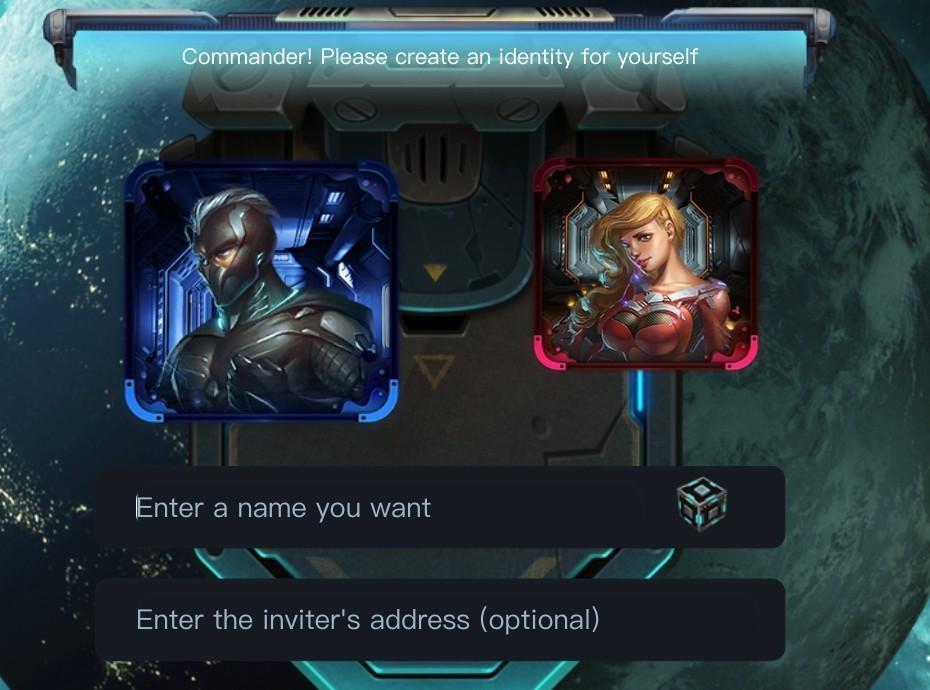
For the first-time login, you need to pay 2000 $DSG (about $6) as a game ticket. This step is very important. It’s recommended to open two accounts! One for playing, the other for inviting yourself to get the invitation commission!! Otherwise, the money you could have rebated to yourself would have been distributed to the Staking Pool or the project team; the game has a considerable rebate income, there is a rebate ratio in the $BOX transaction tax, and the fission effect is very strong when the number of gamers grows.
Secondly, at least five planets are required to play the game, which is a set of Blind Boxes. You can click Discover in the upper right corner.
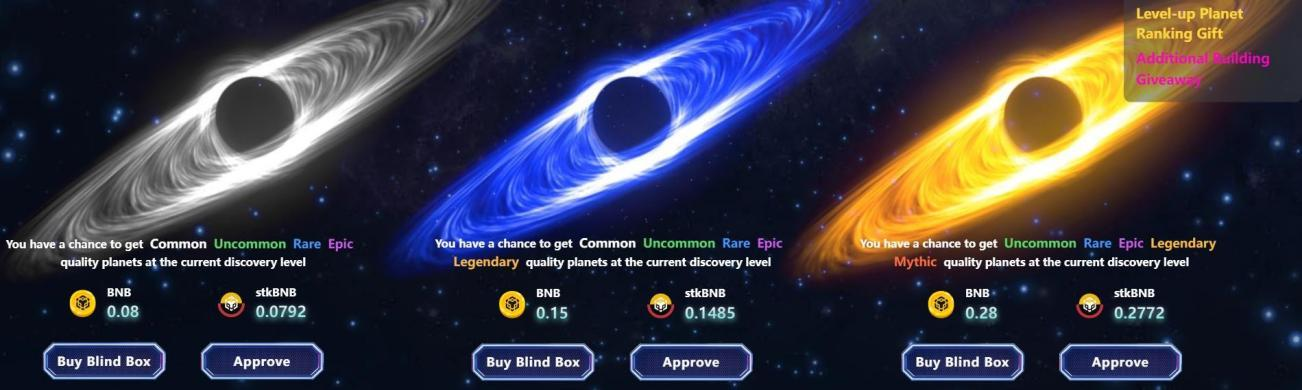
Choose a Blind Box
If you just want to play for the earliest days, you can choose the cheapest Blind Box on the left. Note that the rarity affects the number of buildings and the maximum level of Planets.
If you want to play longer or focus on selling resources to make money, choose the second or third levels of Blind Box. Click Open after purchase, you can get five planets, open them one by one, check out if you get super rare high-level planets and extra buildings!! Which will save you a lot of effort!!
It’s ok if you don’t have that luck. Now you can deploy the Planets to Planet Alliance with one click, and the game journey begins!
First of all, it is best to manage your five planets well before starting battles. In this game, you have to fight with others from beginning to end, which is unavoidable.
Click on a planet, select Manage Planet, you will enter the Building page by default
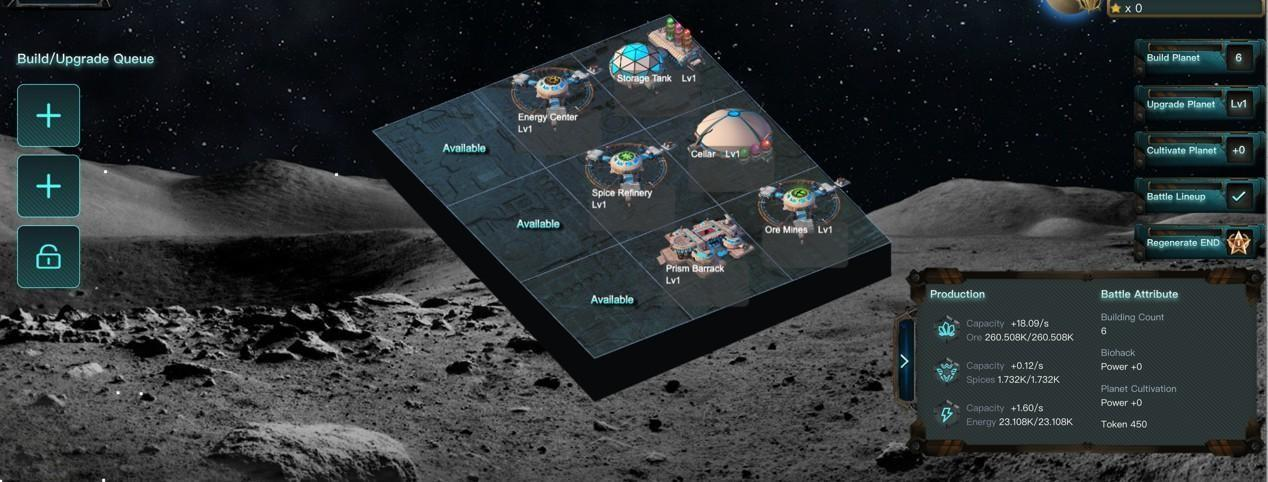
A Planet has six buildings by default:
1. Resource Storage Tank (most important! Building Upgrades and Planet Upgrades both consume resources from it, and the resources can be withdrawn)
- Cellar (when you lose a battle, the Cellar can protect part of your resources from being looted, and a higher level of Cellar can give you better protection)
- Mine (producing ore), a mine of lv 1 can produce 18 per second, the output of 4 hours is 18*3600*4=260,000
- Before setting out to Exploration, remember to check if there is a vacancy for 260,000 ore in your Storage Tank, or it will be a waste of Exploration.
- Energy Factory (producing energy), 1.6 per second for lv 1, about 23,000 for 4 hours.
- Spice Factory (producing spice), 0.12 per second for lv 1, about 1,728 for 4 hours.
- Troop Barracks (producing troops), the upgrades of Barracks can strengthen the power of troops. Lv 3, 5, 7..., 17, and 20 can unlock new troop types, which are stronger than the old ones.
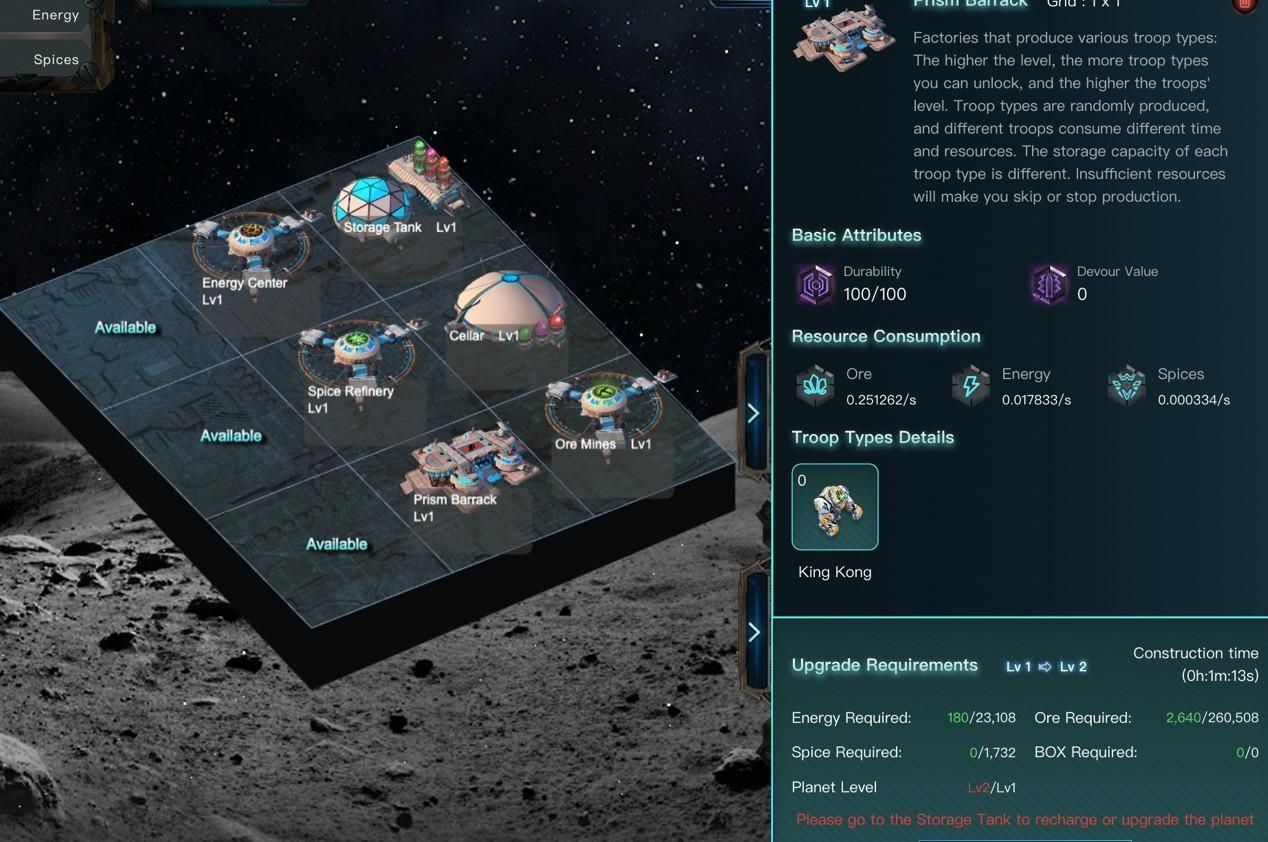
You can build whatever you want on the remaining building area, and you have to build them all. The other units include the other two kinds of barracks and BUFF buildings. You can't upgrade planets if you don't occupy all the building area, and you can't upgrade buildings and cultivate planets (the cost of cultivation has been reduced) without upgrading planets, so make it full!
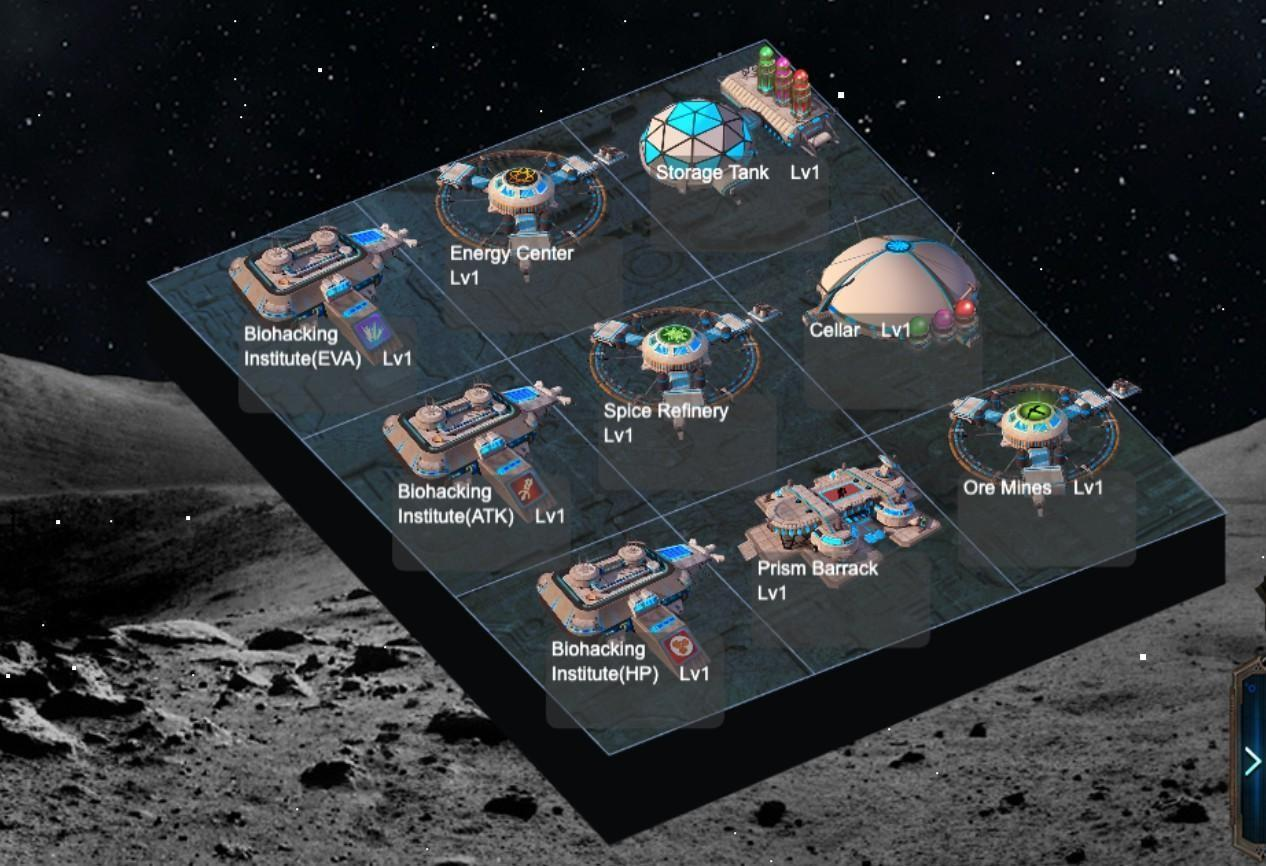
Also, all buildings must be at the full level before upgrading. For example, if your planet is level 2, when you upgrade it, all buildings on it must be also at level 2, otherwise, the planet will not be upgraded.
At first, it is recommended to upgrade planets to level 3 and produce level 3 troops. Every time the barracks are upgraded to an odd number, new troop types will be unlocked, which are much stronger than the previous level. Before upgrading a planet to lv 3, for example, you have to upgrade all buildings on it to lv 2, and so on.
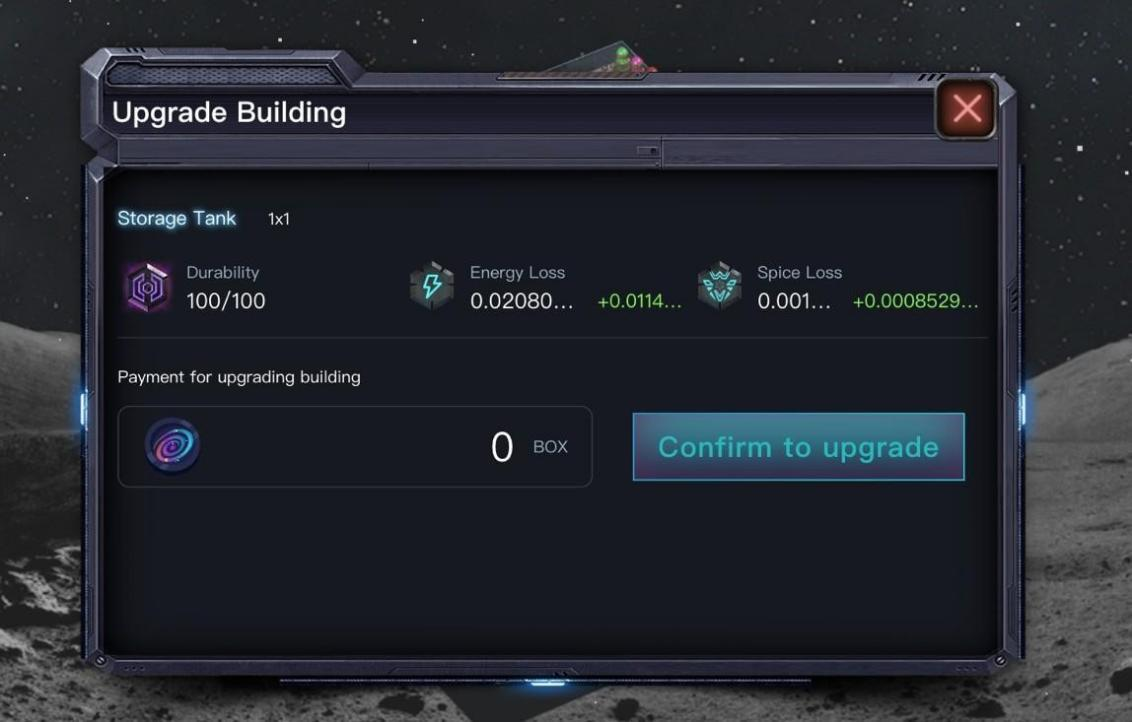
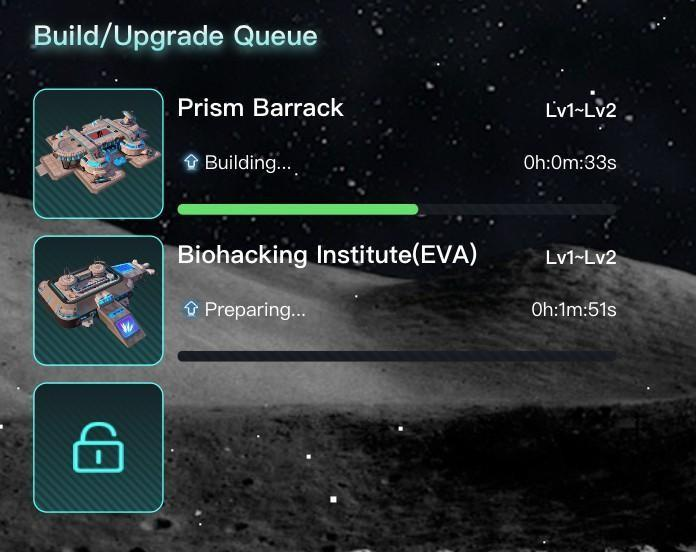
After all five planets are ready, the game can be started.
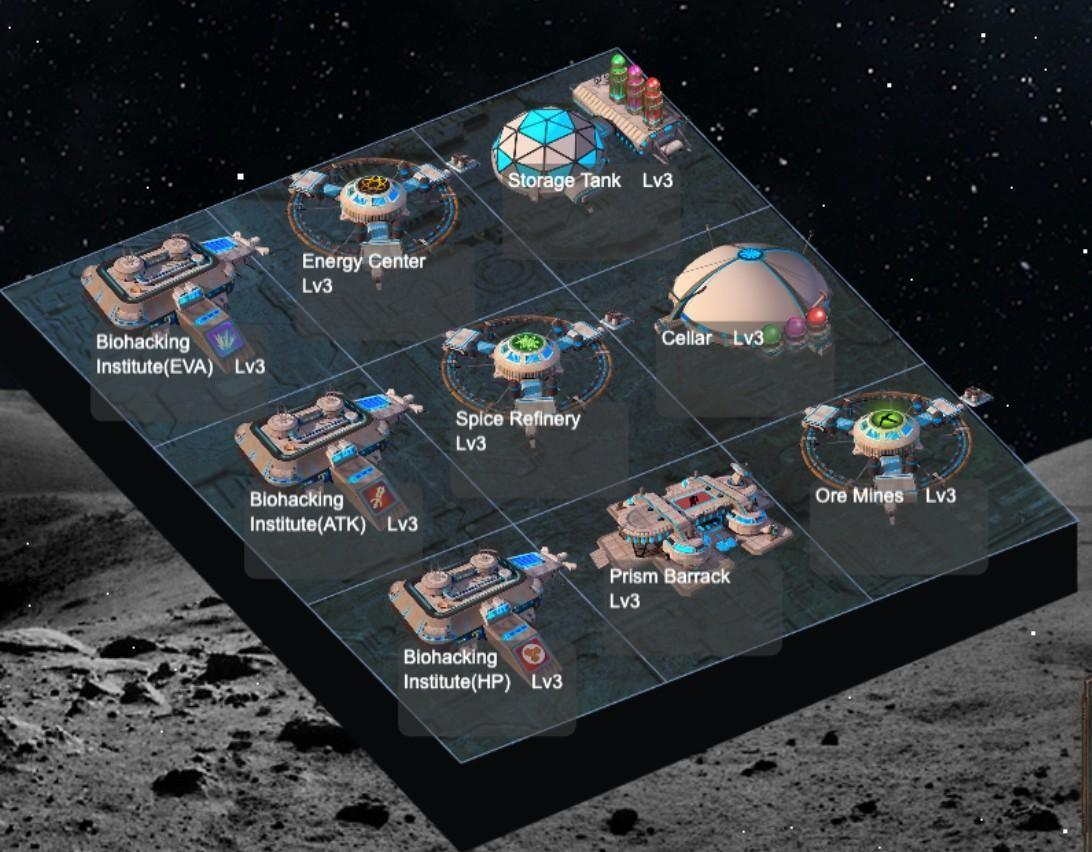
First of all, it is recommended to start one Exploration once after upgrading to lv 3, and produce the necessary troops. Then you can produce resources and troops during Explorations.
Go back to the Alliance page, click Start Exploration, select a difficulty in the pop-up window on the left, and confirm.
After confirmation, you need to confirm whether the battle lineup needs to be improved, because the troops are all rookies, so no need, you can go directly to Start Exploration, and your buildings will start producing resources.
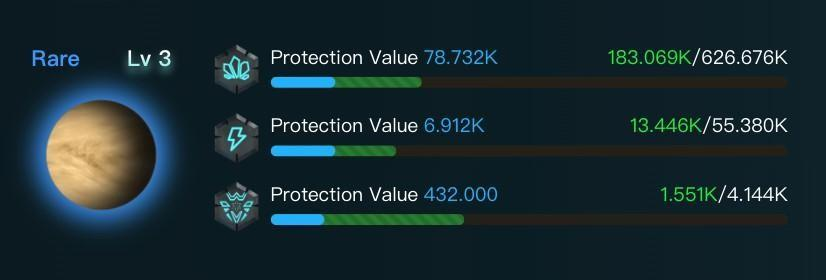
Production of advanced troops begins

In the first 1.5 hours, you can grow steadily, and in the next 2.5 hours, you will have up to 6 battles. If you win, you will get your enemy’s resources. Otherwise, you will lose part of your resources.

Third party
After an Exploration ends, click the InBox on the right of the ALLIANCE page, you can see the summary of resource and troop production during the Exploration. And click the Battle Replay on the top of the ALLIANCE page to watch the battle video, which is similar to auto chess. It can be used for review, and veterans can choose the combination and the placement of troops by themselves.
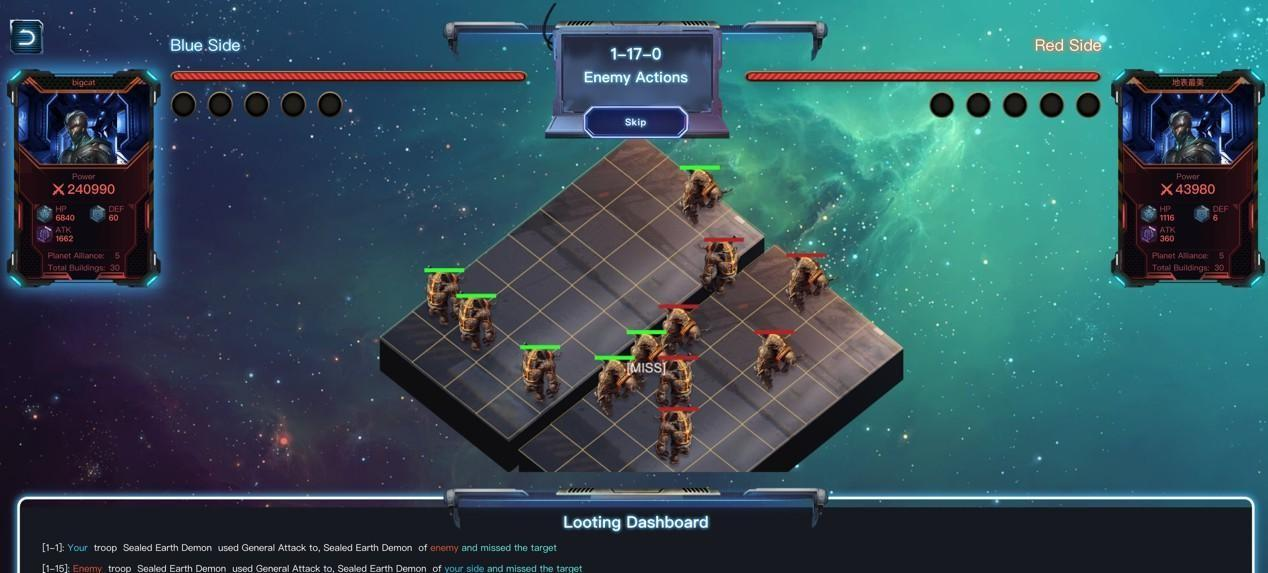
It’s ok if you lose in the first Exploration, because your goal was to produce troops.
After the Exploration ends, go back to the lineup page and click Smart Deploy.
Replace the rookies with the lv 3 troops, your power will be greatly increased, and you can essentially beat all the newcomers who have not read this strategy guide.
The power of lv 3 troops is close to 40,000, and the five planets now have 200,000.
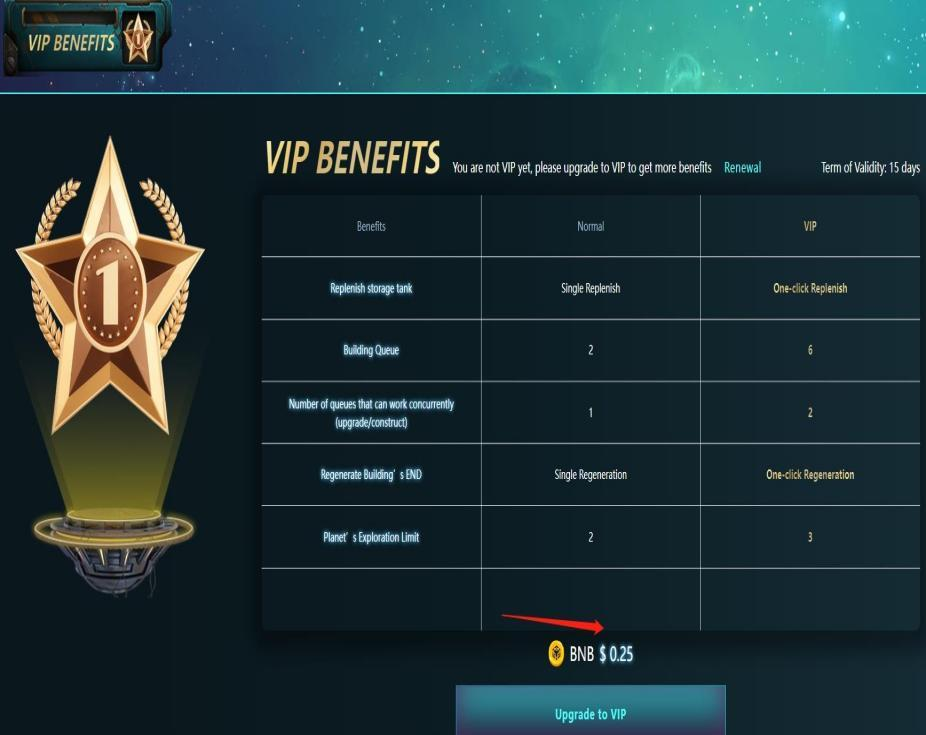
Important note: Buildings consume resources and END constantly. If you find that the resources and troops produced by Exploration are abnormal, regenerate END quickly! With VIP, you can regenerate END on the home page with one click, and the resources are deducted from the Storage Tanks of each planet. More work to do for non-VIP. You need to enter each building separately. After opening a building, there is a small hammer in the upper right corner, click it to regenerate END.
Then let’s go to the Galaxy page.
Choose a Galaxy, occupy an unowned Star, and start mining BOX, if your power is too low, you will be easily displaced, so you should get your lv 3 troops prepared first.
Here we see that Galaxy #10 has an open space, so hurry up and occupy it.
With low power, you can be easily replaced by other gamers, so it is necessary to strengthen your troops’ power and upgrade planets, buildings, and troops.
The power of lv 3 troops is close to 40,000, and the five planets now have 200,000.
Speaking of this, VIP can regenerate END in one click, you don't need to click one by one! And VIP (the current price is adjusted to 0.25 BNB) gives you the following privileges too:
1. Full Building production lines and queues! Upgrading quickly makes you free of being bullied!
2. You can have 3 Explorations a day! And higher resource production efficiency! Stronger troop production ability! And higher chances to loot resources from other gamers!
Upgrade requires resources! Daily consumption requires resources! So resources are very important! When the resource output is stable in the later stage, you can sell excess resources. It is very important to master the method of accessing resources! Very, very, very important!
How to deposit and withdraw resources??? If one planet has insufficient resources and another is full of resources, you can use the deposit/withdraw method to transfer resources between the game wallet and the Storage Tanks of each planet. To sell resources, first withdraw from the Storage Tanks to your in-game wallet, then click Withdraw to transfer it to your own address. Click Swap to sell.
Generate your own invitation link in the upper left corner of the game home page. Inviters can get two parts of the rebate from the invitees. The 6% rebate of the Blind Box opened by the invitees and the 3% transaction rebate whether the invitee buys or sells their $BOXs.