Create config.env
hitesh920# Step 5: Create config.env
- Go here and copy all the content.
- Then goto Github Gist
- Give your gist a name
config.env

- And paste the previously copied content here
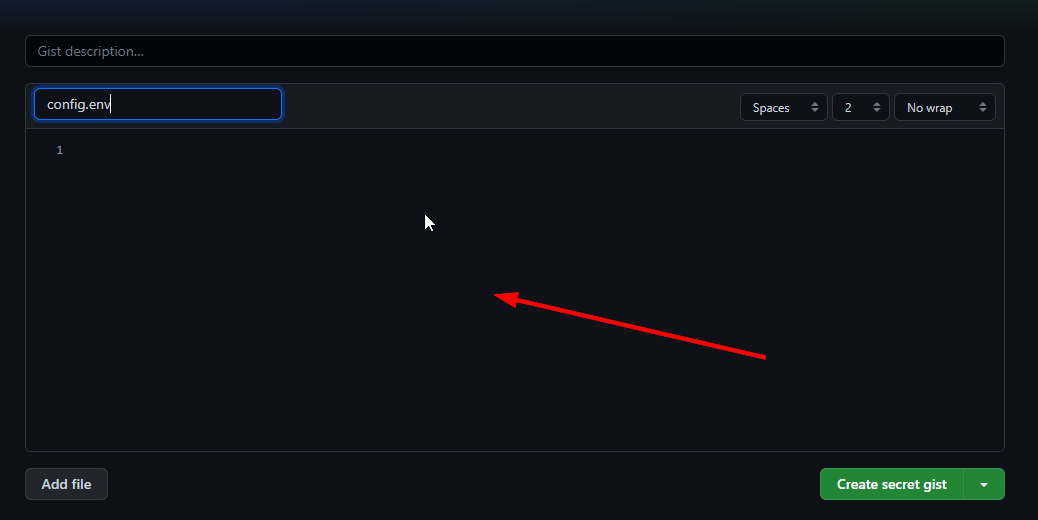
- Now remove line no 2.
_____REMOVE_THIS_LINE_____=True

- Then start filling the config vars.
- For now i will only show the necessary config values for the proper working of the mirror leech bot.
BOT_TOKEN:
- Search @BotFather on telegram, start the bot and send
/newbotthen follow the on screen instruction to create a new bot.

- This will be the value of BOT_TOKEN
GDRIVE_FOLDER_ID:
- Search @MSGuite_SD_Creator_Bot on telegram, start the bot click on
genrate tdnow send your email address, give your drive a good name for eghitesh920's driveand done. - Now go inside the shared drive you just created by
google drive>shared drive>the shared drive you created.

- Now copy the root id of your shared drive
- For eg https://drive.google.com/drive/folders/xxxxxxxxxxx then the code after
folders/will be the your root id

- This will be the value of GDRIVE_FOLDER_ID
OWNER_ID:
- Search @MissRose_bot on telegram, start the bot then type
/idbot will send your account's id - Use that for OWNER_ID
DOWNLOAD_DIR:
- Keep the default values, no need to change anything here.
DOWNLOAD_STATUS_UPDATE_INTERVAL:
- Keep the default values, no need to change anything here.
AUTO_DELETE_MESSAGE_DURATION:
- Keep the default values, no need to change anything here.
IS_TEAM_DRIVE:
- Set this to
Trueas we are using shared drive.
TELEGRAM_API & TELEGRAM_HASH:
- Go here and register with your number connected to telegram account fill with your number , choose desktop, fill app title and short name to any name you want.
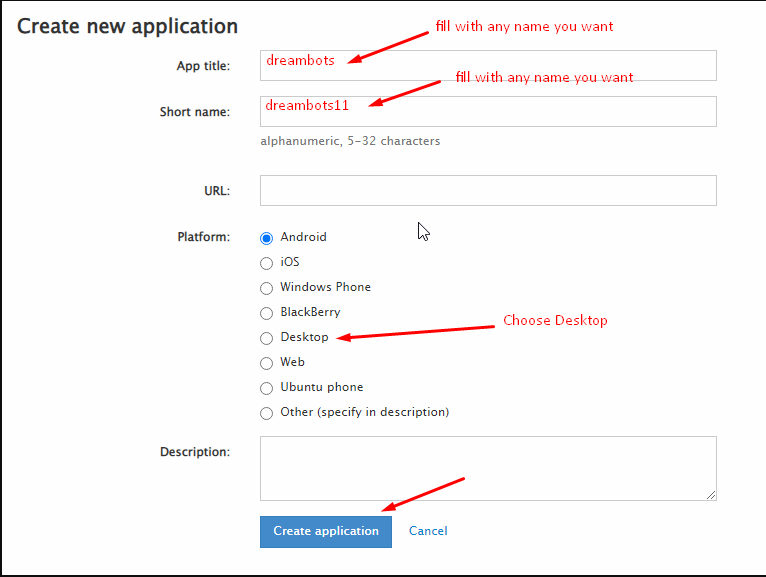
- Then goto https://my.telegram.org/apps

- This will give the values of
TELEGRAM_APIandTELEGRAM_HASH
App api_id will be your TELEGRAM_API
App api_hash will be your TELEGRAM_HASH
TOKEN_PICKLE_URL:
- Go to your index link and click on the token.pickle u just hosted in step 4 and copy the direct download link.
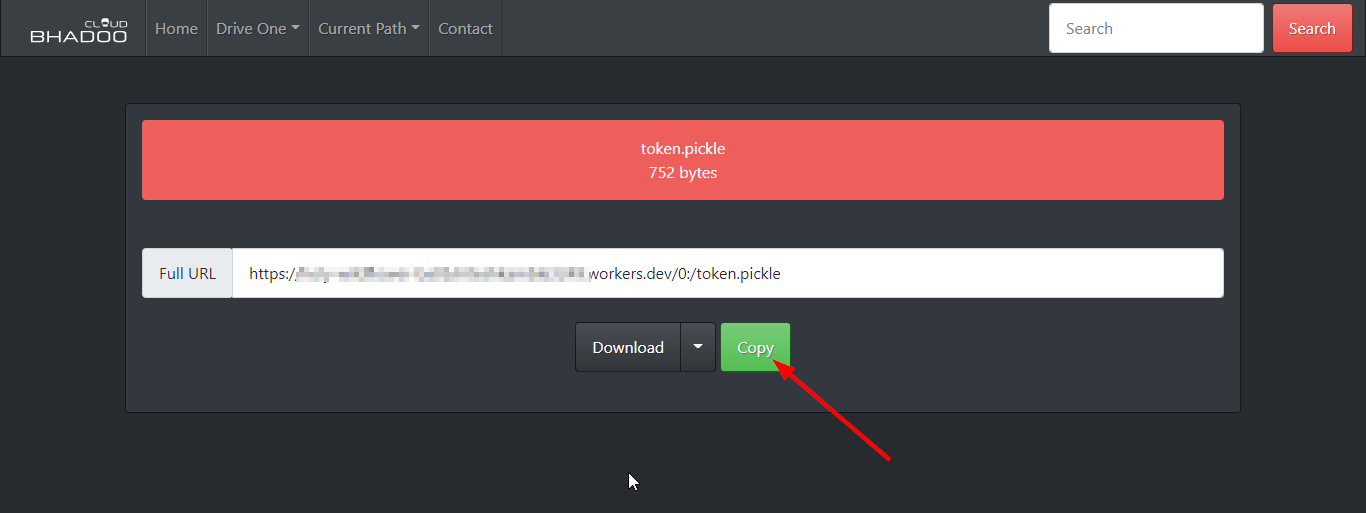
- And use that url for TOKEN_PICKLE_URL
BASE_URL_OF_BOT:
https://yourappname.herokuapp.com, suppose if my heroku app name is hitesh920-mirrorbot then the BASE_URL_OF_BOT will be https://hitesh920-mirrorbot.herokuapp.com
UPSTREAM_REPO:
- Your forked repository link, if your repo is private add
https://username:{githubtoken}@github.com/{username}/{reponame}format. Get token from Github settings. So your bot can update from filled repository on each restart.
UPSTREAM_BRANCH:
- Fill
h-codein UPSTREAM_BRANCH var
We are done with the all necessary configs for the proper working of your mirror leech bot.
It should look like this after filling all the necessary values
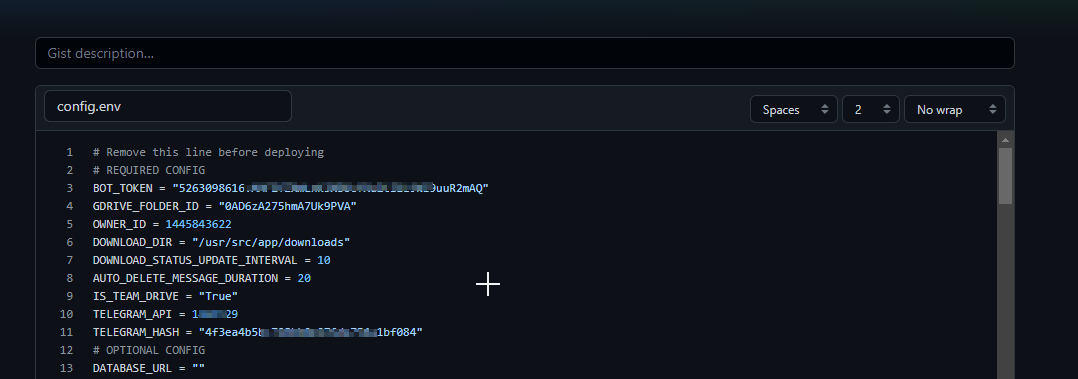
- Then click on create secret gist to save the gist.
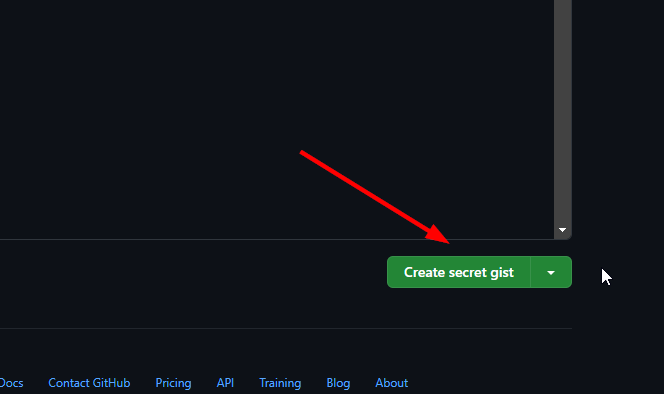
- We have successfully created our config.env