Connectingthesourcetotheproject (from where posts will be redirected to your project)
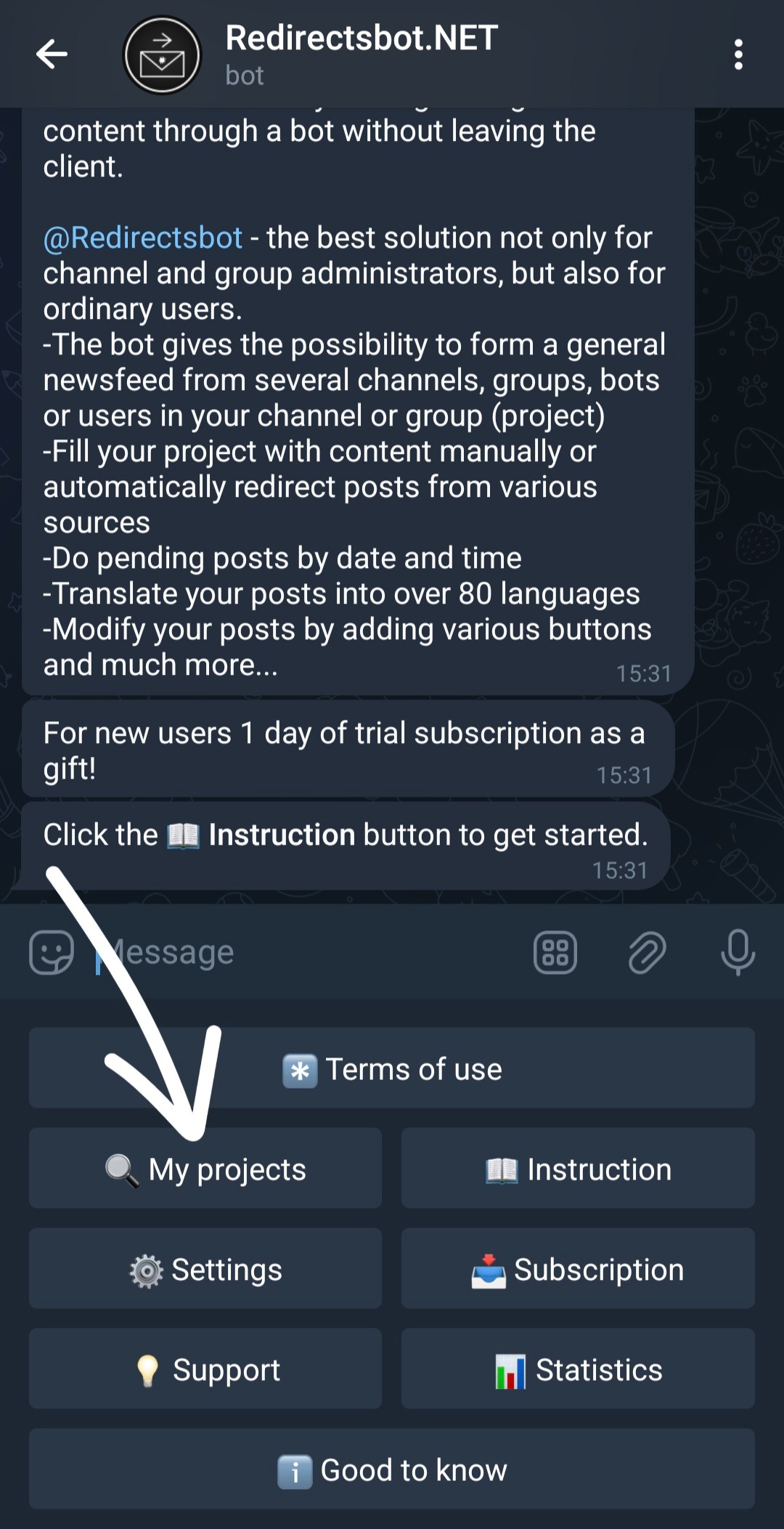
To connect the source to your project go to 🔍My projects
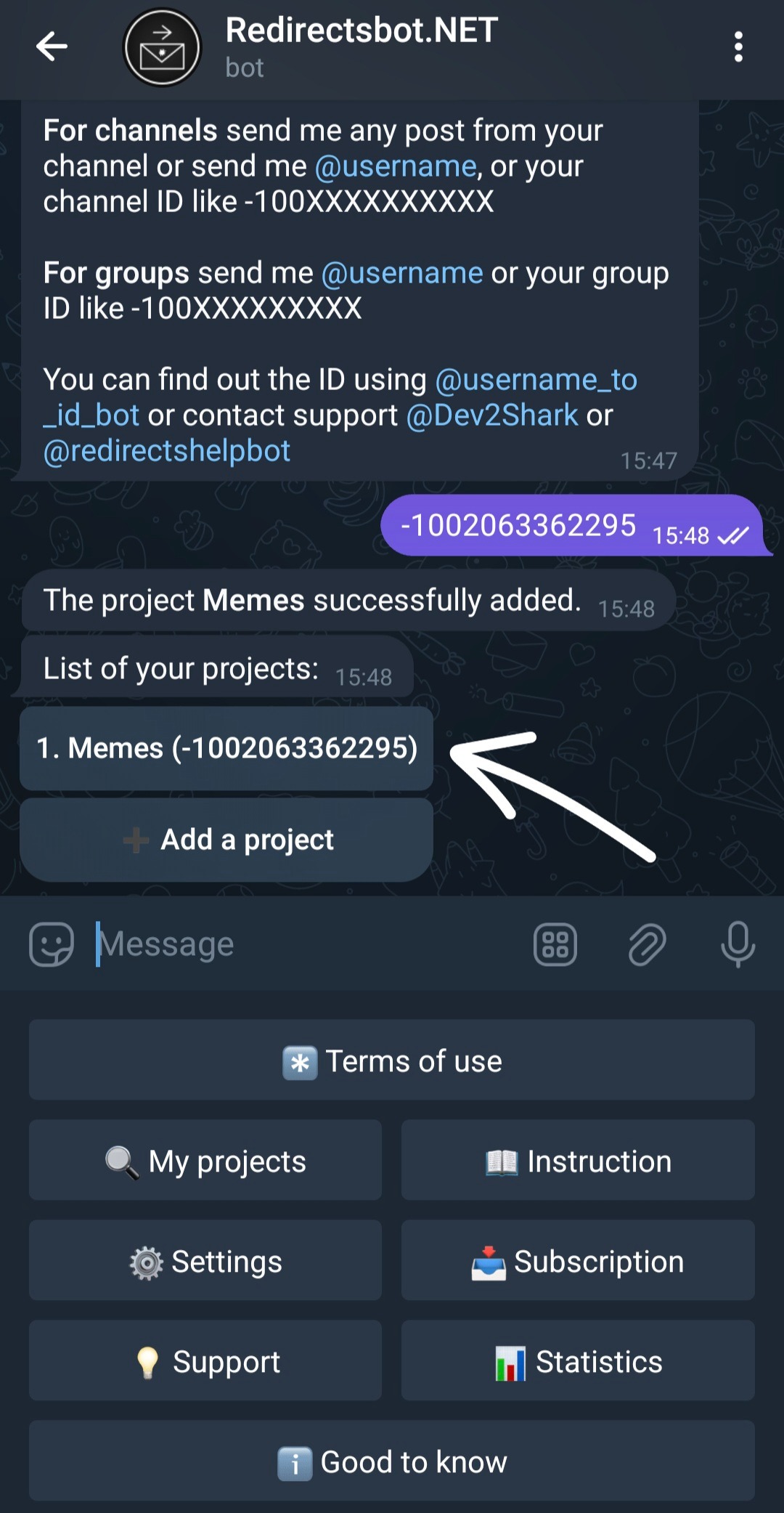
Then from the list select the project you need.
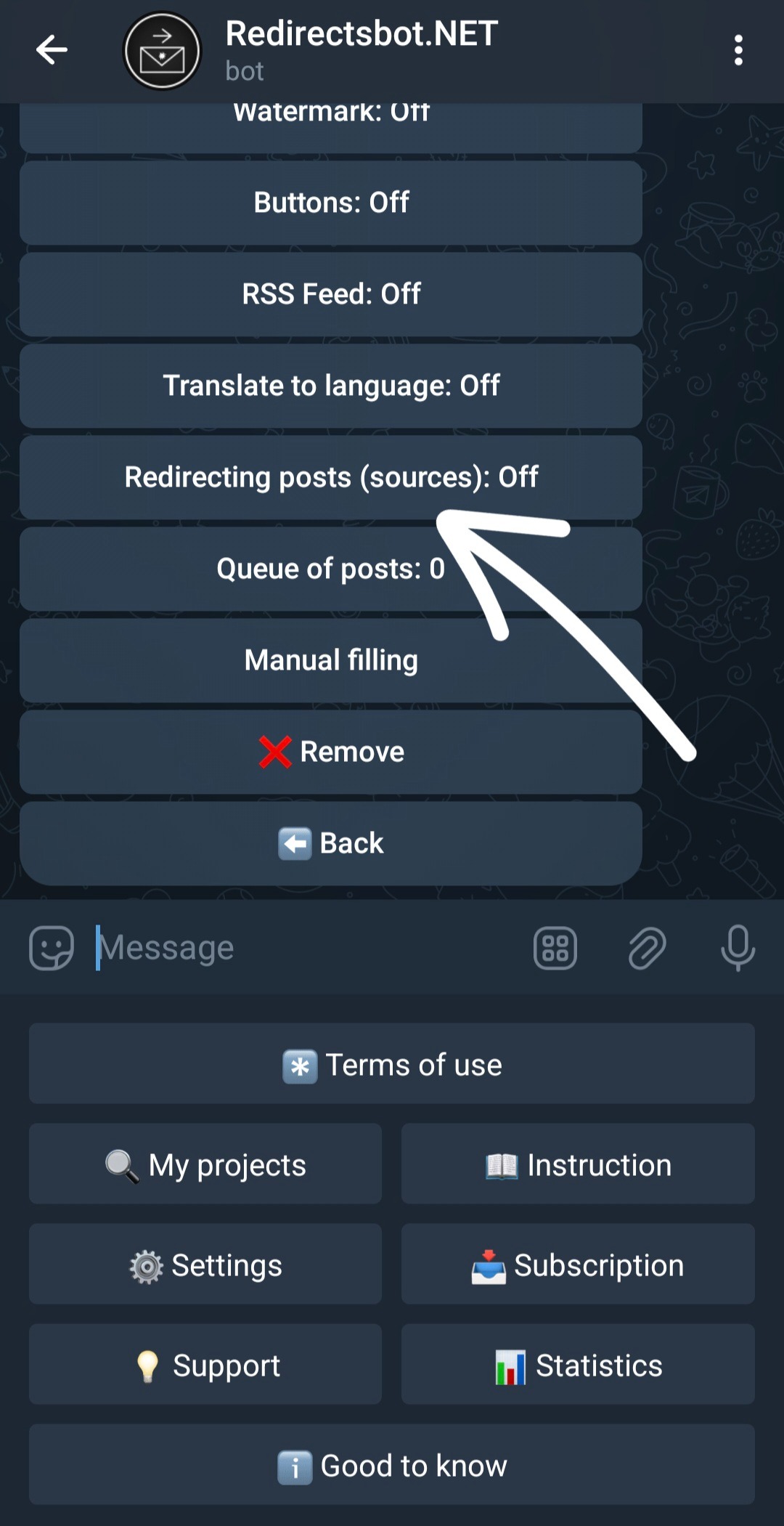
Click on Redirecting posts.
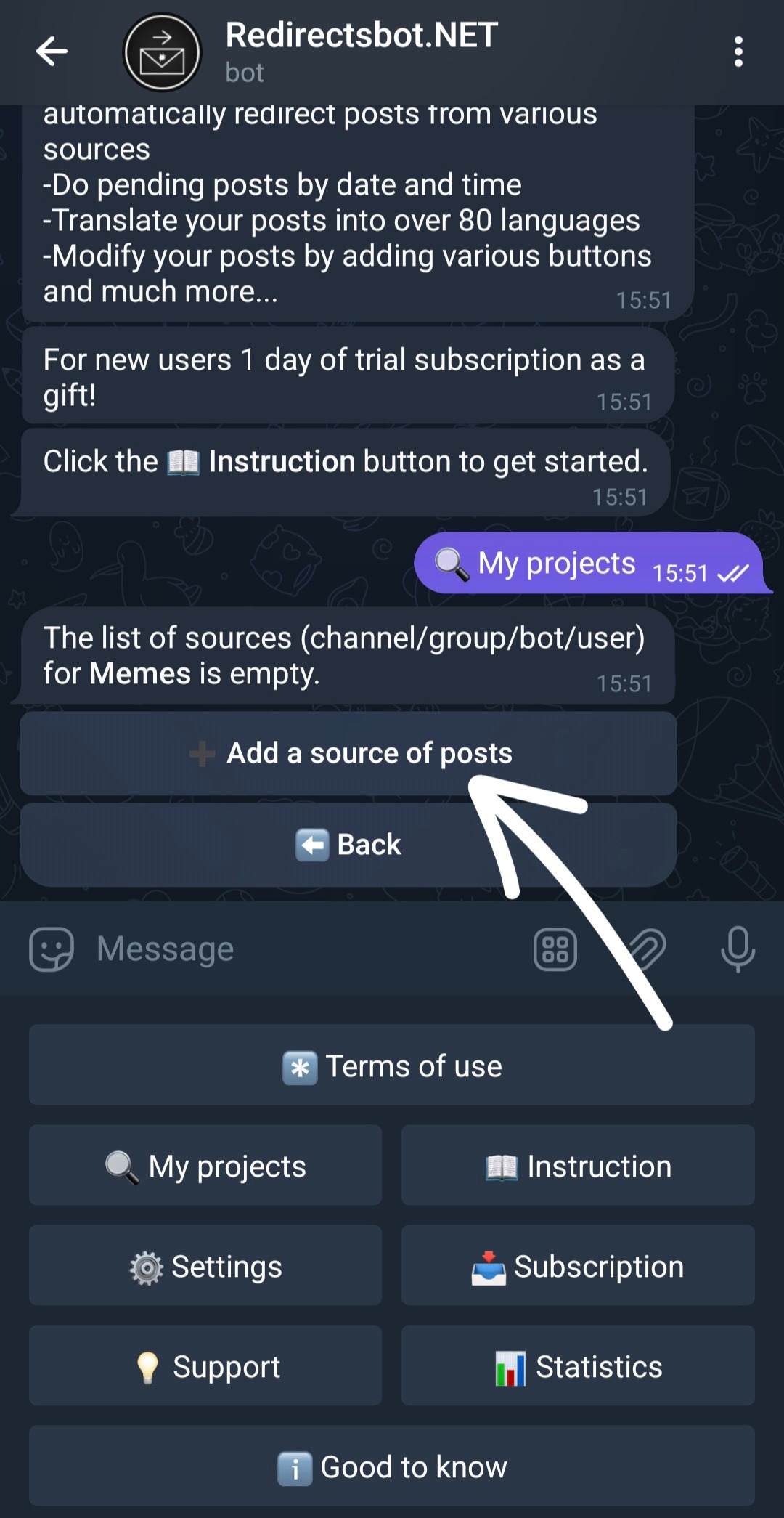
Click ➕ Add post source.
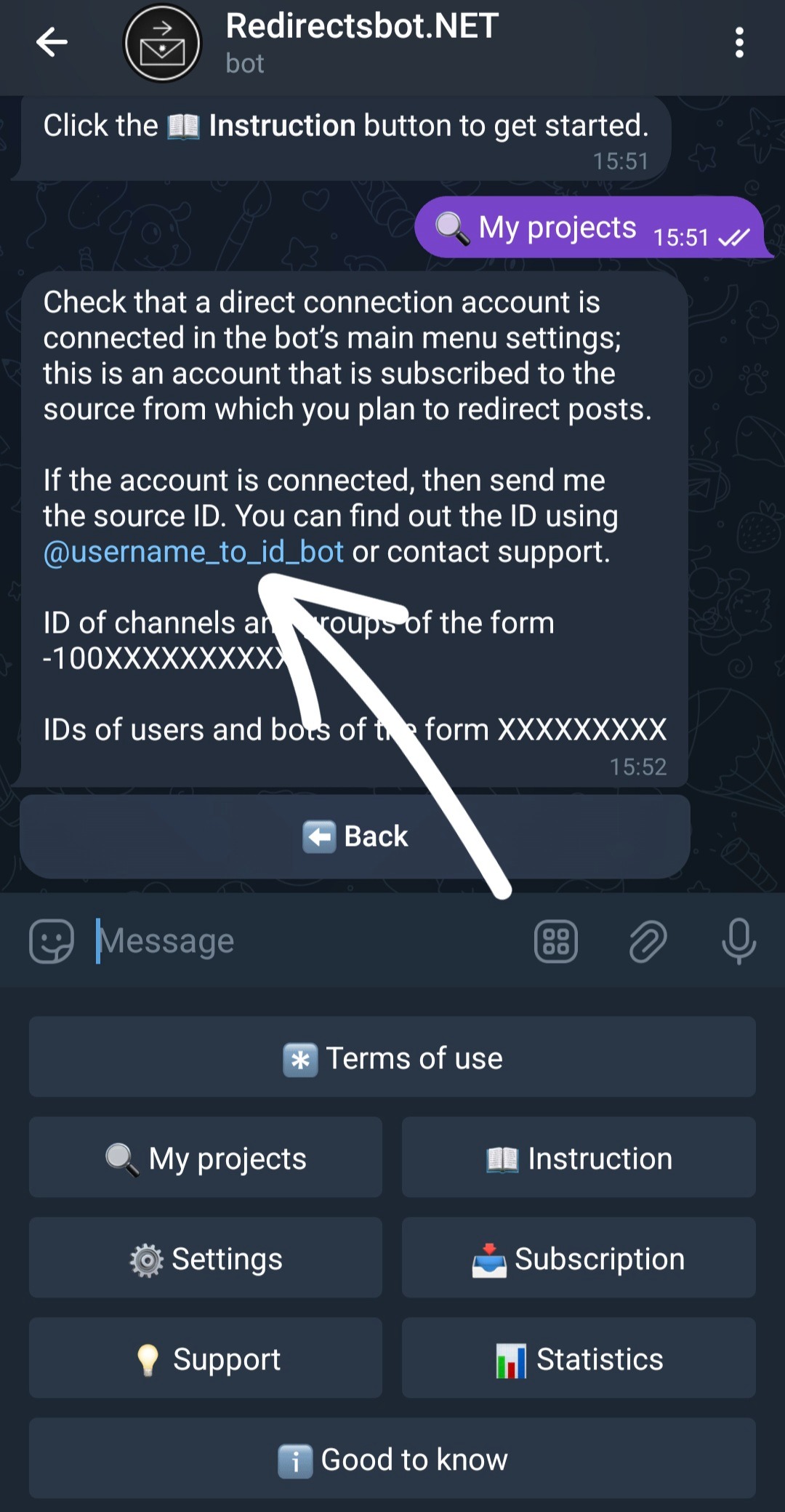
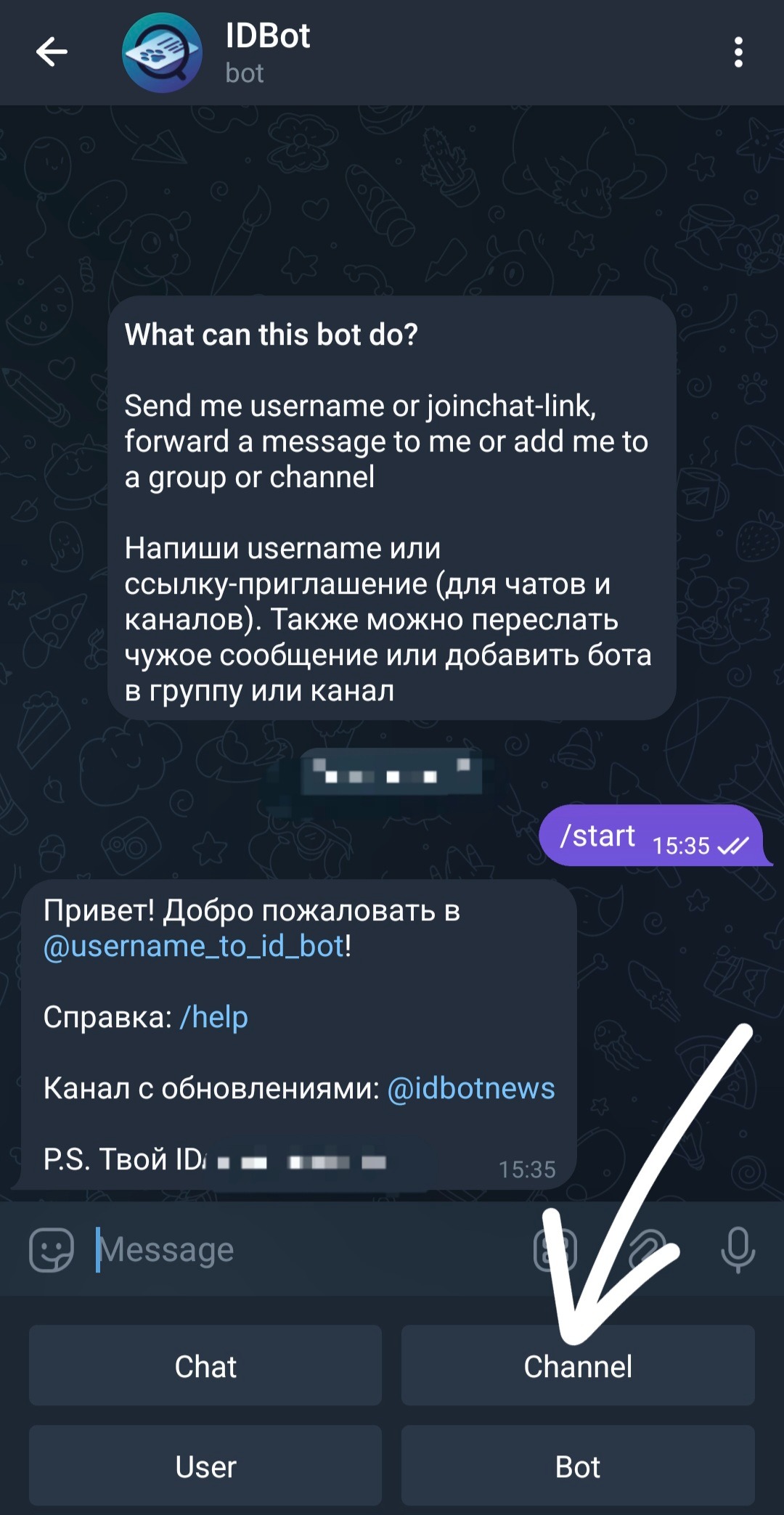
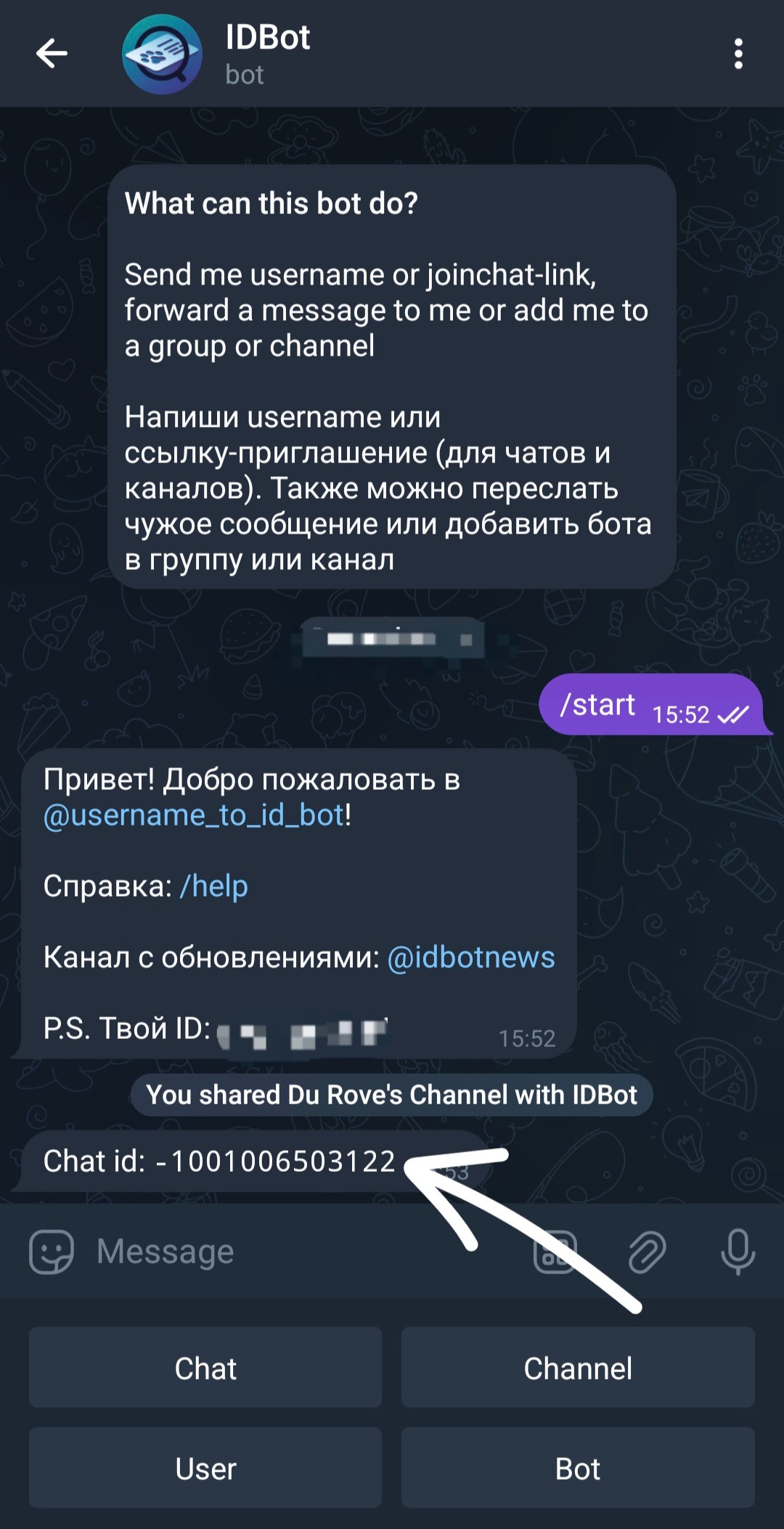
Go to bot@ username_to_id_bot to find out the id of the desired source.
Also, if the source is a channel, select Channel.
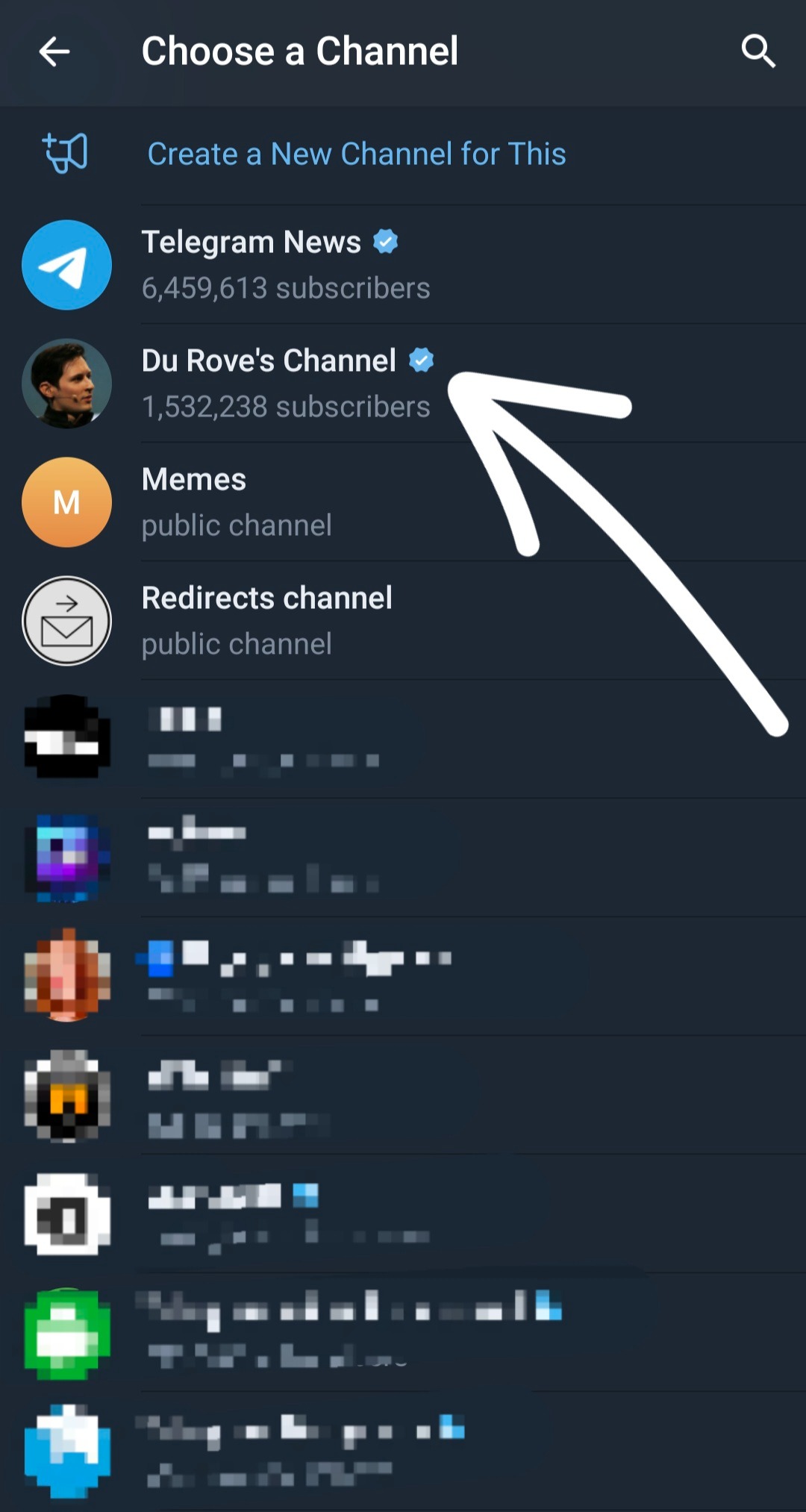
Select the desired source from the list.
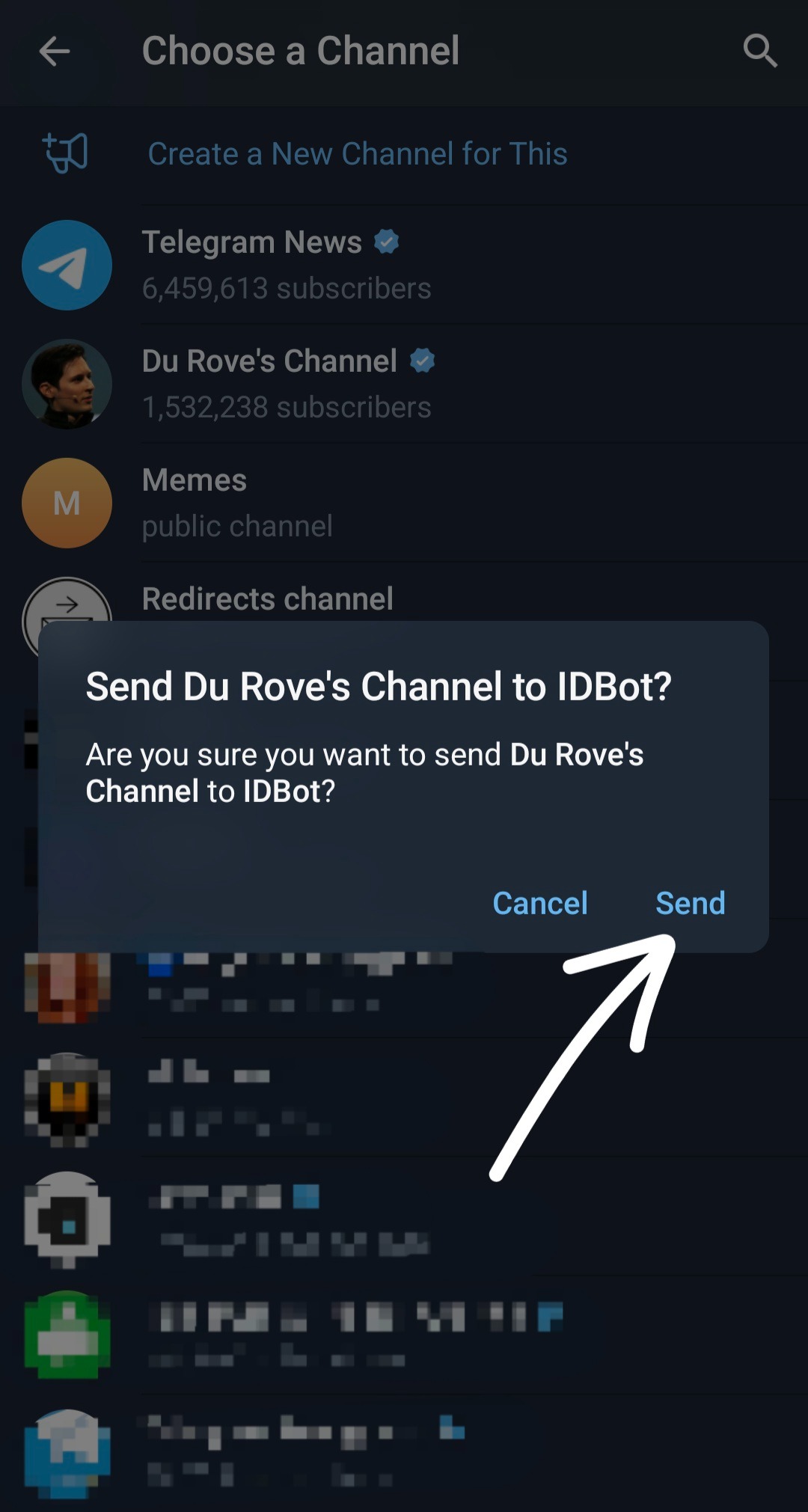
Confirm by clicking Send.
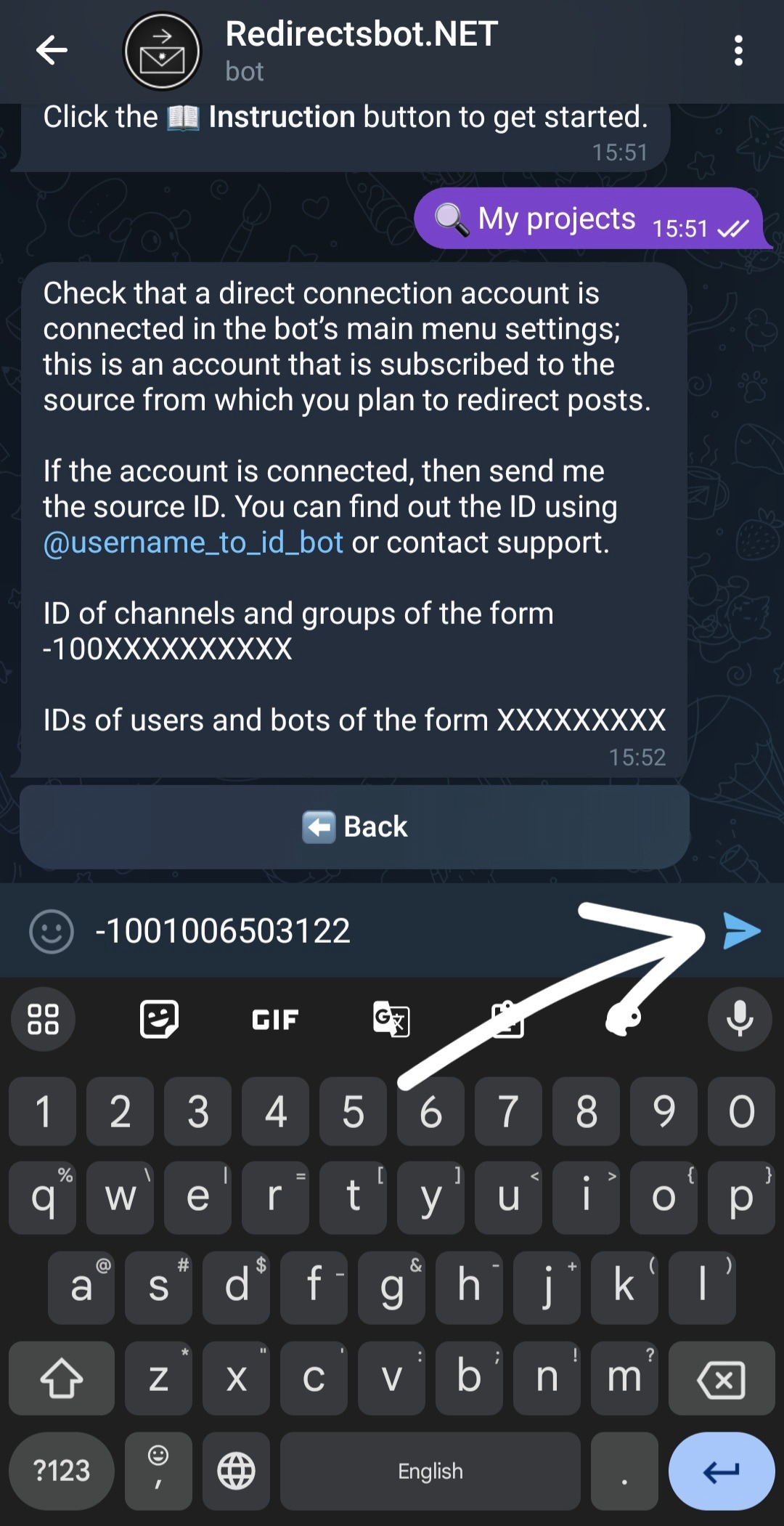
In response, the bot will send you the id of the selected source, after which you tap on the id to copy it and return to @redredirectsbot.
Send the bot the copied source id.
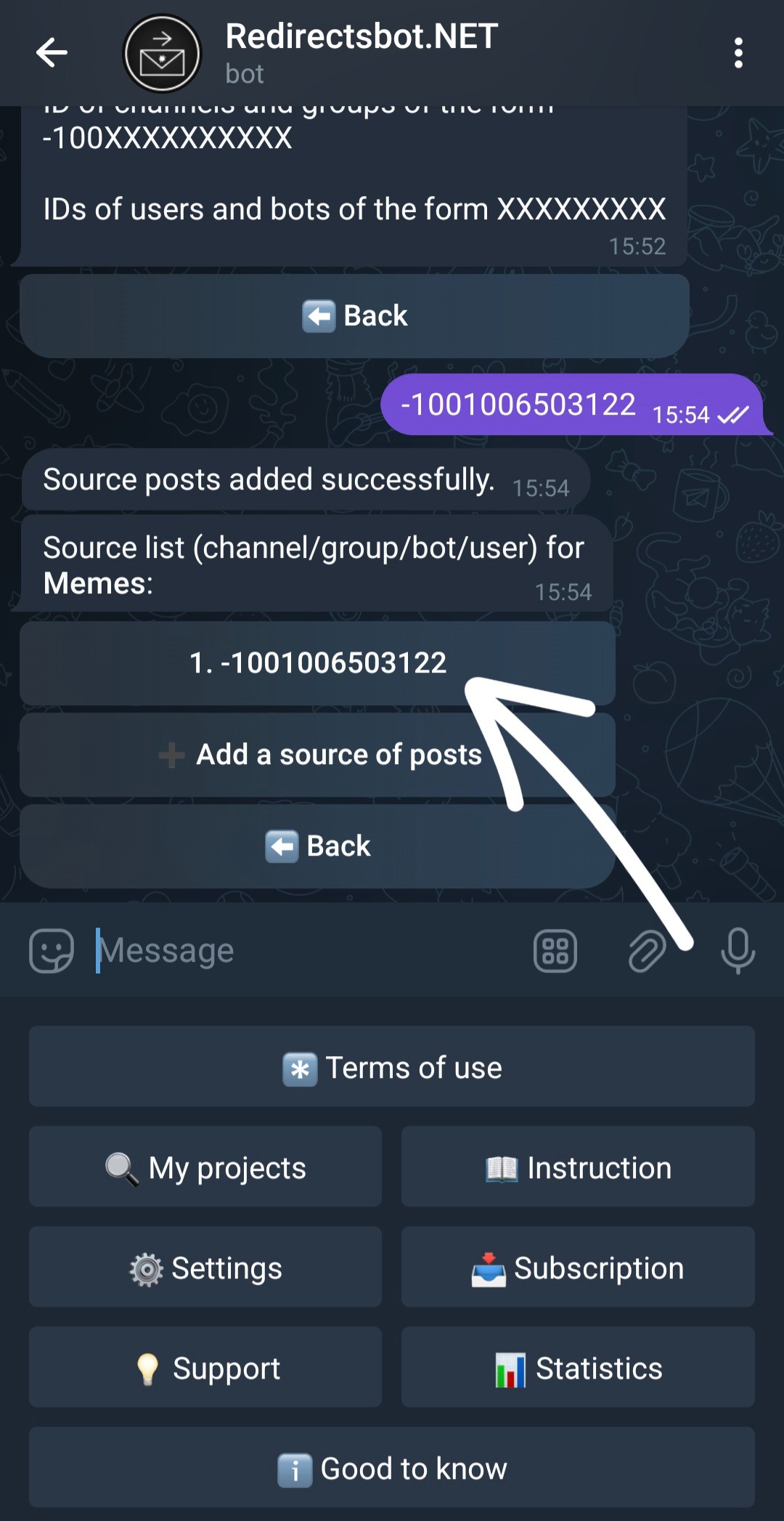
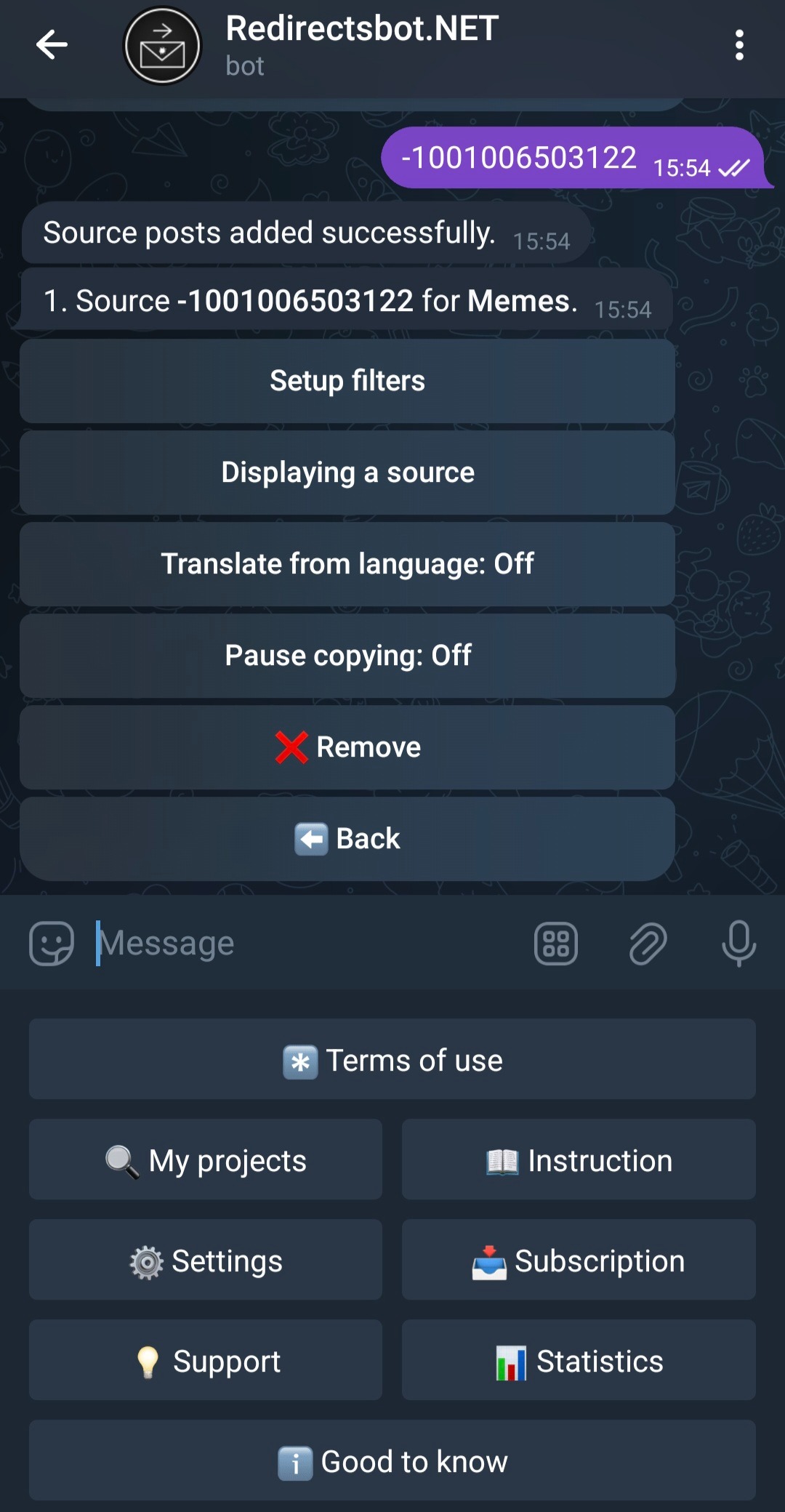
The source has been successfully added, when the first post from it is forwarded, the id on the button will change to Source Name, if you click on the source button you will get to its settings menu.
Here you can set up various filters, translation and pause automatic redirection of posts from the source to your project.
You have successfully set up redirecting posts from Source to your Project! 🎉