Pubg Config's Information and Instructions
HackerZombie
Hi guys welcome to Pubg Configs , First I will tell you what is this Config thing , well it is a file with .INI extension , I mainly just Edit/generate it with different experimental profiles and some are the best to remove lags .. give up to 120fps , HD renders ,Opengl3.0, Vulkan API ,Optimized renders , and many secret things
Note ;- Guys don't change/edit configs while pubg running in background
[And after applying a Config please don't change any settings from graphics menu of pubg settings , if u want to revert to default (go back to normal) just delete that config and play a match]
Now go here
/𝐈𝐧𝐭𝐞𝐫𝐧𝐚𝐥 𝐒𝐭𝐨𝐫𝐚𝐠𝐞/𝐀𝐧𝐝𝐫𝐨𝐢𝐝/𝐝𝐚𝐭𝐚/𝐜𝐨𝐦.𝐭𝐞𝐧𝐜𝐞𝐧𝐭.𝐢𝐠/𝐟𝐢𝐥𝐞𝐬/𝐔𝐄𝟒𝐆𝐚𝐦𝐞/𝐒𝐡𝐚𝐝𝐨𝐰𝐓𝐫𝐚𝐜𝐤𝐞𝐫𝐄𝐱𝐭𝐫𝐚/𝐒𝐡𝐚𝐝𝐨𝐰𝐓𝐫𝐚𝐜𝐤𝐞𝐫𝐄𝐱𝐭𝐫𝐚/𝐒𝐚𝐯𝐞𝐝/𝐂𝐨𝐧𝐟𝐢𝐠/𝐀𝐧𝐝𝐫𝐨𝐢𝐝/ ***
Here are so many configs AKA .INI files
but we need only "UserCostom.ini"
Now we will open "UserCustom.ini" with any text editor of file manager like Es note editor of Esfile manager or , Code editor of Mix Explorer
every config has two parts
[UserCustomDeviceProfile]
And
[BackupDeviceProfile]
We just copy paste (replace)
[UserCustomDeviceProfile] section with mine [UserCustomDeviceProfile]
Because it is preset for pubg graphics settings
[BackupDeviceProfile] is unique for every users device and can't be used as copying pasting as its non of our use ...
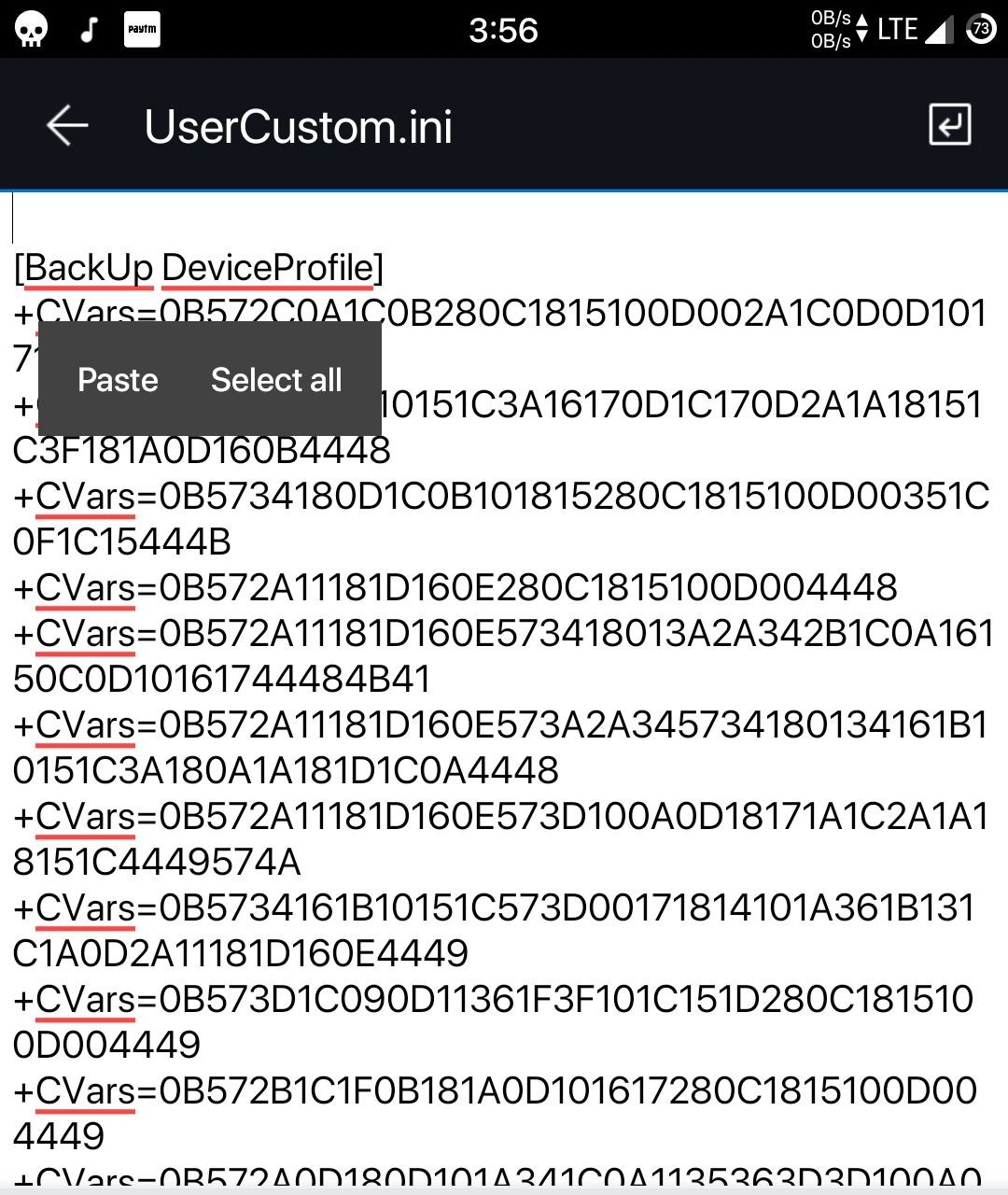
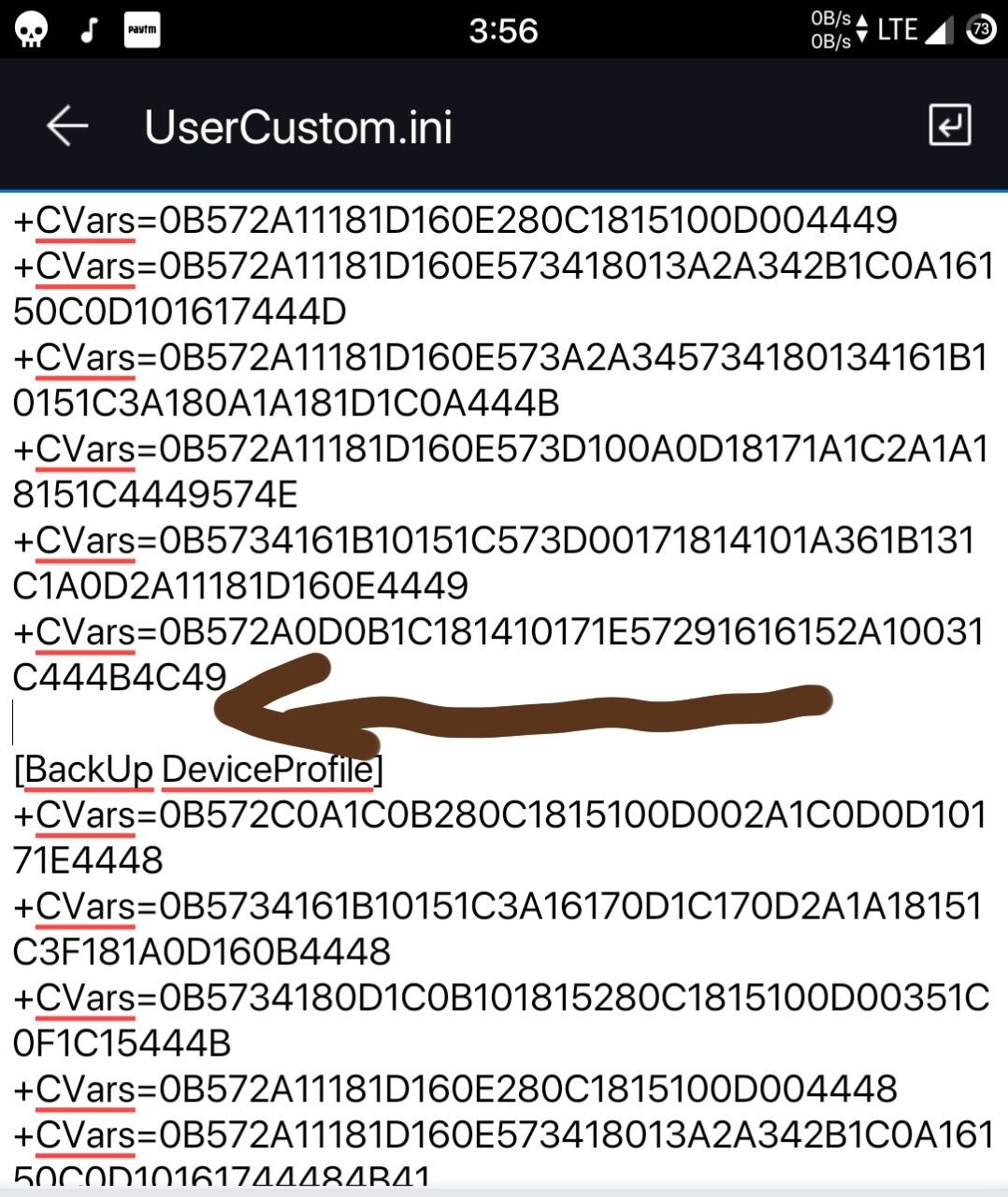
So Just remember and correct the order in a config like below
It is needed if both parts are up-down for new people (first timers) by default Pubg
It is so easy
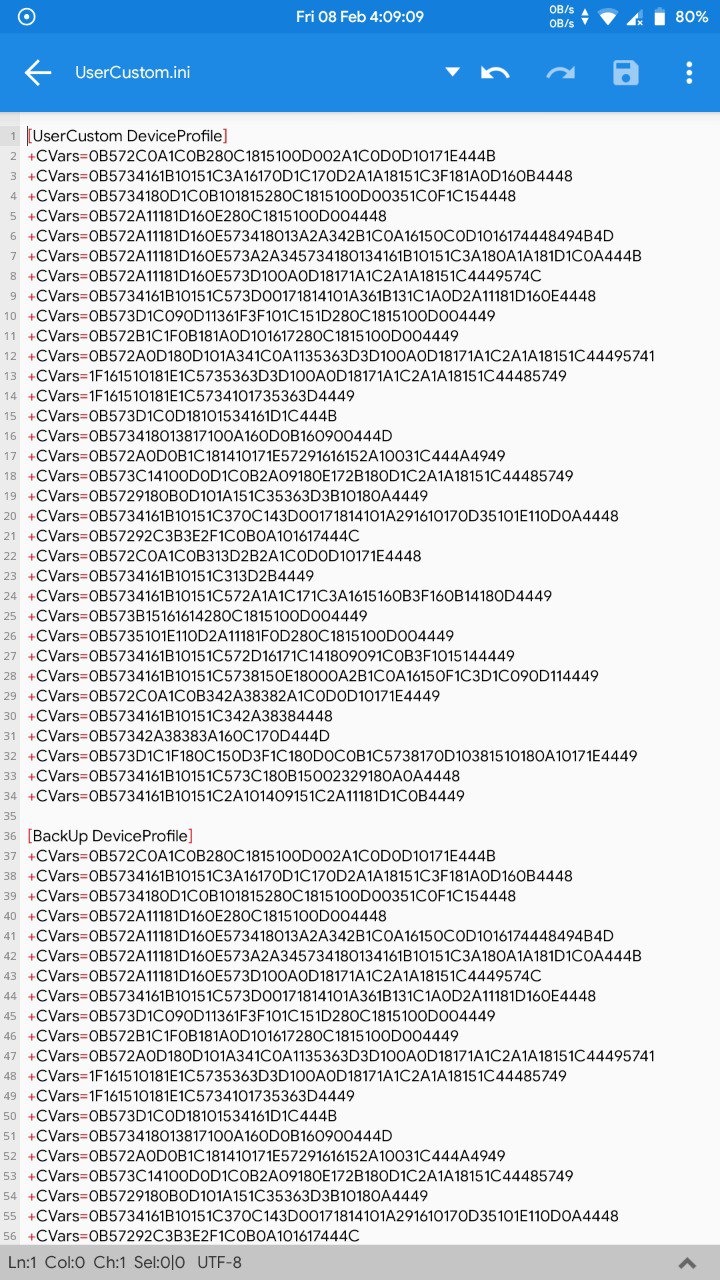
First copy paste(replace) mine
[UserCustomDeviceProfile] section
Then leave a line with enter key
Then your's default original
[BackupDeviceProfile] section...(no need to touch this)
Then leave some lines and save ...
It will look something like these with some lines
____________________________________________________________________________
____________________________________________________________________________
Note;- Guys if you change config for first time u will see that highest fps options have been unlocked but not automatically selected
So in that case just select Highest fps options manually and leave game and go change the configs thing one time more ...
IIt is only for New members or new people who apply configs for first time
Guys if u faced it , this is due to pubg (they have blocked fps control thing in this update )
____________________________________________________________________________
So next time u will copy paste/replace my configured [UserCustomDeviceProfile] section of (configs)
It will work perfectly without any bugs
___________ _______________ _____________________ ___________________
Guys we are not doing any hacks ...
It is 100% safe ....
Credits :- @K1ks1 , @Hafiziq [NFS team] ;__;
@TheHardGamer Varun ;__;
and other peps who supported me
If you want to report bugs do mention to me @HackerZombies
Peace ;__;