Code for slider in a Label resource.
Mauro RamonSlider code (adapted from Mary Evans reply on https://moodle.org/mod/forum/discuss.php?d=345876)
<div id="myCarousel" class="carousel slide" data-ride="carousel" style="overflow: hidden;"><ol class="carousel-indicators">
<li data-target="#myCarousel" data-slide-to="0" class="active"></li>
<li data-target="#myCarousel" data-slide-to="1"></li>
<li data-target="#myCarousel" data-slide-to="2"></li>
</ol>
<div class="carousel-inner" role="listbox">
<div class="carousel-item active"><img class="first-slide" src="https://campus.uda.edu.ar/pluginfile.php/95077/mod_label/intro/de.jpg" alt="" />
<div class="container">
<div class="carousel-caption d-none d-md-block text-left">
<h1>INGLES DEL VINO UPPER</h1>
<p>Not yet talking fluently? Let´s try a little help...</p>
<p><a class="btn" href="https://campus.uda.edu.ar/course/view.php?id=757" role="button" style="background: #333; color: white; padding: 10px 20px; margin-top: 5px;">Agregate</a></p>
</div>
</div>
</div>
<div class="carousel-item"><img class="second-slide" src="https://campus.uda.edu.ar/pluginfile.php/95077/mod_label/intro/dostest.jpg" alt="" />
<div class="container">
<div class="carousel-caption d-none d-md-block">
<h1>MOODLE NIVEL AVANZADO</h1>
<p>Un curso especialmente hecho para profesores</p>
<p><a class="btn" href="https://campus.uda.edu.ar/course/view.php?id=752" role="button" style="background: #333; color: white; padding: 10px 20px; margin-top: 5px;">Consultar</a></p>
</div>
</div>
</div>
<div class="carousel-item"><img class="third-slide" src="https://campus.uda.edu.ar/pluginfile.php/95077/mod_label/intro/otras.jpg" alt="" />
<div class="container">
<div class="carousel-caption d-none d-md-block text-right">
<h1>MOODLE NIVEL INTERMEDIO</h1>
<p>Un curso especialmente hecho para profesores</p>
<p><a class="btn" href="https://campus.uda.edu.ar/course/view.php?id=1097" role="button" style="background: #333; color: white; padding: 10px 20px; margin-top: 5px;">Consultar</a></p>
</div>
</div>
</div>
</div>
<a class="carousel-control-prev" href="#myCarousel" role="button" data-slide="prev"> <span class="carousel-control-prev-icon" aria-hidden="true"></span> <span class="sr-only">Previous</span> </a> <a class="carousel-control-next" href="#myCarousel" role="button" data-slide="next"> <span class="carousel-control-next-icon" aria-hidden="true"></span> <span class="sr-only">Next</span> </a></div>
Note.. the inline style in bold type is because of the compatibility with Moodle app (android). The app does not read de Boostrap code and therefore it render the slider as a simple list of images, text and the button.
All and all it works well... except when you look at the slider in a browser on a smaller device. That's why I resize the browser window to show how below some breakpoint (around 400px or less) the html text on the slides dissapears, and all that is left it's a bunch of background images sliding... No clue for the reader whar the hell is going on!
Below is the code for the actual "gallery" in a label resource... Just an array of images and text inside SPAN elements, to mimic the column behavior. No slider, messy, but works anyway in PC, mobile, and the Moodle app. Again , the problem is that is not inside a page, or book... It´s a label where it must work.
<div style="width: 100%;"><span style="display: inline-block; width: 32%; vertical-align: top;"> <a href="https://campus.uda.edu.ar/course/view.php?id=341"><img src="https://campus.uda.edu.ar/draftfile.php/41844/user/draft/247097375/Espacio%20Estudiante.jpg" class="img-fluid" alt="Espacio Estudiantes" width="95%" height="auto" /> </a><br /> <strong style="padding-top: 10px; font-size: 10px; display: inline-block; line-height: 12px; color: #999999; height: 25px;">Acceda al espacio virtual para estudiantes</strong> </span> <span style="display: inline-block; width: 32%; vertical-align: top;"> <a href="https://campus.uda.edu.ar/course/view.php?id=340"><img src="https://campus.uda.edu.ar/draftfile.php/41844/user/draft/247097375/Recursos%20Docentes.jpg" class="img-fluid" alt="Recursos Docentes" width="95%" height="auto" /> </a><br /> <strong style="padding-top: 10px; font-size: 10px; display: inline-block; line-height: 12px; color: #999999; height: 25px;">Acceda a recursos de Moodle para docentes</strong> </span> <span style="display: inline-block; width: 32%; vertical-align: top;"> <a href="mailto:ead@uda.edu.ar?subject=Consulta sobre proximos cursos"><img src="https://campus.uda.edu.ar/draftfile.php/41844/user/draft/247097375/Moodle%20Nivel%20Inicial.jpg" class="img-fluid" alt="Proximos Cursos" width="95%" height="auto" /> </a><br /> <strong style="padding-top: 10px; font-size: 10px; display: inline-block; line-height: 12px; color: #999999; height: 25px;">Consulte acerca de nuestros próximos cursos</strong> </span>
<div sytle=" display:block; width:100%;height:4px"> </div>
<span style="display: inline-block; width: 32%; vertical-align: top;"> <a href="mailto:ead@uda.edu.ar?subject=Consulta sobre proximos cursos"> <img src="https://campus.uda.edu.ar/pluginfile.php/95078/mod_label/intro/demotil.gif" class="img-fluid" alt="Otra cosa" width="95%" height="auto" /> </a><br /> <strong style="padding-top: 10px; font-size: 10px; display: inline-block; line-height: 12px; color: #999999; height: 25px;">Nuevas cosas que llegarán, ahora.</strong> </span></div>
The idea is to have (some?) slider mecanism, that shows:
an image
a title
a button (or not... just bay being cklicable , the whole html structure is worth for me)
and that can be seen (responsively?) both in:
browser PC, tablet, smartphone screensizes
and
the Moodle app (Android or iOS).
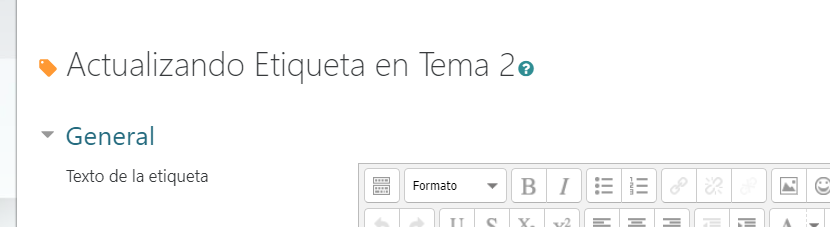
Last but not least, this is a LABEL RESOURCE in case I´ve been misunderstood...
Regards, Mauro.